





cSchug
Members
-
Joined
-
Last visited
-
Ok, after a few days of work I was able to get things rolling again. I used the instructions you linked to and used BTRFS restore to back up the cache to the array. Once that completed I shut down the system and removed the two old cache SSDs to prevent myself screwing them up any further. Then I set the two new NVMe's to be the new cache pool and formatted them accordingly. I then copied my backed up cache contents to the new cache pool. Had to rebuild my docker image and do some troubleshooting with Plex, but for the most part I am back up and running. Thank you SO much JorgeB for your patience and helpful assistance throughout this process. I had to further my linux education to accomplish all the steps needed, but in the end it worked and I don't have to start over. If I can buy you a beer or something, please let me know!
-
The machine did eventually reboot. After stopping the array, removing the pool, and restarting the array, both cache disks showed as mountable in the unassigned devices section. So that felt like progress! However, after putting them back in as pool devices and starting up the array they show as unmountable again. Here are the logs: media-diagnostics-20230712-1737.zip
-
So while attempting to follow this advice, my server stopped responding via GUI. After attempting to reload it in a new tab, it just fails to bring anything up. The terminal window was still open so I attempted a reboot with powerdown -r but nothing is happening. The array was spun up so I don't really want to just mash the power button. Any ideas?
-
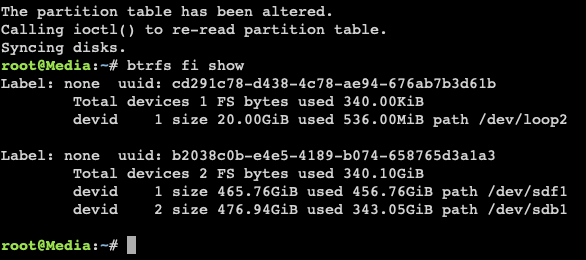
Here's the output:
-
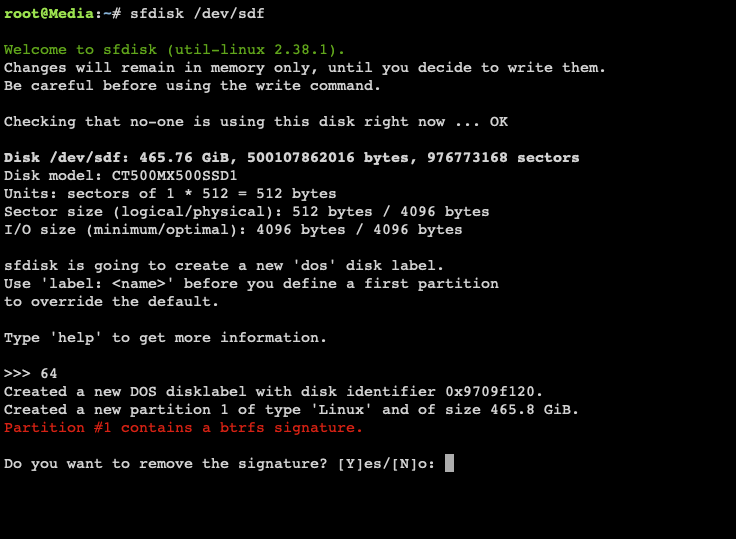
Here is the output:
-
The terminal window closed itself yesterday while I was at work, do I need to start the command over?

-
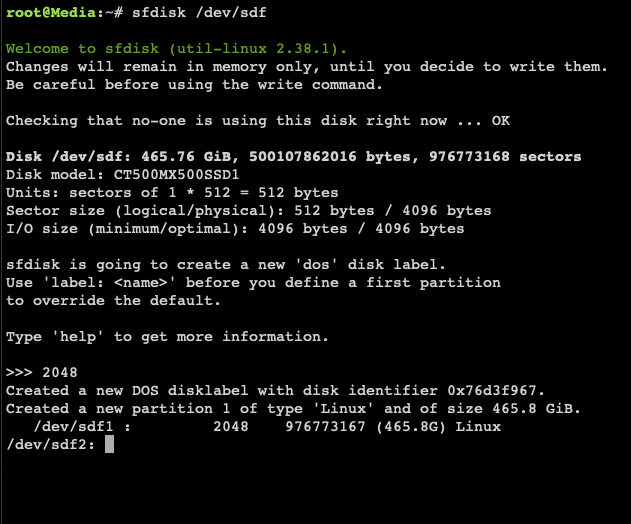
Below is the output.
-
Label: none uuid: cd291c78-d438-4c78-ae94-676ab7b3d61b Total devices 1 FS bytes used 348.00KiB devid 1 size 20.00GiB used 536.00MiB path /dev/loop2 My original cache drives are: CT500MX500SSD1_ 1843E1D2FB51 - 500 GB (sdf) SPCC_Solid_State_Disk_DGEB07881C2A00046654 - 512 GB (sdb) And the new ones are: SPCC_M.2_PCIe_SSD_230064985170119 (nvme1n1) SPCC M.2 PCIe SSD 230073425110010 (nvmeOn1)
-
UnRAID 6.12.2 I just moved my system over to a new build, and after I sorted out an issue with some bad RAM, it was all running great. So I proceeded to swap in my new NVMe drives for the old SSDs that were in my cache pool. I stopped the array, removed one cache drive, selected one of my new drives as the replacement and restarted the array. Took some time, but eventually the process finished (the STOP ARRAY button was no longer greyed out). So I stopped the array and attempted to replace the other SSD with the second new drive. When I started the array back up it said the cache drives were both unformatted. So I stopped the array and put the old drives back in, same error. Off to the internet I went to find a solution and tried several from these very forums but no dice. Hoping someone can take a peek at my logs and tell me if all my cache data is gone and if not, how to get the drives to play nice. media-syslog-20230710-2124.zip

