belac102
Members
-
Joined
-
Last visited
Everything posted by belac102
-
It is rebooting. I usually get a start up notification "Warnings have been found with your server" from fix common problems I log in and the server has restarted. I was afraid it was hardware related. Would the diagnostics show thermals for CPU or is there anywhere to check that in Unraid?
-
Hello all, there may be another post already that can help me but after a couple of days of searching here and Reddit, I can't seem to find something that fits my situation so feel free to point me to something else if you know of something. So my Unraid setup seems to keep randomly rebooting and also losing the identification and time/date after every reboot. I can't seem to find anything in the syslog that stands out to me but I am also not an expert when it comes to Unraid. Can someone take a look at the logs and see if they notice anything that may be causing this issue? I am afraid it is hardware related but want to get some opinions before I start replacing stuff. Summary of Dockers, VMs, Plugins I have running Docker: Emby, Nextcloud, Postgres15, and swag VM: 1 Windows 10 Plugins: Appdata Backup, Community Apps, Docker Patch2, Dynamix Schedules, Fix Common Probs, Nerdtools, rclone, tips and tweaks, unassigned Devices, Unraid Connect, User Scripts moses-diagnostics-20240229-0831.zip
-
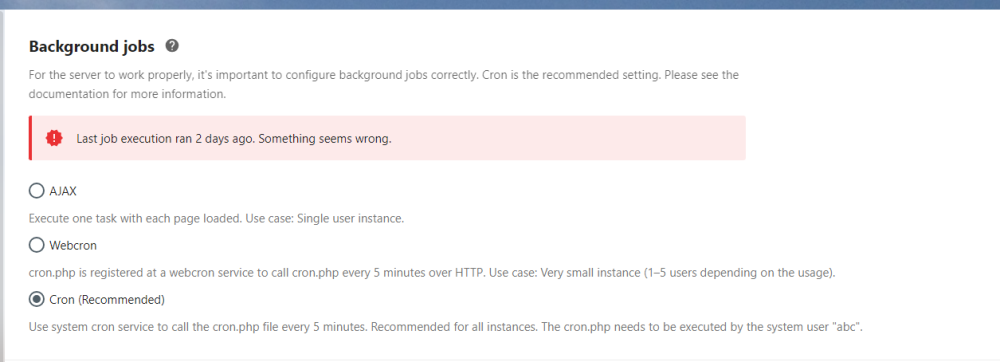
Getting this error on the CRON job. Any ideas? Updated a couple of days ago, running Nextcloud 27.0.1 and on the latest Linuxserver Docker container. Unraid version is 6.12.3