





Vonlaus
Members
-
Joined
-
Last visited
-
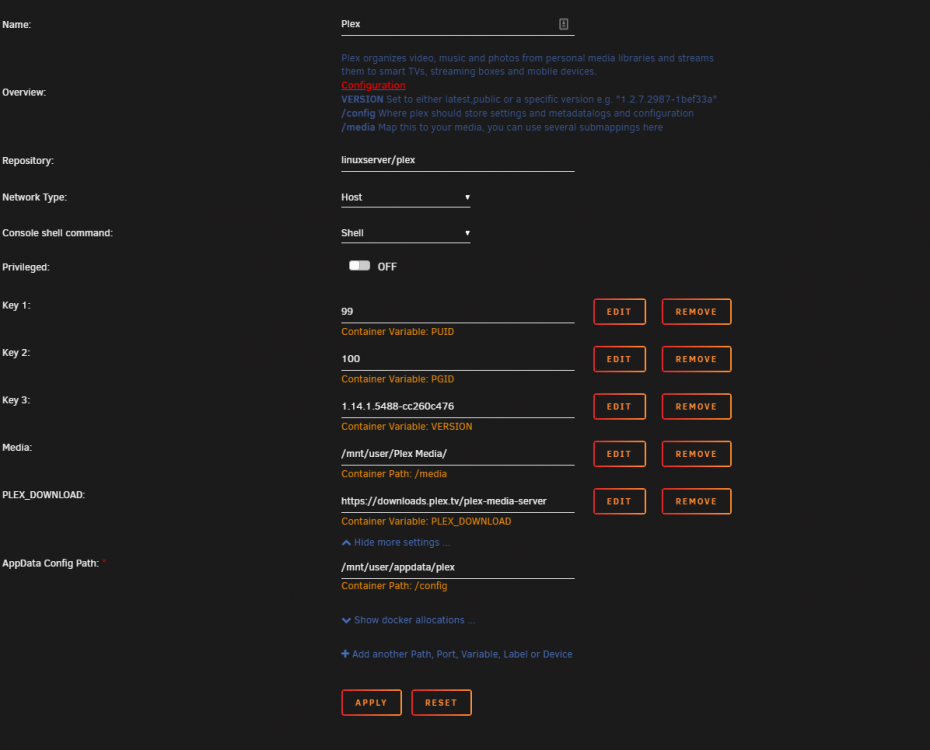
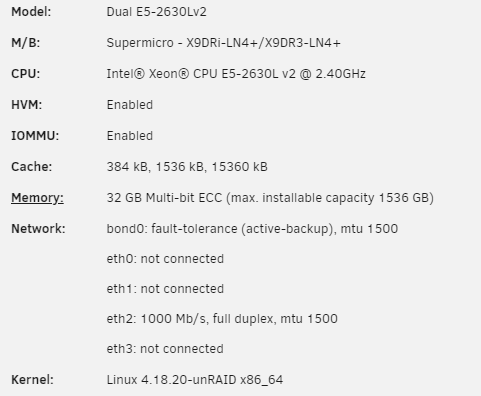
No 265. No 4K files. It all started the other day probably Sunday the 31st. I have been running the server fine for a few months now. No issues. Each transcode was using up to about 10 percent of the total CPU load from the Dual CPU's. I have been testing with a x264 720p TV Show. I tried to follow the instructions to downgrade to 1.14 just to test the plex version however I can't seem to get the docker to downgrade the version. I also tried version 1.14.1.5488-cc260c476-ls9 and that didn't work either.
-
Thanks. Got it all set up. Still using about 40% of total CPU load on average while transcoding. Since I reinstalled everything cleanly with all new app data and everything I don't think it's the docker causing the issue. Alas, I will have to look at some Plex forums to see what could possibly be happening. It just started doing this in the past few days.
-
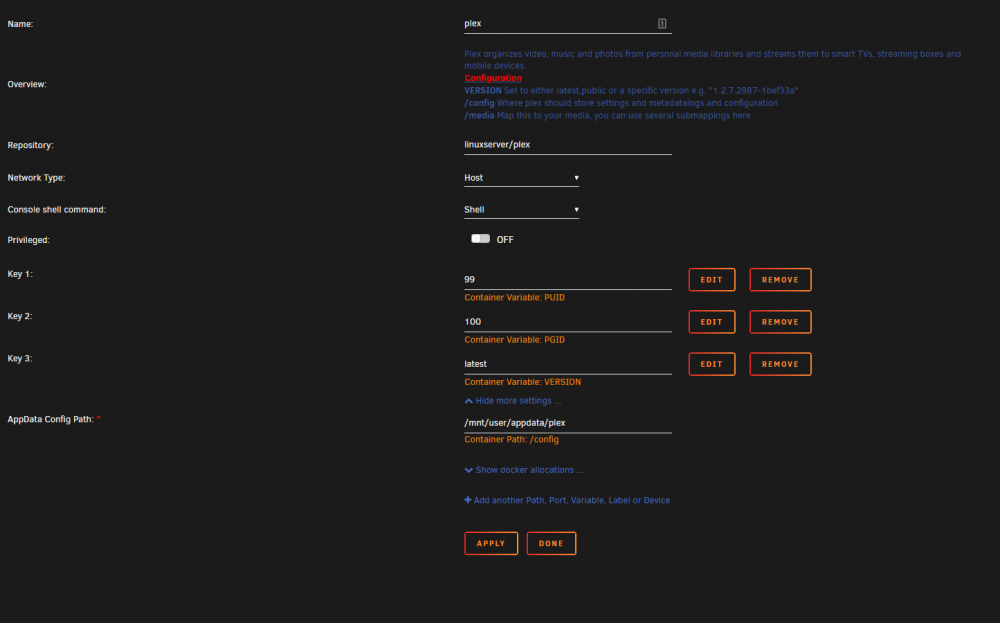
In an effort to attempt to figure out why my CPU is being put into so much use by one transcode. My CPUs in theory should be able to support much more than two transcodes however its just hammmmering my system. I have decided to uninstall and start fresh. I have no plex files or transcode files in app data. I have removed all old templates. I removed the docker for plex as well. Upon going to Community Applications and selecting this Docker the template seems to be incomplete. Is this normal? Should I be mapping things myself? I'm pretty knew to this so apologies if some of these questions are dumb.
-
My docker is doing about the same thing however only on transcoding. It used to use about 10% or less per Transcode now it seems one transcode pushes the usage to over 50% and I cannot figure out for the life of me what could be happening.


