Skip to content
View in the app

A better way to browse. Learn more.

Unraid

A full-screen app on your home screen with push notifications, badges and more.

To install this app on iOS and iPadOS
  1. Tap the Share icon in Safari
  2. Scroll the menu and tap Add to Home Screen.
  3. Tap Add in the top-right corner.
To install this app on Android
  1. Tap the 3-dot menu (⋮) in the top-right corner of the browser.
  2. Tap Add to Home screen or Install app.
  3. Confirm by tapping Install.

zJonesz

Members
  • Joined

  • Last visited

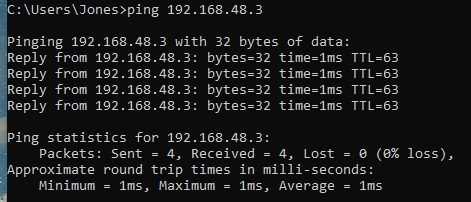
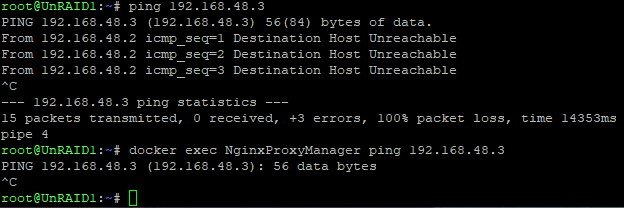
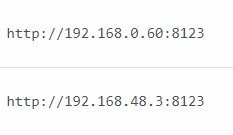
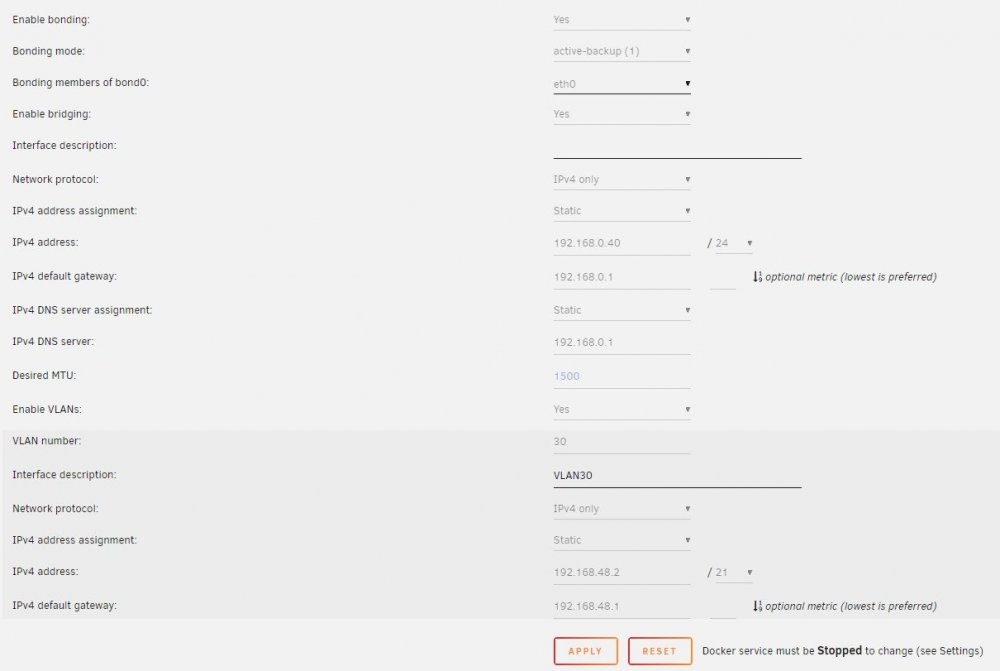
  1. Installed this plugin for my Unraid 6 Server and love the UI and the simplicity. However when Im trying to add webservers from a different VLAN I cant access them trough nginx getting this in the "error" logfile: and 502 Bad Gateway, when trying to connect to the webserver in Chrome. Running Unifi with "Corporate network" on both VLANs so the firewall sould route traffic trough I can access 192.168.48.3:8123 fine when in using a pc on 192.168.0.0 network. Is this a NGINX config error or a firewall error?
Account

Navigation

Search

Search

Configure browser push notifications

Chrome (Android)
  1. Tap the lock icon next to the address bar.
  2. Tap Permissions → Notifications.
  3. Adjust your preference.
Chrome (Desktop)
  1. Click the padlock icon in the address bar.
  2. Select Site settings.
  3. Find Notifications and adjust your preference.