Skip to content
View in the app

A better way to browse. Learn more.

Unraid

A full-screen app on your home screen with push notifications, badges and more.

To install this app on iOS and iPadOS
  1. Tap the Share icon in Safari
  2. Scroll the menu and tap Add to Home Screen.
  3. Tap Add in the top-right corner.
To install this app on Android
  1. Tap the 3-dot menu (⋮) in the top-right corner of the browser.
  2. Tap Add to Home screen or Install app.
  3. Confirm by tapping Install.

Dano

Members
  • Joined

  • Last visited

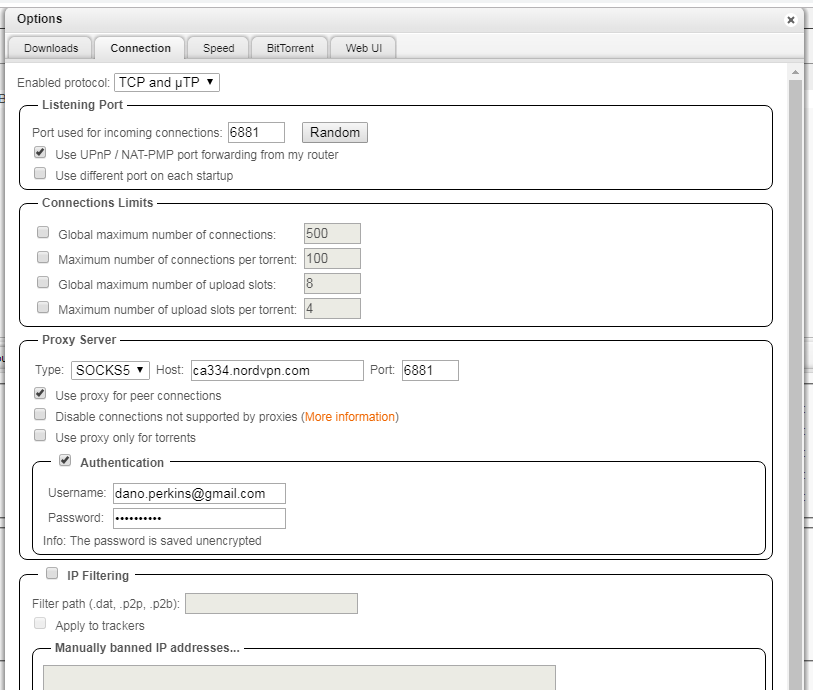
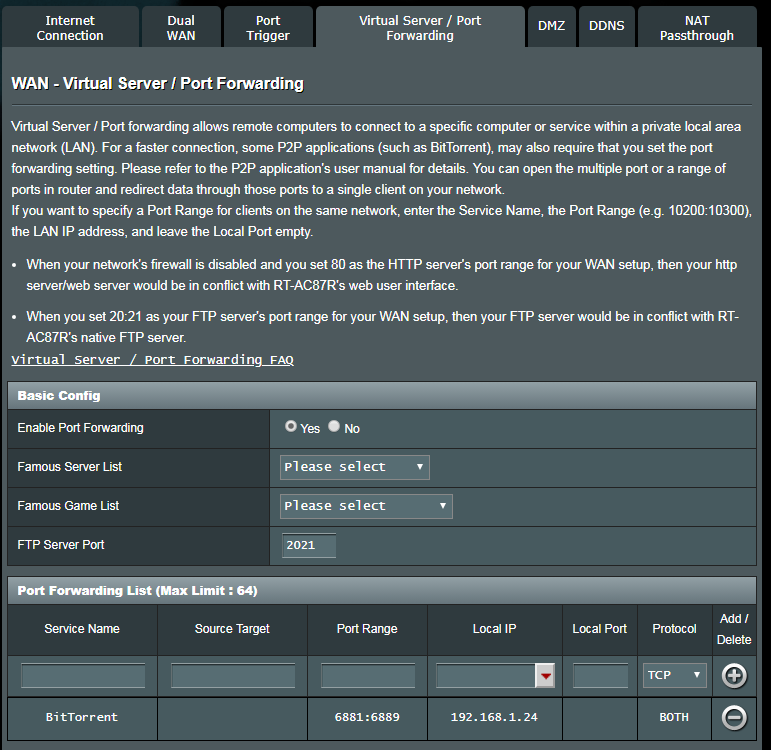
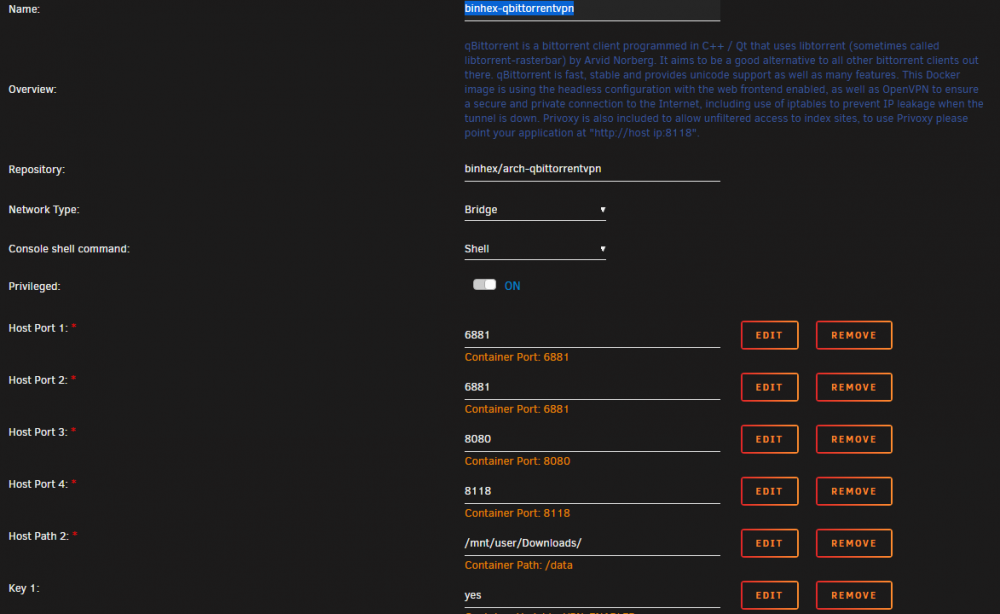
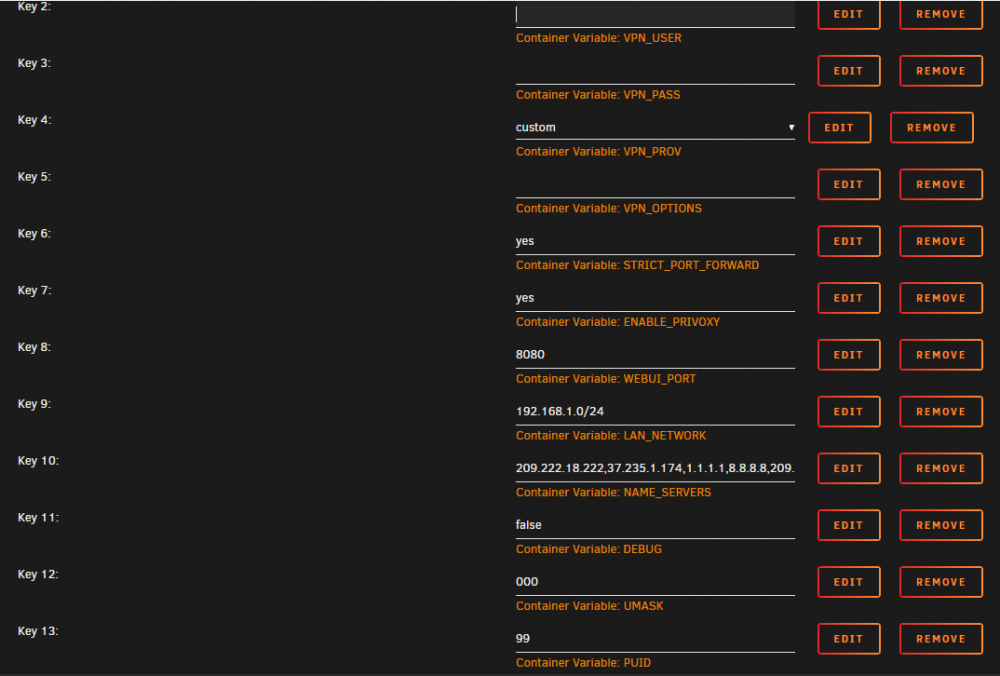
  1. Good day all. Im Dan, hi. and im new to this. My pea brain is having a tough time. So far i got a computer and have got unraid to run. Well Spaceinvader one did I just did what he said. My only plan at this point with the computer is to #1 download torrents with nord VPN. #2 have a plex server. #3 be able to access the computer remotely from work to download torrents(yay torrentday i love you.). Im stuck on #1. im running binhex-qbittorrentvpn. I was wondering if anyone could help. I dont know how to upload pics here. I added attachments. I added my nord vpn files in krusader. I can load up qbittorrent My download speed with shaw is 300+ MBPS A torrent will stall in Qbittorrent and will start to download at a couple bytes then stall out.
Account

Navigation

Search

Search

Configure browser push notifications

Chrome (Android)
  1. Tap the lock icon next to the address bar.
  2. Tap Permissions → Notifications.
  3. Adjust your preference.
Chrome (Desktop)
  1. Click the padlock icon in the address bar.
  2. Select Site settings.
  3. Find Notifications and adjust your preference.