





Bayoubuddha
Members
-
Joined
-
Last visited
-
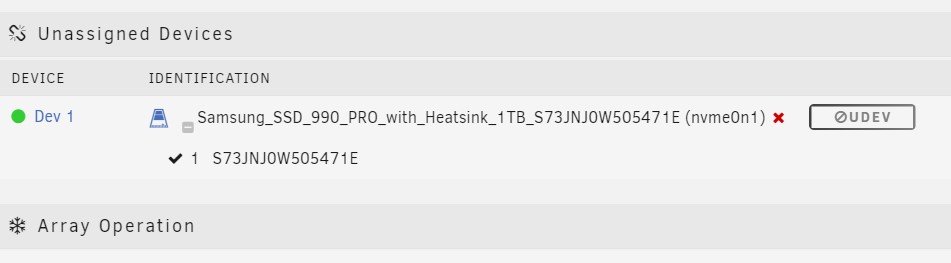
It's formatted as XFS. I got it working by accident when I clicked on the toggle for Read Writes Display. The Mount button appeared and mounted when I clicked on it.
-
Sorry. Should have done that from the start. jupiter-diagnostics-20230916-2233.zip
-
I just installed a 1 TB m.2 NVME and after I format it, this is what I'm seeing. Any help would be appreciated.
-
On Jan 1, I had a power problem. Power flickered but didn't go completely out. My Unraid server didn't power off but all access to it was met with 404 File Not Found error. I rebooted and the issue became intermittent. For example, I went to create the syslog just now and go the error. I refreshed the page and it worked. I'm seeing intermittent issues on some of my Dockers, mostly in Plex where Video keeps buffering even on my local network. Any ideas? Thanks in advance syslog
