rattlehead05
Members
-
Joined
-
Last visited
Everything posted by rattlehead05
-
@Heffe there should be an option for "personality mode", it's under that.
-
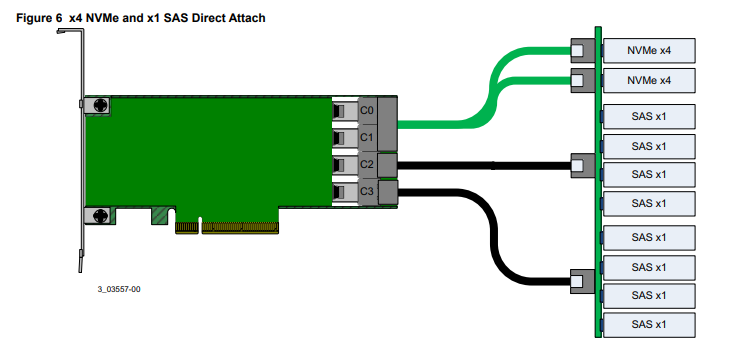
The card itself is fine, unfortunately it doesn't support NVME with the cables, it requires a backplane with come circuitry. I have been using 2x SAS 12Gbps Seagate ssd's for cache drives, and it's been just fine.
-
It's got a software switch to change it to "JBOD Mode". Plus I got it for free from a machine that was getting scrapped, so it's the card I have haha.
-
Hi all! I got my hands on a LSI Megaraid 9460-16i card recently, and it supports 1xNVME/4xSAS/4xSATA on each of its 4x SFF-8643 connectors. I was thinking of using a pair of NVME disks for a mirror cache pool, and using the remaining 8x SAS/SATA connections for my storage pool, like what's shown in the picture but with SATA disks. Is there any reason this would give me issues? I have never used NVME before, and know SSD's are not recommended for the storage pool disks. Thanks!