





tjustice86
Members
-
Joined
-
Last visited
Everything posted by tjustice86
-
I am trying to setup photoprism with MariaDB. I have tried a few different tutorials and guides and always get this error: level=fatal msg="commands out of sync. Did you run multiple statements at once?" Any insight would be greatly appreciated.
-
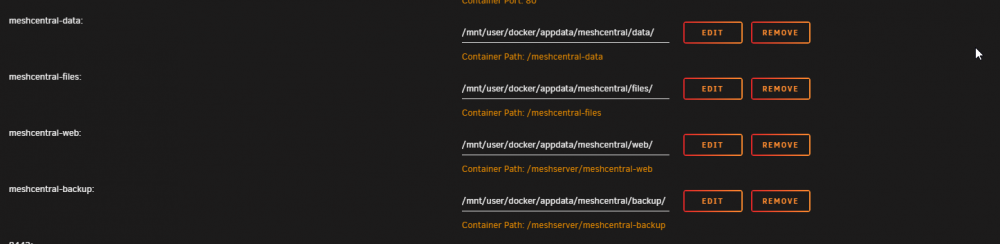
Here are my volume settings.
-
How do I edit the settings file? I don't see any files under my meshcentral-data folder unless I check from within the container itself. Inside the container I don't have nano or vi?
-
How are you passing through your audio? I would like to use HDMI passthrough but can't seem to get it to work with my VM. The on board audio controller works but I would like to watch movies and even game at at least 5.1. Any ideas or pointers? MOBO: MSI B450 Gaming Pro Carbon AC CPU: AMD Ryzen 7 1700x GPU: XFX AMD Radeon rx 580 I will have to check my cstates and memory speed when I get home.
