





sgibbers17
Members
-
Joined
-
Last visited
-
Thanks, I think there is a trend to have more pcie and the new 12v GPU connectors on PSUs, the old seasonic power supplys 520w/750w had 4/5 sata/molex ports and 4/6 pcie/CPU ports. As for the 5v header not being enough according to the data sheets that I found for my HDD and the seasonic email there is enough head room for me to not worry about.
-
Will unRAID notify me or will I have to watch it?
-
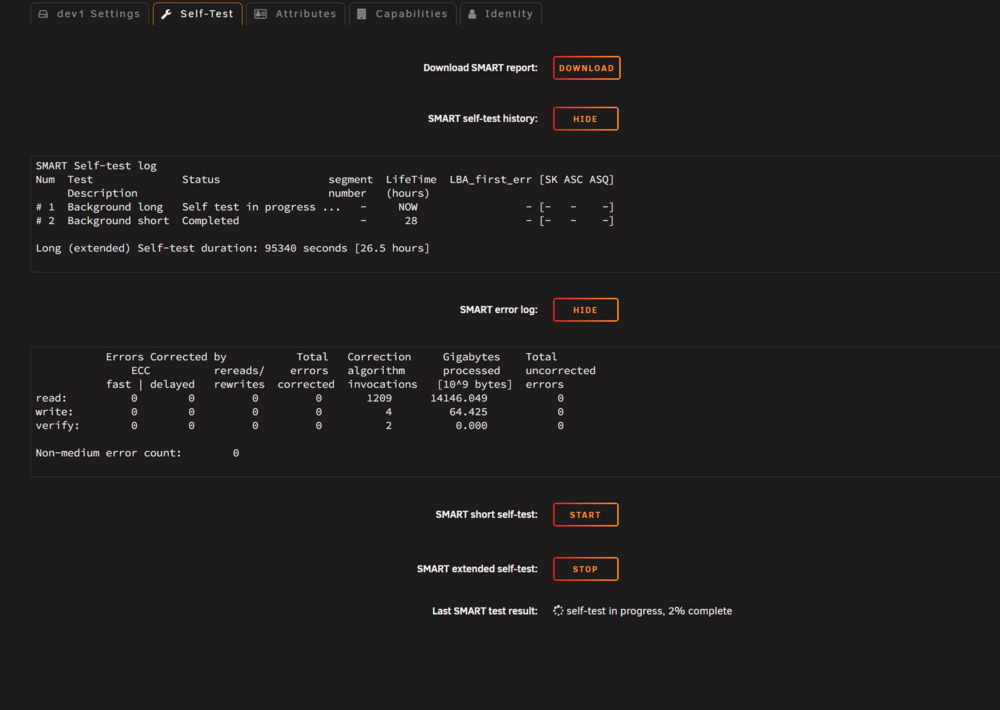
Is that a normal SAS drive thing or is that a limitation of unRAID? I just finished a long self test and these are the results. It looks fine to me but I don't know much about smart data other than look for sector problems and I don't see any references to that in the data and I don't see any problems in the error section. What should I keep an eye out for and will unRAID notify me if there is a problem? I would have went with a SATA drive but the SAS drive was significantly cheaper and my server is SAS capable so I figured I would give it a try. This is also my first time purchasing a recertified drive so I am more leary than normal. smartctl 7.5 2025-04-30 r5714 [x86_64-linux-6.12.54-Unraid] (local build) Copyright (C) 2002-25, Bruce Allen, Christian Franke, www.smartmontools.org === START OF INFORMATION SECTION === Vendor: WDC Product: WUH721414AL4204 Revision: C400 Compliance: SPC-4 User Capacity: 14,000,519,643,136 bytes [14.0 TB] Logical block size: 4096 bytes LU is fully provisioned Rotation Rate: 7200 rpm Form Factor: 3.5 inches Logical Unit id: 0x5000cca25846b994 Serial number: 9JH7WT8T Device type: disk Transport protocol: SAS (SPL-4) Local Time is: Wed Jan 14 11:23:27 2026 CST SMART support is: Available - device has SMART capability. SMART support is: Enabled Temperature Warning: Enabled Read Cache is: Enabled Writeback Cache is: Enabled === START OF READ SMART DATA SECTION === SMART Health Status: OK Format status indicates no format since manufacture Current temperature = 34 Lifetime maximum temperature = 41 Lifetime minimum temperature = 22 Maximum temperature since power on = 34 Minimum temperature since power on = 22 Manufactured in week 06 of year 2025 Specified cycle count over device lifetime: 50000 Accumulated start-stop cycles: 2 Specified load-unload count over device lifetime: 600000 Accumulated load-unload cycles: 4 Elements in grown defect list: 0 Error counter log: Errors Corrected by Total Correction Gigabytes Total ECC rereads/ errors algorithm processed uncorrected fast | delayed rewrites corrected invocations [10^9 bytes] errors read: 0 0 0 0 1209 14146.051 0 write: 0 0 0 0 4 64.425 0 verify: 0 0 0 0 27 0.000 0 Non-medium error count: 0 SMART Self-test log Num Test Status segment LifeTime LBA_first_err [SK ASC ASQ] Description number (hours) # 1 Background long Completed - 51 - [- - -] # 2 Background short Completed - 28 - [- - -] Long (extended) Self-test duration: 95340 seconds [26.5 hours] Background scan results log Status: scan is active Accumulated power on time, hours:minutes 51:43 [3103 minutes] Number of background scans performed: 0, scan progress: 3.03% Number of background medium scans performed: 0 General statistics and performance log page: General access statistics and performance: Number of read commands: 53634455 Number of write commands: 144939 number of logical blocks received: 15728697 number of logical blocks transmitted: 3453625643 read command processing intervals: 0 write command processing intervals: 0 weighted number of read commands plus write commands: 0 weighted read command processing plus write command processing: 0 Idle time: Idle time intervals: 2281490 in seconds: 114074.500 in hours: 31.687 Protocol Specific port log page for SAS SSP relative target port id = 1 generation code = 1 number of phys = 1 phy identifier = 0 attached device type: SAS or SATA device attached reason: power on reason: unknown negotiated logical link rate: phy enabled; 12 Gbps attached initiator port: ssp=1 stp=1 smp=1 attached target port: ssp=0 stp=0 smp=0 SAS address = 0x5000cca25846b995 attached SAS address = 0x500605b00d445880 attached phy identifier = 4 Invalid DWORD count = 0 Running disparity error count = 0 Loss of DWORD synchronization count = 0 Phy reset problem count = 0 relative target port id = 2 generation code = 1 number of phys = 1 phy identifier = 1 attached device type: no device attached attached reason: unknown reason: power on negotiated logical link rate: phy enabled; unknown attached initiator port: ssp=0 stp=0 smp=0 attached target port: ssp=0 stp=0 smp=0 SAS address = 0x5000cca25846b996 attached SAS address = 0x0 attached phy identifier = 0 Invalid DWORD count = 0 Running disparity error count = 0 Loss of DWORD synchronization count = 0 Phy reset problem count = 0
-
A Seasonic engineer told me via email that the peripheral ports can't handle that amperage but the pcie port can for my specific PSU. They gave me a amperage per pin on each of the different ports. This was mentioned in a previous post.
-
It isn't a matter of how many molex/sata cables I have, it's a matter of how many 12v amps on that the peripheral ports on the PSU can handle. It seems that the peripheral PSU ports can't hand the 12v amps but the GPU/pcie ports can but don't supply 5v. So I would have to make a custom cable that takes the 12v rail from the pcie port and the 5v from the peripheral port. I have not done that yet but will when I expand my array.
-
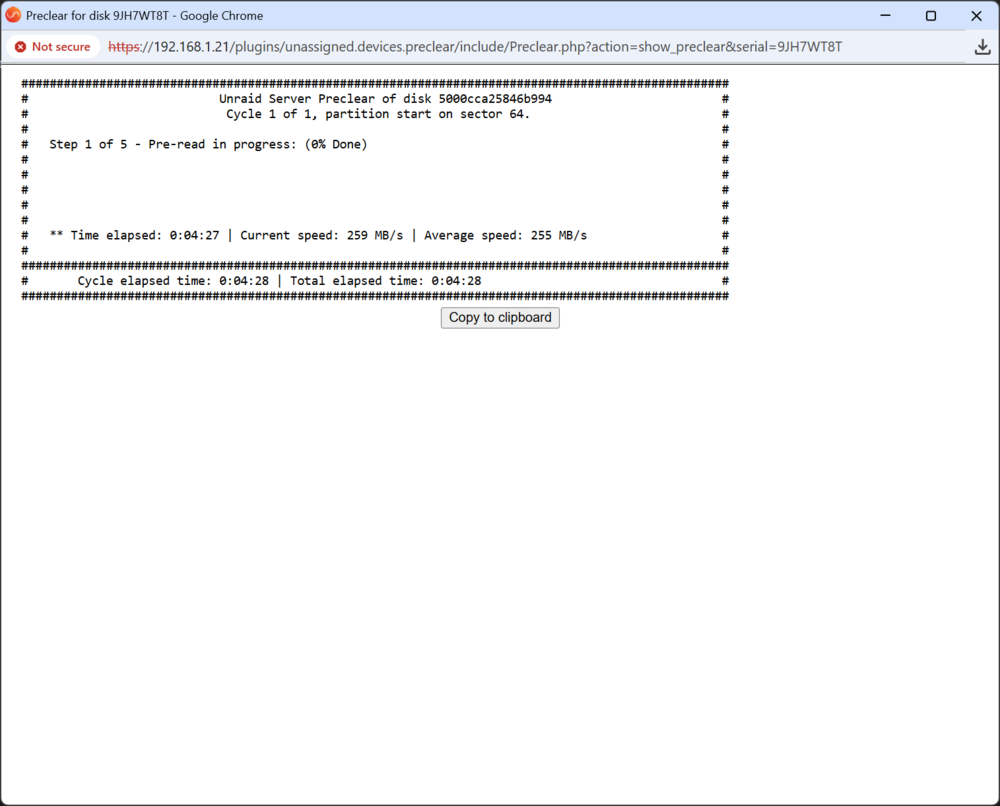
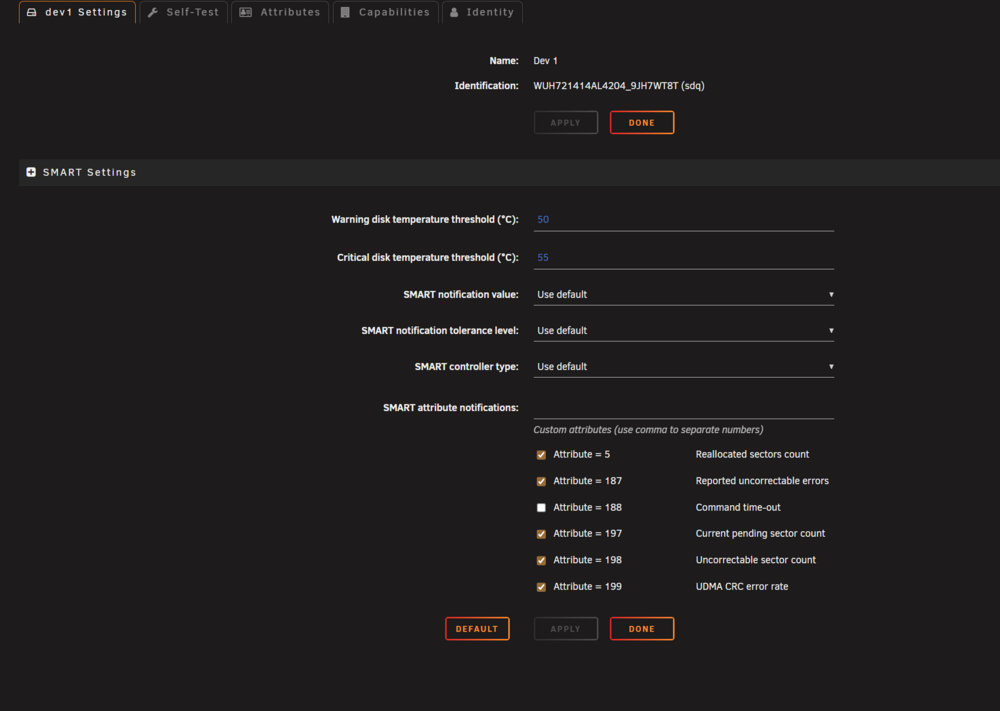
The preclear I started showed no smart data is that expected and how would I be able to tell if a SAS drive is failing? This is my first SAS drive.
-
I just purchased a Manufacturer Recertified WD Ultrastar DC HC530 SAS drive from serverpartdeals.com and went to preclear it to test the drive and it is not showing smart data. I have tried every SMART controller type when no success. I have uploaded screenshots of the smart data screen and the preclear screen that does not show the expected smart data like reallocated or pending sectors.. I ran a short SMART test and currently running an extended. I also downloaded the smart data from the drive after the short test and uploaded it here. Can someone please help me get the smart data displayed correctly so I can make sure the drive is operating correctly and I will get notifications when it starts to go bad? I am using a 45drives av15 case with a LSI HBA SAS Controller 9400-16i. WUH721414AL4204_9JH7WT8T_35000cca25846b994-20260113-1227.txt

-
Its not the 5V I'm worried about. According to Seasonic the peripherals are only good for 5 amps for the 12v pin each. That's not enough when each drive is >1 amp at 12v. It looks Like I'm going to have to make a custom cable using the 12v from the PCIe cables and 5v from the molex. Seasonic told me that each pin on the PCIe connector is good for 8 amps and on my PS there are 3 unused CPU/PCIe connectors with 4 12v pins each. That makes 96 amps at 12v. Since I am not going to have a GPU that requires power I can use those connectors.
-
I have a NORCO RPC-4224 with a "01 SAS 12Gb v1.3" backplane and a 1000w seasonic power supply but only has 3 peripheral sata/molex connectors on the back that according to seagate only can handle 5 amps each and 15 amps in total. If I want to fill this case with 24 drives that will not be enough. I know that on my 45drives av15 backplane only has 12v supplied to it. Does the NORCO RPC-4224 require the 5V pin on the molex connector? I was thinking if the backplanes do not require 5 volts and only need 12 volts I could make custom cables using the PCIe/CPU connectors.
-
I currently have an unRAID server and am adding a TrueNAS server for long term storage/backup for my unRAID server that will eventually be in another building. My unRAID server currently has a Threadripper 1900x with a nvida t400 for plex docker transcodes. My unRAID server is only used for file storage and serving media via plex. I am upgrading my PC and will be using the old hardware to build another server. The other hardware will be a ryzen 5950x. My question is what MB/CPU should I put in the unRAID server and the TrueNAS server? Keep the Threadripper 1900x in the unRAID server or install the ryzen 5950x and use the 1900x with TrueNAS? The TrueNAS server will only be for file storage and probably only be turned on for adding files to it. I've read that the the zfs file system could benefit from a better CPU. If there are people other there that run both unRAID and TrueNAS please let me know your opinion.
-
The first thing that I can think of is are you sure you have the correct IP address. If your server has more than one Ethernet jack and you plugged it into a different jack you will have a different IP address.
-
I am currently running a 2 sata drive BTRFS raid0 for my cache and a 2 nvme drive BTRFS mirror for my dockers and VMs. I keep having issues with nvme drives on my server and not sure what is causing it, it might be the motherboard. So I am switching out the NVME drives for sata and bought 2 1TB drives. Now I have 4 identical sata drives and am wondering what would be faster now that I am using SATA instead of nvme. My options are. 2 drive stripped for cache and 2 drive mirror for Dockers and VMs Or 4 drive ZFS raidz1 for cache, Dockers and VMs on one pool. I'm leaning towards this one.
-
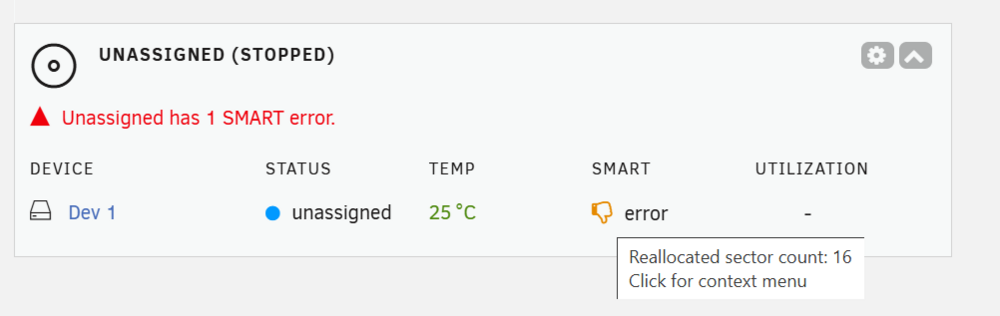
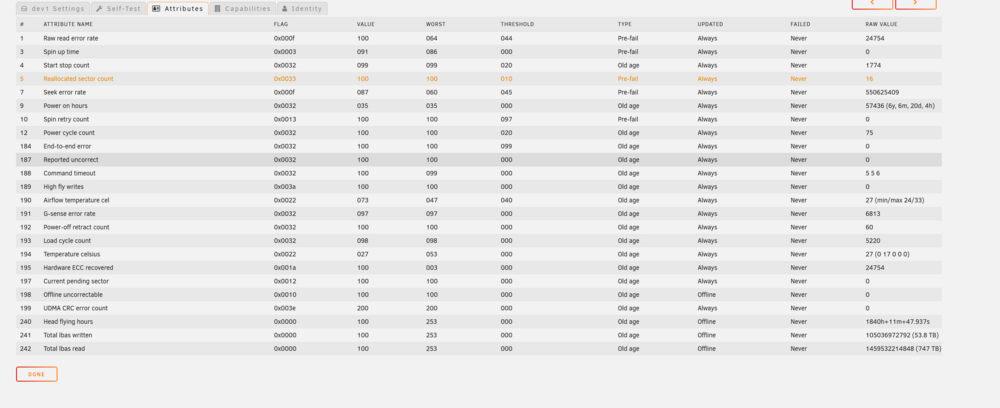
The alarm came back in with no writes or reads happening since I did the erase and clear and no changes to START attributes. Here is a screen shot of the thumbs down and the smart attributes that was asked for. It seams that acknowledge the alarm does not permanently acknowledge it. It re-alarmed when I stopped my array the drive is an unassigned drive and not connected to the array, pool, mounted, or formated. I saw a setting in the SMART setting that may help "SMART notification tolerance level" it looks like that might work but if I understand it if the threshold is 10 it just adds a percentage to that so to get the new threshold to 17 sectors I would need to set the threshold to 70% but the highest is 50%. I started and stopped my array to see if I could reproduce the error and it did come in twice in a row. I started with 5% and I haven't had the alarm come in so I guess I don't understand the setting. It also looks like its for all the attributes so I don't want to set it too high and mask another attribute problem.
-
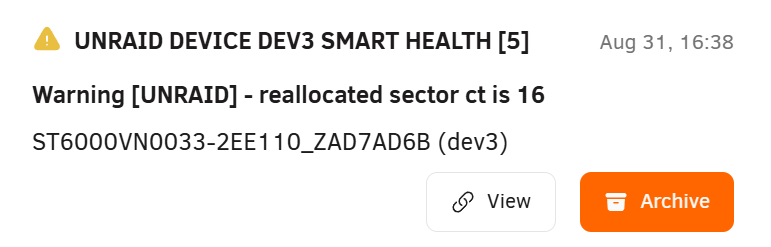
I had performed an extended SMART test and I could not get the alarm to come back. I did take a screenshot of the last alarm that was in the notifications. I have uploaded both the screenshot and the last SMART test report. ST6000VN0033-2EE110_ZAD7AD6B-20250903-0919.txt
-
I'll see if it is back in when I get home but it hasn't come back since I finished the 3x preclear. It came in during the 3x preclear a few times but when I did the erase and clear it did not come in at all.


