





TheBuz
Members
-
Joined
-
Last visited
-
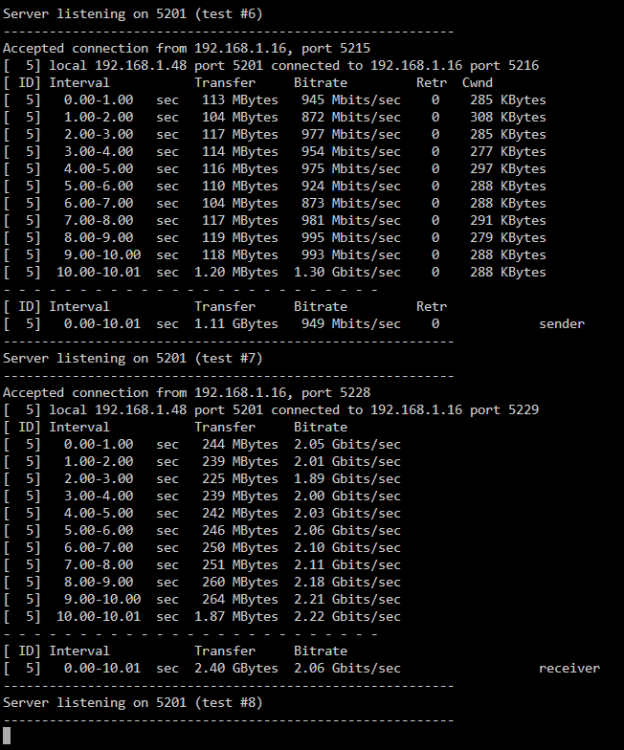
Sorry for wasting your time turns out it was the NIC on my testing PC. The ethernet cable is routed from the PC to the right of the room, moved it to the left to test on another PC all working fine, move it back to the right, to connect to the unraid server, get issues. Must but a loose connection in my NIC the weight of the cable when it goes to the right is enough to make it run slow. URGH. Not only that, iperf is wildly off, Test with iperf on other machines still hitting that 1gbps wall, but it I do a basic file transfer to or from windows to or from the server, it's full speed. That's not what's happening in iperf URGH again Thank you for your patience. That was a pain to diagnose
-
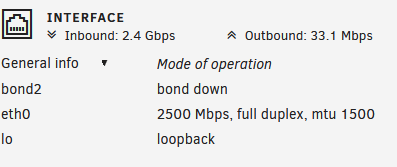
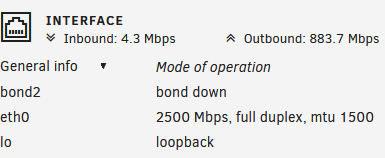
Tested with a USB 2.5gb NIC, (which was also tested ok on another machine) same behavior - 2gbs up to the server (inbound) -- 1gbs down. This looks like an Unraid issue...
-
Updated them all that fixed it, although i didn't check because im sure it said it was updating everything prior to the update and that's what i had to wait for before restarting. nevermind, all good now thank you
-
thanks, but it hits 2.5 when sending too Unraid, when going from unraid i can see it hit a 1gb wall. I've tested the switch (same port) and cables on another 2.5 device and got full speed. the Unraid NIC Is receiving 2.5 fine, and capping out at 1gb sending, i can't see that many settings to change in Unraid, and i've tried the community drivers here
-
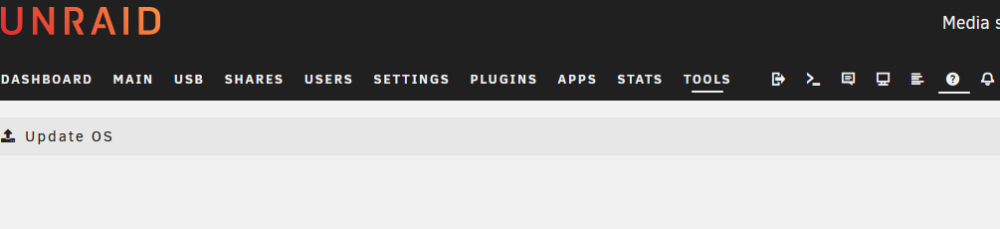
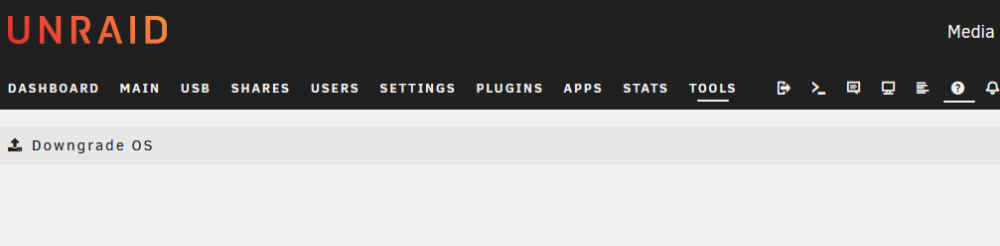
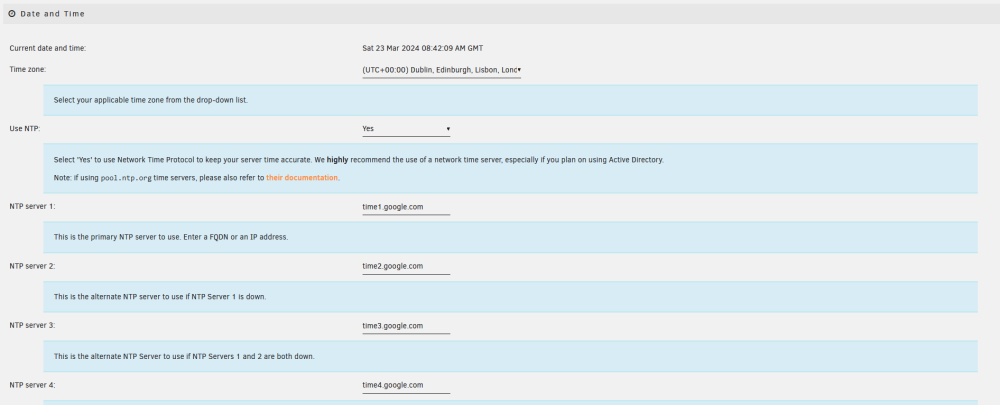
Updated to 6.12.8 - Waited for the notification to tell me it was ok to reboot. Now there is no version number next to my Unraid Logo Update OS and Downgrade OS are blank All help items are always fully expanded on everything everything seems to be working ok, VMs, Docker etc.. Diags attached urserver-diagnostics-20240323-0840.zip

-
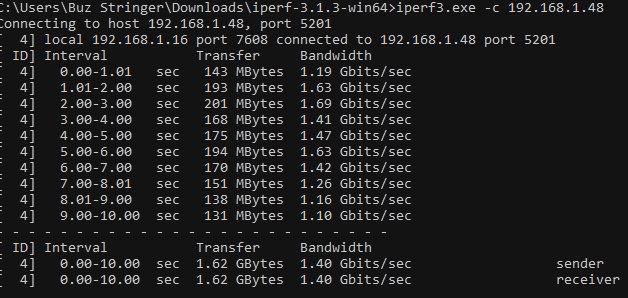
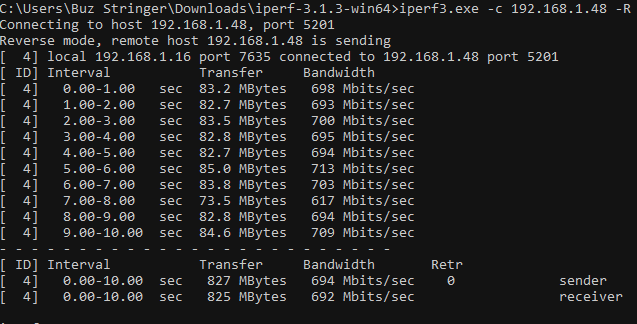
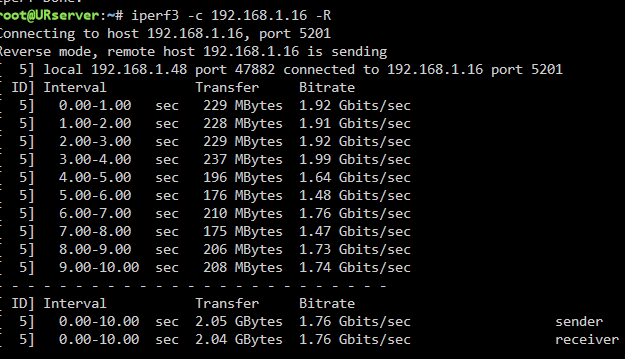
2.5gbe Nic (unraid) -> 2.5gbe switch -> 2.5gbe Nic (Windows) It looks like i am only get 2.5gb up to the server, and not down testing from SSD to SSD both with Iperf 3 testing and copying a large file shows the same. diags attached, i don't know what i'm doing wrong Edit: Updated to 6.12.8, installed the community driver, tried disabling bridging - no change urserver-diagnostics-20240322-1943.zip
-
I am in the process of setting up a redundant mobile data network. The idea is to have a 4G router, and connect smart plugs to it so I can reboot the main router and modem remotely if the main internet goes out or if the main router goes stupid. It would also be nice If I could connect to the Unraid Server via the backup 4G network also. I have 2 ethernet ports on the server, can I connect to what is essentially 2 Lans, at the same time? Why don’t I just use a some kind of WAN failover solution? Well this is kind of it, but WAN failover has never worked reliably for me, like this morning the internet was down, but it was still able to Ping google, so the failover WAN didn’t work. The above is much more robust, even if more complicated
-
I remembered to grab my diags this time, its just done it again urserver-syslog-20211019-1221.zip urserver-diagnostics-20211019-1319.zip
-
I have restarted to bring them back, do i need to wait until it happens again?
-
Apologies, attached urserver-diagnostics-20210923-1339.zip
-
Over the past 6 months User shares have been disappearing periodically. Normally about twice a month. I'm not sure exactly when it happens, but a full restart brings them all back. But it did happen today and i have todays log (below) How can i start diagnosing what is causing it? Or what is likely to be the culprit? https://pastebin.com/aVU5jfJ0 Version: 6.9.2
-
I am getting reads on all of the disks in my array every few seconds, preventing them from spinning down. The reads are only a few kbs I have looked with the open files plugin and no files appear to be open. I stopped all VMs, no change. I stopped all docker containers, no change. I stopped the docker service, this seemed to fix it. Having docker running with no containers causes the micro reads across all drives again, in the main array and the cache I have attached diags urserver-diagnostics-20210607-1028.zip
-
Hi, if i run this with Network Type: Bridge I can connect to my MQTT Server and send messages, but the harmony hub doesn't see the the HABridge If i run it with Network Type: Custom br0 192.168.1.20 it is found and connects fine to the harmony hub but wont sent MQTT messages

-
This is very helpful thank you, and thinking about it there is no real benefit to server or Home Assistant staying online during a power cut, as I wouldn’t be able to use anything anyway. Looking at getting a 1400va. Currently have a 7 year old 700va. I did think about having 2nd UPS on the TV, but after all the calculations (based on what I think is a reasonable cost) I might get 20 minutes of runtime. Which doesn’t seem worth worrying about. I will get a 2nd 1400va UPS so I can still run network equipment and POE / DVR Security cameras for an hour or so. (60 watts total). That seems like a better plan. Thanks again
-
That's awesome thank you. The idea is, when the UPS goes on battery. to shutdown most VMs and Dockers and to spin down disks (ideally with no I/O activity or set their spin down time to a few minutes) to maximize the amount of time the server can stay on battery for.



