stillalivepc
Members
-
Joined
-
Last visited
Everything posted by stillalivepc
-
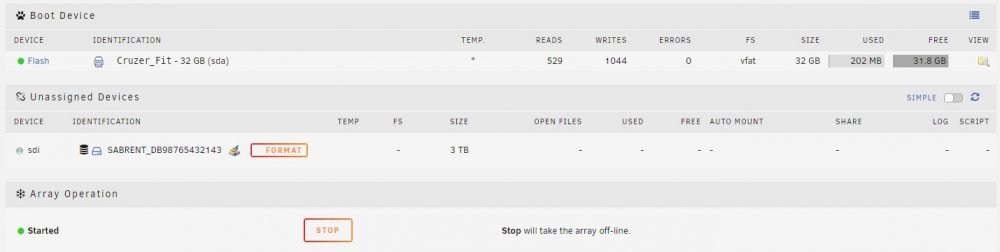
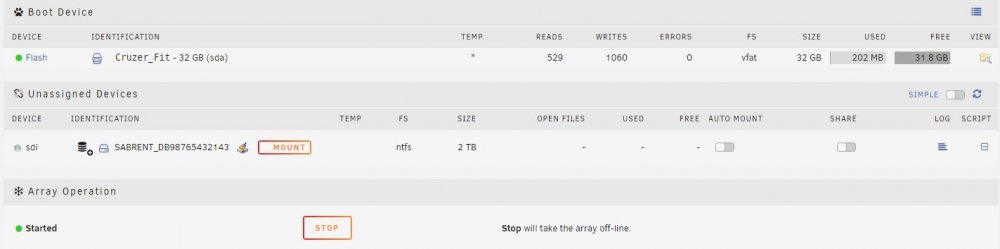
There's only a single partition on each drive. That's actually 2x separate screen shots that show what it looks like with the 3TB drive (not working as expected) vs the 2TB drive (working as expected). It almost looks like UD doesn't recolonize the file system on the 3TB drive, but I have no idea why. Windows can recognize it and there's no errors on the drive.
-
Hey everyone. I'm pretty new to the UnRaid community and looking for some guidance here. I rebuilt an old gaming system into Unraid system. I have a 2TB WD Green drive from my Windows 10 Gaming system that I inserted in an external HDD enclosure, connected to UnRaid via usb3. In UnRaid I have the ability to mount the drive and copy my data to the array like I want to. I then have a 3TB WD Black from that same Windows 10 gaming system, plug that into the same external enclosure and the only option I get is to Format it. I'm trying to find some kind of errors or something that I can research on but I don't see anything. Can anyone point me in the direction why one drive is mountable and the other is not? Both formatted NTFS. Both work if i plug usb into my windows laptop. Thanks.