





grither
Members
-
Joined
-
Last visited
-
that worked, thanks
-
Usually do fresh backup after upgrading. Noticed after upgrading to 7.3.1, flash backup just hangs. Happening on two servers anyone else seeing this?
-
update: on the screen above, I hit enter despite no prompt. rebooted and can now access the webgui!!! awesome, thanks for the help will monitor and see if flash is going bad
-
put flash drive into pc, no errors detected. but then copied over the 10 'bz' files off the latest version (I was on the latest version) and got past the bzfirmware checksum error, but now am hanging on this screen
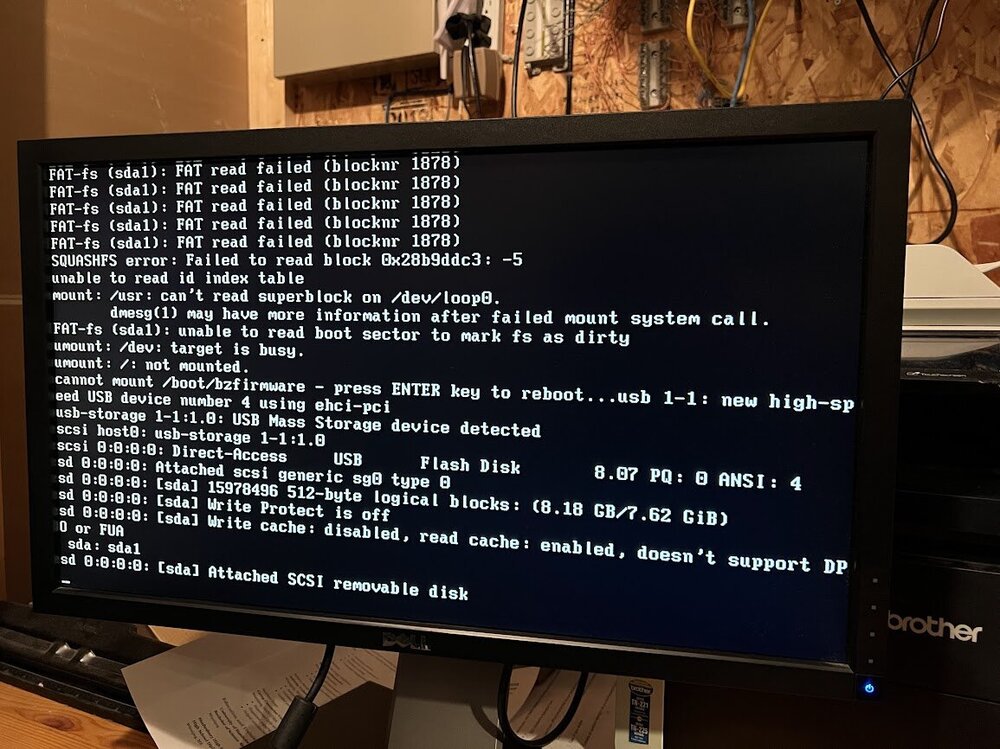
-
hi, I attached a monitor and keyboard. saw that it was 'stuck' at bzfirmware checksum error. probably not good lol. any advice for next steps? I feel like I probably need to plug the flash drive into my pc and check for errors? when I hit enter to reboot, it basically loops and gets back to this so not sure how to run diagnostics
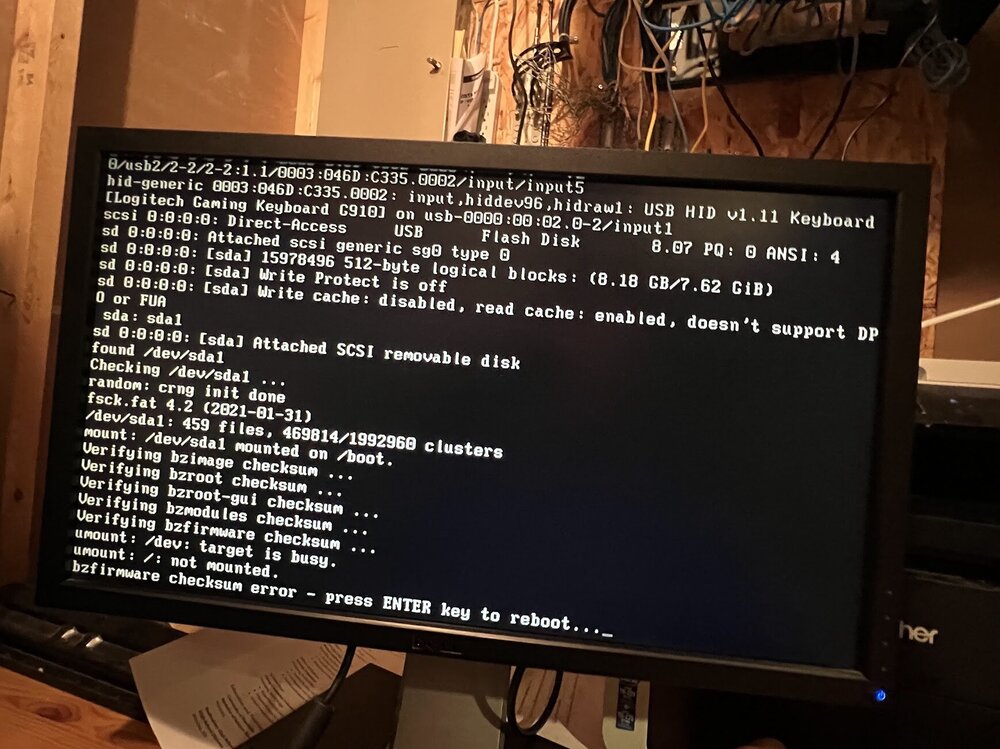
-
I realize parity checks take a while, mine are about 16 hours or so. But normally I can reach the GUI while the parity check is taking place
-
Was away from home for a few days, and returned to find both my unraid servers powered down. Not sure why, this has happened sometimes during a power outage but there are no other signs of that. Powered both servers on, and can reach one through the gui. But can't reach the other. I can see the drive lights on and seem to be randomly lighting up (maybe a parity check)? but can't reach it through the gui. Any advice?
-
ok thanks, think I'm losing it. Will double check tonight.
-
sorry I'm back for more help. I did follow the instructions, formatted the drive, then had to setup up docker.img and my dockers again but that all seems to be working. My problem is this step in the guide: Restore data and settingsTo restore data and settings: For each share you changed, set Primary storage and Secondary storage back to their original values. Move data back (array → cache): For each share you changed, set Primary storage to the destination cache pool and Secondary storage to the array. Set Mover action to array → cache. In the Main tab, click Move Now to move data back to the cache. When I go back in my shares, and set primary to array, there is not an option for secondary storage! If I choose primary as cache, I can set secondary to array. plus i'm a bit confused why I'd even want to change it back, if I think about downloads, I want them going to the cache, and then secondary as array, when the mover moves cache->array. I must be missing something!
-
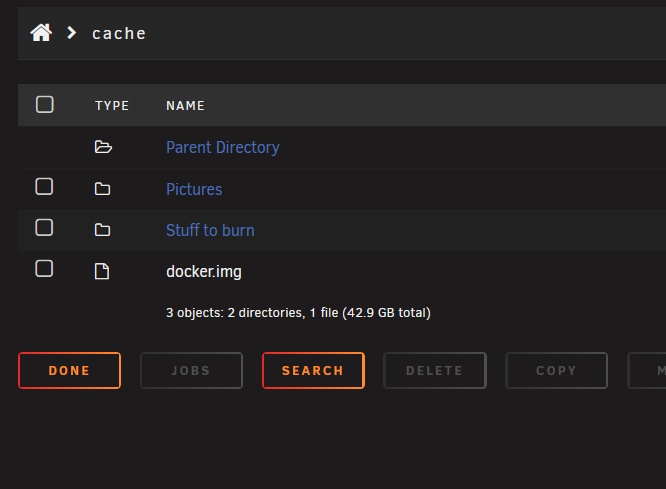
Hi, I'm following the guide to move files off the cache so I can reformat the drive. Mover has completed, and drive is still showing as having 8.58gb left on it. from looking at the drive, its two empty folders, and a docker.img file for 42.9gb (odd because this is larger than the 8.58gb that the drive says is being used) think its okay to reformat? attaching a couple screenshots

-
D'oh! sorry got an error to update unraid connect plugin first. Didn't notice. now doing that.
-
getting this error while trying to update to 7.2. Diagnostics attached. any suggestions? tower-diagnostics-20251103-0623.zip
-
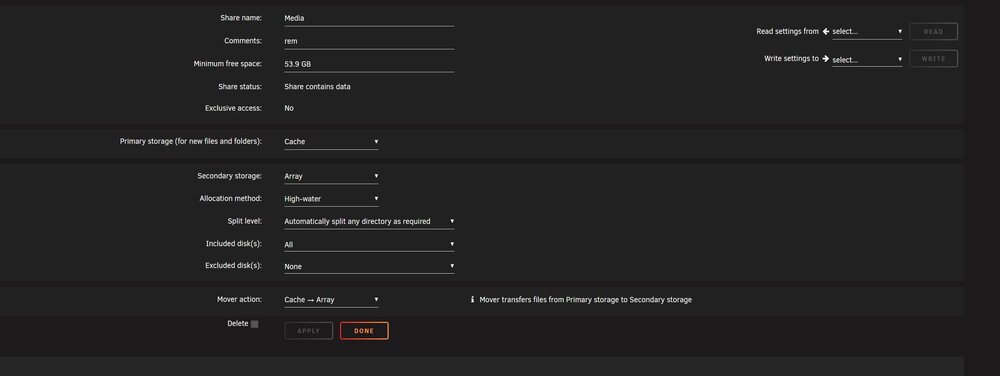
ok thank you, made the changes as you described (thanks for being so specific!) here's a snip of the new share settings and new diagnostics and Mover shows as running! Yay! tower-diagnostics-20250124-0658.zip
-
thanks, I added a comment and then hit apply. here's the new diagnostics appreciate the help! tower-diagnostics-20250124-0642.zip
-
The share that uses the cache and mover is called "Media"



