Skip to content
View in the app

A better way to browse. Learn more.

Unraid

A full-screen app on your home screen with push notifications, badges and more.

To install this app on iOS and iPadOS
  1. Tap the Share icon in Safari
  2. Scroll the menu and tap Add to Home Screen.
  3. Tap Add in the top-right corner.
To install this app on Android
  1. Tap the 3-dot menu (⋮) in the top-right corner of the browser.
  2. Tap Add to Home screen or Install app.
  3. Confirm by tapping Install.

dmarzio

Members
  • Joined

  • Last visited

Everything posted by dmarzio

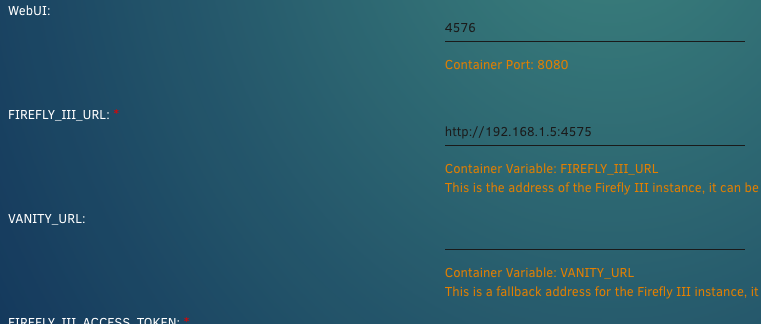
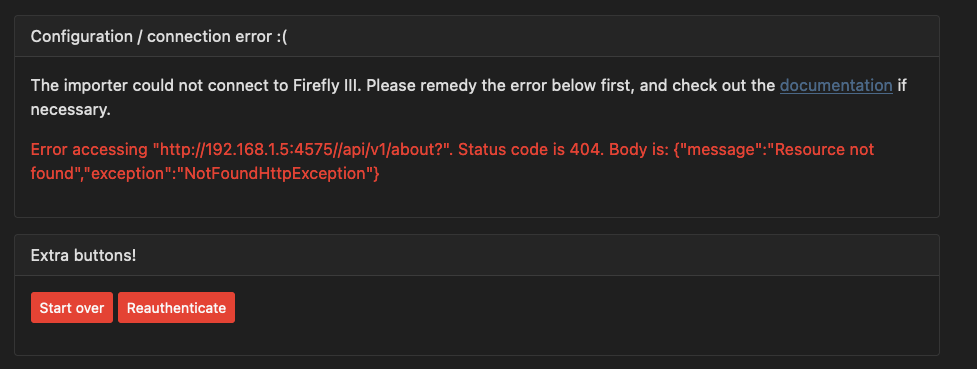
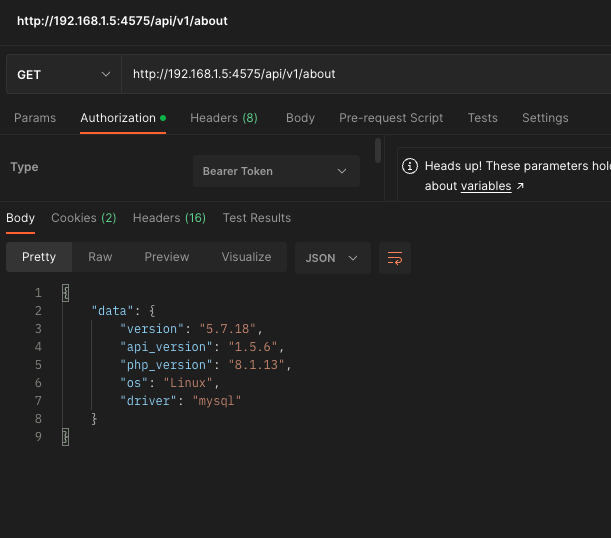
  1. I'm trying to get the Data Importer container working, and cannot get past this error: The first time I configured the container I did have an extra trailing slash in the FIREFLY_III_URL variable, but have since tried reconfiguring it and reinstalling it without the trailing slash and cannot get it to remove the "//api" part. Here is my current config: I verified I can access the FIREFLY III API without the double slash, but cannot get the Data Importer instance to remove that double slash Any ideas?
Account

Navigation

Search

Search

Configure browser push notifications

Chrome (Android)
  1. Tap the lock icon next to the address bar.
  2. Tap Permissions → Notifications.
  3. Adjust your preference.
Chrome (Desktop)
  1. Click the padlock icon in the address bar.
  2. Select Site settings.
  3. Find Notifications and adjust your preference.