twopossums
Members
-
Joined
-
Last visited
Everything posted by twopossums
-
there was a backup somewhere in appdata. When I redownloaded the dockers everything was there. I just had to point all the download folders to the correct place again.
-
Ahhh damnit. I had tried that but I kept hitting done and not apply. I'm an idiot. Thank you. Is there anyway to get my dockers back or will I just need to rebuild all that?
-
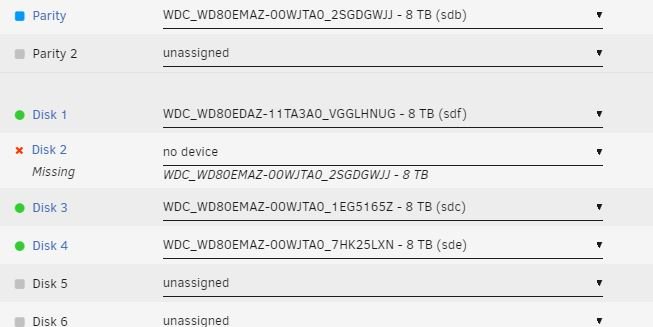
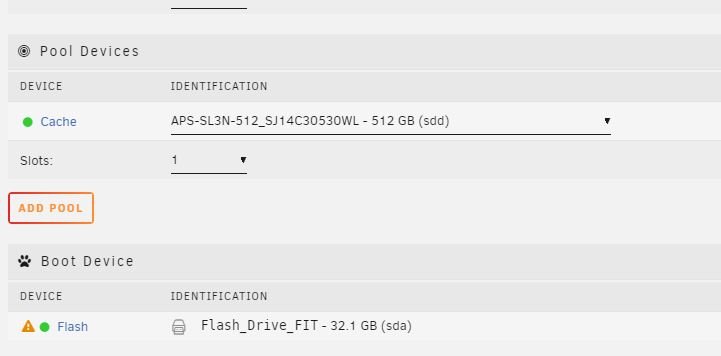
I recently had my usb drive die on me. I replaced that. Got it registered and now I'm trying to assign my drives. I wasn't sure which was the parity drive so I mounted all the drives to see which one wouldn't mount and selected that as the parity drive. Now I think it thinks that I'm supposed to have more drives than I do. That I'm supposed to have 4 plus a parity drive not 3 plus a parity drive. It says its an invalid configuration. Also (I think I did this right) I added a pool and then selected my ssd drive as the cache device. When I try to start the array it says 'Stopped. Invalid configuration.' I'm not sure what to do at this point. All the tutorials I find stop at how to replace the usb and don't go into re-selecting the drives.