xflo4444
Members
-
Joined
-
Last visited
-
I will try to route another docker through delugevpn for testing. But I guess I'll have to wait till we get a proper internet connection. I'm pretty much a newbie to the whole network topic 🙁 But thx nevertheless for trying to help me! 👍
-
I guess i have to open the ports as you said. Are those the ports of the pia vpn? The ports of my binhex delugevpn all seem to be closed. Of course the bittorrent services still works, but it's not perfect... As far as i understand you need some scripts to open pia ports if you are not using their official apps. Maybe this is possible with a virtual VPN router like spaceinvader one has shown in one of his videos?
-
xflo4444 changed their profile photo
-
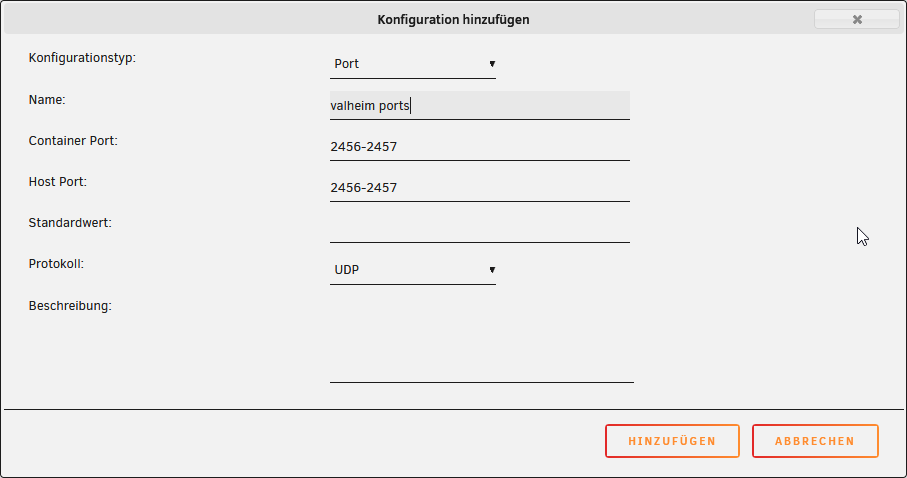
Hi guys, does anyone know how to route the valheim gameserver docker through a vpn container? I am stuck to mobile broadband, so I can't foward my ports. But I heard it should be possible if the gameserver is routed through a vpn that supports port fowarding. My binhex-delugevpn is running fine with Private Internet Access, thx to Spaceinvader One ☺️ But if i try to route the valheim docker through it, it doesn't connect. I added the valheim ports 2456-2458 to the delugevpn docker as described in Spaceinvader One's video "How to route any docker container through a VPN container": I also set the valheim network to "none" and added "--net=container:binhex-delugevpn" to the extra parameters. Is it even possible to route a gameserver through delugevpn? If not how can I make the valheim server work with vpn? Do i need to set up a virtual vpn router? Any help would be much appreciated 😟