





air250
Members
-
Joined
-
Last visited
-
Everything looks be be up and running, Thanks Again for all your help rely appreciate it. server-diagnostics-20230526-0556.zip
-
Just completed, the data looks to be intact. How should I go about remaining drives with the incorrect partition size. same process rebuilding the drive or is there a way to just resize the drive? server-diagnostics-20230523-1636.zip
-
It seems to be working!!! will take some time but at least there is progres. Thank YOU! ill keep you posted with the outcome.
-
Really Appreciate your help. You honestly have no idea. Please see attached server-diagnostics-20230523-0608.zip
-
It looks like one of my disks have gone bad in the migration and unfortunately it was not the one i started to rebuild I still have all drives -1 (the disk that failed) would it make sence to do a new config, put back the disk i was trying to change the portion size of and them try and migrate the failed drive. do you think that wold work?
-
Sorry hope this is it server-diagnostics-20230522-1511.zip
-
server-syslog-20230522-1752.zip
-
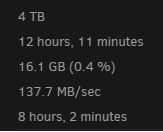
It dose not seem to be working I have been stuck at 0.4% for 12 hours on the first drive.
-
This an old screen shot I took before I did anything I since did a new Configuration and re-synced parity. yes the original disks are still in ill give it a shot. Really appreciate the help
-
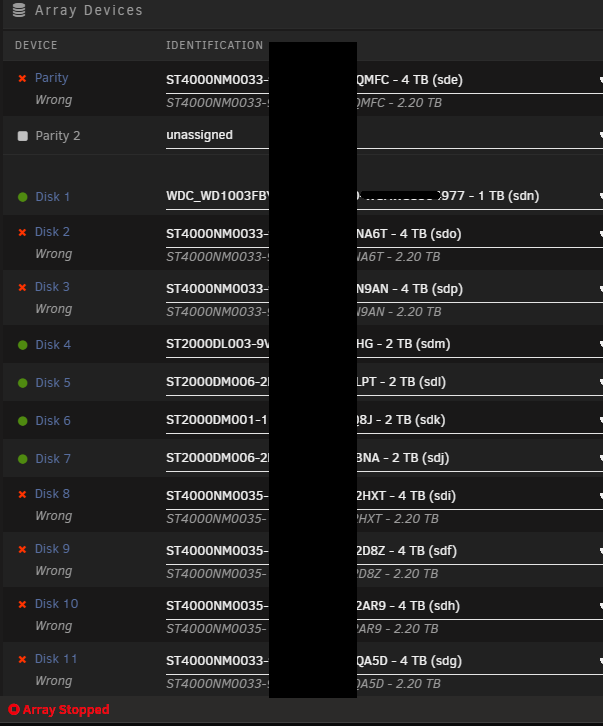
I don't believe Parity is still valid I rebuilt the parity drive thinking I could not rebuild because more then 1 drive was not working - Also the parity drive was one of the drives that were the wrong size.
-
Hi, I have recently upgraded my server hardware. My old server had an older controller that could only read drives up to 2.2T not knowing this at the time i installed 4T drives as some of the replacements. The server continued to work but only allowing me to access T2.2 of the 4T it was not an issue at the time as i was moving from 1T so it was still over double the storage. I recently migrated to a new server that sees all 4T adn because of this some drives came up as wrong. So i did a new config and mapped the drives manually now i'm gettig "Unmountable: Unsupported partition layout" These drives can not be formatted they still have my data. How do i add them back to the Array?

