1rishJ
Members
-
Joined
-
Last visited
-
Hey all! What is playit.gg? playit.gg is a global proxy that allows anyone to host a server without port forwarding, even behind cgnat or similar restrictions. Playit.gg uses tunneling. I had some problems using the other docker application listed in community apps, so I chose to translate the original docker from playit.gg to use in unraid. All credits go towards the awesome team over there. They also have a active discord with a good support team over at their Playit.gg Discord Disclaimer: I'm not associated with the playit.gg team, I'm a subscriber to their service as you might be.
-
*Push* No ideas anyone?
-
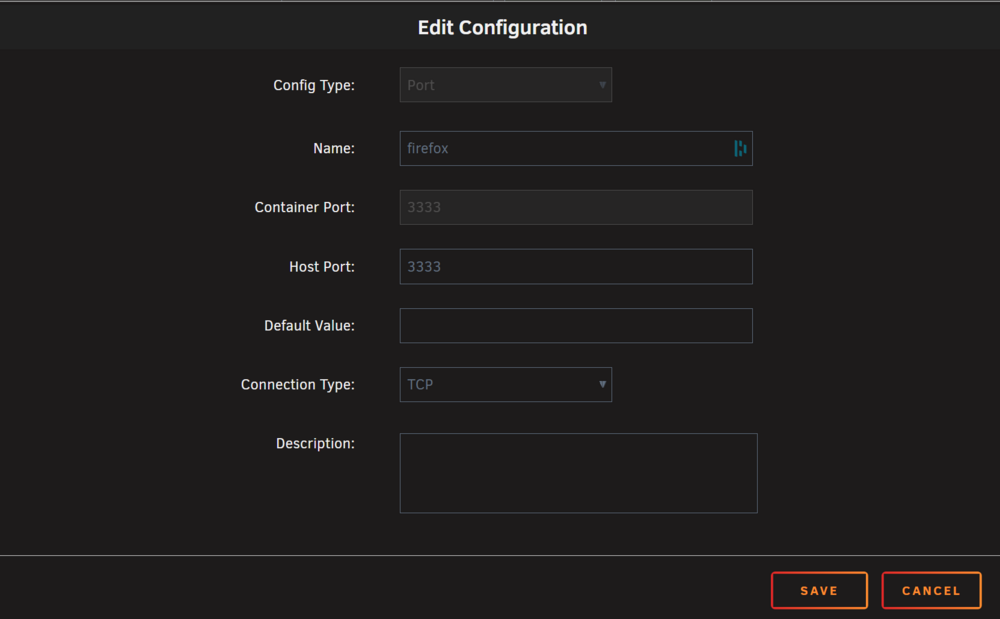
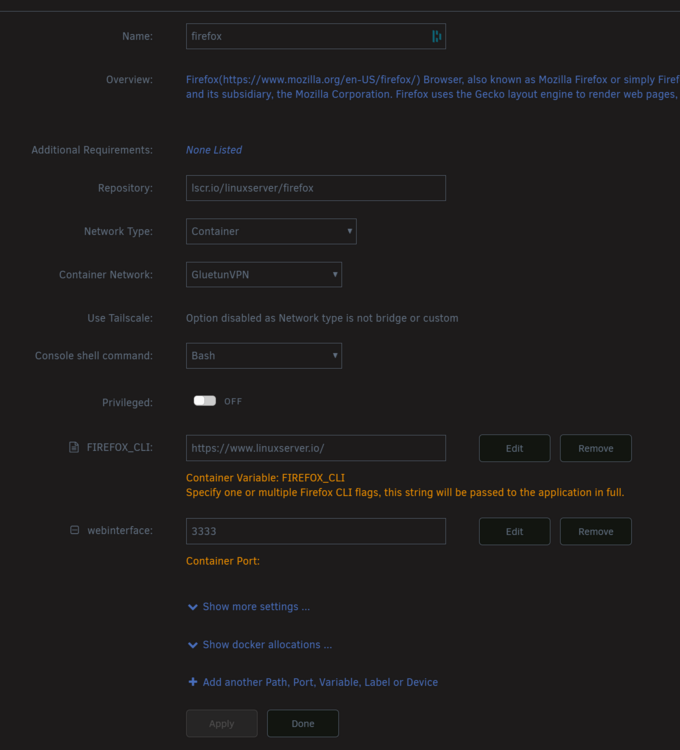
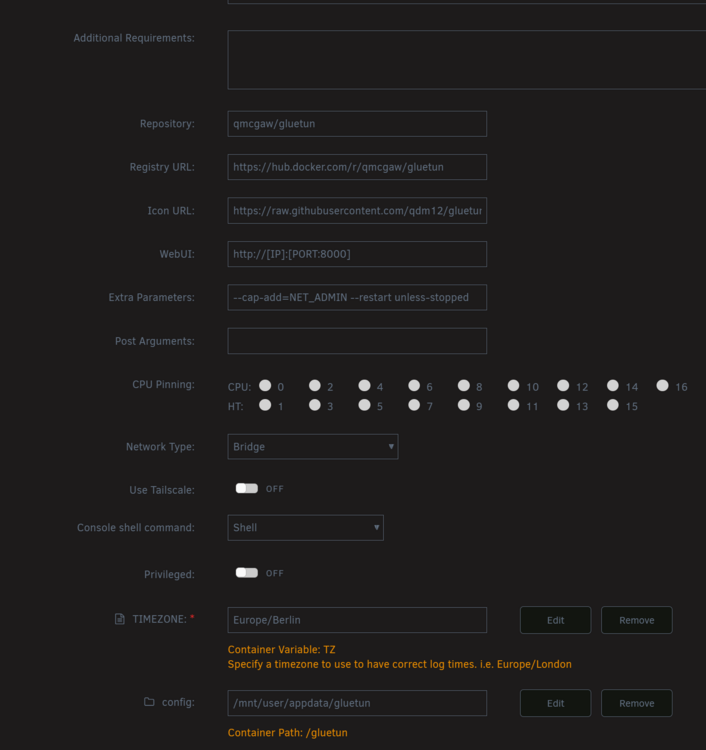
Hey, a bit at my wits end here. I'm trying to route a firefox container trough a vpn container, and access the firefox instance via portmapping on the used vpn docker. The routing part works, as curl ifconfig.me returns me a IP from my vpn provider. Currently on Unraid 7.1.2. Now if I map the container as shown in the gluetunvpn container (also tried this with a different binhex-vpn container, same result) I still can't access the firefox webinterface by manually entering the gluetunvpn IP-address plus specified port. I also tried removing the port variable from firefox, but right now I added it back. Firefox docker config: Gluetun config: firewall enabled, tried already disabling it. currently on again. using a wireguard vpn. Here's the containers running: What am I doing wrong? The tuts and guides I have been reading were super simple and I don't understand what's happening now. If you need more info to support me lmk. I would be very grateful for any hint. Edit: attached logs fenrir-diagnostics-20250608-0156.zip


-
Yep, fixed it, thank you. Do you know what could have caused this behavior?
-
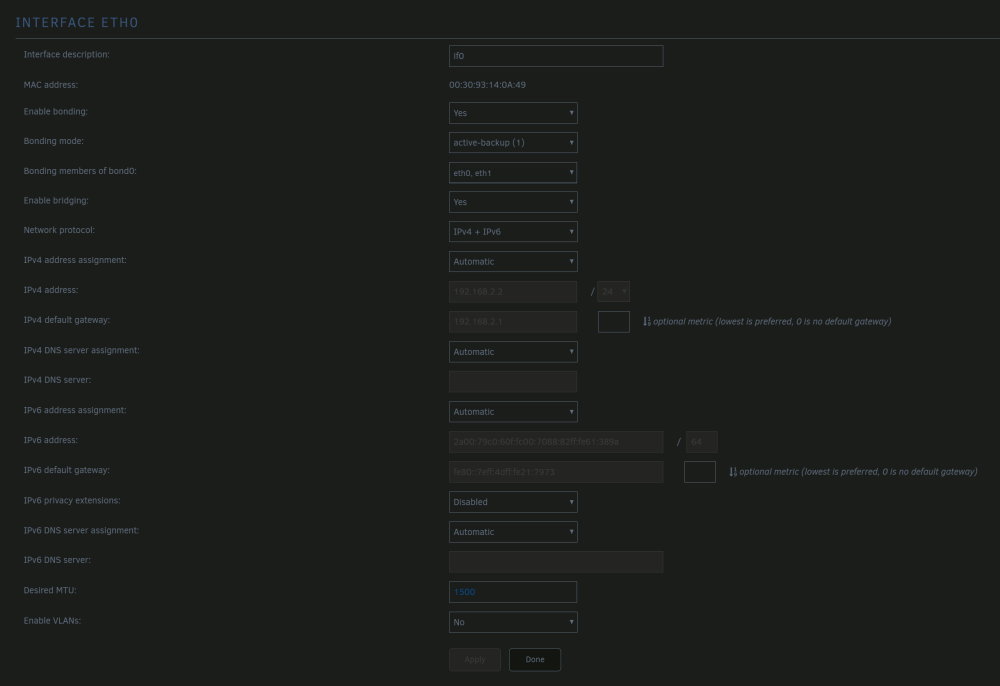
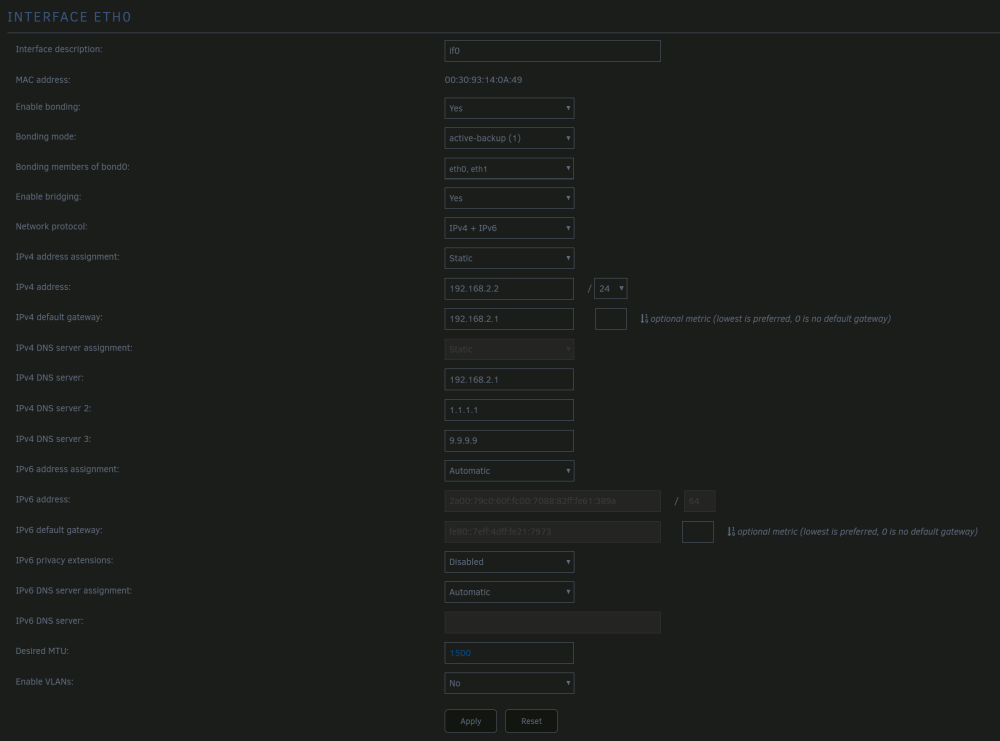
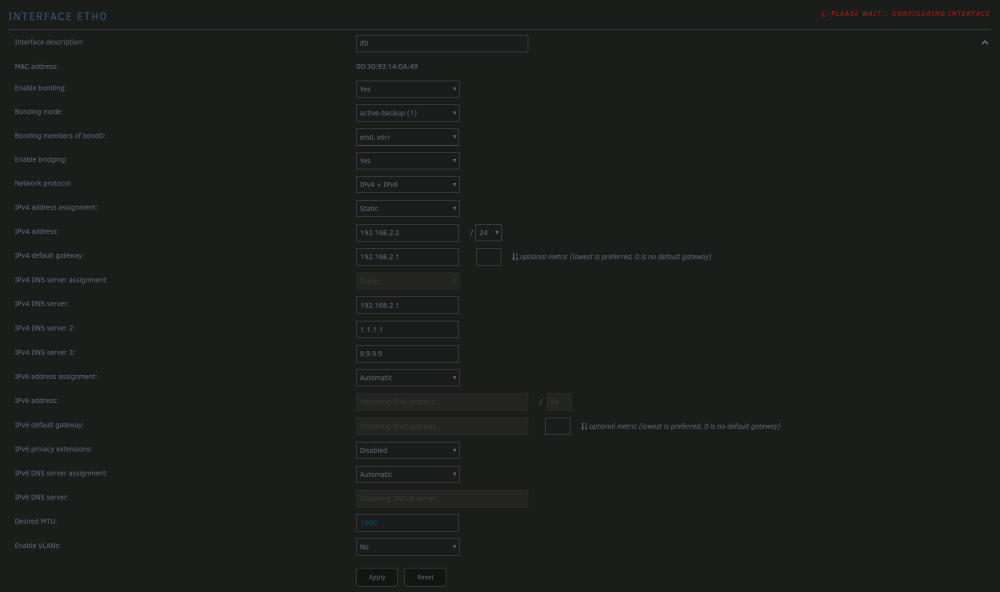
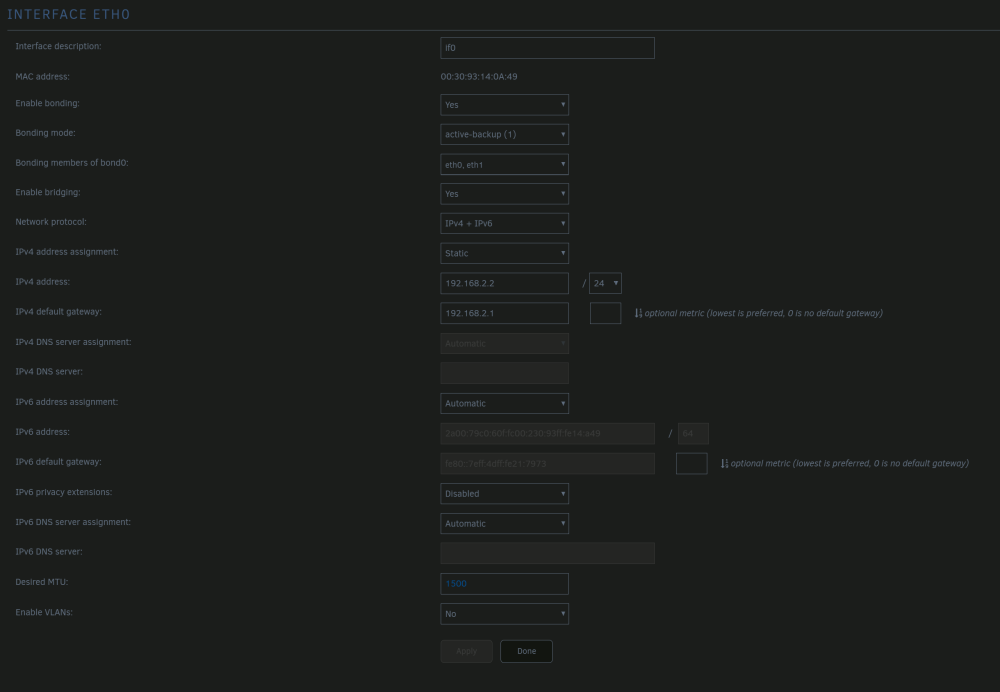
Hey everyone, I swapped my hardware a few weeks back, everything works as intended except one thing: the DNS Settings. 1. It does not retrieve a DNSv4 or DNSv6, only one network 192.168.2.0/24, all other devices work normally, and retrieve DNS servers. 2. When I try adding a DNS manually, it reverts back to automatic, with the static entries not saved, below are screenshots. I tried it with bonding on, or off, I tried ipv4 only, ETH1 is currently unplugged for troubleshooting. Already did a "docker safe new perms" as I thought maybe some files are not writable. Notes: 1 harddrive missing (defect, RMA'd it) Here is how it behaves for me: Ping test: I'd appreciate any help, thank you! fenrir-diagnostics-20230406-2029.zip