Xgamer911
Members
-
Joined
-
Last visited
-
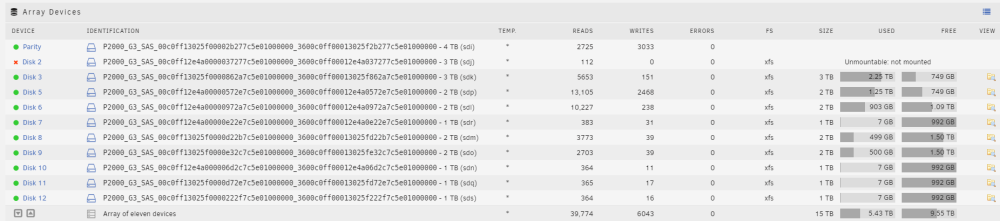
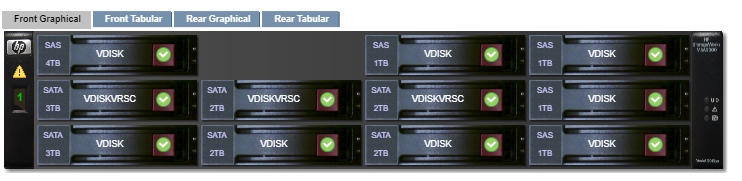
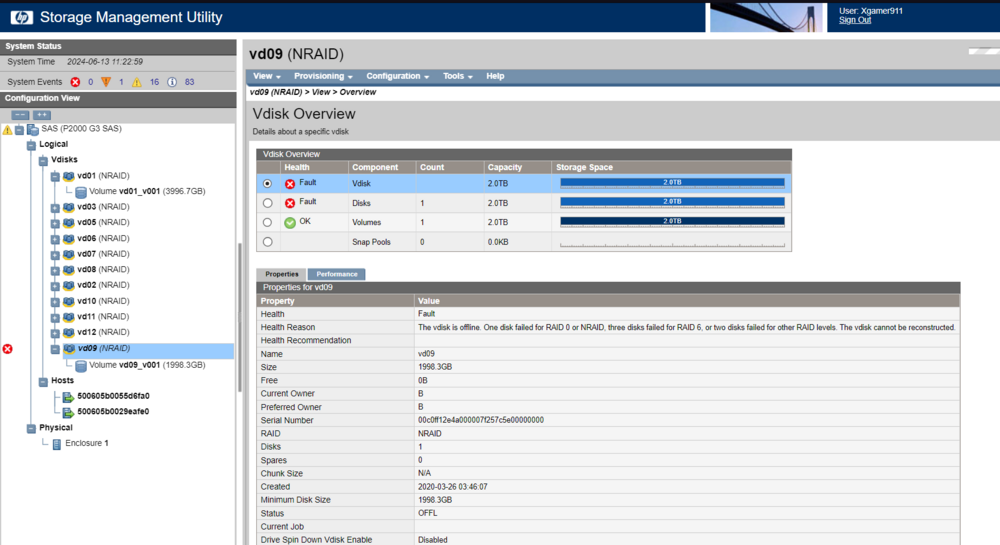
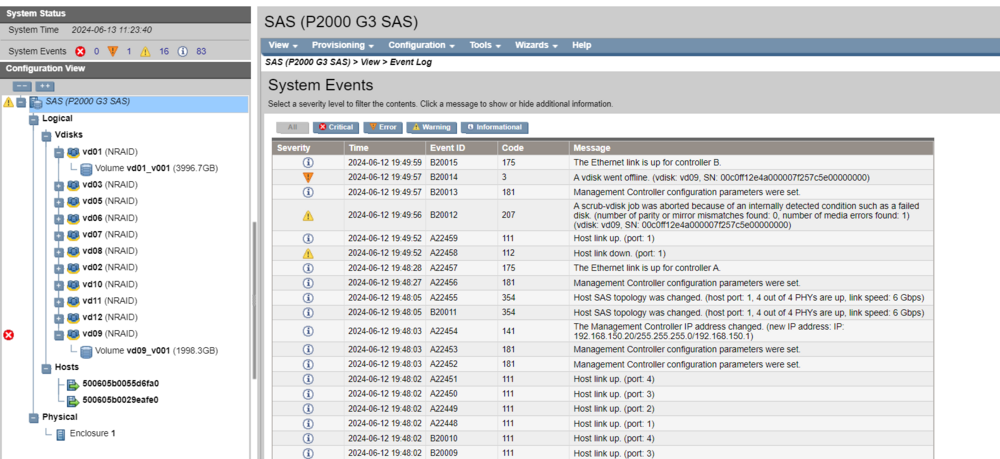
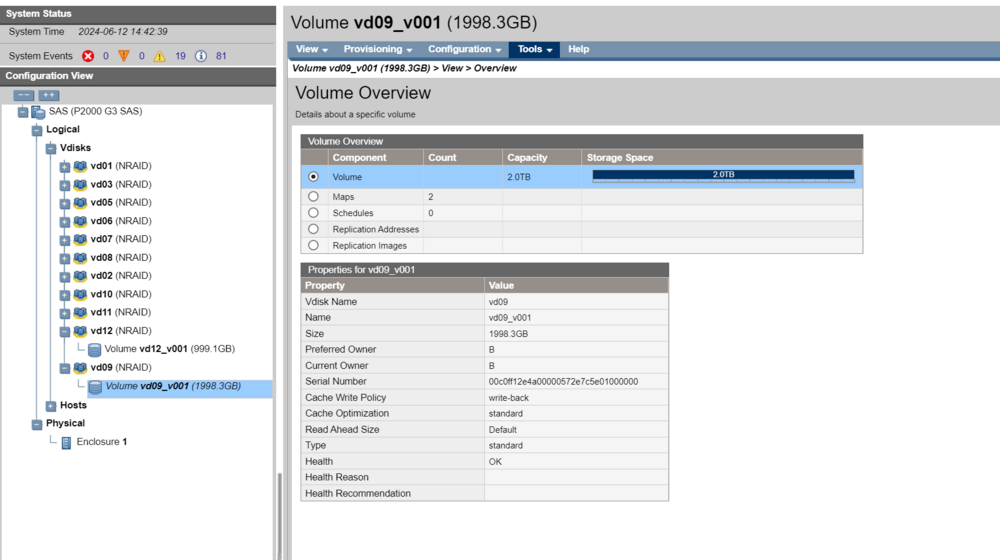
The enclosure (P2000) is connected to the unraid server (DL360 G7) using the P2000 SAS connection. Each of the disks in the P2000 are a separate VDISK/Volume from each other. These vdisk are presented to Unraid as the disks used in the array. However, I have some new information from the P2000 enclosure. Unraid Disk5/P2000 Disk 9 is now throwing a fault. With Unraid Disk 2 not being completely rebuilt, I think I may have just lost all the information on those two disks since I cant rebuild either of them from only one parity drive.
-
I got the array started but Disk 2 & 5 are in an unmounted state. Here is the Diags. tower-diagnostics-20240613-0800.zip
-
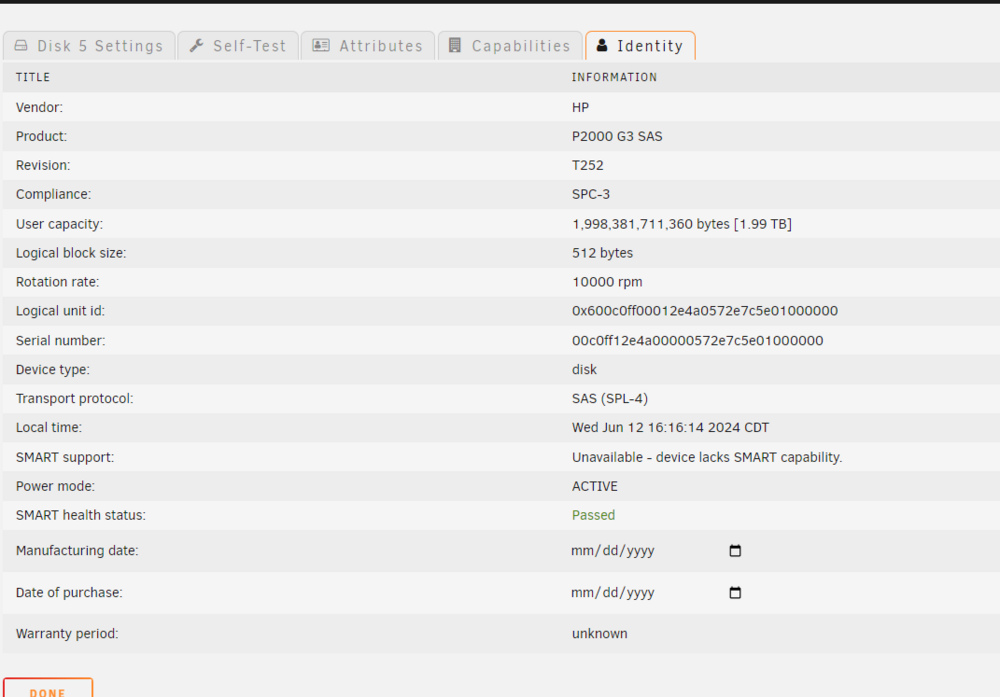
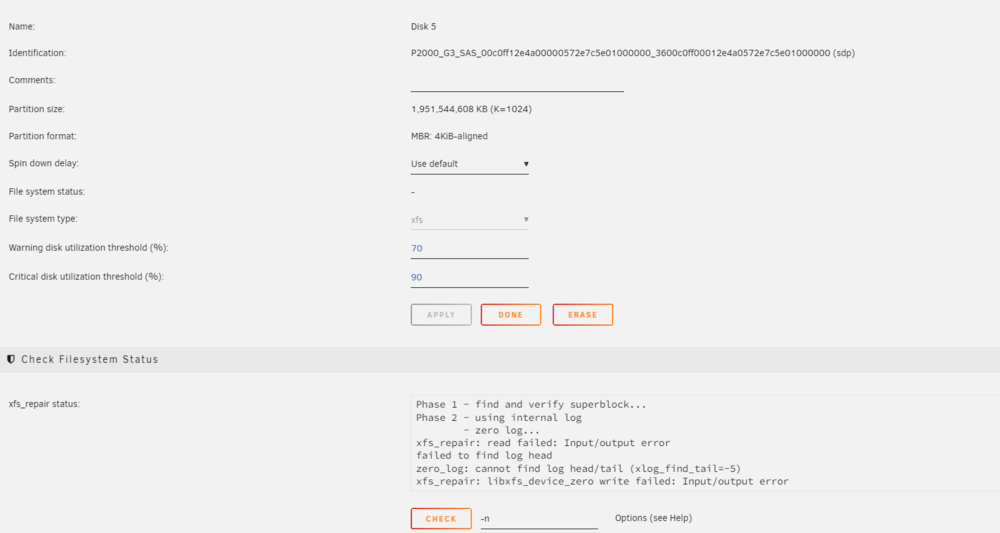
The hard drive is in a HPE P2000 G3 Array. That system does not show anything about SMART capability that I can find. Also Unraid says that drive does not have SMART capability. I have attached pics of the systems. Note: Unraid is Disk 5 and Array is Disk 9.
-
Here is SMART report for Disk5. tower-smart-20240612-0807.zip
-
I think I might be screwed, but I wanted to get another opinion. I had Disk 2 go down. I got it back up and started rebuilding it. Left that to go over night and it hanged midway. So I reboot the system and start in maintenance mode. Disk 2 is disabled and emulated. Rebooted again, array attempted to start but then Disk 5 went "unmountable unsupported or no file system". Disk 5 is throwing errors everywhere, so I run a xfs_repair. It had issues ran it then with -n and it had issues and suggested running with -L. Did that and got another error. So now I think my disk 2 is emulated and disk 5 might be dead. Did I lose the entire array or is there a way to mitigate the damage and only lose information on disk 5 or disk2&5? tower-diagnostics-20240612-0652.zip tower-syslog-20240612-1103.zip
-
Ok so I figured it out eventually and I am posting a follow-up with my solution to help anyone else that might be having the same issue. Edit from Itimpi below: Stopped the array Started the array in maintenance mode, went to disk and ran a check. Once check was done, I ran the same check but this time with no -n. Stop the array in maintenance mode Started the array normally Stop the array Remove the disk from the array Start the array normally so the disk will be registered as missing Stop the array Reassign the disk Start the array to begin rebuilding Wait for the rebuild to complete
-
Ok I ran it without the -n and got a whole mess of output. (attached - HDD Check (without -n).txt) I went back and stopped the array and started again normally. This time disk 2 mounted, but is still disabled. I stopped the array and restarted in maintenance mode again and ran the check again. This time the output looked normal. (Attached - HDD Check 2.txt) The both outputs didn't say to use the -L option so I didn't, since the help menu said "Do this as a last resort". I don't know what my next step is to get this Disk 2 back into enabled status and not have the contents emulated. HDD Check (without -n).txt HDD Check 2.txt
-
I started the arrary in maintenance mode like the documentation said and ran a check. Under "Running the Test using the webGui" and step 8 it says to come back to forums. So here is the output attached. I am unsure about the output however. Is the HDD dead, dieing, or should I continue the "Repairing a File System" section? HDD Check.txt
-
I have never had this error before and I am not sure what to do about it. I have 11 disks in total and disk 2 is now "device is disabled, contents emulated" All of these drives are running on a HP P200 G3 SAS. The HDD shows up there just fine. I have tried to manually mount the /dev/sdj to /mnt/tmp just to see if I can see what is going on, but the command hangs. I have found in the syslog that corruption is detected. It says I should unmount and run xfs_repair. This is where I am confused, because the disk says it is unmountable. Should I: 1) Just run a Check on the Main page 2) Goto command line and use "xfs_repair /dev/sdj". Are there any other options I should use? 3) Stop the array and start in maintenance mode, the run a Check on the Main page 4) Stop the array and use "xfs_repair /dev/sdj". Are there any other options I should use? I have also attach a diagnostic.zip as well to help. I am not sure what I need to do to repair this disk. tower-diagnostics-20240415-2247.zip