





justintas
Members
-
Joined
-
Last visited
Everything posted by justintas
-
@JorgeB thanks mate, copied config file booted up but have a screen with license info : Multiple License Keys Present There are multiple license key files present on your boot device and none of them correspond to this device. Please remove all key files, except the one you want to replace, from the /config directory on your boot device. Alternately you may purchase a license key for this boot device. If you want to replace one of your license keys with a new key bound to this device, please first remove all other key files first. Assume can copy old key or just support Unraid and get a new one ? You got me out of a jam going to buy you a beer : )
-
@JorgeB it booted correctly with replacement USB so that's good what's next step to get the server back ? Or can you point me in the right direction Cheers Justintas
-
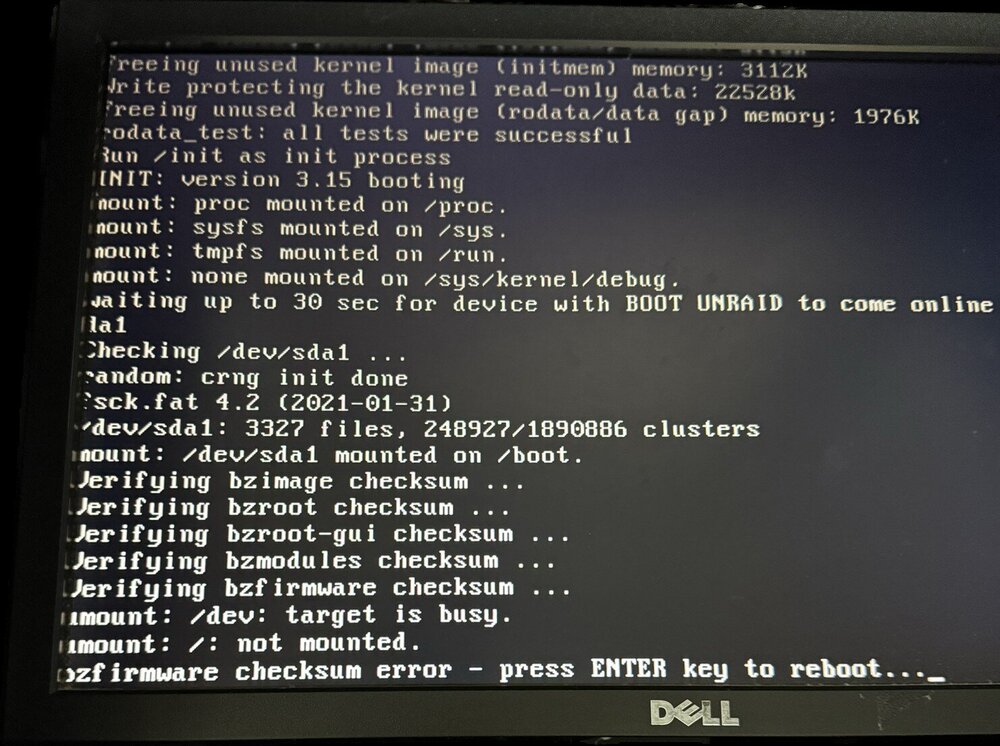
@JorgeB I have the same problem today see picture below, so I should test a new USB first with stock standard if that is ok what would be next move to get my Unraid server back online ?
-
Just after some advice for trouble shooting Luckyback did an update recently and have profiles running correctly but having issues with email report after completion or errors. Can send test email fine but the report just won't seem to work not sure what changed in latest release ? Running 7.2.3 looking at logs have this error when use GUI interface so maybe an error in UnRaid ? This could be causing the email logs not to be sent although the test ones work ok ? Any hints or clues appreciated. Jan 3 15:02:58 HPtower nginx: 2026/01/03 15:02:58 [error] 6019#6019: *595 open() "/usr/local/emhttp/webGui/javascript/ace/mode-log.js" failed (2: No such file or directory) while sending to client, client: 192.168.0.116, server: , request: "GET /webGui/javascript/ace/mode-log.js HTTP/1.1", host: "hptower", referrer: "http://hptower/Shares/Browse?dir=%2Fmnt%2Fuser%2Fappdata%2Fluckybackup%2F.luckyBackup%2Flogs"
-
That's the other problem I can't lodge a support ticket because cant log in without MFA code ?
-
Hi, made an amateur mistake when updating phone forgot to export my MFA generator settings. Phone was erased before I realised, how do I initiate a reset of MFA can't lodge a support ticket because it requests the code. Any help appreciated ? Cheers Justin
-
Perfect thanks again
-
Enjoy using luckybackup been working great till changes by email providers. Now I have to use an app password to authenticate but sendemil command won't allow the character "" to be used to add a password with spaces. Any workarounds or suggested to get my email notifications working again ? Using a gmail account
-
Thanks for your help, assume all will be working ok and just ignore times / dates in GUI window. Here is out put from command all looks good ? root@HPtower:/# crontab -l #Initial Cron # ~~~~~~~~~~~~~~~~~~~~~~~~~~~~~~~~~~~~~~ luckybackup entries ~~~~~~~~~~~~~~~~~~~~~~~~~~~~~~~~~~~~~~ 0 6 * * * /usr/bin/luckybackup -c --no-questions --skip-critical /root/.luckyBackup/profiles/backup.profile > /root/.luckyBackup/logs/backup-LastCronLog.log 2>&1 50 * * * * /usr/bin/luckybackup -c --no-questions --skip-critical /root/.luckyBackup/profiles/test.profile > /root/.luckyBackup/logs/test-LastCronLog.log 2>&1 # ~~~~~~~~~~~~~~~~~~~~~~~~~~~~~~~~~~~ end of luckybackup entries ~~~~~~~~~~~~~~~~~~~~~~~~~~~~~~~~~~~ root@HPtower:/# How can I thankyou for this docker and help anyway to support your work ?
-
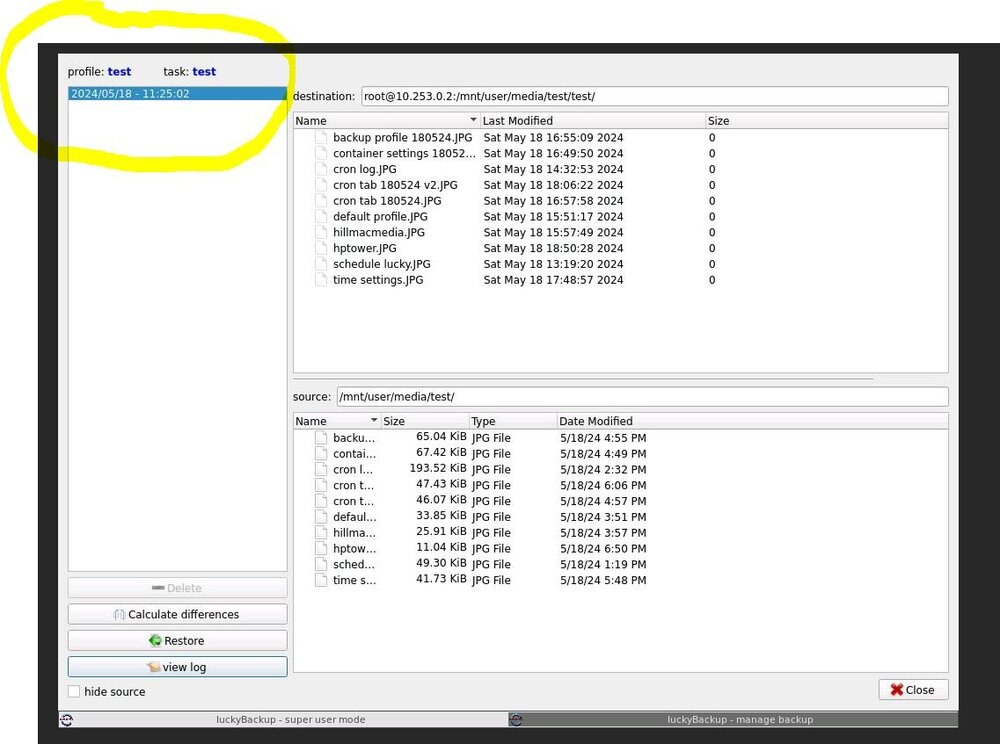
Yes they did get transferred in my test file so it is working!! This is were I'm getting confused...but why do log files not update so I know it worked ? Is there a way to have an email when it runs each time ? see attached profile view, it shows the completed files but date information in yellow is incorrect i think that is also throwing me off as well. Thoughts ? Here is cron tab is it from the correct place ? from terminal of Unraid. I don't see any LuckyBackup refernce should it be there or am i looking at the wrong file ? root@HPtower:/var/spool/cron/crontabs# cat root # If you don't want the output of a cron job mailed to you, you have to direct # any output to /dev/null. We'll do this here since these jobs should run # properly on a newly installed system. If a script fails, run-parts will # mail a notice to root. # # Run the hourly, daily, weekly, and monthly cron jobs. # Jobs that need different timing may be entered into the crontab as before, # but most really don't need greater granularity than this. If the exact # times of the hourly, daily, weekly, and monthly cron jobs do not suit your # needs, feel free to adjust them. # # Run hourly cron jobs at 47 minutes after the hour: 47 * * * * /usr/bin/run-parts /etc/cron.hourly 1> /dev/null # # Run daily cron jobs at 4:40 every day: 40 4 * * * /usr/bin/run-parts /etc/cron.daily 1> /dev/null # # Run weekly cron jobs at 4:30 on the first day of the week: 30 4 * * 0 /usr/bin/run-parts /etc/cron.weekly 1> /dev/null # # Run monthly cron jobs at 4:20 on the first day of the month: 20 4 1 * * /usr/bin/run-parts /etc/cron.monthly 1> /dev/null
-
unfortunately it didn't work, empty log file? here is the luckcron.txt 10 * * * * /usr/bin/luckybackup -c --no-questions --skip-critical /root/.luckyBackup/profiles/backup.profile > /root/.luckyBackup/logs/backup-LastCronLog.log 2>&1 and schedule.dat root@HPtower:~/.luckyBackup/schedule# cat schedule.dat ***************************** WARNING ***************************** Do NOT edit this file directly, unless you REALLY know what you are doing !! [app_global] appName=luckyBackup appVersion=0.5 File_Type=luckybackup_schedule_file [schedule_global] TotalSchedules=1 [Schedule] - 0 ScheduleName=Execute profile 'backup', hourly at minute 10, every day of any month ProfilePath=/root/.luckyBackup/profiles/backup.profile ProfileName=backup ScheduleMonth=0 ScheduleMonthDay=0 ScheduleWeekDay=0 ScheduleHour=-1 ScheduleMinute=10 ScheduleSkipCritical=1 ScheduleConsoleMode=1 ScheduleAtReboot=0 ScheduleAtRebootDelay=3 [Schedule_end] - 0 [all_schedules_end] Not sure where to check , is time difference of 24hour vs 12 hour an issue ?
-
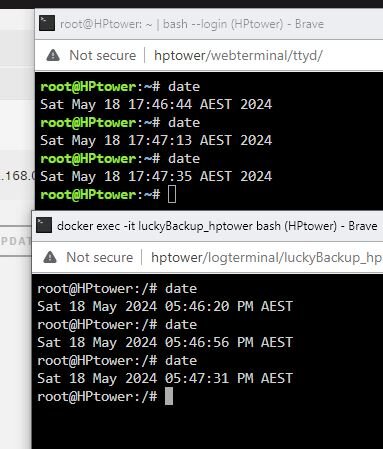
Here is the time zone between both only difference is one is in 24 (Unraid terminal) other is 12 hour (Luckybackup container console) would that make a difference ? Will setup a new schedule for next hour to check again. so steps; 1. Set new schedule 2. Cronit 3. check log via lucky console cat root/.luckyBackup/logs/default-LastCronLog.log 4. report back
-
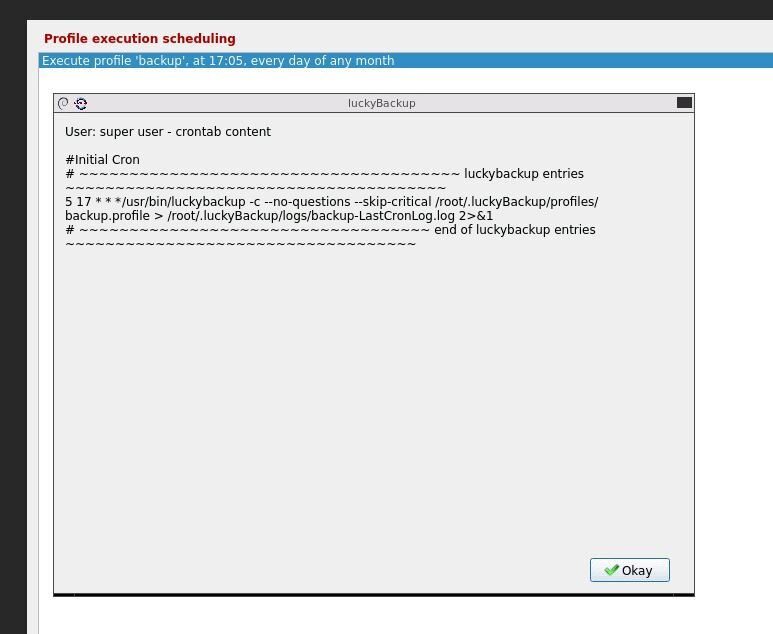
Yes checked manually, all ok Recreated container and made adjustments following container setup attached Time is same in container as system Thanks re cron it will make sure to that, have recreated new profile and cron it . Set new time, time passed and backup did not start. Log files are empty one question I follow the setup in https://unraid.net/blog/unraid-server-backups-with-luckybackup but I notice you say to use use /luckybackup/.ssh/id_rsa are the instructions wrong and I should use use /luckybackup/.ssh/id_rsa ? Although it does run manually so remote connection is ok ? Appreciate the assistance
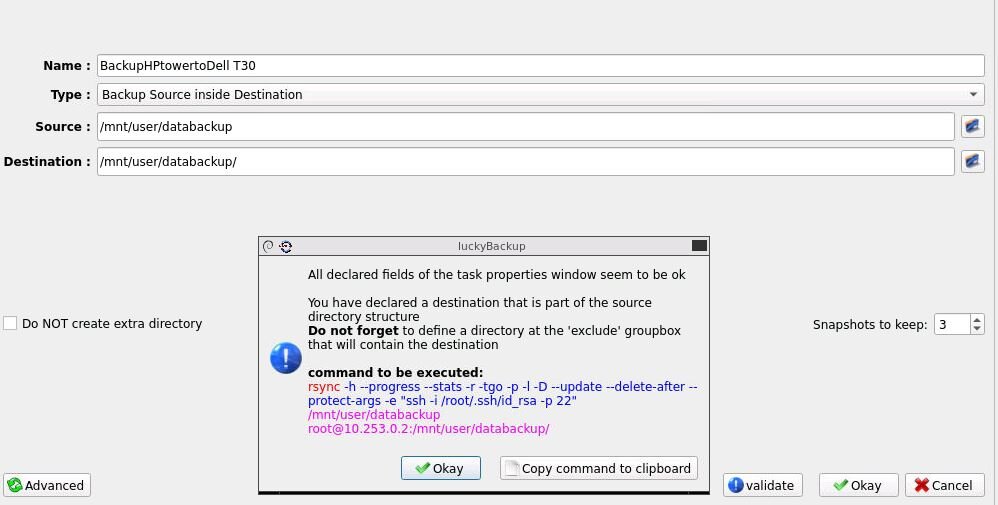
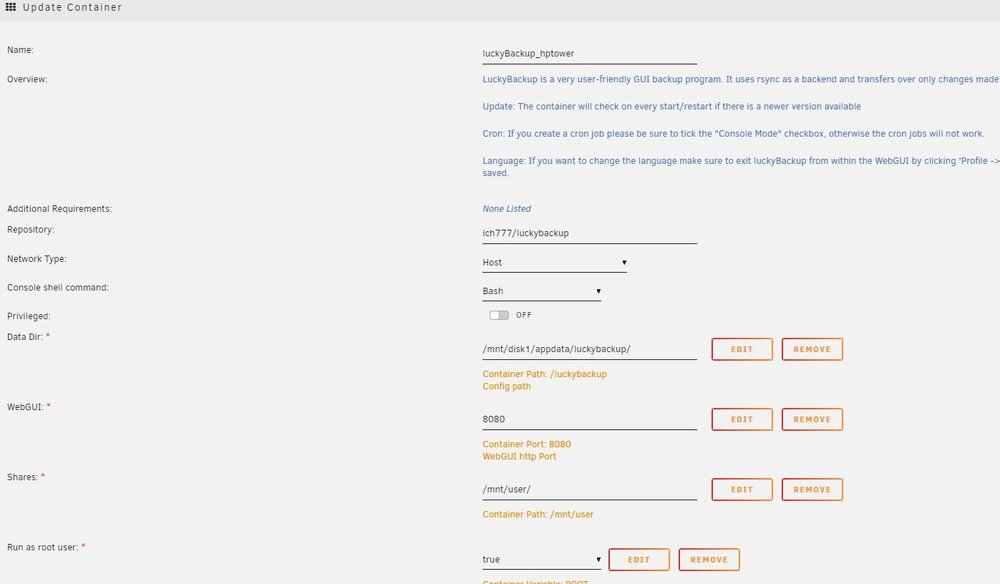
-
@alturismo I could try that but seems to run ok manually ? @ich777 Yes it runs fine manually just set it going again now.
-
here is my default profile plus command, can't see anything wrong with it ?
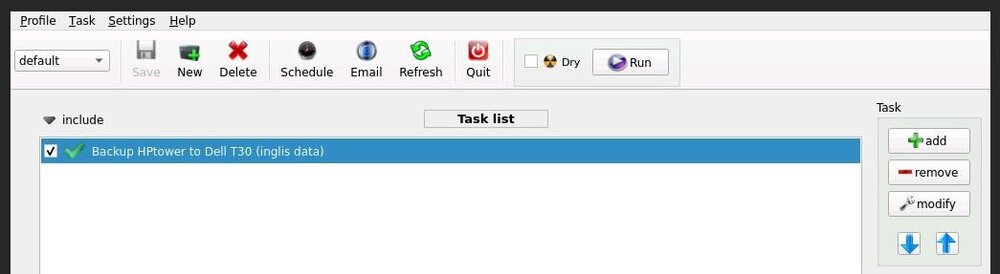
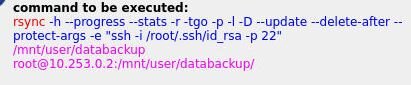
-
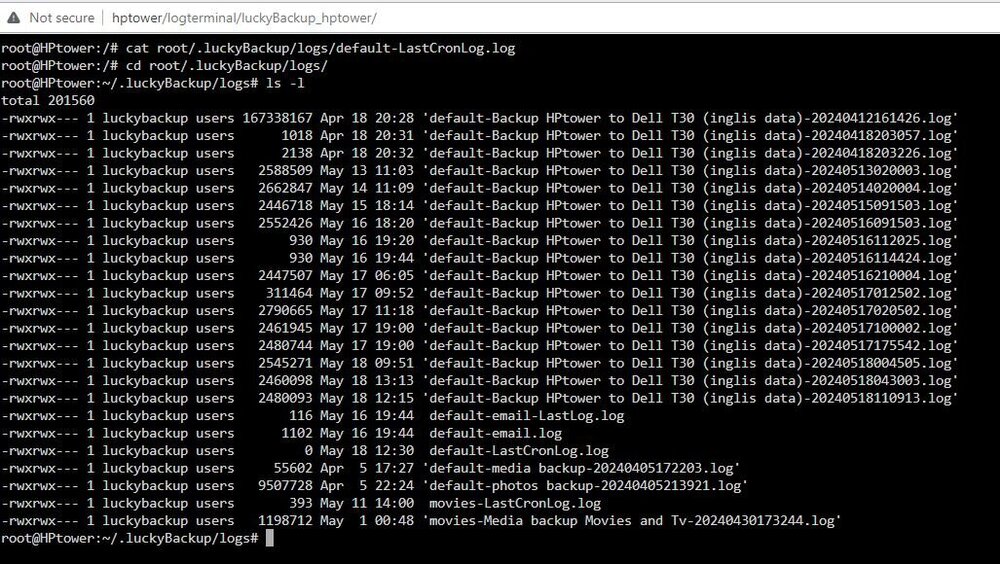
Thanks, Restarted Lucky, Checked log and it is empty ? Note: running on UnRaid as a Docker. -rwxrwx--- 1 luckybackup users 0 May 18 12:30 default-LastCronLog.log What to try next ?
-
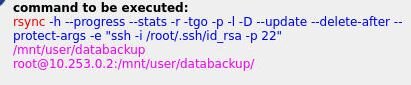
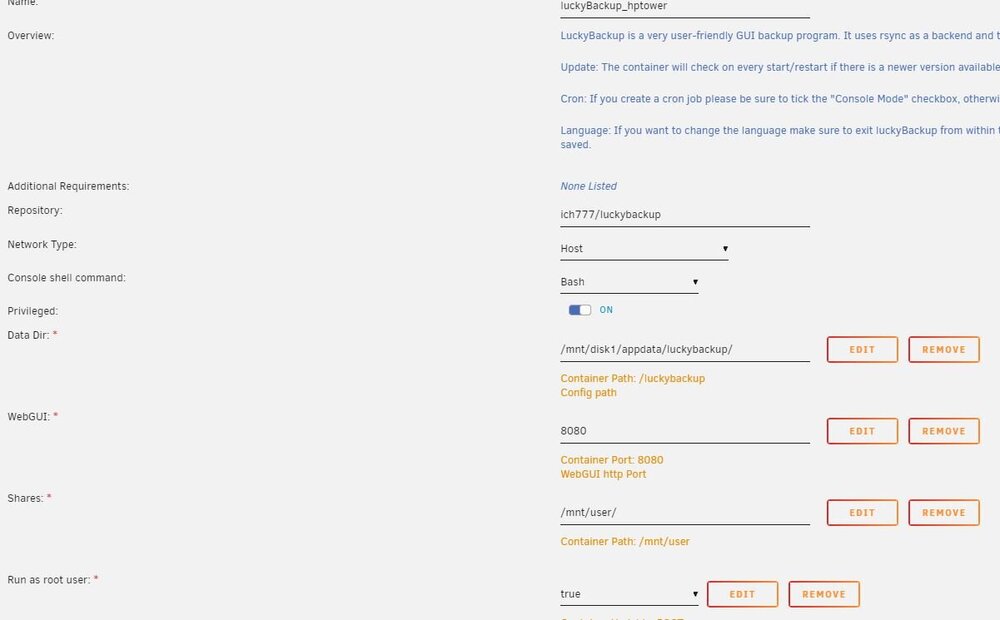
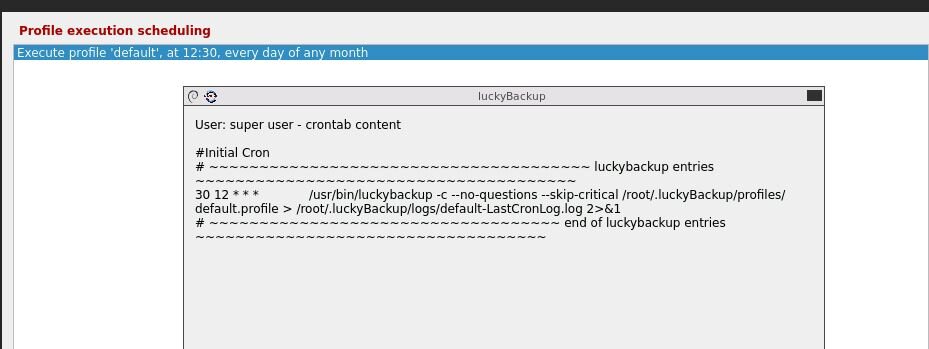
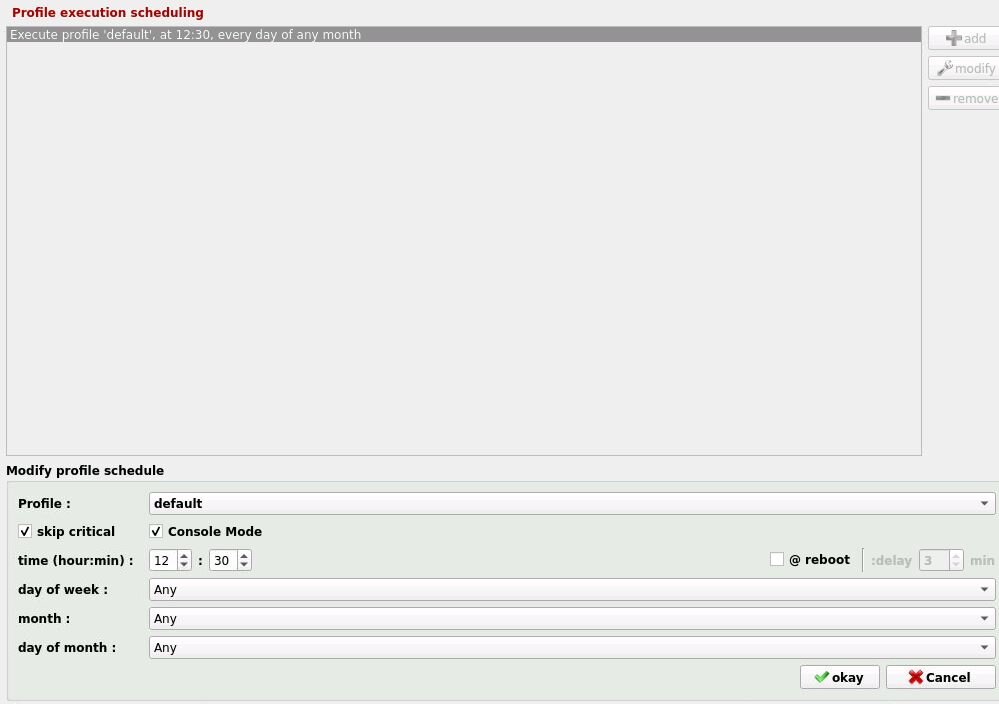
Using Luckybackup very good Docker but the scheduling is confusing me. All works perfectly manually but will not run as a cron job as per schedule. I'm sure I've missed something simple so any help appreciated. Below is container setup, backup setup, crontab and schedule. Where have I gone wrong
-
Did you ever get the schedule to work ? Manual works fine but I'm having similar problems with scheduler and going in circles trying to work out why it won't work. My schedule is as follows: And My docker setup as well: Any pointers appreciated.
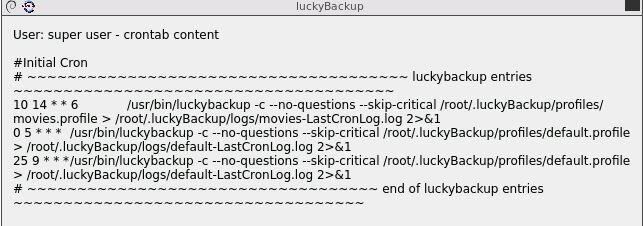
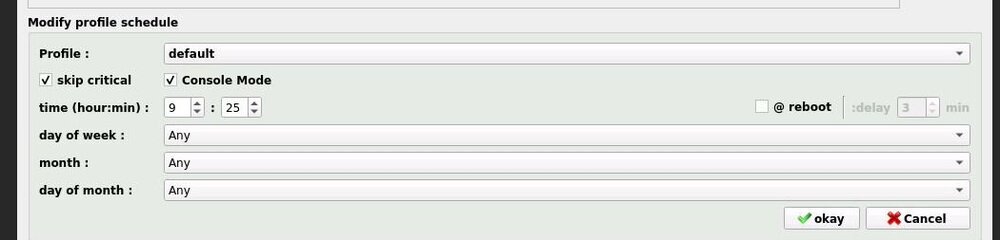
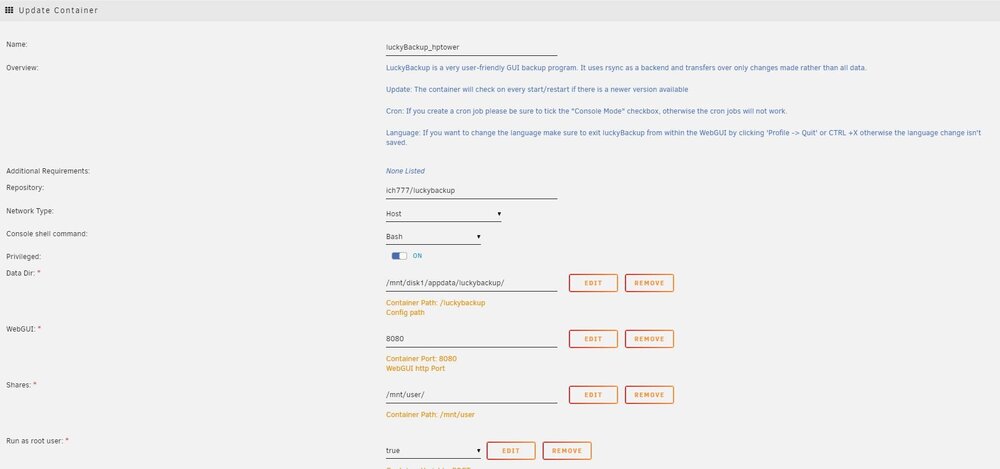
-
Thanks JorgeB much appreciated
-
Hi, did my regular Parity check and noticed following error, any advice appreciated Thanks Justintas Jun 30 19:35:31 HPtower kernel: BTRFS error (device loop3): parent transid verify failed on 30883840 wanted 347 found 18 Jun 30 19:35:31 HPtower root: mount: /etc/libvirt: wrong fs type, bad option, bad superblock on /dev/loop3, missing codepage or helper program, or other error. Jun 30 19:35:31 HPtower root: mount error Jun 30 19:35:31 HPtower kernel: BTRFS error (device loop3): parent transid verify failed on 30883840 wanted 347 found 18 Jun 30 19:35:31 HPtower kernel: BTRFS warning (device loop3): couldn't read tree root Jun 30 19:35:31 HPtower kernel: BTRFS error (device loop3): open_ctree failed hptower-diagnostics-20220701-1844.zip
-
Should I do another parity rebuild before changing parity disk to larger disk ?
-
Ok tried check process again here are the results below, and guess what it is fixed !!! Thanks for your guidance much appreciated re ran check -n Results xfs_repair status: Phase 1 - find and verify superblock... Phase 2 - using internal log - zero log... - scan filesystem freespace and inode maps... - found root inode chunk Phase 3 - for each AG... - scan (but don't clear) agi unlinked lists... - process known inodes and perform inode discovery... - agno = 0 - agno = 1 - agno = 2 - agno = 3 - process newly discovered inodes... Phase 4 - check for duplicate blocks... - setting up duplicate extent list... - check for inodes claiming duplicate blocks... - agno = 0 - agno = 1 - agno = 2 - agno = 3 No modify flag set, skipping phase 5 Phase 6 - check inode connectivity... - traversing filesystem ... - traversal finished ... - moving disconnected inodes to lost+found ... Phase 7 - verify link counts... would have reset inode 4328816385 nlinks from 1 to 2 would have reset inode 4328816389 nlinks from 1 to 2 would have reset inode 4328816398 nlinks from 1 to 2 No modify flag set, skipping filesystem flush and exiting. Then re ran check (blank) to do a repair Results: Phase 1 - find and verify superblock... Phase 2 - using internal log - zero log... - scan filesystem freespace and inode maps... - found root inode chunk Phase 3 - for each AG... - scan and clear agi unlinked lists... - process known inodes and perform inode discovery... - agno = 0 - agno = 1 - agno = 2 - agno = 3 - process newly discovered inodes... Phase 4 - check for duplicate blocks... - setting up duplicate extent list... - check for inodes claiming duplicate blocks... - agno = 0 - agno = 1 - agno = 2 - agno = 3 Phase 5 - rebuild AG headers and trees... - reset superblock... Phase 6 - check inode connectivity... - resetting contents of realtime bitmap and summary inodes - traversing filesystem ... - traversal finished ... - moving disconnected inodes to lost+found ... Phase 7 - verify and correct link counts... resetting inode 4328816385 nlinks from 1 to 2 resetting inode 4328816389 nlinks from 1 to 2 resetting inode 4328816398 nlinks from 1 to 2 done
-
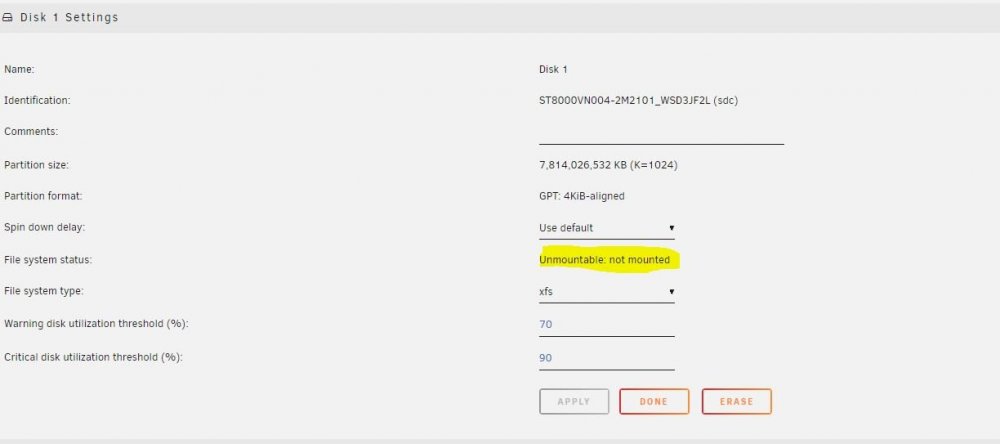
Yes its jammed in the cage and cant be removed screw must have moved yes is disk 1 is green but showing as unmountable , mounting existing drive will be hard as cage damaged. Will see if can cut drive out of cage any other options or do pictures attached if any help

-
check and repair was from gui check first with default settings -n had to put array into mainteance mode to run then ran check again with a blank option was that the correct steps ?
-
yes original disk is jammed in disk cage hence swapped to new cage and put new disk in as disk 1 (sdc) Are errors recoverable ?




