justintas
Members
-
Joined
-
Last visited
-
@JorgeB thanks mate, copied config file booted up but have a screen with license info : Multiple License Keys Present There are multiple license key files present on your boot device and none of them correspond to this device. Please remove all key files, except the one you want to replace, from the /config directory on your boot device. Alternately you may purchase a license key for this boot device. If you want to replace one of your license keys with a new key bound to this device, please first remove all other key files first. Assume can copy old key or just support Unraid and get a new one ? You got me out of a jam going to buy you a beer : )
-
@JorgeB it booted correctly with replacement USB so that's good what's next step to get the server back ? Or can you point me in the right direction Cheers Justintas
-
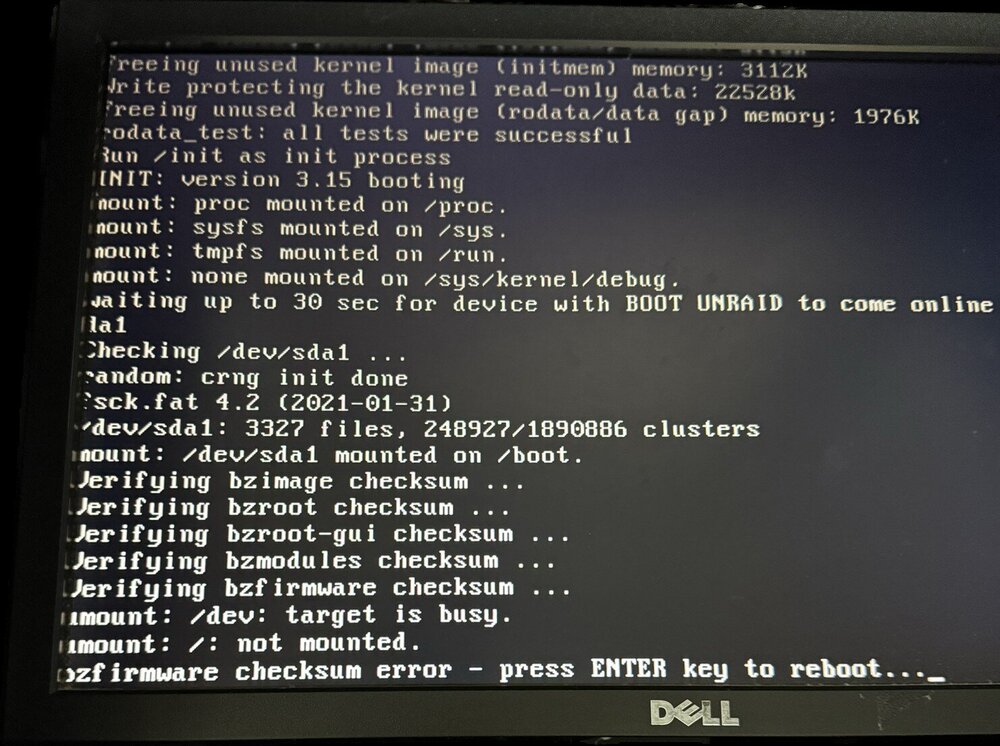
@JorgeB I have the same problem today see picture below, so I should test a new USB first with stock standard if that is ok what would be next move to get my Unraid server back online ?
-
Just after some advice for trouble shooting Luckyback did an update recently and have profiles running correctly but having issues with email report after completion or errors. Can send test email fine but the report just won't seem to work not sure what changed in latest release ? Running 7.2.3 looking at logs have this error when use GUI interface so maybe an error in UnRaid ? This could be causing the email logs not to be sent although the test ones work ok ? Any hints or clues appreciated. Jan 3 15:02:58 HPtower nginx: 2026/01/03 15:02:58 [error] 6019#6019: *595 open() "/usr/local/emhttp/webGui/javascript/ace/mode-log.js" failed (2: No such file or directory) while sending to client, client: 192.168.0.116, server: , request: "GET /webGui/javascript/ace/mode-log.js HTTP/1.1", host: "hptower", referrer: "http://hptower/Shares/Browse?dir=%2Fmnt%2Fuser%2Fappdata%2Fluckybackup%2F.luckyBackup%2Flogs"
-
That's the other problem I can't lodge a support ticket because cant log in without MFA code ?
-
Hi, made an amateur mistake when updating phone forgot to export my MFA generator settings. Phone was erased before I realised, how do I initiate a reset of MFA can't lodge a support ticket because it requests the code. Any help appreciated ? Cheers Justin
-
Perfect thanks again
-
Enjoy using luckybackup been working great till changes by email providers. Now I have to use an app password to authenticate but sendemil command won't allow the character "" to be used to add a password with spaces. Any workarounds or suggested to get my email notifications working again ? Using a gmail account
-
Thanks for your help, assume all will be working ok and just ignore times / dates in GUI window. Here is out put from command all looks good ? root@HPtower:/# crontab -l #Initial Cron # ~~~~~~~~~~~~~~~~~~~~~~~~~~~~~~~~~~~~~~ luckybackup entries ~~~~~~~~~~~~~~~~~~~~~~~~~~~~~~~~~~~~~~ 0 6 * * * /usr/bin/luckybackup -c --no-questions --skip-critical /root/.luckyBackup/profiles/backup.profile > /root/.luckyBackup/logs/backup-LastCronLog.log 2>&1 50 * * * * /usr/bin/luckybackup -c --no-questions --skip-critical /root/.luckyBackup/profiles/test.profile > /root/.luckyBackup/logs/test-LastCronLog.log 2>&1 # ~~~~~~~~~~~~~~~~~~~~~~~~~~~~~~~~~~~ end of luckybackup entries ~~~~~~~~~~~~~~~~~~~~~~~~~~~~~~~~~~~ root@HPtower:/# How can I thankyou for this docker and help anyway to support your work ?
-
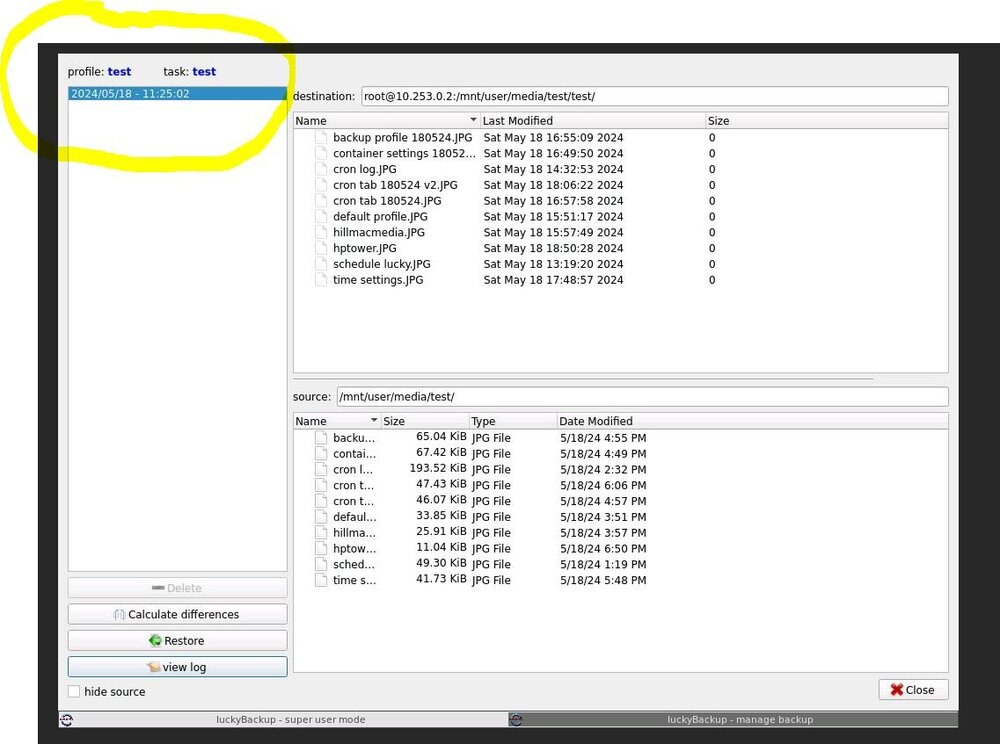
Yes they did get transferred in my test file so it is working!! This is were I'm getting confused...but why do log files not update so I know it worked ? Is there a way to have an email when it runs each time ? see attached profile view, it shows the completed files but date information in yellow is incorrect i think that is also throwing me off as well. Thoughts ? Here is cron tab is it from the correct place ? from terminal of Unraid. I don't see any LuckyBackup refernce should it be there or am i looking at the wrong file ? root@HPtower:/var/spool/cron/crontabs# cat root # If you don't want the output of a cron job mailed to you, you have to direct # any output to /dev/null. We'll do this here since these jobs should run # properly on a newly installed system. If a script fails, run-parts will # mail a notice to root. # # Run the hourly, daily, weekly, and monthly cron jobs. # Jobs that need different timing may be entered into the crontab as before, # but most really don't need greater granularity than this. If the exact # times of the hourly, daily, weekly, and monthly cron jobs do not suit your # needs, feel free to adjust them. # # Run hourly cron jobs at 47 minutes after the hour: 47 * * * * /usr/bin/run-parts /etc/cron.hourly 1> /dev/null # # Run daily cron jobs at 4:40 every day: 40 4 * * * /usr/bin/run-parts /etc/cron.daily 1> /dev/null # # Run weekly cron jobs at 4:30 on the first day of the week: 30 4 * * 0 /usr/bin/run-parts /etc/cron.weekly 1> /dev/null # # Run monthly cron jobs at 4:20 on the first day of the month: 20 4 1 * * /usr/bin/run-parts /etc/cron.monthly 1> /dev/null
-
unfortunately it didn't work, empty log file? here is the luckcron.txt 10 * * * * /usr/bin/luckybackup -c --no-questions --skip-critical /root/.luckyBackup/profiles/backup.profile > /root/.luckyBackup/logs/backup-LastCronLog.log 2>&1 and schedule.dat root@HPtower:~/.luckyBackup/schedule# cat schedule.dat ***************************** WARNING ***************************** Do NOT edit this file directly, unless you REALLY know what you are doing !! [app_global] appName=luckyBackup appVersion=0.5 File_Type=luckybackup_schedule_file [schedule_global] TotalSchedules=1 [Schedule] - 0 ScheduleName=Execute profile 'backup', hourly at minute 10, every day of any month ProfilePath=/root/.luckyBackup/profiles/backup.profile ProfileName=backup ScheduleMonth=0 ScheduleMonthDay=0 ScheduleWeekDay=0 ScheduleHour=-1 ScheduleMinute=10 ScheduleSkipCritical=1 ScheduleConsoleMode=1 ScheduleAtReboot=0 ScheduleAtRebootDelay=3 [Schedule_end] - 0 [all_schedules_end] Not sure where to check , is time difference of 24hour vs 12 hour an issue ?
-
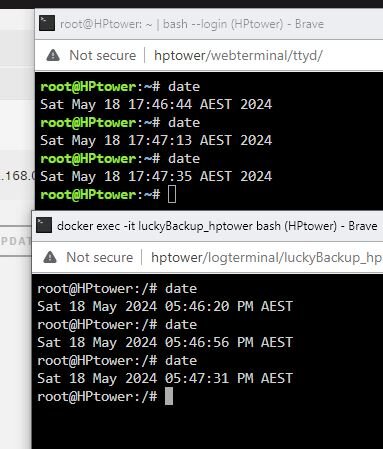
Here is the time zone between both only difference is one is in 24 (Unraid terminal) other is 12 hour (Luckybackup container console) would that make a difference ? Will setup a new schedule for next hour to check again. so steps; 1. Set new schedule 2. Cronit 3. check log via lucky console cat root/.luckyBackup/logs/default-LastCronLog.log 4. report back
-
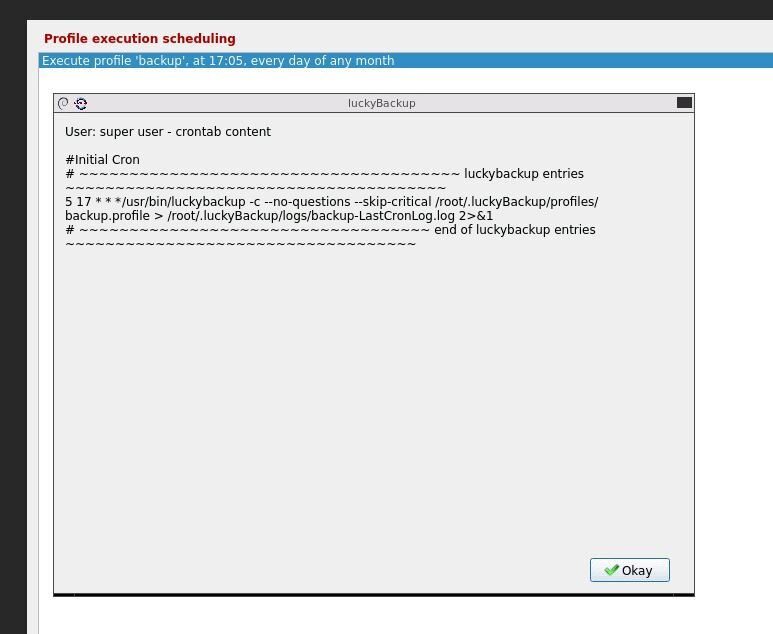
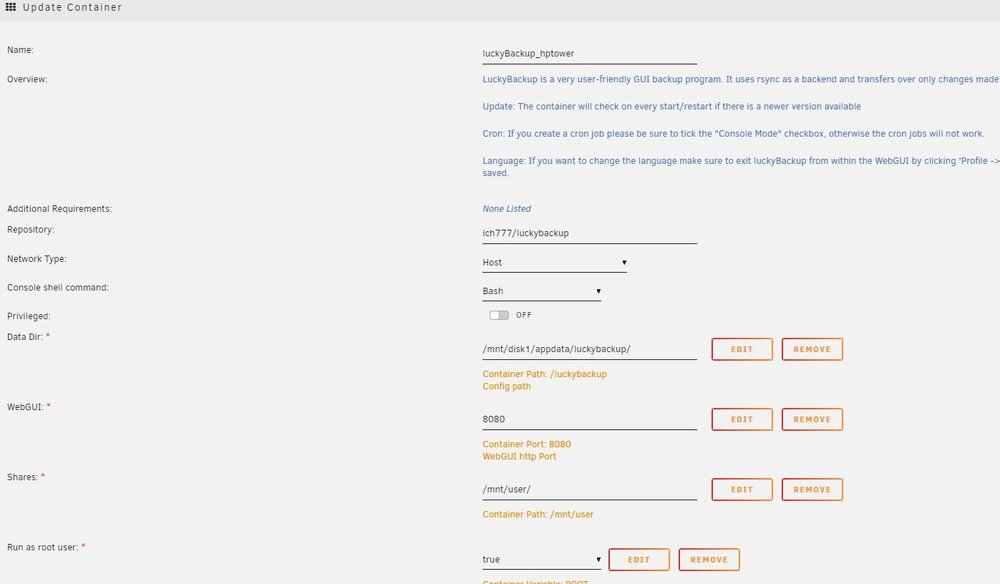
Yes checked manually, all ok Recreated container and made adjustments following container setup attached Time is same in container as system Thanks re cron it will make sure to that, have recreated new profile and cron it . Set new time, time passed and backup did not start. Log files are empty one question I follow the setup in https://unraid.net/blog/unraid-server-backups-with-luckybackup but I notice you say to use use /luckybackup/.ssh/id_rsa are the instructions wrong and I should use use /luckybackup/.ssh/id_rsa ? Although it does run manually so remote connection is ok ? Appreciate the assistance
-
@alturismo I could try that but seems to run ok manually ? @ich777 Yes it runs fine manually just set it going again now.
-
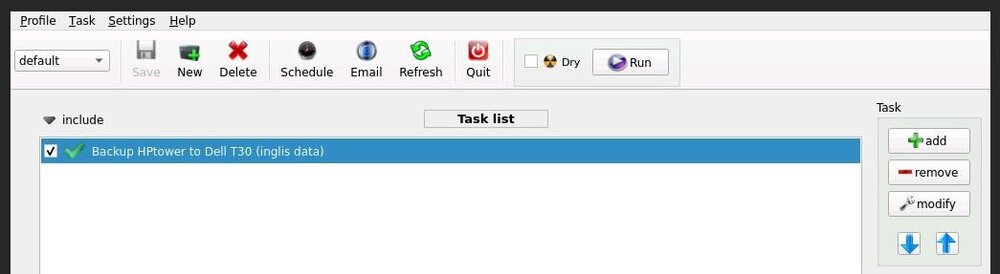
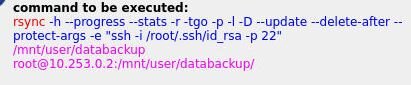
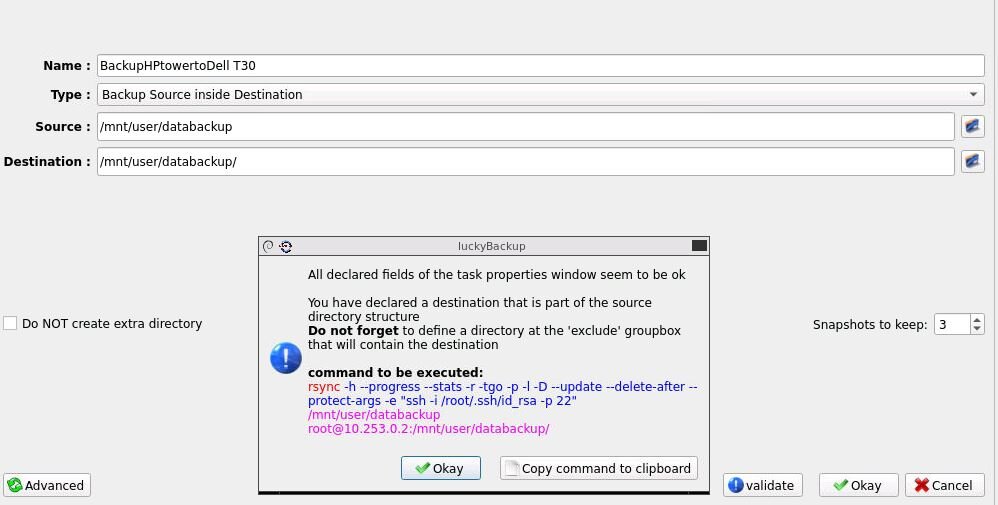
here is my default profile plus command, can't see anything wrong with it ?