sohopunk
Members
-
Joined
-
Last visited
Everything posted by sohopunk
-
[edit] oh my god I'm dumb... My timezone was not set correctly.. That fixed the issue. [/edit] Hi, thank you for this very useful plugin! I am however having an issue using the 'Custom Schedule' I have created 2 (very very simple) scripts, one to start a docker container at midnight, and one to stop that same docker container at noon. both scripts work fine when running them manually ('Run Script' and 'Run In background'), but they do not start automatically when I use the custom schedule. I have one set as 0 0 * * * and the other as 0 12 * * * What am I doing wrong? (see screenshot) ps : I tried looking for an explanation in this thread, but I only found posts from many versions ago so I figured I'd post it anyway. If I shouldn't have, please don't shoot me

-
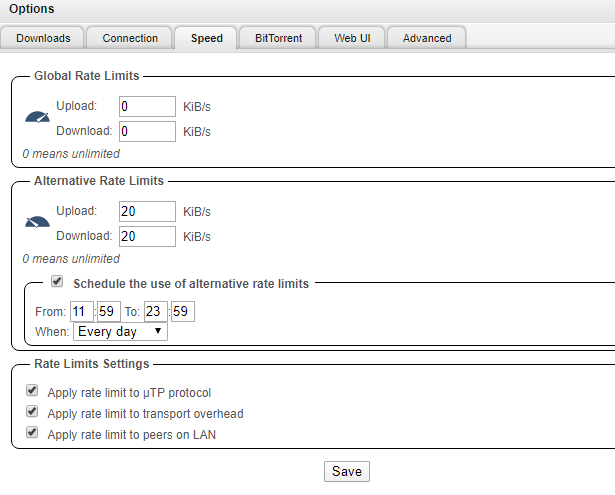
I am seeing this as well. I'm new to qBT on unraid, but moved from a Windows machine. I can schedule whatever I want in the Alternative Rate Limits window, but it seems the schedule doesn't actually trigger. If I click the speedometer at the bottom of the page, the new speed limits do correctly apply. Any thought as to why or how to fix this?