Skip to content
View in the app

A better way to browse. Learn more.

Unraid

A full-screen app on your home screen with push notifications, badges and more.

To install this app on iOS and iPadOS
  1. Tap the Share icon in Safari
  2. Scroll the menu and tap Add to Home Screen.
  3. Tap Add in the top-right corner.
To install this app on Android
  1. Tap the 3-dot menu (⋮) in the top-right corner of the browser.
  2. Tap Add to Home screen or Install app.
  3. Confirm by tapping Install.

Anubis-X

Members
  • Joined

  • Last visited

  1. Yes. This was the problem. Thank you very mutch for your support!!!!
  2. Did you found some issue? Can I help you with more informations?
  3. I have saved the graphics at the following URL's. http://stargate-page.de/grafiken/grafana.png http://stargate-page.de/grafiken/grafana_render.png http://stargate-page.de/grafiken/nextcloud.png
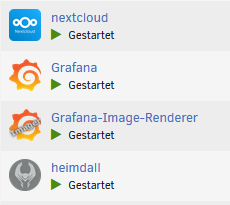
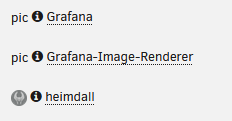
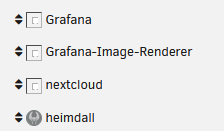
  4. Hi, I can't see all the pictures of my containers in the settings. Only the picture from heimdall I can see. At the docker-page I can see all pictures. For heimdall I used the template from CA. For the other containers I have created my own. Does anyone have an idea what this could be? Thanks.
Account

Navigation

Search

Search

Configure browser push notifications

Chrome (Android)
  1. Tap the lock icon next to the address bar.
  2. Tap Permissions → Notifications.
  3. Adjust your preference.
Chrome (Desktop)
  1. Click the padlock icon in the address bar.
  2. Select Site settings.
  3. Find Notifications and adjust your preference.