wilekcmc
Members
-
Joined
-
Last visited
Everything posted by wilekcmc
-
Well, I installed the HBA card and my 12 new disks; everything went well. Thank you for all your time and hard work. Respectfully John
-
OK, the parity check completed without any problems. So I am going to install the SAS card with the other drives and see what happens. Respectfully
-
Can someone walk me through how to install this? I don't understand CSS, and when I looked at the installation section, there are two boxes: one for CSS and the bottom one for black, and both already have code in them. So what do I do? Thanks
-
Sir, just installed the new CPU; it's the same as before, and I'm running a parity check now. Also, I made the BIOS changes you suggested, and I changed the syslog mirror; it is no longer set to the boot drive. Let's see what happens; Respectfully John
-
Sir, Thank you and the system will stay off, I will start looking for a new cpu, is theres any around and not a arm and a leg for them. Thanks again and I will let you know when I get the cpu installed. Respectfully John
-
I just tries to login to the sever but there was no response from it. I had to do a hard restart to get it going again, here is the log for you to review. I have never had this problem before. Doing a soft shut down until some can tell me what is going with it. Thanks tower-diagnostics-20261003-1424.zip
-
I woke this morming and found the arry off line, went to download the diagnostics for it and I lost the login screen. Had to do a hard restart to get it to login. Here is the diagnostics for it. I have no clue to what is wrong with it. gin.zip
-
Sorry, I already have it on Pariet Sync; we will know in a day and a half. Thanks.
-
That was wired when I logged into start the parity check the arry was off line and I had to rest my drived to there correct postitions. Then I started the arry and Parity but arry names and a few small things chaged, it went back to light mode, name of the arry changed. strange
-
Sir, The Power Supply Idle Control is set to Typical Current Idle, so no change was needed, and I removed the SAS card from the system. As soon as it boots up, I will try another parity check. Thanks for your help with all of this. Respectfully John
-
Well, the parity check failed again. Here are the diagnostics for it. I have no clue what is going on. I have 9 new drives I want to use, but I can't, sorry just venting olympus-diagnostics-20261002-0810.zip
-
Thank you for the info on the new config and how it works. The BIOS version is 5.80, dated 2/42026. I'm currently trying a parity check; I'll let you know what happens. Thanks John
-
Dumb question: should I have used the new config tool when I replaced the parity drives? I have no clue what this tool is used for.
-
Ok, just finished the memory test. It ran for 21 hours and 58 minutes, and everything passed. I also did the BIOS update and made sure everything was set correctly. Now I am going to bring the array back online and run a parity check; I am praying it goes well.
-
Ok, The XMP was set to Auto, which is its default setting. Quickboot is disabled CPU voltage is set to auto (never overclocked or undervolted) PSU was bought in Nov 2020 and is a Corsair HX Series, HX1200, 1200 Watt, Fully Modular Power Supply, 80+ Platinum Certified, Model Number: CP-9020140-NA SAS Card is a BROADCOM 9305-16E SAS/SATA 12Gb/s 16P EXTERNAL PCIE 3.0 HBA 05-25704-00 Just started to run the memory test; it's 11:16 am Japan time. Will let it run till tomorrow when I get back from the gym (around 10:00 am) Let me know if you need anything else. Respectfully John
-
Thank you and I hope this parity check will work. Then I will start doing the troubleshooting you requested. Respectfully John
-
Well, it did it again, and the only thing I did was remove the parity check plugin. Any help with this problem would be greatly appreciated. Respectfully John olympus-diagnostics-20260928-0123.zip
-
Thank you Respectfully John
-
Top Of The Day To All Last weekend, I replaced my two 12 TB parity drives with a 16 TB drive because I'm getting ready to add more 16 TB disks to the array. Also, I added a SAS card to add external drives to the array. Since doing this, I haven't been able to complete a parity check; the system comes back offline. And I have to restart the system by clicking the Start button or doing a hard restart. This morning, I went to log in to the array, had to do a hard restart, and found that the last digit in the IP address had changed from 136 to 135. This is something new. I am running OS 7.3.2 on the array. Here are my diagnostics for you. Please keep your replies simple, because I won't know what to do or what to look at. Thank You, Respectfully John olympus-diagnostics-20260926-1102.zip
-
Here is the Docker run file. I hope I did this correctly? Update Container Stopping container: binhex-qbittorrentvpn Successfully stopped container 'binhex-qbittorrentvpn' Removing container: binhex-qbittorrentvpn Successfully removed container 'binhex-qbittorrentvpn' Command executiondocker run -d --name='binhex-qbittorrentvpn' --net='olympus' --pids-limit 2048 --privileged=true -e TZ="America/Los_Angeles" -e HOST_OS="Unraid" -e HOST_HOSTNAME="Olympus" -e HOST_CONTAINERNAME="binhex-qbittorrentvpn" -e 'VPN_ENABLED'='yes' -e 'VPN_USER'= -e 'VPN_PASS'= -e 'VPN_PROV'='pia' -e 'VPN_CLIENT'='wireguard' -e 'STRICT_PORT_FORWARD'='no' -e 'ENABLE_PRIVOXY'='no' -e 'ENABLE_SOCKS'='no' -e 'SOCKS_USER'='admin' -e 'SOCKS_PASS'='socks' -e 'LAN_NETWORK'='192.168.76.0/24' -e 'WEBUI_PORT'='8080' -e 'VPN_INPUT_PORTS'='' -e 'VPN_OUTPUT_PORTS'='' -e 'DEBUG'='false' -e 'VPN_OPTIONS'='' -e 'ENABLE_STARTUP_SCRIPTS'='no' -e 'USERSPACE_WIREGUARD'='no' -e 'NAME_SERVERS'='1.1.1.1,1.0.0.1' -e 'ENABLE_HEALTHCHECK'='yes' -e 'HEALTHCHECK_COMMAND'='' -e 'HEALTHCHECK_ACTION'='' -e 'HEALTHCHECK_HOSTNAME'='google.com' -e 'PUID'='99' -e 'PGID'='100' -e 'UMASK'='000' -l net.unraid.docker.managed=dockerman -l net.unraid.docker.webui='http://[IP]:[PORT:8080]' -l net.unraid.docker.icon='https://raw.githubusercontent.com/binhex/templates/main/unraid/binhex/images/qbittorrent-icon.png' -p '8080:8080/tcp' -p '8118:8118/tcp' -p '9118:9118/tcp' -p '58946:99/tcp' -p '58946:100/udp' -v '/mnt/user/appdata/binhex-qbittorrentvpn':'/config':'rw' -v '/mnt/user/data/torrents/':'/data':'rw' --sysctl="net.ipv4.conf.all.src_valid_mark=1" 'ghcr.io/binhex/arch-qbittorrentvpn' 3343852f1b7df2b51371ed42604343598dace3f9a17ba9a08825ce339d2226e3 The command finished successfully! This is the log file again. I hope it's right -A OUTPUT -d 104.18.40.93/32 -o eth0 -j ACCEPT -A OUTPUT -d 104.18.37.206/32 -o eth0 -j ACCEPT -A OUTPUT -d 172.64.150.50/32 -o eth0 -j ACCEPT -A OUTPUT -d 104.19.240.167/32 -o eth0 -j ACCEPT -A OUTPUT -d 104.18.159.201/32 -o eth0 -j ACCEPT -A OUTPUT -o eth0 -p tcp -m tcp --sport 8080 -j ACCEPT -A OUTPUT -o eth0 -p udp -m udp --sport 8080 -j ACCEPT -A OUTPUT -p icmp -m icmp --icmp-type 8 -j ACCEPT -A OUTPUT -o lo -j ACCEPT -A OUTPUT -o wg0 -j ACCEPT 2026-07-18 21:51:37,599 DEBG 'start-script' stdout output: -------------------- 2026-07-18 21:51:37,601 DEBG 'start-script' stdout output: [info] WireGuard 'peer' not found, attempting to cycle WireGuard interface... 2026-07-18 21:51:37,601 DEBG 'start-script' stdout output: [info] Attempting to bring WireGuard interface 'down'... 2026-07-18 21:51:37,611 DEBG 'start-script' stderr output: Warning: `/config/wireguard/wg0.conf' is world accessible 2026-07-18 21:51:37,614 DEBG 'start-script' stderr output: wg-quick: `wg0' is not a WireGuard interface 2026-07-18 21:51:37,614 DEBG 'start-script' stdout output: [warn] Failed to bring 'down' WireGuard kernel implementation 2026-07-18 21:51:37,614 DEBG 'start-script' stdout output: [info] Configuring WireGuard... 2026-07-18 21:51:37,918 DEBG 'start-script' stdout output: [info] Successfully downloaded PIA json to generate token for wireguard from URL 'https://www.privateinternetaccess.com/gtoken/generateToken' 2026-07-18 21:51:37,922 DEBG 'start-script' stdout output: [info] Successfully generated PIA token for wireguard 2026-07-18 21:51:37,922 DEBG 'start-script' stdout output: [info] Trying to connect to the PIA WireGuard API on 'japan-2.privacy.network'... 2026-07-18 21:53:50,932 DEBG 'start-script' stdout output: [info] Attempting to bring WireGuard interface 'up'... 2026-07-18 21:53:50,940 DEBG 'start-script' stderr output: Warning: `/config/wireguard/wg0.conf' is world accessible 2026-07-18 21:53:50,948 DEBG 'start-script' stderr output: [#] ip link add dev wg0 type wireguard 2026-07-18 21:53:50,951 DEBG 'start-script' stderr output: [#] wg addconf wg0 /dev/fd/63 2026-07-18 21:53:50,952 DEBG 'start-script' stderr output: Line unrecognized: `PublicKey=' Configuration parsing error 2026-07-18 21:53:50,954 DEBG 'start-script' stderr output: [#] ip link delete dev wg0 2026-07-18 21:53:51,012 DEBG 'start-script' stdout output: [warn] Failed to bring 'up' WireGuard kernel implementation 2026-07-18 21:54:21,015 DEBG 'start-script' stdout output: [info] WireGuard 'peer' not found, attempting to cycle WireGuard interface... 2026-07-18 21:54:21,015 DEBG 'start-script' stdout output: [info] Attempting to bring WireGuard interface 'down'... 2026-07-18 21:54:21,023 DEBG 'start-script' stderr output: Warning: `/config/wireguard/wg0.conf' is world accessible 2026-07-18 21:54:21,026 DEBG 'start-script' stderr output: wg-quick: `wg0' is not a WireGuard interface 2026-07-18 21:54:21,027 DEBG 'start-script' stdout output: [warn] Failed to bring 'down' WireGuard kernel implementation 2026-07-18 21:54:21,027 DEBG 'start-script' stdout output: [info] Configuring WireGuard... 2026-07-18 21:54:21,303 DEBG 'start-script' stdout output: [info] Successfully downloaded PIA json to generate token for wireguard from URL 'https://www.privateinternetaccess.com/gtoken/generateToken' 2026-07-18 21:54:21,306 DEBG 'start-script' stdout output: [info] Successfully generated PIA token for wireguard 2026-07-18 21:54:21,306 DEBG 'start-script' stdout output: [info] Trying to connect to the PIA WireGuard API on 'japan-2.privacy.network'...
-
Top Of The Day To Everyone! I have a problem with the binhex-qbittorrent/delugevpn when I input the information for the VPN client, which is Private Internet Access. The container will not load on the web GUI, but when I turn off the VPN, the Web GUI works just fine. I have tried different versions of the container, but to no JOY! It happens to both binhex-qbittorrent/delugevpn, and yes, one torrent is shut down, so I try the other one, so there is no conflict with the ports. I really am at my wits' end with this; any help would be great. Very Respectfully
-
Hello to all, I have been using qBittorrent for a while now and like it. So I would like to get it off my main water-cooled computer and run it on my unraid server. Is there an easy guide or video on how to set up binhex-qbittorrentvpn? I am very good at hardware building but get lost easily if there's coding to do. Any help you can give would be great. John
-
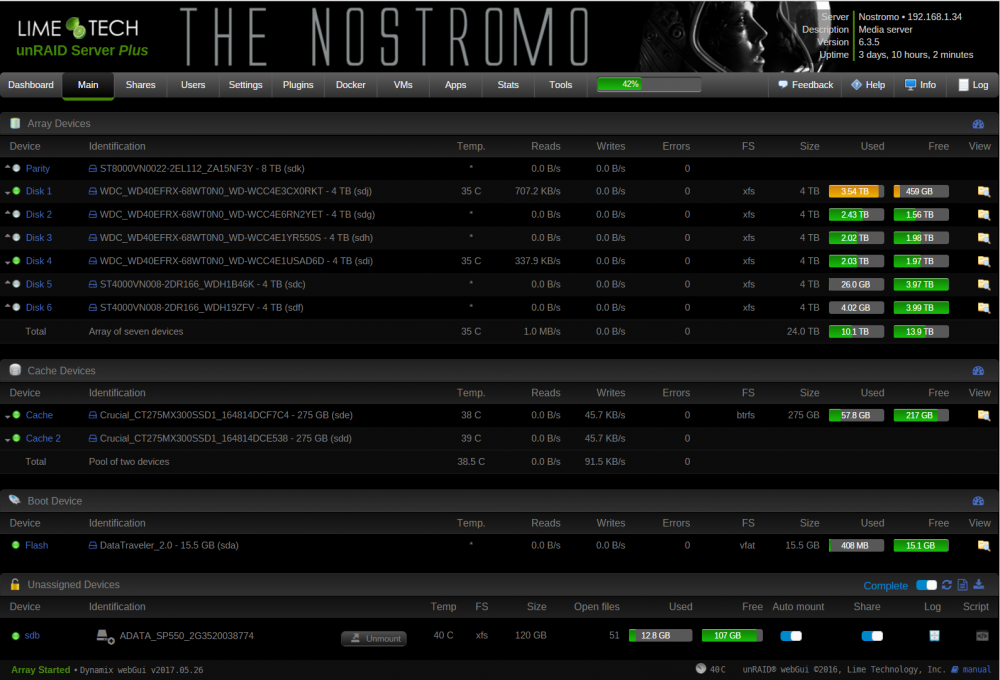
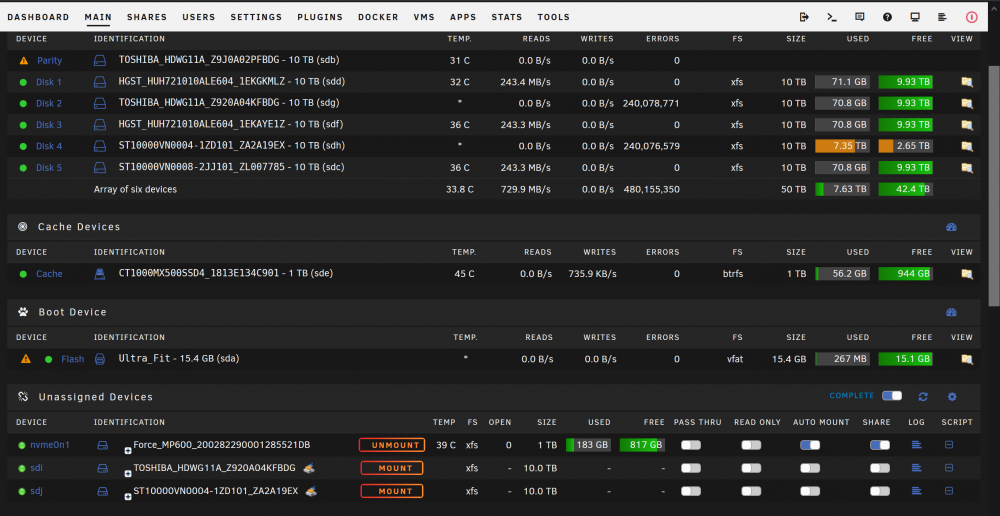
Ladies & Gents, I am new to unraid and have not done any custom add on's because I am uncomfortable with coding. I've been looking to add a custom theme to my system and have found a few I like on google search, but there is no info on how to get them or install them. Can anyone help me out? Here are two of the styles I like, any help would be great. V/R wilekcmc