Skip to content
View in the app

A better way to browse. Learn more.

Unraid

A full-screen app on your home screen with push notifications, badges and more.

To install this app on iOS and iPadOS
  1. Tap the Share icon in Safari
  2. Scroll the menu and tap Add to Home Screen.
  3. Tap Add in the top-right corner.
To install this app on Android
  1. Tap the 3-dot menu (⋮) in the top-right corner of the browser.
  2. Tap Add to Home screen or Install app.
  3. Confirm by tapping Install.

Jhardy51

Members
  • Joined

  • Last visited

  1. Sorry ive tried googling it, how do i do this? everything ive tried has come up with the folder doesnt exist in lamens terms
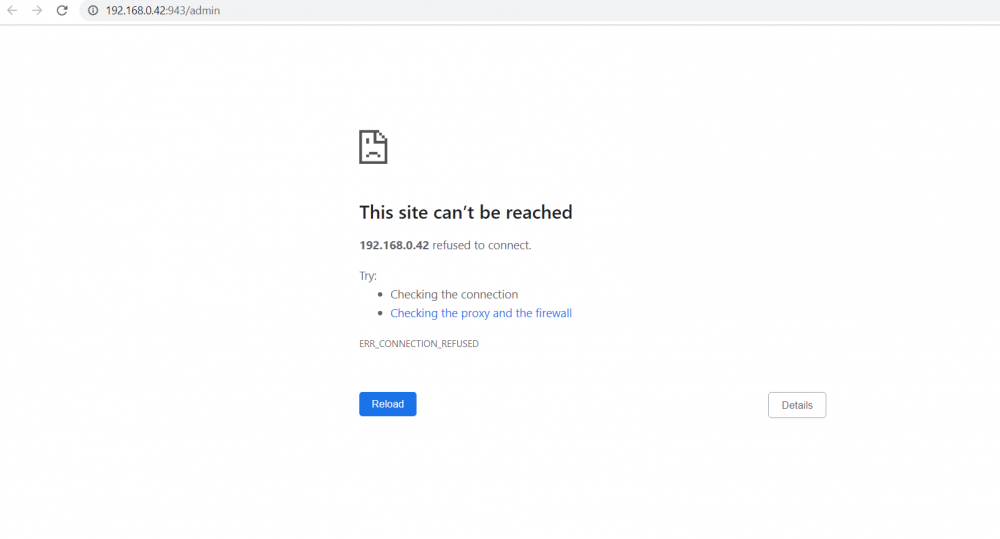
  2. This is what i get, Im click on the docker image on the docker page, then web ui and I get this.
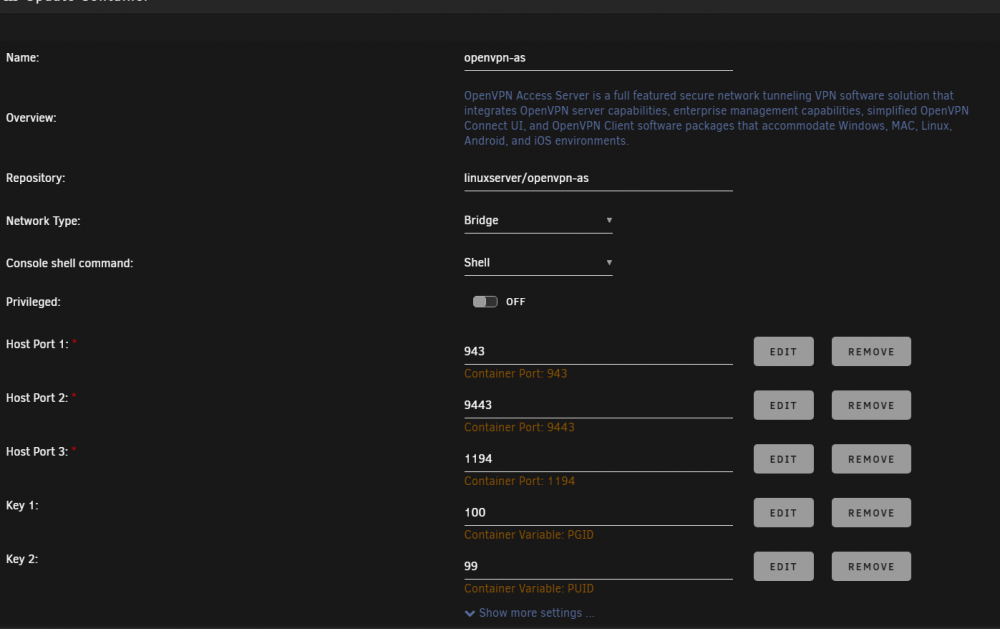
  3. and these are the settings
  4. 192.168.0.42 (server ip) and then tried ports 943, 9443 and 1194
  5. Jhardy51 joined the community
  6. I am trying to set up open vpn for the first time but whenever i try and access the WebUI it says the site cannot be reached. I am following space invader ones tuorial and followed his steps but cannot get it to open. Anything im missing

Account

Navigation

Search

Search

Configure browser push notifications

Chrome (Android)
  1. Tap the lock icon next to the address bar.
  2. Tap Permissions → Notifications.
  3. Adjust your preference.
Chrome (Desktop)
  1. Click the padlock icon in the address bar.
  2. Select Site settings.
  3. Find Notifications and adjust your preference.