Foxglove
Members
-
Joined
-
Last visited
-
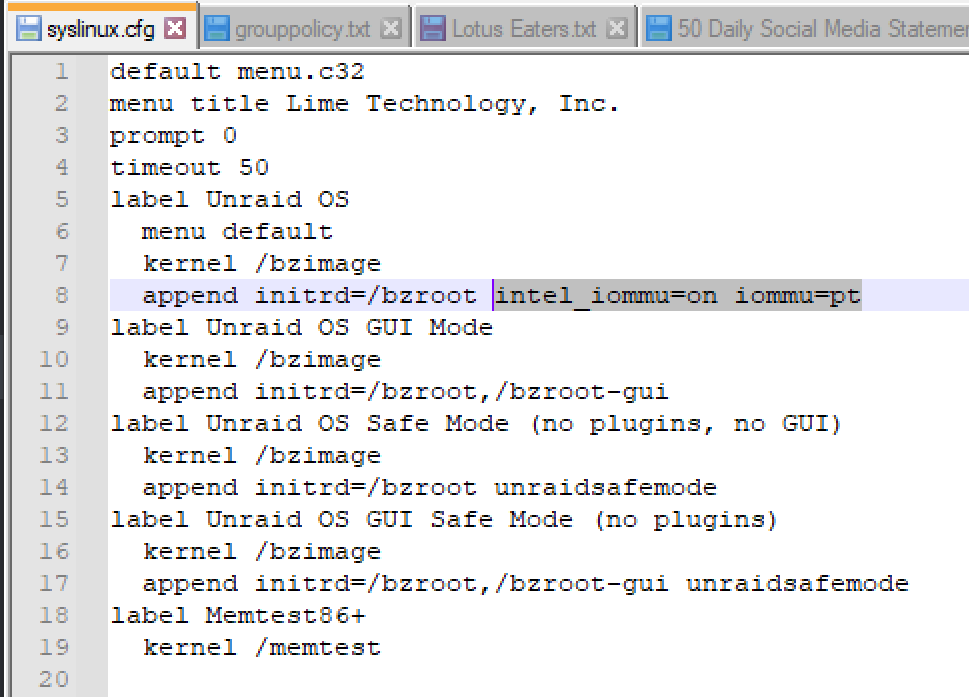
Can confirm, this fixed *both* servers! Thank you very much. Solution was to open syslinux/syslinux.cfg add "intel_iommu=on iommu=pt" to the "append" line. Screenshot below for any future users. Let me know if I can append my problem to any open issue or provide any useful debugging info.
-
I attempted it again. Copied 11 files from 6.10.1 image (10 BZ* files plus changes.txt) and got the same error about bzimage checksum. I'll check out this other forum solution and report back.
-
I tried copying the files from 6.10.1 originally, but it resulted in the same error. Let me try it one more time. I didn't grab the changes.txt file last time. Thanks for the suggestion.
-
Updating 6.9.2 -> 6.10.1 Updating from GUI proceeds as normal until the server starts booting again. Partway through the Unraid boot, the console outputs a message, "bzimage checksum failed. Press enter key to reboot." This issue occurred on two different Unraid instances I have on 6.9.2. I was able to temporarily resolve by copying over the BZxxxxx files from the 6.9.2 release available from unraid.net to the flash drive. After this each server boots into Unraid correctly again. Tried updating again and the same issue happened. I seem to be unable to complete the update. Is there a known cause of this problem? Is there a manual way to update since the web GUI method is failing for me?
-
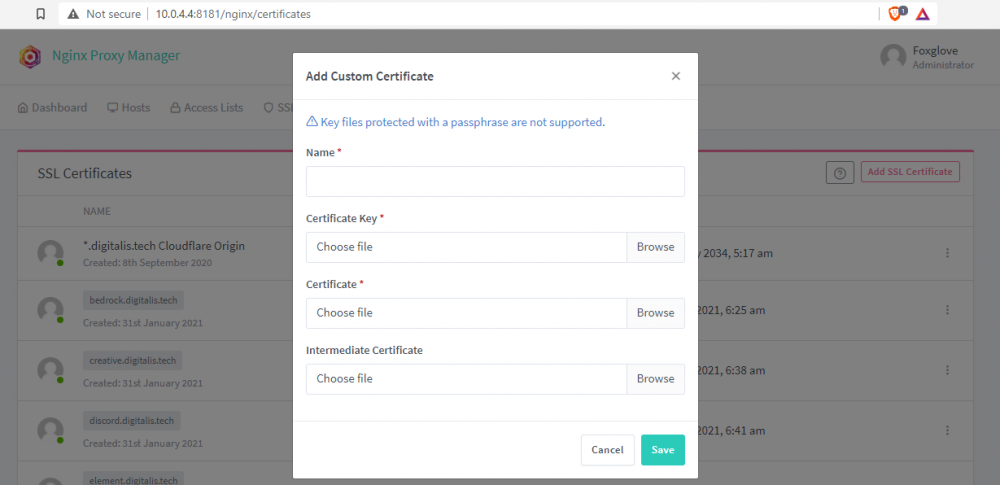
You can add a custom SSL certificate. I use this feature for Cloudflare origin certificates all the time. On the SSL page, choose 'add certificate', then choose 'custom'. You'll need to supply the required files. I assume you know how to do this if you're trying to use your own certificate.
-
It seems to be network-related. I have the Docker container on a different subnet than my main subnet that the host runs its administration off of. Switching it to a bridge seems to fix the problem temporarily. There's an error about missing the fullchain.pem file. I don't know if that's expected on first boot or if that's something that will be resolved later. Update: Looks like it may be a name resolution issue. I don't have DHCP server on this subnet. I probably need to find a way to statically set DNS servers for the docker container. ProxyManagerLog2.txt
-
My ProxyManager has been unable to launch since I updated the container (for the first time in a while). Has anyone else seen this in their logs, or can anyone help me decode it? It looks like it's failing to install the database, therefore failing to boot, because it can't fetch a required file. I don't know why. It's also not 'temporary,' it's been doing this for a couple days now. If I'm on the right track, I don't see why it can't fetch the files. They're at http://dl-cdn.alpinelinux.org/alpine/v3.12/main/x86_64/ and I can download them manually on my personal computer. Why can't the Docker container? ProxyManagerLog.txt
-
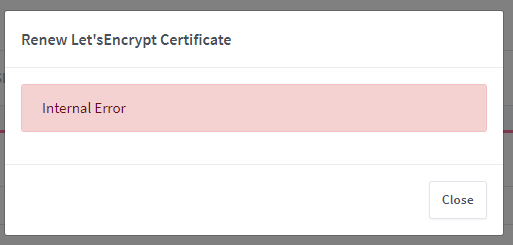
I saw SWAG too, but am hoping to get Proxy Manager running to reduce the amount of overhead when managing my servers. I could probably use it if I could just figure out what nondescript 'internal error' keeps happening whenever I try to get a certificate issued or renewed. The proxy works great, and I can pull sites over http, but I can't get certs for https. Unfortunately I don't know what this error means and I'm hoping someone else may have seen it before. This error occurs whenever creating or renewing any certificate. Happens consistently, no special steps needed to cause it.
-
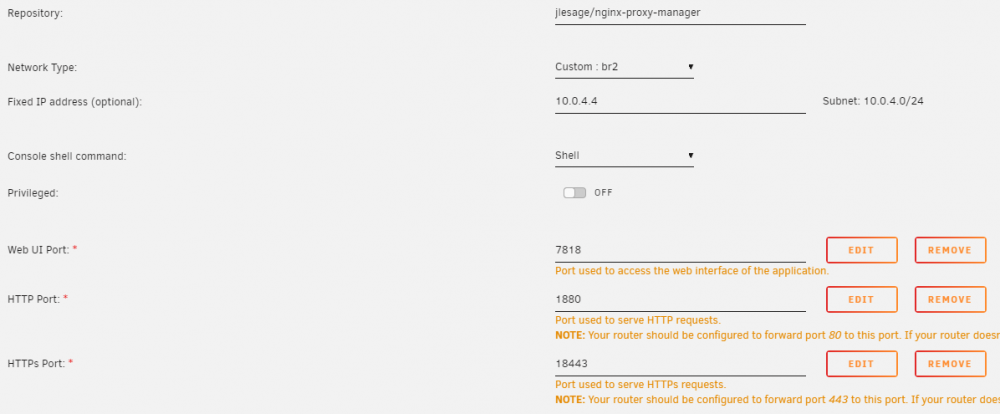
Ah, thank you. That makes sense, I didn't think those settings would have no effect. I take it that's true of all docker containers that use that br2 network? Do you have a suggestion on the version being out of date? Is that just the Docker container not being maintained? I'm having a couple issues with the application itself that only happen when I run it in Docker instead of in a VM, but I figure I should make sure I'm on the most recent version before pursuing those.
-
Foxglove changed their profile photo
-
Hello, I'm getting a few unexpected results. I left all settings default when installing the Docker, other than changing the network from a bridge on the host to br02 so it can have its own address. Why does Docker show that the mapped resources, specifically the ports it is using, do not match what are in the docker settings? Also, I think I have an outdated version of the application, though that could be an issue with the Docker image. Do I have an issue, or am I just missing something that should be obvious? Screenshots attached.