





Prashant
Members
-
Joined
-
Last visited
Everything posted by Prashant
-
Sincere apology for not posting in forum and updating troubleshooting for so long. Troubleshooting in windows revealed that SATA expansion card was faulty. Additionally power cable for one data disk was also faulty. No action taken on USB. Now tower is healthy. Did Parity check, no errors.
-
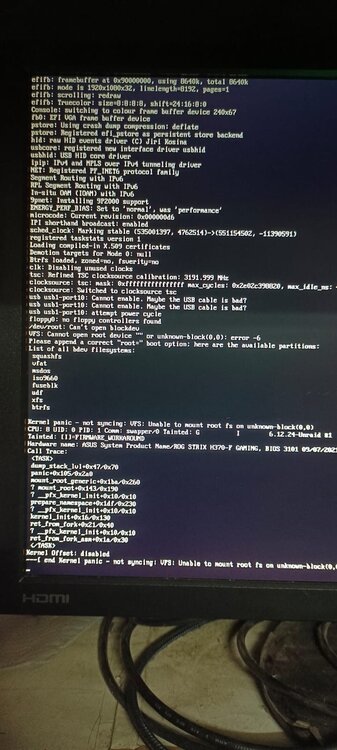
Please check the screen shot, server is not booting. Last thing I did on machine is changed CMOS battery on motherboard. Could this be an issue or it is something different. Any means I can check error on unraid USB? I am using this machine as normal windows PC with additional boot SSD and machine is working fine with windows. Just to mention, unraid HDDs are disabled in windows environment.
-
It was faulty power cable. Array is now up. Sincere thanks.
-
Noted. But please check disk 2 smart report in before upgrade diagnostic, it was same and without touching hardware it is perfect now. Is is something to do with pendrive?
-
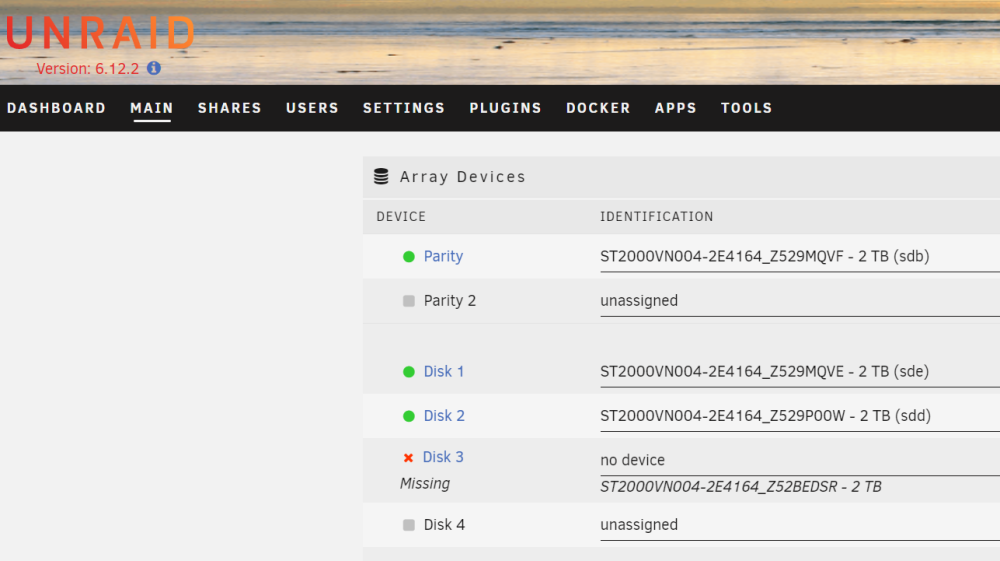
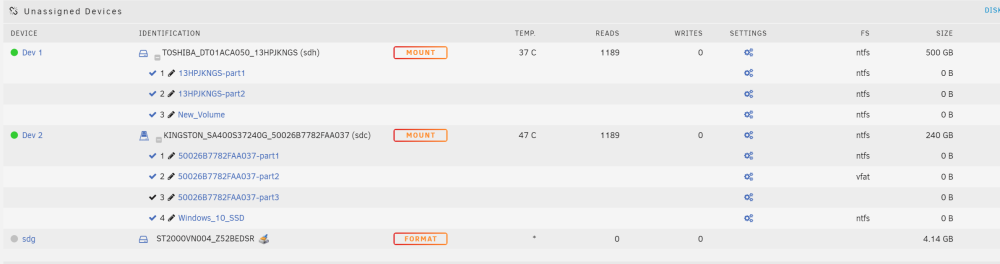
Hi. My configuration is 4 nos. HDD (1 Parity + 3 data) 2 TB each and one cache SSD of 240 GB. After starting the server array did not start as disk 2 & 3 were listed as missing and both could be seen as UD (with 4.14 GB size?). Went through missing disk threads on forum & got confused if I have to go for new config without loosing data. Then downloaded diagnostics & flash backup (time 1455). Upgraded OS from 6.10.9 to 6.12.2 latest and after reboot, disk 2 started showing as data disk & disk 3 is still UD. Now downloaded diagnostics (time 1306). Now array can be started & disk 3 I guess can be rebuilt. But I thought of seeking support first, what could be problem, how come disk 2 started showing automatically. There should be way to get back disk in array. It is not listed in dropdown of disk 3 slot. prashant-diagnostics-20230713-1455.zip prashant-diagnostics-20230713-1506.zip
-
Thank you very much. It really helped me. I love unraid because of all you supporting members.
-
Can you please provide similar commands for nextcloud?



