





Norrox
Members
-
Joined
-
Last visited
-
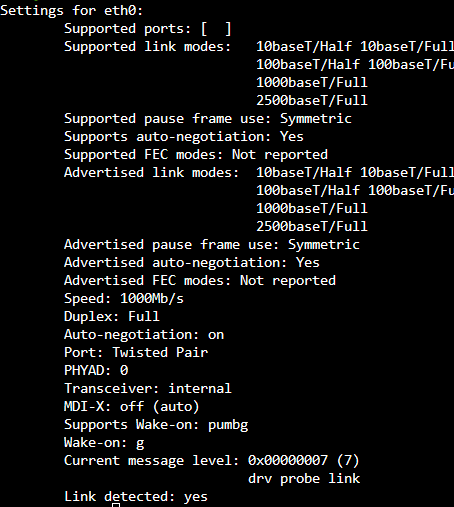
any ideas why i get 60 mbit speed with this docker ( on an 500/500 connection )
-
Thanks for your reply! I only have one parity drive atm. I make sure to do that 😀
-
Hello fellow unraiders! My current 40tb unraid server I have mounted on the wall in a closet. So I have now decided to move everything to a more professional setup, something like this. https://www.supermicro.com/products/chassis/2U/826/SC826BE1C-R920W.cfm And the question I have, how do I move every disk to and mobo to this new chase without destroying my array. Is unraid smart enough to recognise the disk and where its place is in the array after I mount it in the new place? Or do I have to mount them in the correct order? Any else tip and good to know stuff before I start this endeavor?
-
Just checking in, my Deluge webui just stoped working, no clue why ?
-
You move the files to your user/files folder in your owncloud data folder. then you run this command in the unraid terminal window. docker exec -u www-data name_of_your_owncloud_docker php occ files:scan --all then it should scan for all the files you moved to owncloud and add them to the database. much faster than if you had to download the files from another software and then try to sync them to owncloud, can be buggy and take long when there are alot of small files. Hope this help someone, took me ages to figure it out since i'm new to this kind of stuff Edit: for nextcloud docker exec -it nextcloud_container_name occ list
