





dkylewillis
Members
-
Joined
-
Last visited
Everything posted by dkylewillis
-
But thanks for your help!
-
I'm the only user, and I do not see how I could have deleted it. But, I guess anything is possible. The only activity I have had in the server was installing a VM to run Home Assistant. It went smoothly and I didn't mess around with anything else. Unless mounting the Vdisk for Home Assistant could have resulted in deleting a share I'm not sure what i possibly could have done to delete it.
-
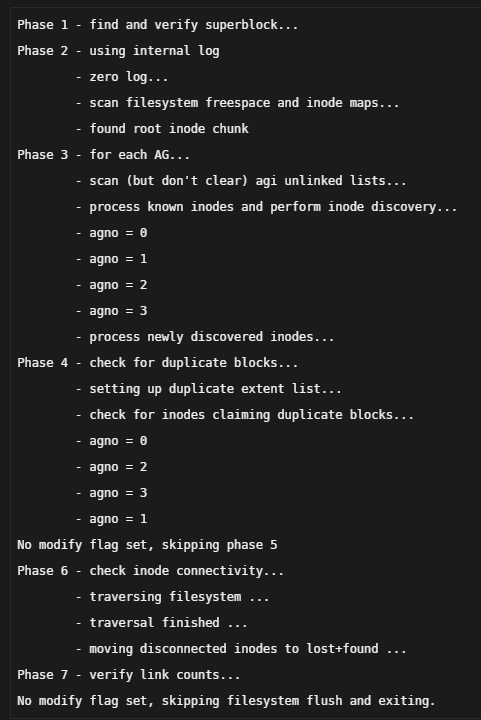
After what appears to have been a power outage, I restarted my array and found one of my shares (kyle) missing along with every docker and VM that I had installed. I was able to restore the docker containers and VMs but the share is nowhere to be found. I have tried the following: Rebooting Shutting down and restarting Recovering Appdata (not sure how this would help but did it anyway) File System Check on the only disk I have installed other that parity (disk1) Looked through the diagnostics (see below), but not sure what Im looking at to be honest It appears that the share has been deleted somehow. I have no issues with unraid since I installed years ago, even after power outages. It has been running flawlessly and all of the sudden everything is gone. Thankfully, I do backup photos and stuff of value to AWS, but there are some current project that Im working on that I would like to recover somehow. Any help would be greatly appreciated. thanks, Kyle nas-diagnostics-20220509-1911.zip
-
I found that the plugin was getting the following error when trying to use git error while loading shared libraries: libssl.so.1: cannot open shared object file: No such file or directory The following command fixed the issue ln -s libssl.so.1.1 /usr/lib64/libssl.so.1 ln -s libcrypto.so.1.1 /usr/lib64/libcrypto.so.1
-
I'm having an issue activating the Flash Backup option. When I click activate, the page just refreshes and does nothing. Chrome developer tools shows that clicking the button results in a POST request to https://10.10.20.2/plugins/dynamix.unraid.net/include/UpdateFlashBackup.php, where i'm getting a 406 error. Any help would be greatly appreciated.
