





ShadeZeRO
Members
-
Joined
-
Last visited
Everything posted by ShadeZeRO
-
Hilariously disabling Direct Play seems to mitigate it to some degree.
-
I'm having a similar issue. Not sure which files are triggering my docker image to fill up. Some videos play perfectly fine and use my transcode to RAM configuration, other just want to fill up the image.
-
Doesn't that mean it uses your CPU? Also - I did some (more) testing. GPU transcode works fine if I don't stream at original quality. Uses the transcode folder properly. If doing direct play the docker image fills up and the stream stutters. Edit: Disabling Direct Play on the client seems to fix it for now.
-
Same issue here. After this most recent update my Plex container using tons of CPU. Transcoding does not seem to be using my GPU. Heck, even the transcode folder was acting up and using the docker image instead of /dev/shm. Took a reboot of the entire server to fix the folder issue. GPU still not working though. Edit: Looks like if I restart the container, the Transcode folder issue comes back. I have to restart the whole server to fix it and nobody can watch without buffering. Edit2: Rolled back to 1.30.1.6562-915986d62-ls148 - same issue. Trying a different nvidia driver version. Edit3: Tried latest production branch driver and same issue. Plex is using CPU & Docker Image for transcoding. Seems to be a Known Issue
-
I seem to be getting an incompatible version error when connecting. Most of the posts on here involved restoring from backup, but this is a brand new server. I have even deleted the "worlds" folder so it recreates it. I do have 'validate' enabled to make sure the files are correct. Ports are forwarded, the server shows up on the main list. I've attached the logs. Edit: Ignore this. I had "valheim plus" enabled in the settings. Once I disabled it, I could connect to the server again. ValheimLogs.txt
-
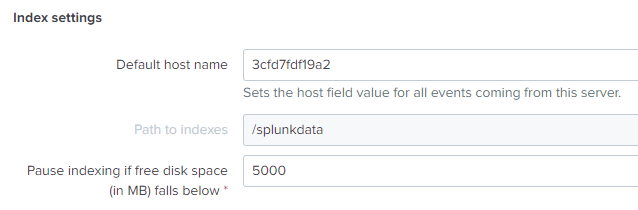
Hi, thank you for looking into this. Just for clarification: My indexes were stored on /splunkdata (mapped to my disk pool on Unraid). Where does the image build script download/untar the installer to? Maybe that path needs to be mapped externally as well.

-
Hi, did you ever find a solution to this? I seem to be having issues with this container using up docker image space as well. I can easily replicate it by doing a "force upgrade" on the container itself.

