vincentvriends
Members
-
Joined
-
Last visited
Everything posted by vincentvriends
-
I changed the cables and it looks like that drive has no issues anymore, but now another drive is unmountable, so I'm first repairing that one to a new drive. After the repair I will test the parity check again to see if the speed is higher. Thanks for your help.
-
After I updated my server to Unraid 6.12.6 my parity check is very slow. In the past the speed was around 100Mb/s, now it is only 1.5Mb/s, so the full parity check would take 200 days. Does anyone knows how to fix this? Attached my diagnostics file. Thanks nas-diagnostics-20240201-1348.zip
-
I think it was a hard crash, the GUI was unreachable and when I connected a screen to the server there was no output at all. I now uninstalled the CoreFreq plugin to see if that fixes the issue, it hasn’t crashed so far but sometimes it took a couple of days after the reboot to crash again, so we will see…
-
Thanks, I will remove that plugin and try again.
-
Is there a fix available for that issue? Can I just block the i915 driver?
-
I made a new unraid server with an MSI B460 Torpedo and i3 10th gen CPU running unraid 6.10.0-rc2... but the server crashes every couple of days. Due to this issue I logged the syslog to flash but I don't see anything wrong with it. What can cause the freezing of the server every couple of days? Attached the diagnostics and syslog file. The last crash occured at 12 february at 1h00. Thanks nas-diagnostics-20220212-0123.zip syslog.txt
-
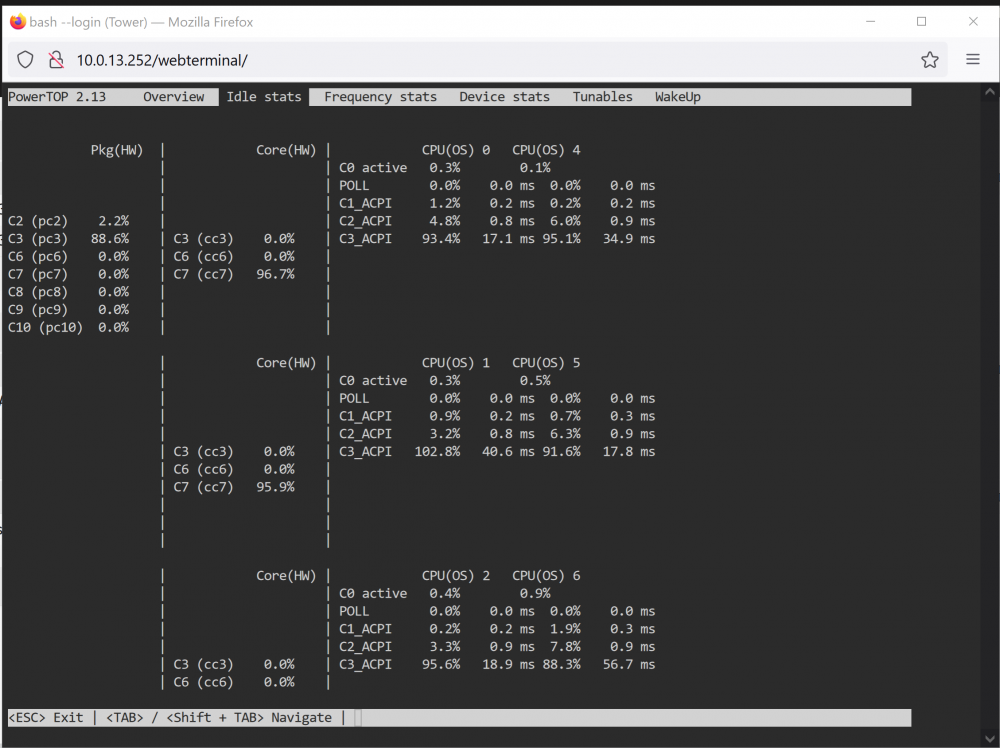
Is there maybe another tool available in the Nerdtools plugin to show the correct values for the newer CPU’s?
-
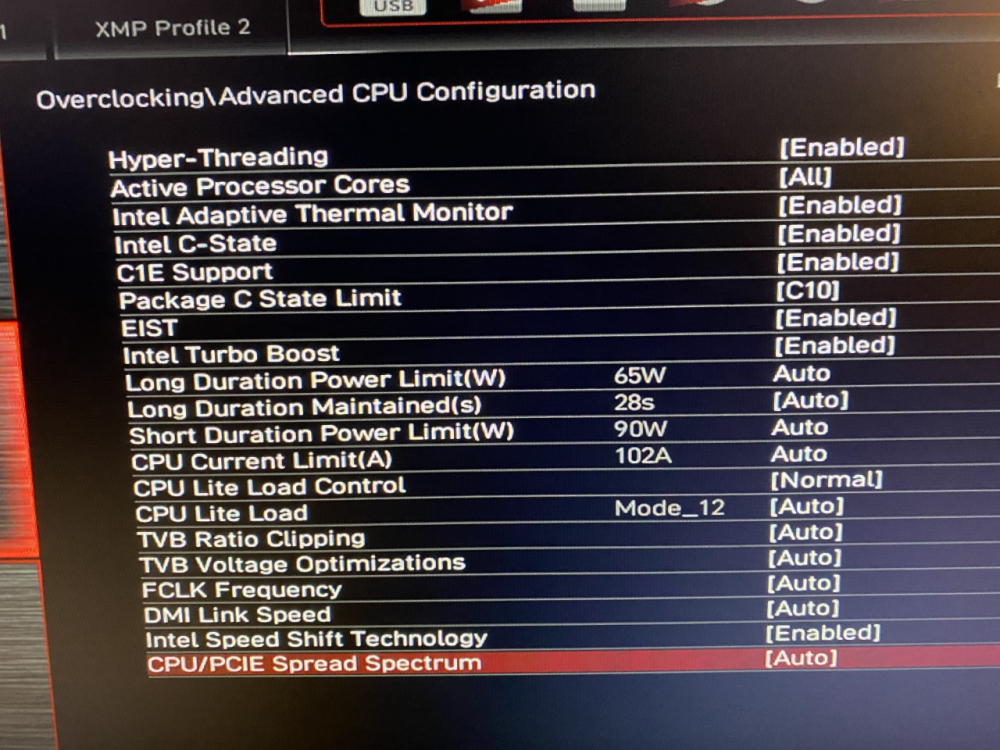
Hi, My CPU doesn't want to go under the C3 state. I have an i3-10100 with a MSI MAG B460 TORPEDO motherboard. There are no PCI devices connected and I changed the CPU Governor setting is placed on "Power Save" I also changed the following in the BIOS: Is there something I'm missing to get to the lower C-states? I also installed the Intel GPU TOP plugin. Thanks