FadedSun
Members
-
Joined
-
Last visited
-
I found this. https://www.reddit.com/r/ASRock/comments/1hf8r5o/comment/m2da9xa/?share_id=IGiSW9e3eiRjBDZGI56X6&utm_medium=android_app&utm_name=androidcss&utm_source=share&utm_term=1 The drivers for that card say I'm not sure if that post is implying you can use those drivers in 6.12 or if you should use one of the other drivers.
-
Yeah I mention in my original post that I've heard it wouldn't work with ZFS. I should probably add that to my private messages with the link as a reminder. I'm sorry it messed up your docker, I haven't heard of anyone having that issue before, or any permanent problems for that matter. Everyone else that had something not working was just able to put the original files back and things were back to normal. Thanks for the reminders to others though to be cautious with unofficial stuff.
-
I'm really not sure, to be honest this is the first time I've even paid attention to what Unraid is running that close. My old hardware was a 4th gen I7, so I had no issues with needing bleeding edge support.
-
Message sent with link to files.
-
Message Sent with link to files.
-
I'll be honest, I'm not sure. I've heard that ZFS support lagging behind on kernels is likely why Unraid 7 stuck with 6.6. I'm just passing along warnings I've read while researching getting my iGPU working, I don't want to break your unraid with my build. Maybe someone else can chime in with more info. I can send you the files to try if you'd like, but I'd make extra sure you have backups; particularly of the cache drive. When I had a failed kernel build I just had to put the old kernel back to fix my Unraid, but I can't promise all failure modes will be that simple.
-
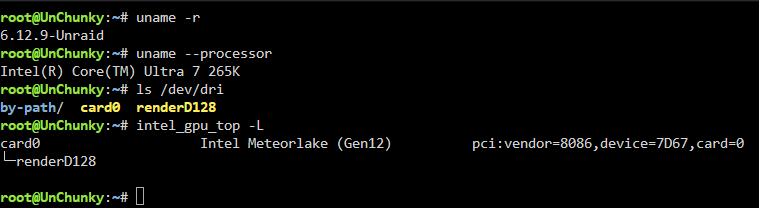
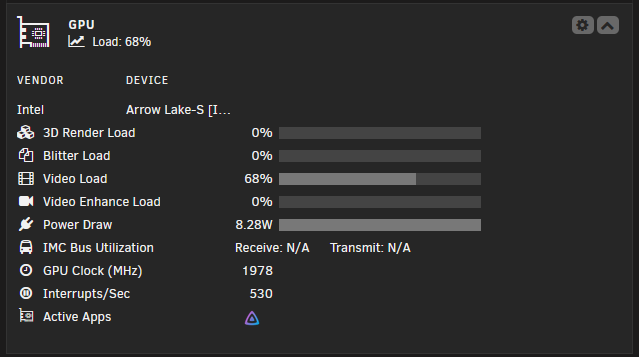
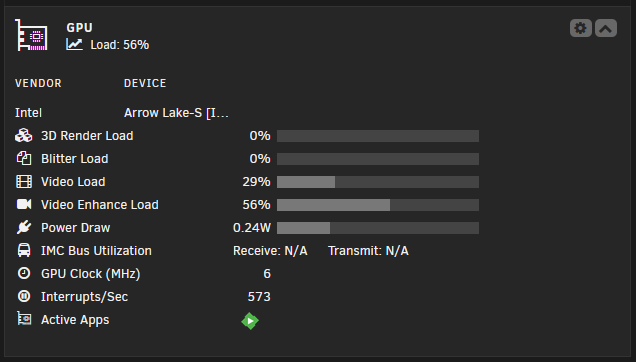
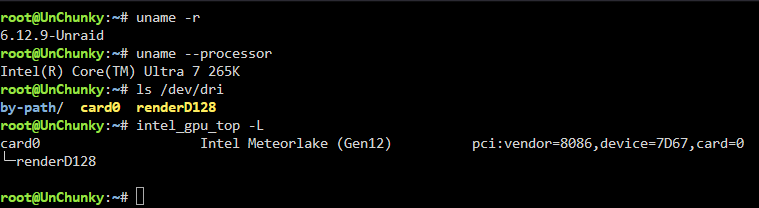
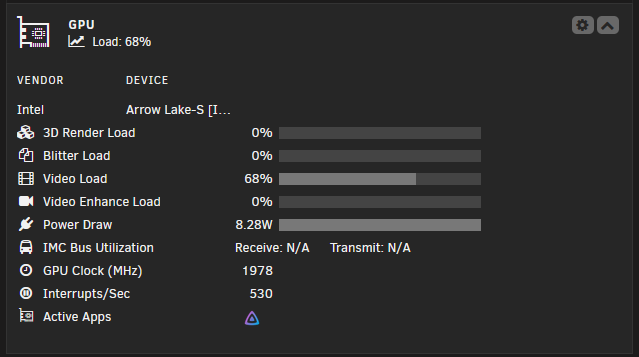
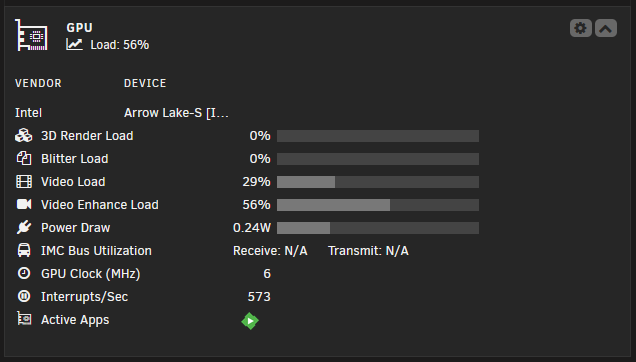
I have my Ultra 7 265K iGPU working with the Unraid 7 release with a custom kernel 6.12.9. I assume this would work with the Arc GPUs as well. It transcodes with my Jellyfin docker on stable, but need the beta version of Emby. I used this guide https://gitlab.com/stefan99353/unraid-custom-kernel/-/blob/main/README.md but used kernel 6.12.9 and Unraid 7 release. It took a bit to get everything to compile, but it all seems to be working. If anyone wants the updated files to try let me know. NO WARRANTY or promises of course and I believe you can't use it if you use ZFS. Now that it's compiled it's pretty easy to try, just drop the files on your boot USB drive replacing what's there and boot up. Save the original files first and you can revert back if there's an issue.
-
I have my Ultra 7 265K iGPU working with the Unraid 7 release with a custom kernel 6.12.9. It transcodes with my Jellyfin docker on stable, but need the beta version of Emby. I used this guide https://gitlab.com/stefan99353/unraid-custom-kernel/-/blob/main/README.md but used kernel 6.12.9 and Unraid 7 release. It took a bit to get everything to compile, but it all seems to be working. If anyone wants the updated files to try let me know. NO WARRANTY or promises of course and I believe you can't use it if you use ZFS. Now that it's compiled it's pretty easy to try, just drop the files on your boot USB drive replacing what's there and boot up. Save the original files first and you can revert back if there's an issue.
-
I ended up adding the pool on the Windows Chia client. The wallet change synced through to Machinaris, so I think I'm good to go now
-
Yup my wallet is like yours on the self pool. Still fails to join the real pool, even after hours. Either there's something wrong with the plotnft command (it has a slightly different set of arguments than the self pool), or is it possible the url isn't working correctly right now? Either way I'll just keep self mining until I figure this out. I'm generally pretty tech literate, but this Chia is streaching my knowledge a bit.
-
Interesting, a self pool created fine. A real pool still fails.

-
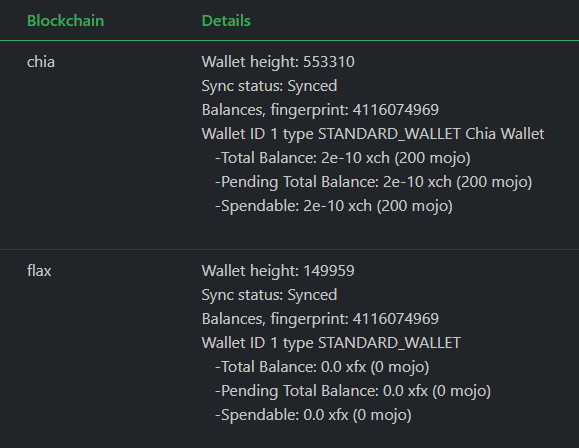
Thanks for the reply. I have 2 Wallet IDs since the Machinaris update, one says chia, the other flax. The both say Wallet ID 1, is this an issue?
-
Can anyone explain this to me when trying to join a pool? chia plotnft - log output /chia-blockchain/venv/bin/chia plotnft create -y -u https://northamerica.ecochia.io -s pool --> Executed at: 20210710-093810 Exception from 'wallet' Incorrect version: 1, should be 1 **********************************************************************
-
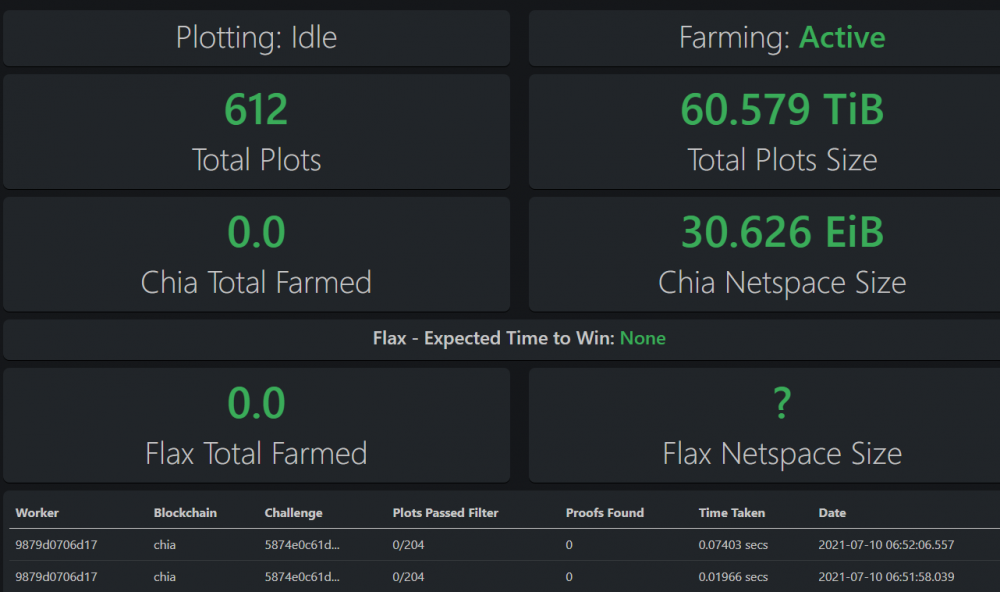
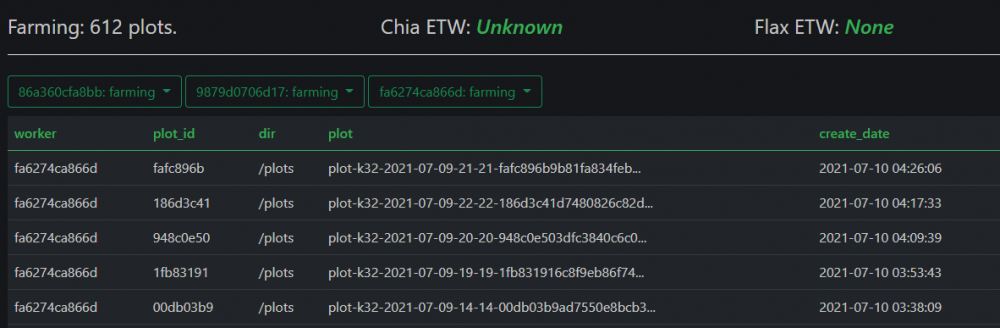
Edit: nevermind I found it under workers tab and pruned the unresponsive workers. After the update I'm showing 3 farmers and 3x the plots. Any ideas on this? 2 of the farmer logs appear empty.
-
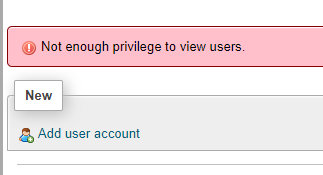
I have phpMyAdmin running in a separate docker. It can connect to the MariaDB, but I can't create (or view users). This is a fresh install. I've tried a lot of suggestions from google searches but honestly I'm pretty new at this and at a loss. I've uninstalled the docker and deleted it's app directory a few times to make sure I haven't made anything worse. Attached image is logged in as root.