





Figro
Members
-
Joined
-
Last visited
Everything posted by Figro
-
Seems like this was easier than anticipated. I already updated the template and that will be live in a couple of hours. To do it yourself you can simply add a container path variable `/.local/share/flood` with any host path you would like. Just make sure your permissions are sufficent
-
Currently it puts the flood config in it's default location `~/.local/share/flood`. This config is reset on updates. Setting this up yourself might prove difficult as you would need to customize the Docker run command to specify an appdata path for it as mentioned here: https://github.com/jesec/flood/wiki/Install-Flood-on-Debian,-Ubuntu-and-derivatives with --rundir I am going to try and update the container and template to allow for this so it does not get overwritten on update. I'll update here with details. Thanks
-
Sorry for late reply. I have triggered a new build of the container and it should be up to date with the release on flood github. I do not currently use qbittorrent 5 and am still on 4 so I cannot confirm that it is working with v5. I'm going to look into a method to trigger the github action to build a new container when a new version is released on flood repo. Thanks
-
This is meant for metrics if you plan on using that. There is more information about metrics on CloudFlare docs. I will make a small update to this to use the '/metrics' route by default so it's a little less confusing. https://developers.cloudflare.com/cloudflare-one/connections/connect-networks/monitor-tunnels/metrics/ Thanks 😊
-
Hey, Thanks for your question. This may be a little bit confusing but to achieve this you are going to need to only change `Metrics Port` port to 46494 like you currently have in your screenshot. However for the `TUNNEL_METRICS` environemnt variable you want to switch that back to 0.0.0.0:46495. Metrics Port is not an environment variable but is a docker port allocation instruction. Here we are telling docker to map our machines 46494 to go to 46495 of the container. The container will then continue to send to port 46495 but docker will redirect it to the new port you set here. I hope this made sense to you. You should be able to reproduce this for as many instances of the container that you need (or however many ports you have left 😅) Thanks
-
Glad you got it working. If using HTTP there should not be any TLS options under that hostname anymore and the tunnel should be using HTTPS using your cloudflare account's TLS certs. When you visit emby.<your domain> check to see that your browser uses HTTPS and that the cert athority and expiration matches on the cert. I have some examples of mine below. If thats all good your tunnel is secured . From my knowledge as well these cloudflare tunnels should only allow outbound traffic as well. Hope everything is good!
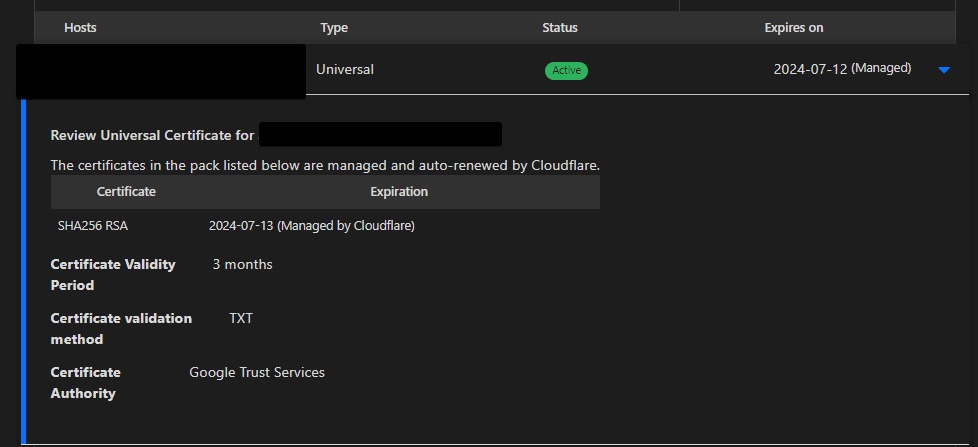
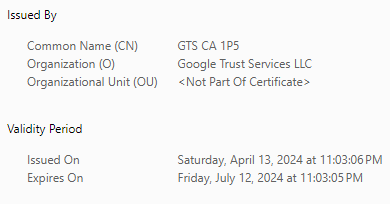
-
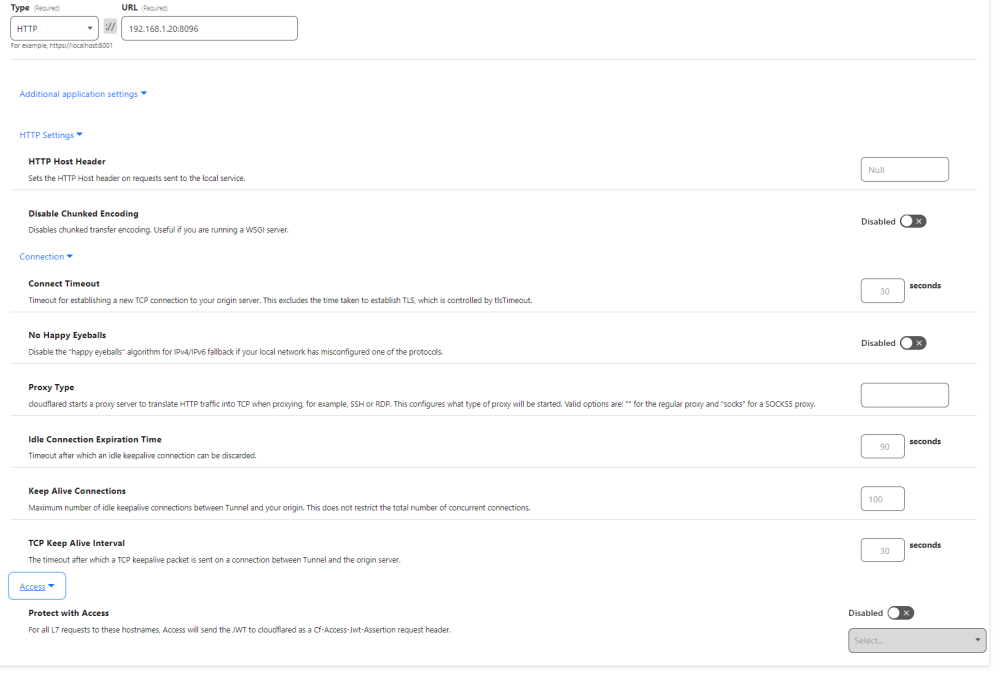
Hello, I have taken a look at your screenshots. The only part that should matter for this setup is the "Public Hostnames" portion under Zero Trust > Tunnels > <Your Tunnel Name> > Configure Here are my settings for Jellyfin which is an open source fork of emby from what I can tell. Should be very similar setup I'm not sure if emby uses HTTPS by default or HTTP but you may have to play around with these. If you use HTTPS try toggling "No TLS Verify" under TLS. The DNS records should be auto created when you make new hostnames under your tunnel. You should not have to edit anything in your DNS records. Your setup of the tunnel seems to be correct, I believe it is just some of these settings you need to play around with to get this working. Hopefully this helps. Let me know if anything changes
-
I updated the container to use @jesec/flood instead of flood when installing which is supposed to be the cutting edge build aka the github code. Not sure if you are still looking for a solution to this but updating the container should be able to connect with the latest qbit. 😄
-
Done! Update the container and you should be running as 99:100 (nobody).
-
Awesome, I will update the CA template so that this is easier to do. Thanks!
-
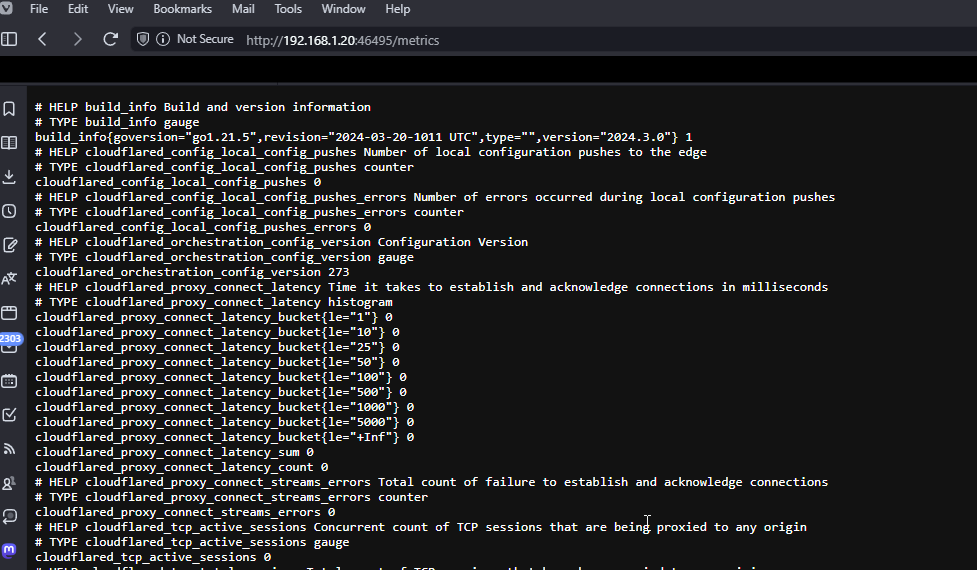
Did some of my own testing. I think i made a mistake when putting the default value for TUNNEL_METRICS. Change it from `localhost:46495` to `0.0.0.0:46495` You should see something like this after. Let me know if you are still having issues with this.
-
Hey, Thanks for your message. I have not touched the metrics portion of this but would love to get this sorted out for you and anyone else who would like to use this. My first guess for this is that the container has no exposed port defined in the dockerfile that was used to build this container. I can make an update to include this and see if this fixes your issue. Please go ahead and force check for updates you should have one there now and let me know if it works after this with the same settings shown in the screenshot. If this works I will make some changes to the template for future users. Thanks for bringing this issue to my attention
-
Yea unforturnate. I was going to recomend vuetorrent as I came across this while looking into this stuff. Haven't seen it before but seems interesting. I might look into forking the flood-ui github and see if I can build it myself and see if that all works. Then i can link this container to that instead. I will update here if anything changes. 😃
-
I was looking for another container called qflood and came across this as well mrhotio — 08/19/2023 9:11 PM effective immediately I'll stop updating the qflood image, you can still pull from dockerhub for the time being, but that's about it....if the maintainer of Flood UI can't be bothered to push some button to cut a new release that fixes the issue for so many users....I don't know, it's probably just for the joy of seeing people struggle. The qbittorrent image should work as a drop-in replacement. Not sure what to do about rflood though...thoughts? Seems like we are not alone in this issue.
-
So it looks like the container you are using uses binhex/arch-int-vpn:latest which is an arch linux container and according to AUR its using version 4.6.4 https://archlinux.org/packages/extra/x86_64/qbittorrent-nox/. The container I am using seems to use ubuntu:20.04 the important bit being the 20.04 its not the latest so its also pulling a older version of qbit https://manpages.ubuntu.com/manpages/focal/man1/qbittorrent-nox.1.html 4.1.7. I am assuming this version difference is causing the differences between the two containers. I think version 4.6 of qbit broke some things inside of flood-ui. Have you tried using `:dev` to any luck? If I remember right the development code in github has fixes for this but flood-ui never released a build with fixes for 4.6. Not sure if flood povides nightly builds or something that I can use instead? Not sure there is much Me or you can do until they address the fix. Are you able to use the other container for your use case? Do you have any suggestions?
-
I just tried the setup with the binhex container and i also get the same issue. Either these 2 containers are using different versions of qbit and there is a breaking change that flood-ui has not updated to fix yet or there is something in the binhex container that stops this from allowing it to connect. I am guessing its the containers are using different versions of qbit and that flood-ui isn't updated to support that yet. I know in the past there was similar issue. I will look into the 2 containers and let you know what I find.
-
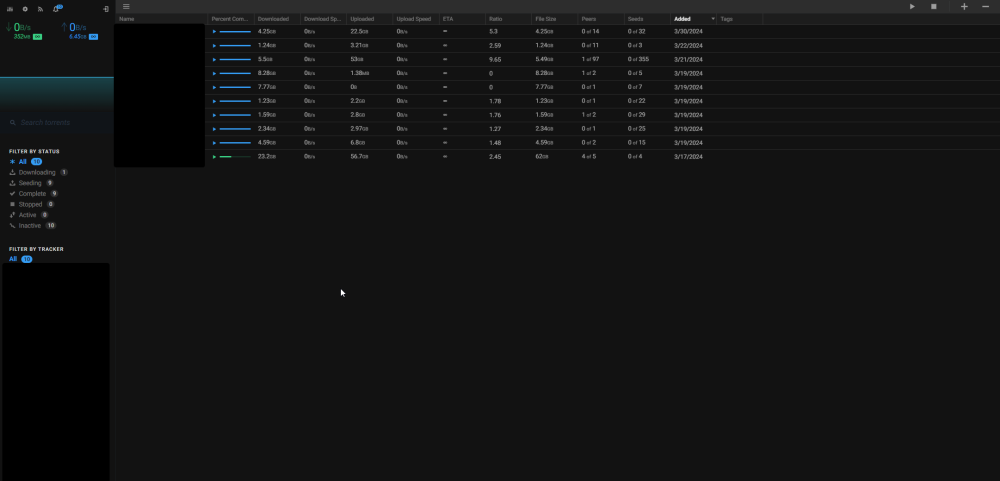
It should work, I am using qbittorrentvpn by markusmcnugen from the Unraid CA. Can you try removing the container and getting the latest template of my flood-ui container from CA. I did a update to the container and template for the :latest tag. If you are using :dev you should try and use :latest and see how it does. Let me know if anything changes or what you are experiencing Edit: Screenshot of my instance
-
Seems like the container lost internet connectivity from your logs. The way cloudflared handles this by default is it will retry 5 times in exponential time increments. You can increase this limit so that if your container loses connection to internet you can have it retry for longer. There is more information about this here: https://developers.cloudflare.com/cloudflare-one/connections/connect-networks/configure-tunnels/tunnel-run-parameters/#retries There is some instruction about how to add this on unraid template here: https://github.com/AriaGomes/Unraid-Cloudflared-Tunnel/issues/6#issuecomment-2000252620 Let me know if you still have issues after trying that. 😃
-
on Another note, If you want to reduce the amount of containers and use uptime kuma, there is a built in cloudflared tunnel https://github.com/louislam/uptime-kuma/wiki/Reverse-Proxy-with-Cloudflare-Tunnel
-
No, just a matter of preference. Aelos' uses the official cloudflared container. This container will grab the latest precompiled binary of cloudflared from cloudflare's github with a simple shell script and run that inside of alpine linux on startup. Feel free to use either
-
So I did address this before but it seems like somewhere that got reverted. I added the --no-autoupdate flag back to the script. Updating the container should show this line on startup. 2023-06-16T16:12:42Z INF Settings: map[no-autoupdate:true token:*****] Hopefully this will stop that issue. I will monitor this behavior on the next release of cloudflared
-
Use the container that @Slippin' Jimmy mentioned. I am looking into this
-
Hey Guys, This seems to be happening when a new release of cloudflared is released (one just came out last night). I believe I addressed this once but I am also being affected by this. I will look over the documentation and will see what I can update to stop this behaviour. Ill reply here when I get around to doing so. In the meantime you will need to manually restart which is annoying and not the long term solution. Thanks
-
I just updated the container to hopefully address this issue. I could not replicate the issue myself but I have already pushed an update that does change the line that gave you an error. you should be able to check for updates and update and try that out. If you still are having the same issue. I would guess there is some type of network filtering when it is trying to download the binary. There shouldn't be anything you are doing that is incorrect. As long as your token is valid and nothing in the network is preventing the binary from being downloaded it should run fine. Not sure how comfortable you are with command line but if you are comfortable you could try manually downloading the binary with this command: url=$(curl -s https://api.github.com/repos/cloudflare/cloudflared/releases/latest | jq -r '.assets[] | select(.browser_download_url | endswith("cloudflared-linux-amd64")) | .browser_download_url') && curl -L --output "cloudflared" $url && chmod +x ./cloudflared && ./cloudflared -h If everything is good result should show the help command output from cloudflared. I Hope this solves your issue. Would like to know if this issue has affected anyone else as well
-
I use the :dev tag as the latest release has issues connecting with qbittorrent. I do not use Deluge but maybe try a second instance with the dev tag and see if there is any difference. I have not seen that Error when launching the application before. Sorry I can't be of more help



