





Convington
Members
-
Joined
-
Last visited
Everything posted by Convington
-
Here are the diagnostics. tower-diagnostics-20250420-0825.zip
-
I have a number of shares on them. My Plex has a few shares such as TV, Movies. Then Sabnzbd has Downloads. I have a BI folder for Blue Iris videos. Then I have a couple of other folders for work-related stuff.
-
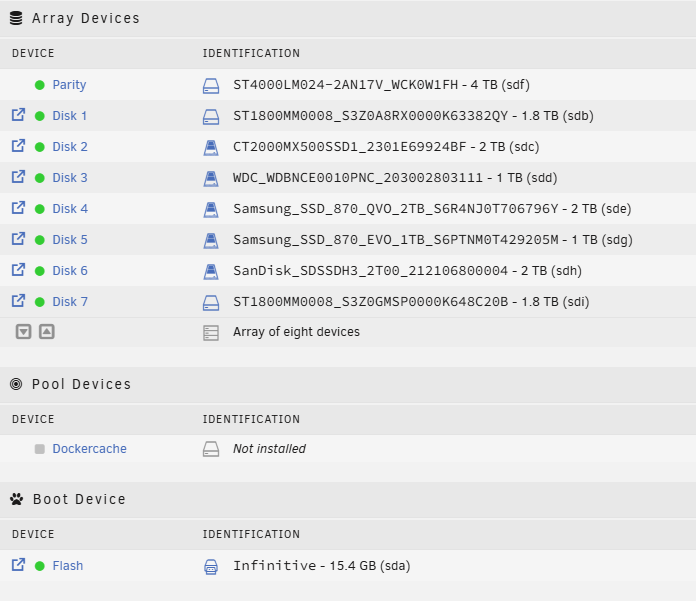
ok. Well, I would say I'm using it mostly for Dockers and storage space. Main docker's are Plex/sonarr/radarr/sabnzbd/ombi, InfluxDB, CodeProject_AI_Server for Blue Iris use. The overall load tends to ride between 1-4% unless streaming. I would definitely like to 'do better', though. I've definitely replaced some of the older spinning drives with SSD, but that is mainly because I retired my ESXi server and SSD seemed to work much better with the VMs. In that setup I have: Parity - 4TB Barracuda 540 RPM Disk 1 - 1.8TB SAS 10K RPM Disk 2 - 2TB SSD Disk 3 - 1TB SSD Disk 4 - 2 TB SSD Disk 5 - 1 TB SSD Disk 6 - 2TB SSD Disk 7 - 1.8TB SAS 10K RPM You could preobably tell that from the part numbers, but just being clear on what I have. What would be the suggestion to make this a better setup? I'm not really sure how pool devices work, so that confuses me a bit on what you mentioned above.
-
That does work. Is that indicative of a poor setup? I have the following Array setup: I have 8 drive bays - so all are taken up. I have an internal boot device. This is an older HP Gen7 server. I do have a couple of 1TB SSD's (SATA) that I could add, but would need to add a sata expansion card or something to add anything. Unless it would be wise to take one of the existing disks and create a cache somehow? I have 5.42TB used out of 11.6TB, so I think I have enough free space even if I remove a drive.
-
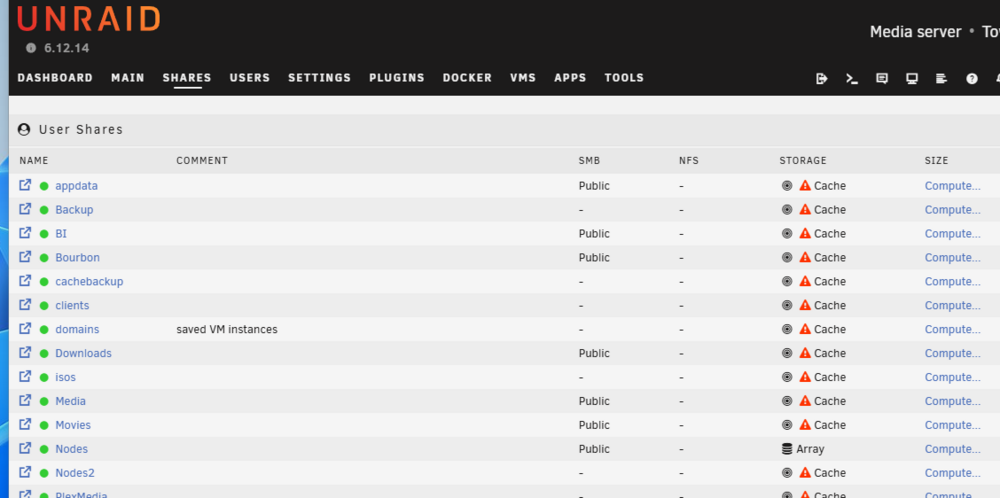
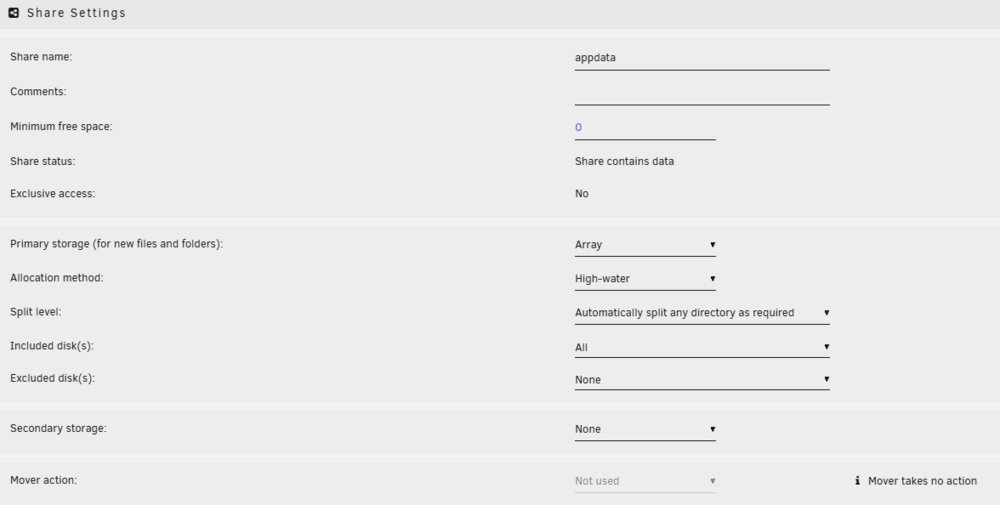
I am not sure when this happened, but I do not like the view under shares: When I hover it says "This share is invalid. It references storage that does not exist." The only thing I've seen about the issue is that it was a bug. But I'm on 6.12.14, so that would surprise me. When I pick the top folder (appdata), I see this: When I look at my share drives, they are all there, so they seem to be fine. Is this still a bug or is something else going on?

-
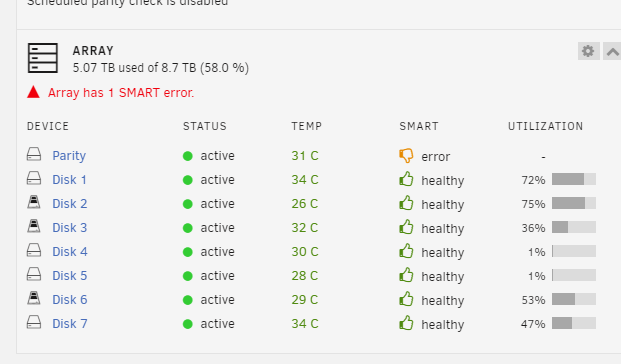
Done and everything seems somewhat good. The only thing I notice is 1 SMART error:
-
ok. replaced cables, even added a backup power supply. Still shows as disabled for that Parity drive once I powered it back up.
-
interesting, I would have never thought of that. I will give that a try, thanks!
-
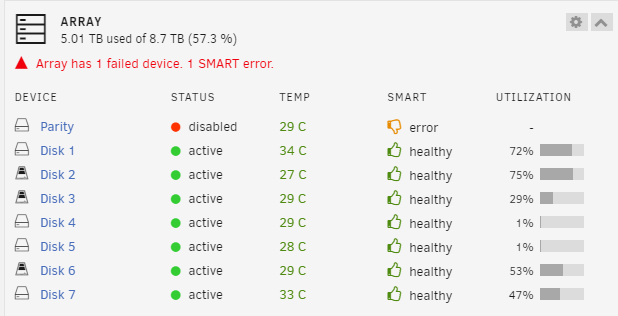
This is what I am seeing now. Doesn't look good Attached is my diagnostics file if that helps. I did some searches on here, but I saw mainly other drives (non-parity) failures instead of parity. tower-diagnostics-20241009-0837.zip
-
TBH I re-created all of them after my USB died. I have also re-created several of them after they got marked as 'orphaned' once I tried to either stop the docker or upgrade it. That has happened multiple times. I recreated Plex recently to get it working again. That always works, but there must be an underlying issue if - when I stop/update - that they seem to get orphaned quite often.
-
Guess I'll go ahead and email support on this one, unless someone wants to take a look at the zip?
-
Ah, I should have known to upload the diagnostics, but here it is. I'll try here first as there do seem to be a lot of helpful answers in the forums. Would be nice to keep it here if it helps someone else along the way. tower-diagnostics-20240718-0756.zip
-
Am I in the wrong place for support? I am a licensed customer.
-
Nobody has thoughts on this or did I not provide enough info?
-
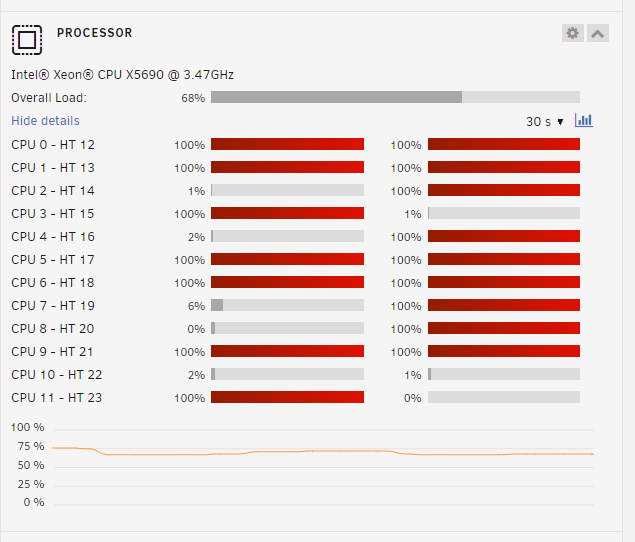
This has happened multiple times with multiple docker containers. I either want to stop them because it is slow or to update. When I stop the docker it shows up as an orphan image. For example, just now - Plex was not responding quickly (like minutes to access the web page). I looked at the log and saw a sqlite error: "Sqlite3: Sleeping for 200ms to retry busy DB". I saw that there was an update, so I stopped Plex. It took several minutes and then finally now I see a couple of strange things in the Docker tab: and This is not the first time. NZBHydra, SABNZBD, and either SONARR or RADARR has done the same thing. Right now I notice in the logs that Sonarr says things like this: "[v4.0.4.1491] code = Busy (5), message = System.Data.SQLite.SQLiteException (0x800007AF): database is locked database is locked" Ever since recovering from a USB failure I've also noticed that my server load went from maybe 4-8% typical Overall Load to now: So lost in how to troubleshoot all of this Sorry I'm not better at this stuff. Hopefully someone has some helpful advice for me! thx in advance.


-
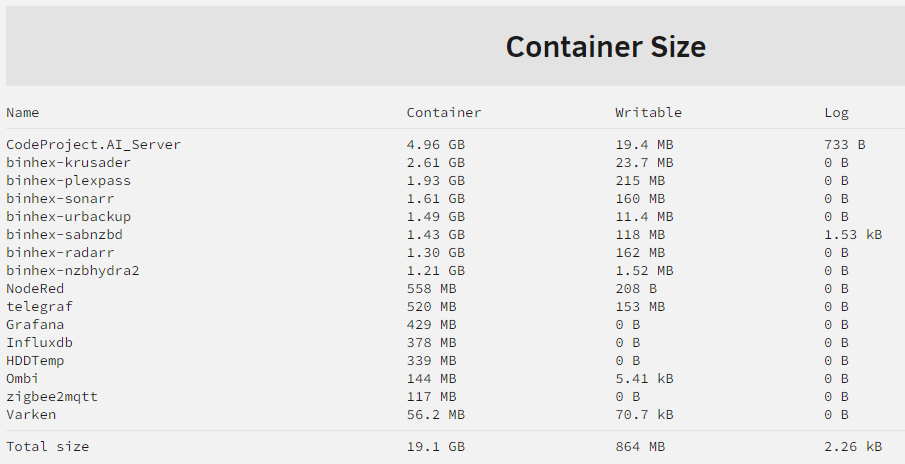
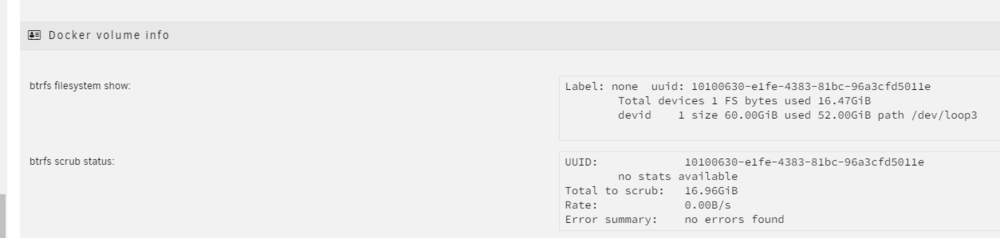
I just did a truncate of all the logs in the docker system, so I think I'm in better shape now: I ran a truncate on all the *-json.log files within /var/lib/docker/containers. After I looked here I then restarted Docker. Doesn't really look like it gained any space, though: I get the bottom part, but it looks like 52GB of the 60GB used from the top section.
-
I do not know why this is not conforming to the settings here: I have not changed this setting, so I can only assume it was set like this before I installed any of the dockers listed.

-
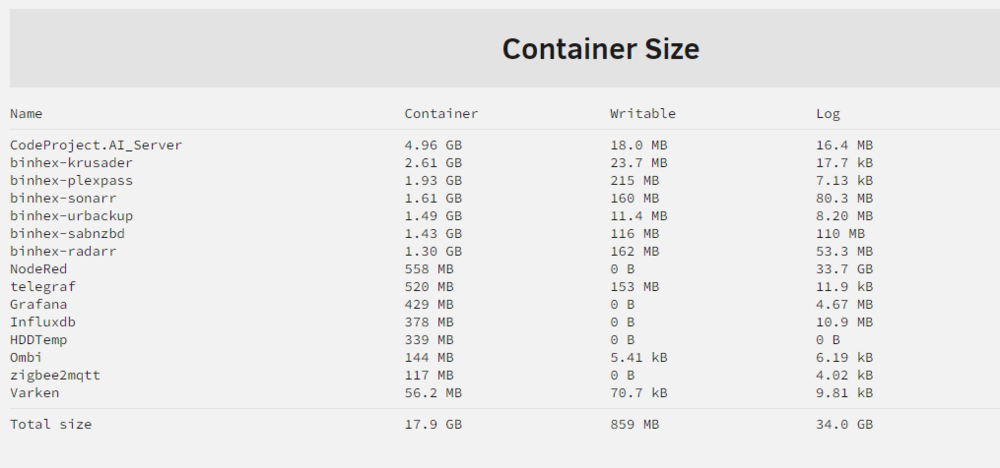
Wow - I totally missed that button That is informative: Looks like logging is taking up most of the data on mostly on NodeRed.
-
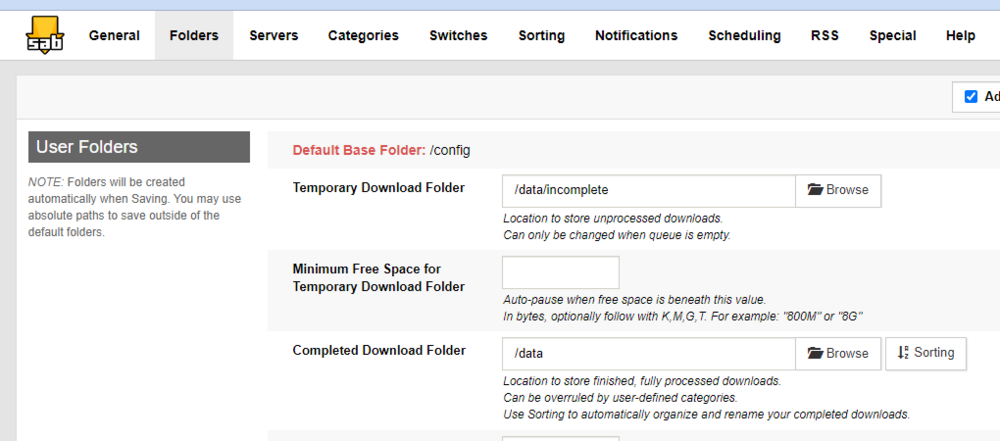
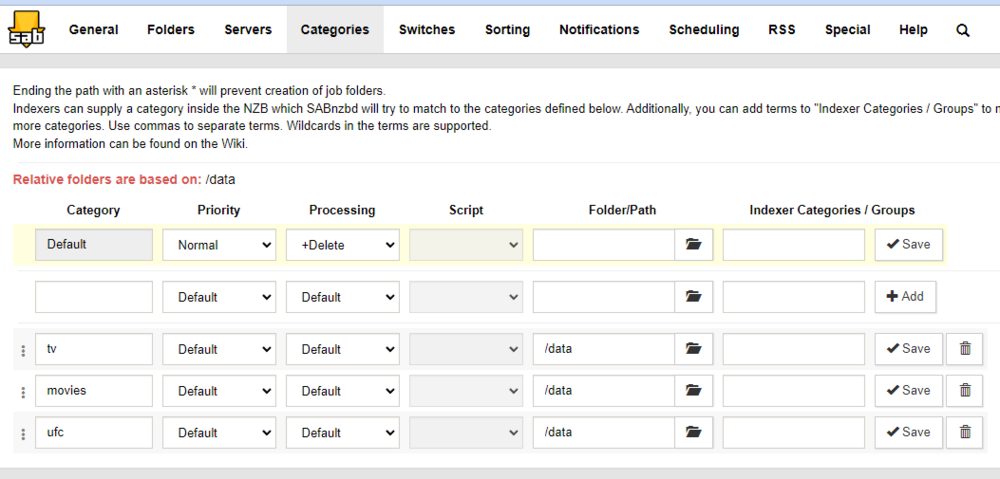
That looks to be set up correctly: And then: Does that seem correct to you? Thanks!
-
awhile back my flash drive got whacked and I had to put in a new one and re-install dockers. I'm guessing I did something wrong because my docker.img keeps getting larger. I expanded it to 60GB and it is almost full again. I'm guessing it is SABNZB, but I'm not quite sure what I did wrong with the mapping that could have caused it. I'll paste the applications that are most likely (at least from what I've read): I'm not real good at this stuff, so take it easy on me
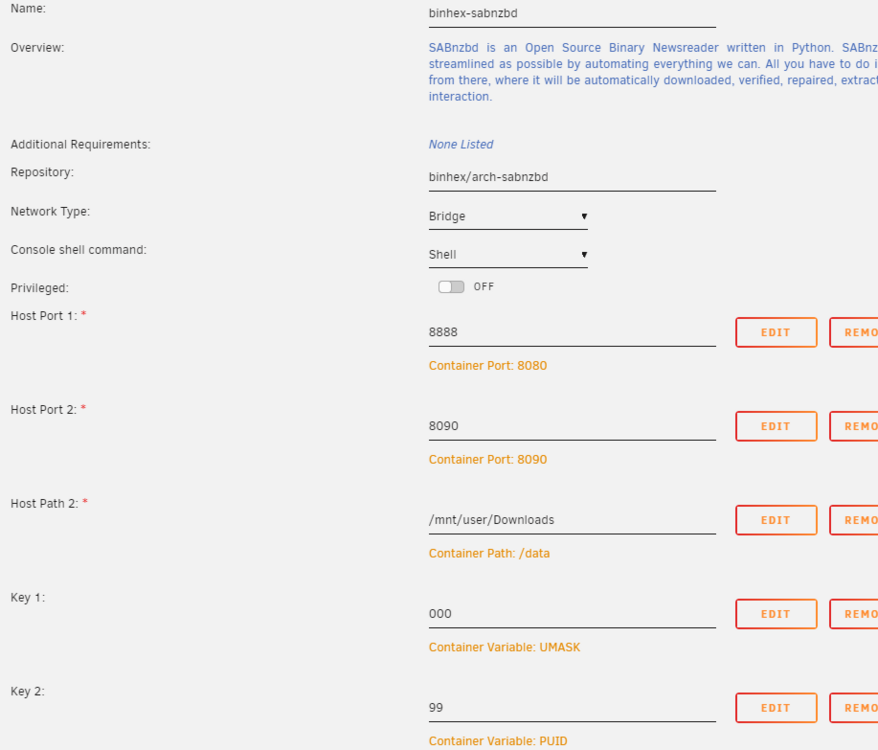
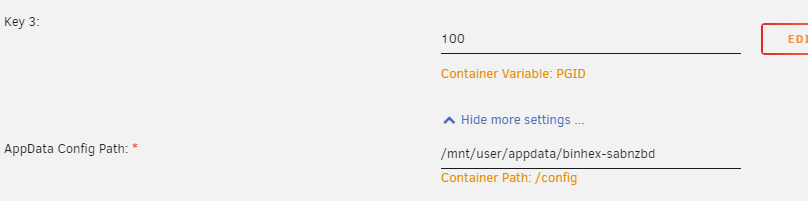
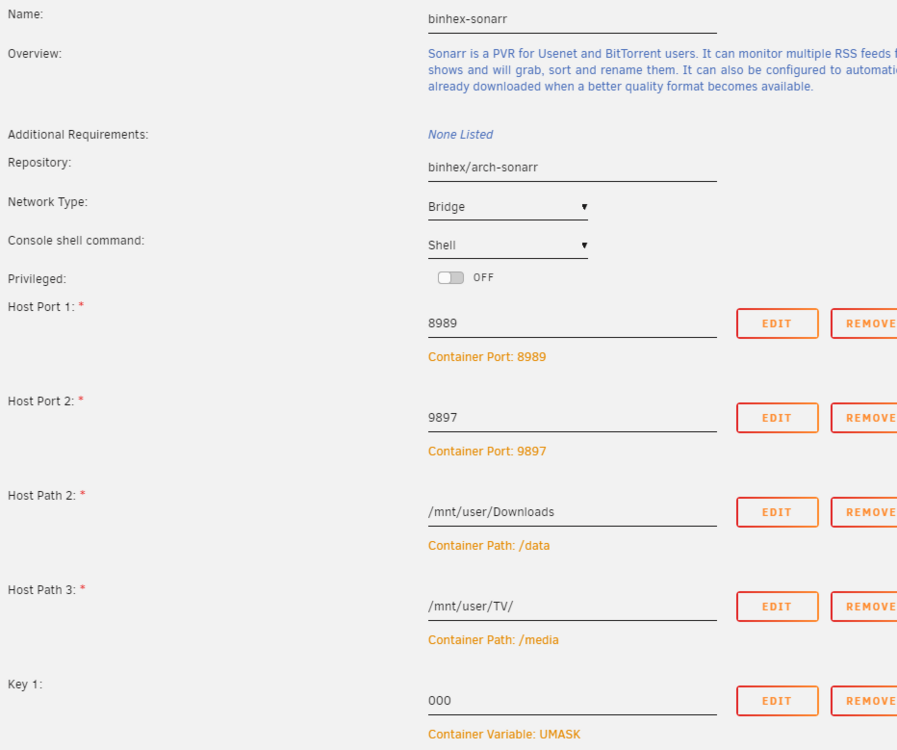
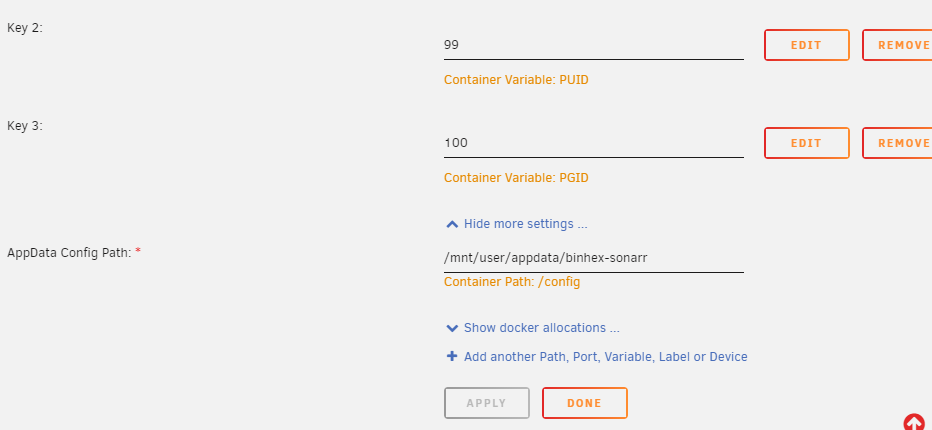
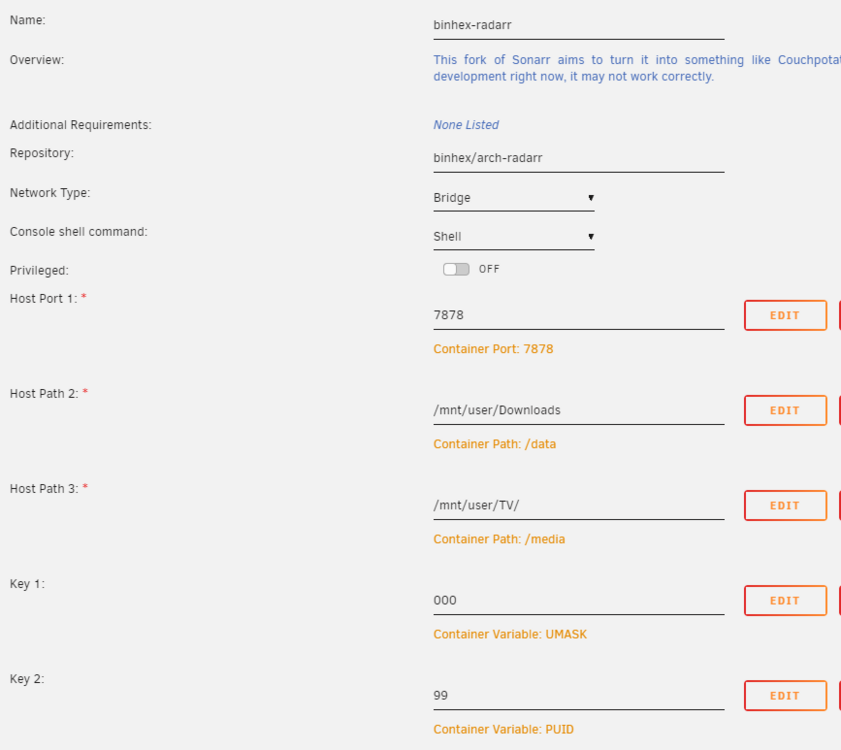
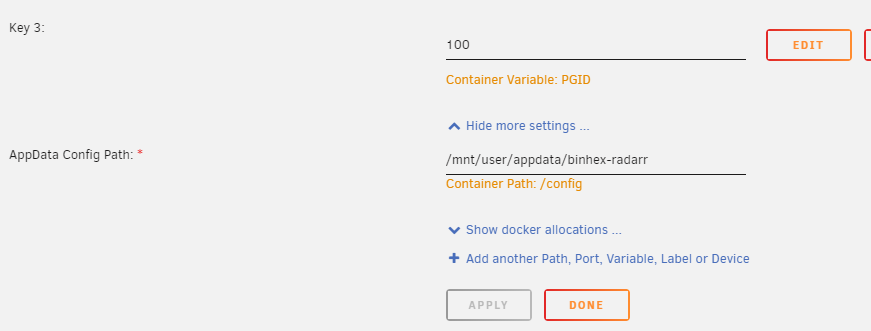
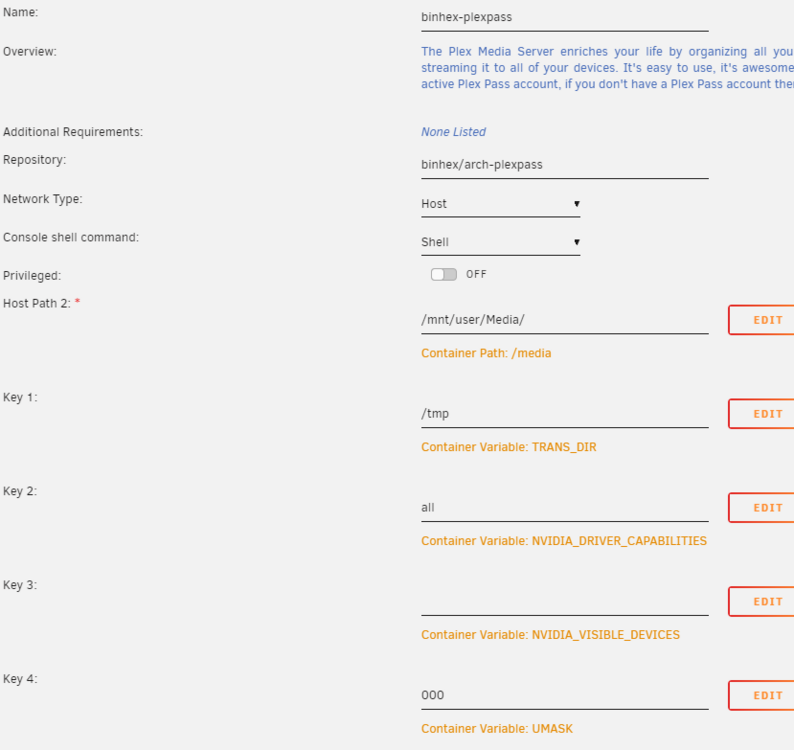
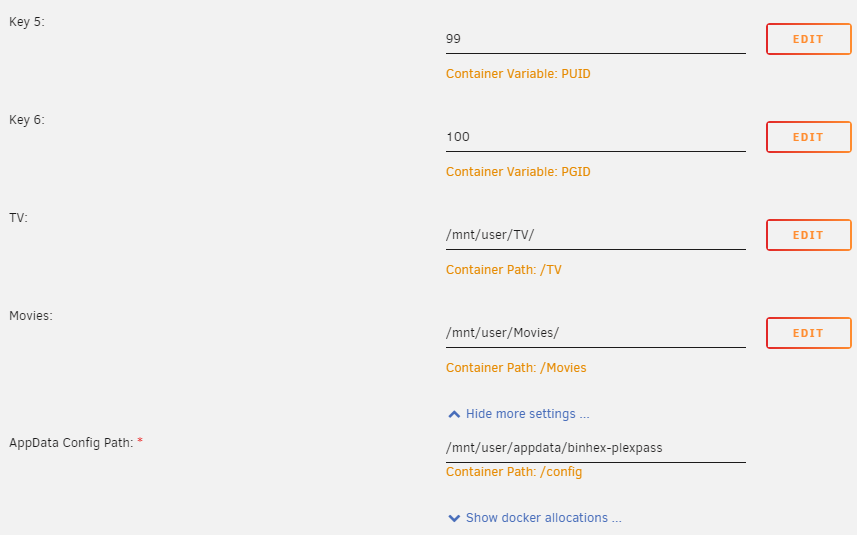
-
Reboot, then re-install worked. Nothing else would. No idea why, but that's ok.
-
Also - and I forgot this part. When I uninstall the Orphaned image I get this:
-
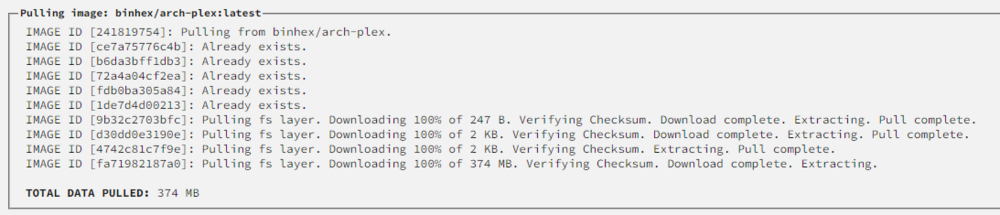
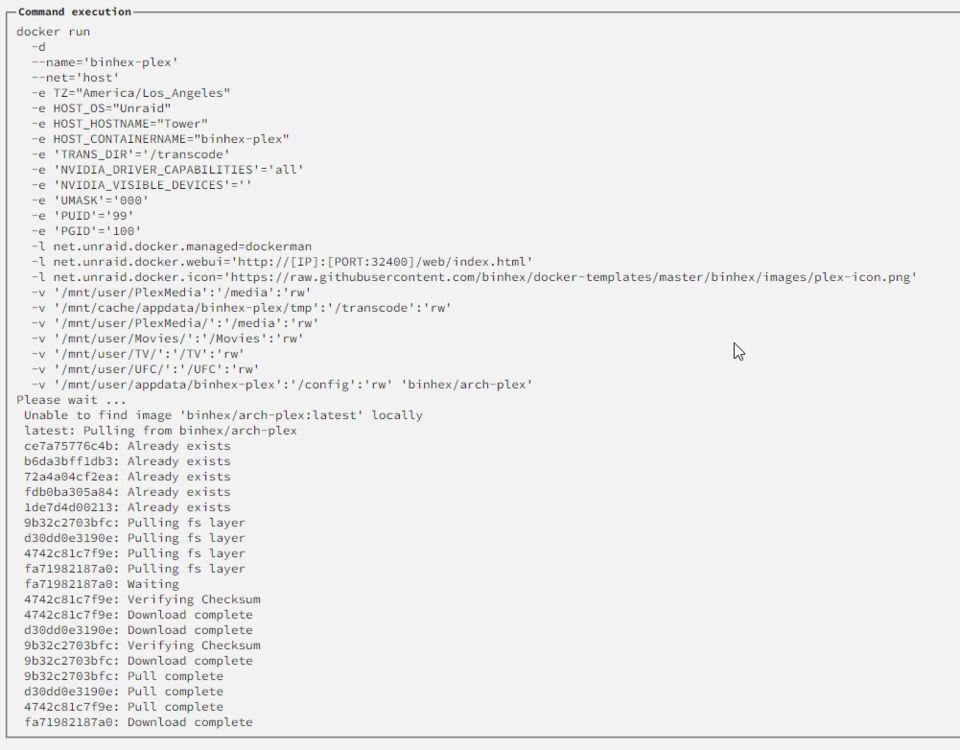
I've tried this several times, but I removed Plex from the Dockers section (including image). When I go to re-install, I get: At this point it is just done. Doesn't do anything else. Been over an hour. Similar every time I go to install. Then when I go to the docker section, I see the following: Any idea what might be going on? I did the same with a bunch of other dockers and, while it was PAINFULLY slow compared to how it used to install dockers before my flash drive failed - it did install them and I can update them after those installs.

-
Understood. How about the app-specific settings? I mean I have things like Radarr/Sonarr/Sabnzb/Plex that are all essentially set up to work together. Plex has lots of settings, of course.
-
That was my main question... how do I re-install and keep all the settings?


