





Convington
Members
-
Joined
-
Last visited
Everything posted by Convington
-
Not really sure which task to run to grab the files. I've tried: Check for Finished Download - seems to sit and spin continuously Downloaded Episodes Scan - same, just spins forever Neither one make an entry in the log Tried Refresh Series, but that really only looked for stuff in the empty /TV location (I think) since it didn't seem to come up with anything, just: Scanning disk for xyz Completed scannng disk for xyz for all of the series it did this.
-
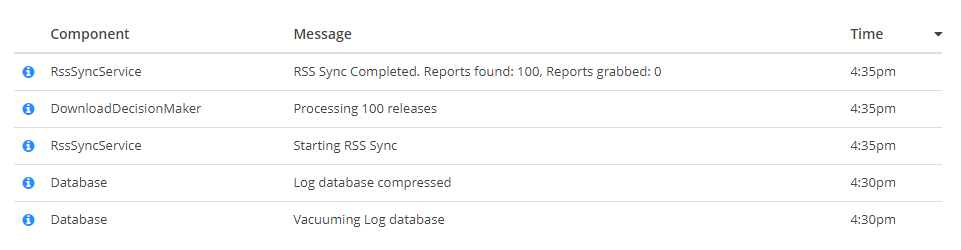
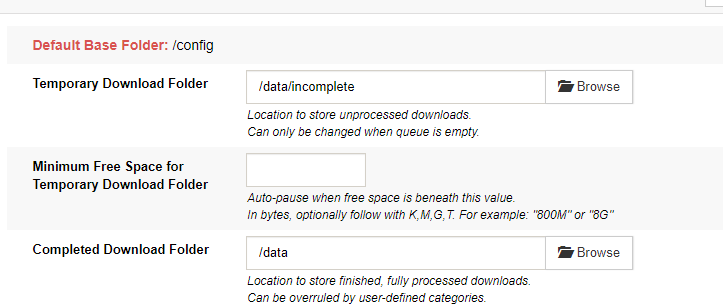
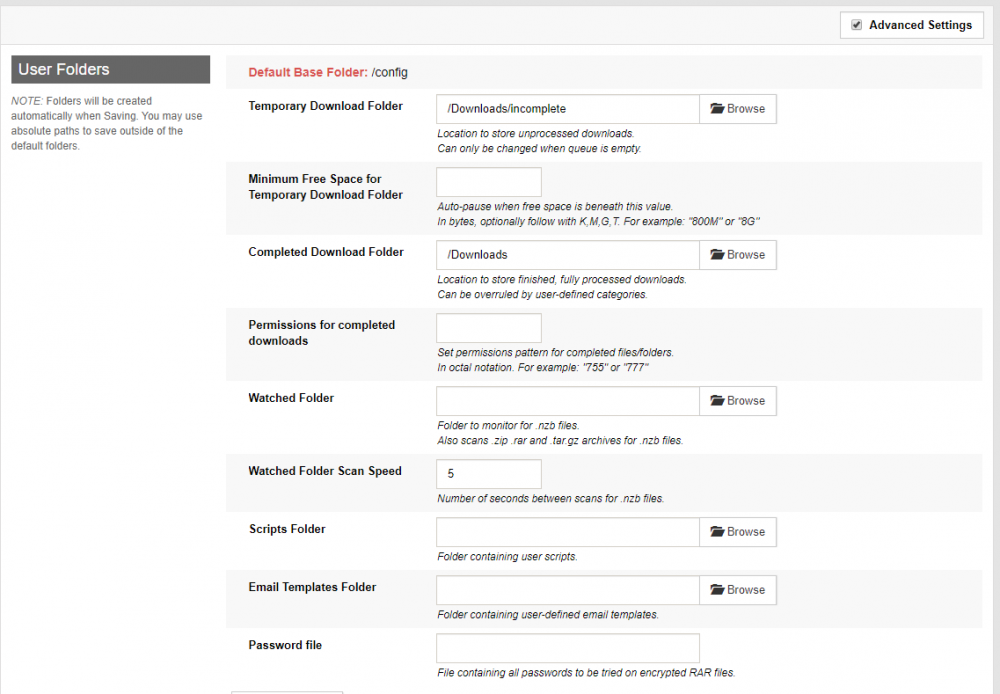
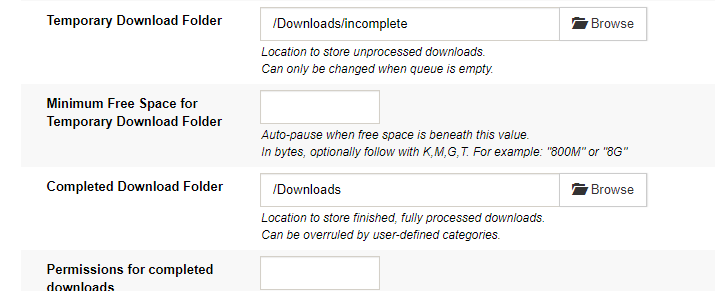
I watch those logs like a hawk Nothing going on in them at all since the change. I cleared the log before the change. I even put it in trace mode - although I do not see the difference in System>Logs. That is what I see. No file movement at all. As far as files, they are in /Downloads and the settings are here in SAB: There is no complete folder. Just the base. I asked about that before - if I need to have a /complete folder, but I think too many questions were asked at once and it may have been missed.
-
Removed from both containers. Still waiting for it to do anything outside of the downloads
-
ok. That is just my ignorance of the whole container and mapping thing Sorry about that. I am trying to download something else and will find out what it does with it once complete now that I have fixed those folder issues.
-
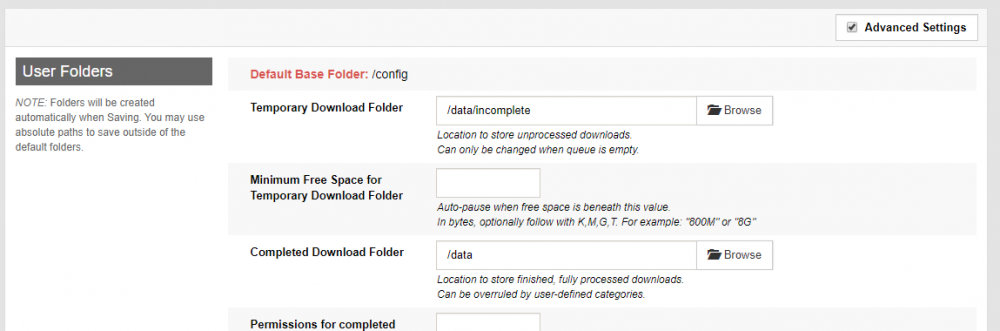
Changed now: I'm not convinced on this one - but only because my files were in the right spot.
-
I didn't - that was why I asked so many questions like about selecting that location (so, SAB knows about it if I can select it) and all the files are going there (so, SAB knows about it). I mean... SAB is doing its job well. SONARR just doesn't know the files are there (IMO). /Downloads has all the downloads /Downloads/incomplete has anything that is incomplete So.. SAB is downloading and placing the files correctly - which means it understands where it is mapped.
-
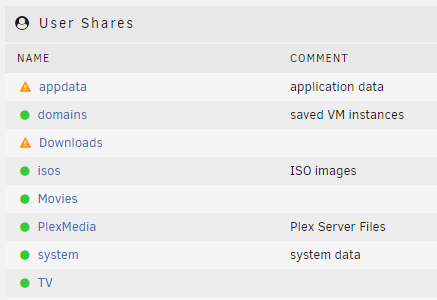
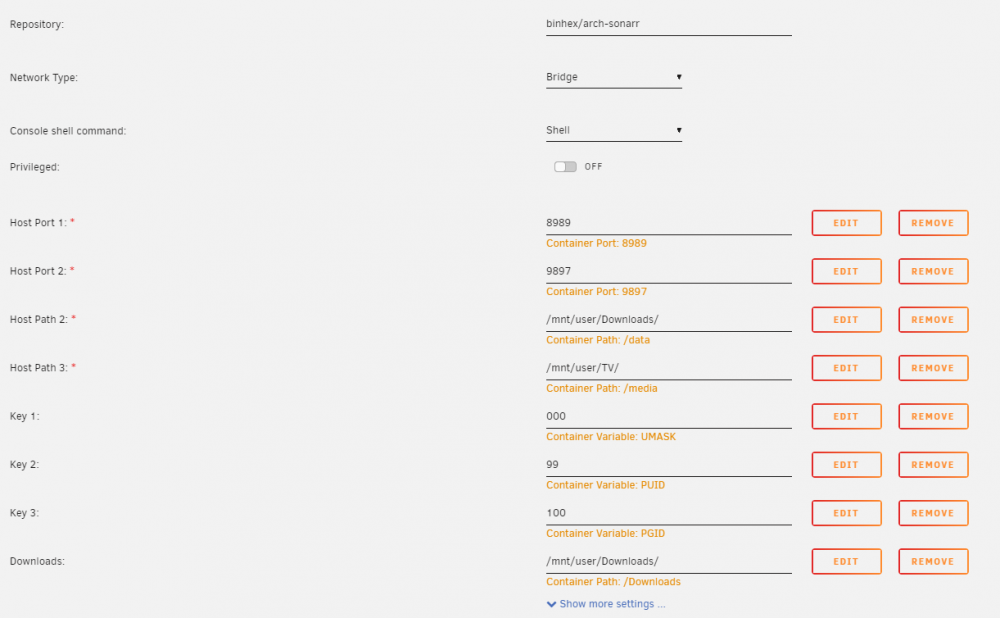
Yes, I did know most of that... but mostly out of trial and error That is why in SONARR, I have: Which maps /media to the /TV share, which relates to TV in the User Shares here: Which then relates to: /mnt/user/TV/ It definitely is confusing at first and I think I got that right.. I do NOT know if SONARR just 'knows' about that /media mapping or if it is looking somewhere else for the downloads.

-
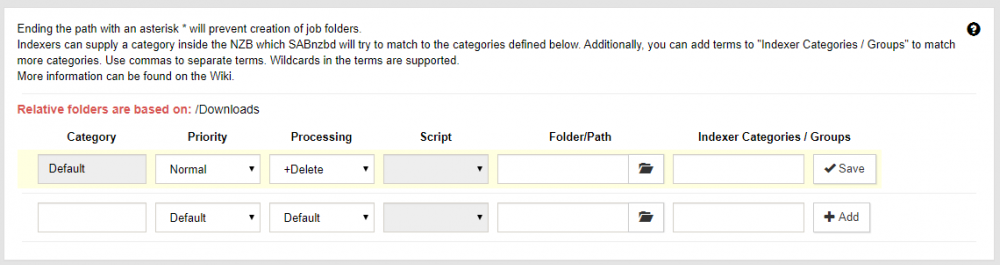
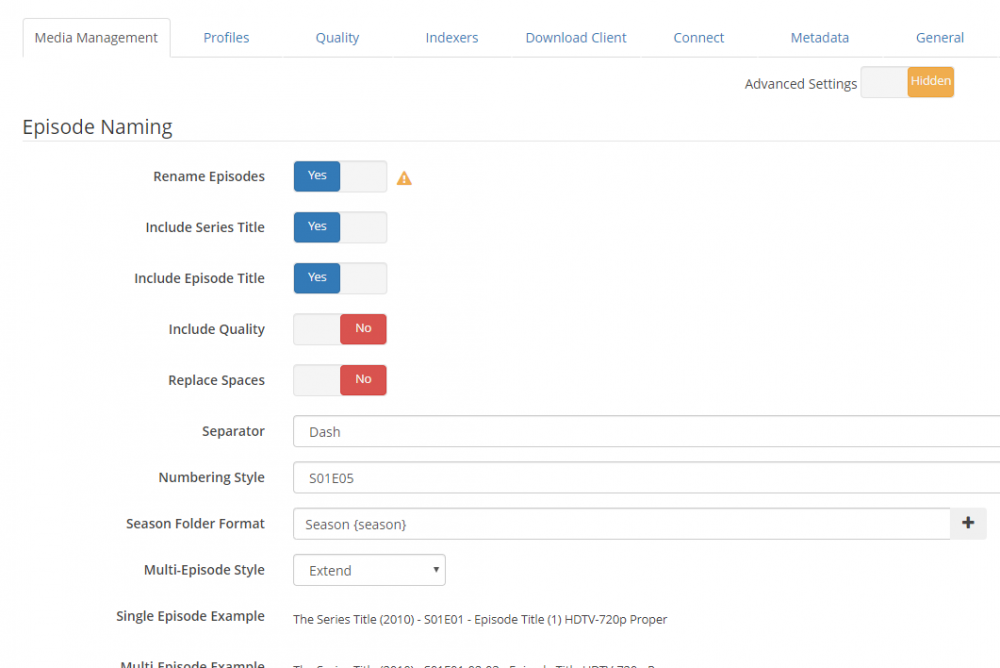
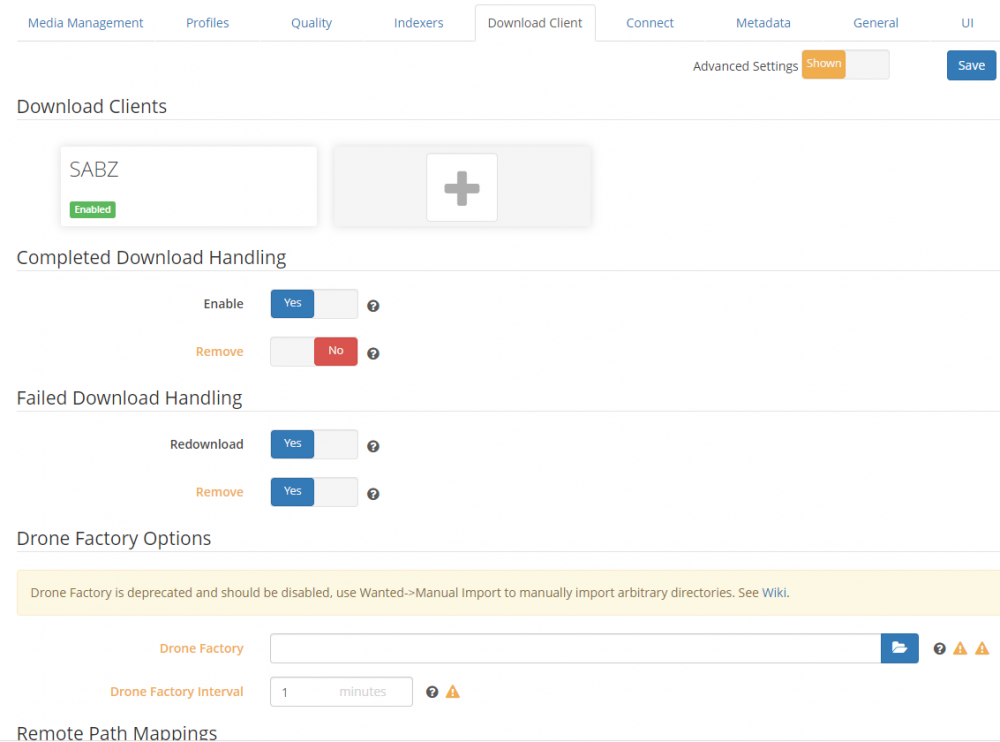
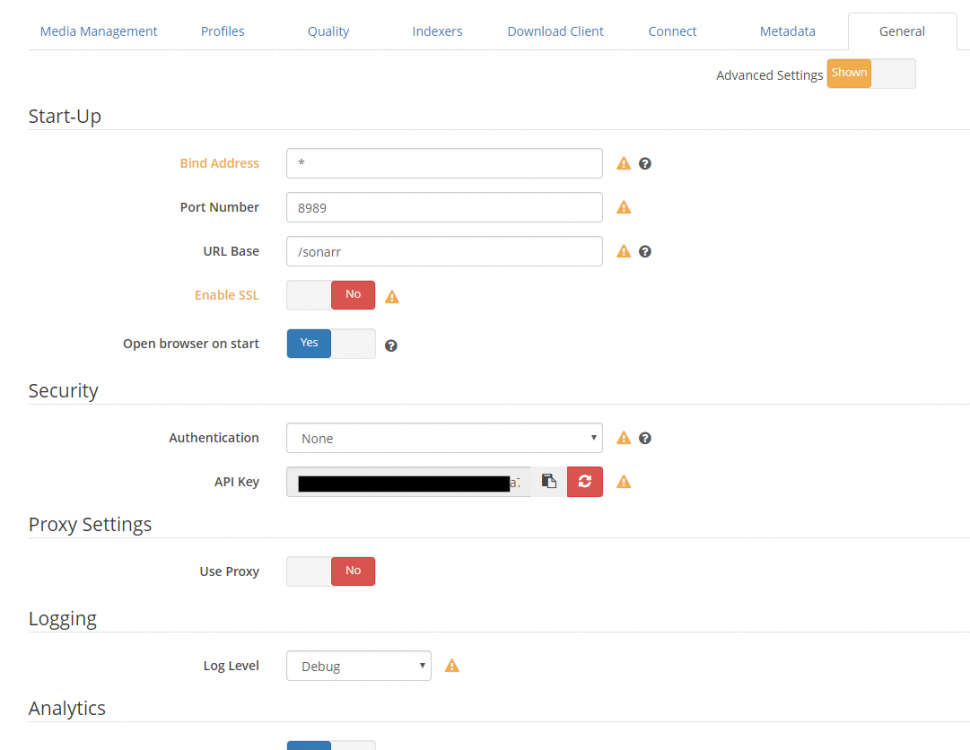
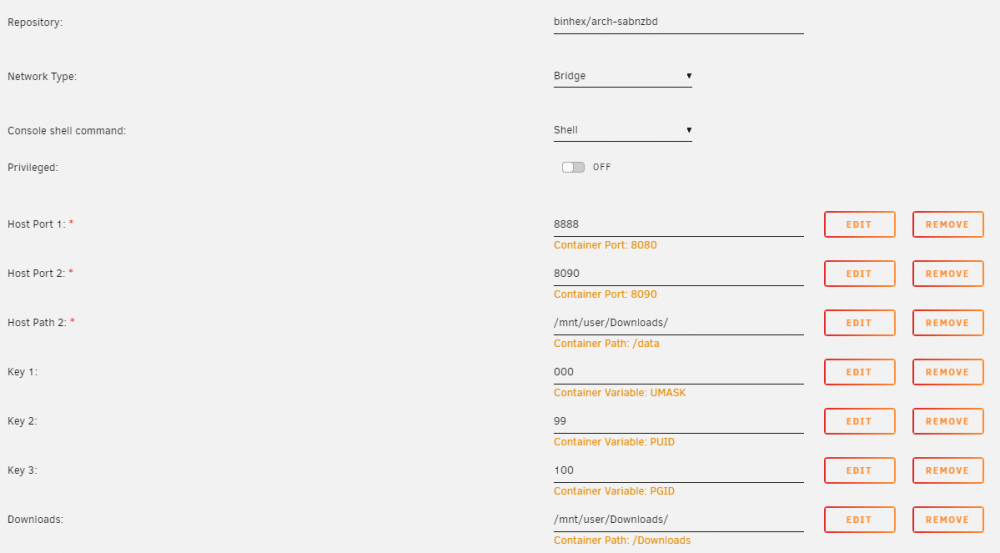
Sure, here are some settings: SAB - Folders SAB - Categories This essentially says it will store in /Downloads any file (because no categories are sent up). As a result, it stores it at: /data <-> /mnt/user/Downloads SONARR - Media Management SONARR - Download Client No remote mappings required as far as I am aware, they are all local folders mapped in the container SONARR - General That is about it. I don't see any other settings besides container settings that even mention /media or /TV.
-
That makes sense. I think because I have them set to shares, then it would not be putting them in the docker.img though - is that correct? I still think Sonarr just does not know where the files are. I thought SABnzbd was supposed to tell it where the files are and it would move them to the /media location? But it doesn't seem to know where the files were downloaded to... even though the /data location is mapped to the /Downloads share (and that is where SABnzbd is putting them)
-
I've posted every setting I know of for Sonarr. I assumed it knows TV because it is mapped in the container settings (/media <--> /mnt/user/TV/

-
I deleted the incompletes. I had set up the docker.img to 50GB in the settings. Which is exactly what it was. Seems to stay that size regardless of removing those files.
-
I've moved those files to the /TV location several times. But if it downloads something new, they stay in the /Downloads section. Both locations are on Disk1, so I am not worried about running out of space - at least not right now.
-
It is really doing *almost* everything. The following DOES happen: Add Series Download Files (to: /data <--> /mnt/usr/Downloads <--> /Downloads unraid share) What does NOT happen: Sonarr does not seem to know that the files are ready to be parsed and delivered to the /TV folder ( /media <--> /mnt/usr/TV <--> /TV unraid share)
-
I selected that folder directly in sabnzbd, though. And there are incomplete files in there matching downloads that did not complete. Does that matter?
-
I read through that and I think I have everything 100% accurate in the settings, here are the images: SONARR SABnzbd Sonarr doesn't seem to have any settings that I can find to tell it where to check for files that SABZ downloads. I am assuming "Host Path 3" is the location where it pushes the files to after they are downloaded? Maybe I am thinking of that incorrectly as well. SABZ - everything the same, so folders looks like: I still think I have something wrong.
-
I'm having a problem getting Sonaar and SABnzbd to work together properly I put a post in probably the wrong group before I realized support is here. Anyway: I'm sure it is something stupid, simple.


