KooKoo102
Members
-
Joined
-
Last visited
Everything posted by KooKoo102
-
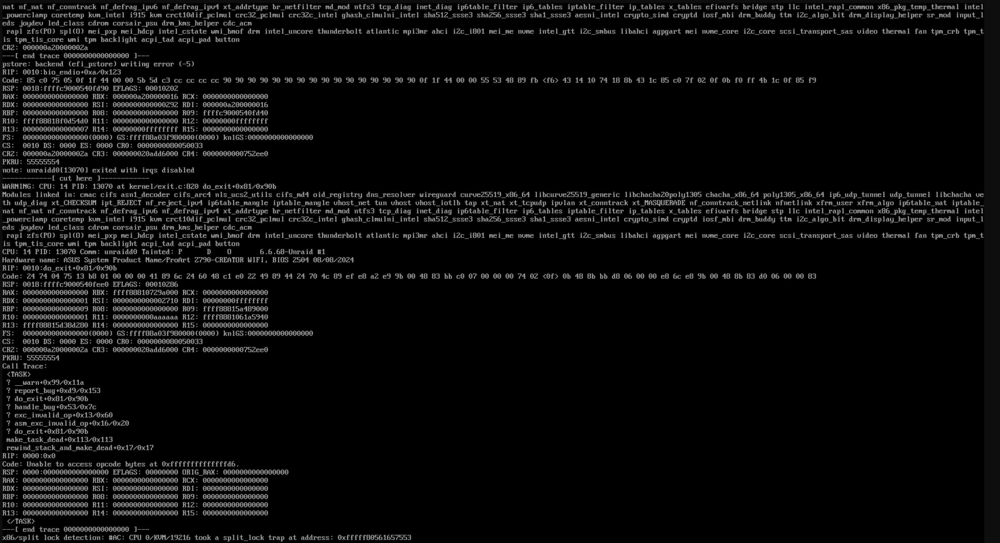
Reboot and one of my returning issues showed its face... while the server is still up and running... I dont expect it to for too long.
-
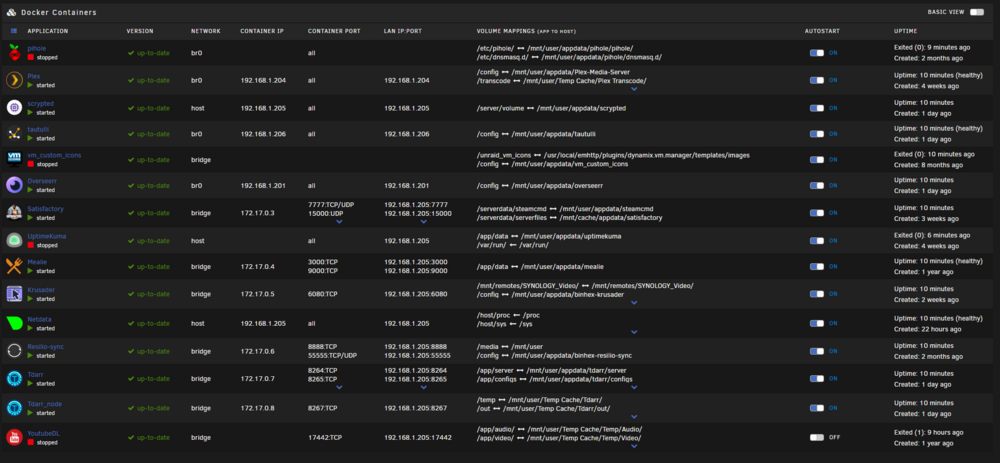
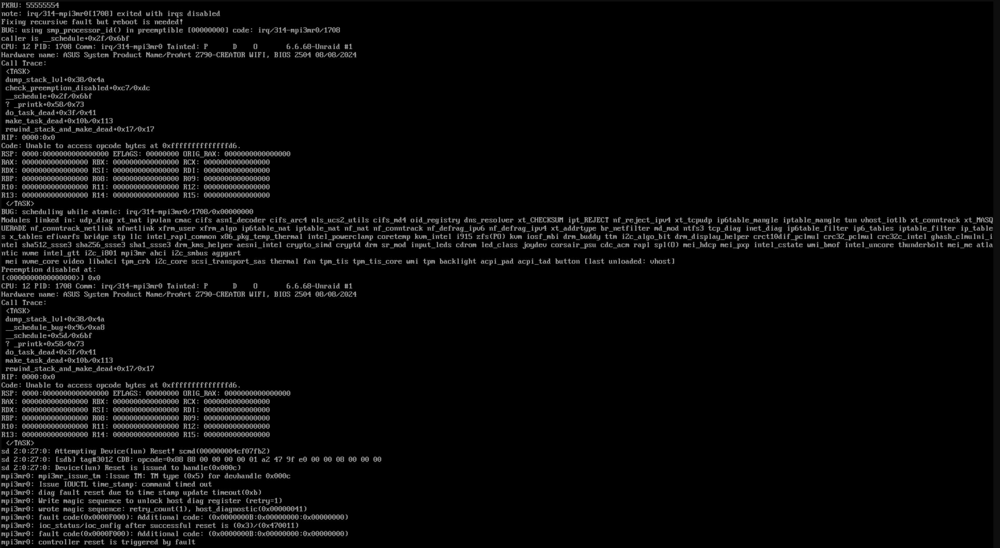
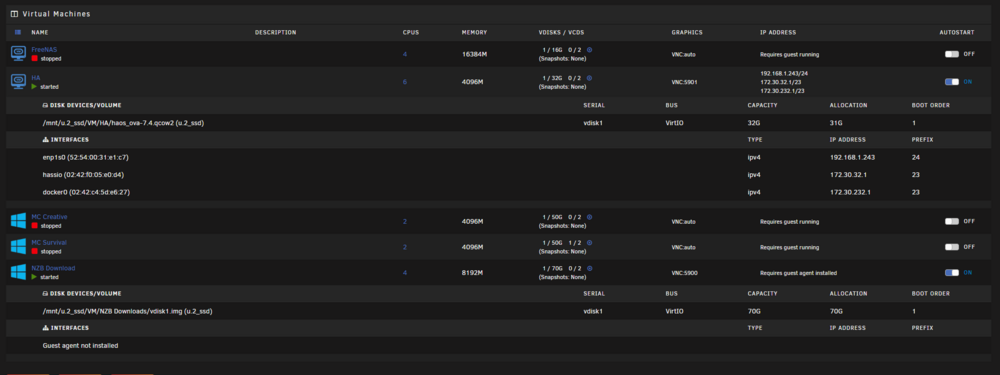
Prior to 4pm yesterday my system has been rock solid (would run 3+ months no issue) since it has been running so long and I had an HBA to add, I figured I would do the 7.0 update finally. so I checked to make sure all plugins and docker containers were up to date, then went forward with the update. there was a lot of issues after the install that seemed to be related to the USB flash drive having corrupt files. after 24hrs of dealing with that the system will be "stable" until its not. I was not able to catch the text that showed up on the main screen of the server, however it had to do with port 0 - eth0 enabling and disabling or eth0 being renamed. I was looking to see if someone can look over the images to let me know if there is something I do not have set right with the network settings (br0 / bridge / host) also had some issues come up when starting and stopping VMs that really upset Unraid as well... errors came quick, could not get a screen shot. but once that happened my Docker Vdisk started to balloon to the point that the server was mostly unresponsive. I was able to send reboot command via command line, but it never happened. I have a couple pics of my docker / VM info as well as the last set of errors that popped up right before it locked up. sorry I do not have more at the moment. I need to look into what info could help and will get that setup for the next time it happens. Thank you! 13900K (with micro code update) Asus Z790 creator 128gb ram LSI HBA bunch of HDDs and SSDs
-
I just tried to update to 7.0 last night myself, wish I never did... I essentially am having the same issue. however the list of symptoms is unbelievable. I downgraded back to 6.12.10 just to be "more" stable. started with Dev SDA sector issues (usb) to network issues to just flat out crashing hard... the 7.0 update messed something up. this system used to be rock solid would run for 2+ months with no issues. I would end up rebooting due to external reasons. either way... I have had to scan for errors in windows a couple of times and windows would say it is fixed. I only did this because Unraid game me a message for the USB drive being corrupt. it would then seem to run better for a little, then I start having either other issues or just locks up. I myself am out of ideas. I have just done a format, fresh re-install of unraid on the USB and then copied my backup back over to the USB... seeing how this works now. I have been working on my server for MANY hours... hopefully that made sense... brain hurts lol
-
Unfortunately everything is still the same. Shy of doing a 100% wipe on my USB and starting over, I have given up and using the system as it is. Don’t get me wrong, it runs great, but there is 100% something up with my setup that is not allowing it to run its full potential. Don’t be discouraged, yours may be just fine, mine was at 1st lol.
-
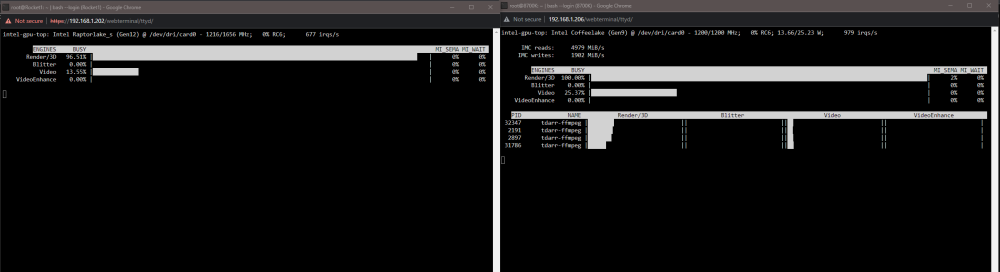
No... this is still an issue, and a very annoying one. both systems are up and running. one is my main plex server with all its content. 90% of its purpose is Plex. it still has the same issues described in the original post. not being able to 100% (or 99%) utilize the iGPU... transcoder information does not show up in the "intel_gpu_top" information. I had to stop focusing on this system to build the other 13900K system. The other is built to handle a lot.. backups, game servers, VMs, (non- transcoding) 4K Plex server, TDARR, and many other things. for the time while TDARR gets caught up with all my TV episodes, I have my last gaming PC CPU (8700K) also crunching some frames. the odd thing is the iGPU in the 8700k is outperforming the 13900K... I would see them both working and while I understand that the files need to be exactly the same to get an accurate comparison... the 8700k is ALWAYS processing more frames. I have both the 13900K and the 8700K processing 4 videos at a time. What is funny... 8700k system shows to be running correctly. when i bring up "intel_gpu_top" on both systems... I get the correct information on the 8700k showing transcode info and iGPU at 100%.... while the 13900K does not show transcode and will never go above 96%. Long story short... both my 13900K systems are not running at full potential and I have no idea why. whatever is causing this issue is allowing my 8700k to essentially outperform my 13900k in TDARR. I wish this would get more attention. I added the snap shot of both ( 13900k on the left, 8700k on the right)
-
Issue has changed... new post here.... sorry
-
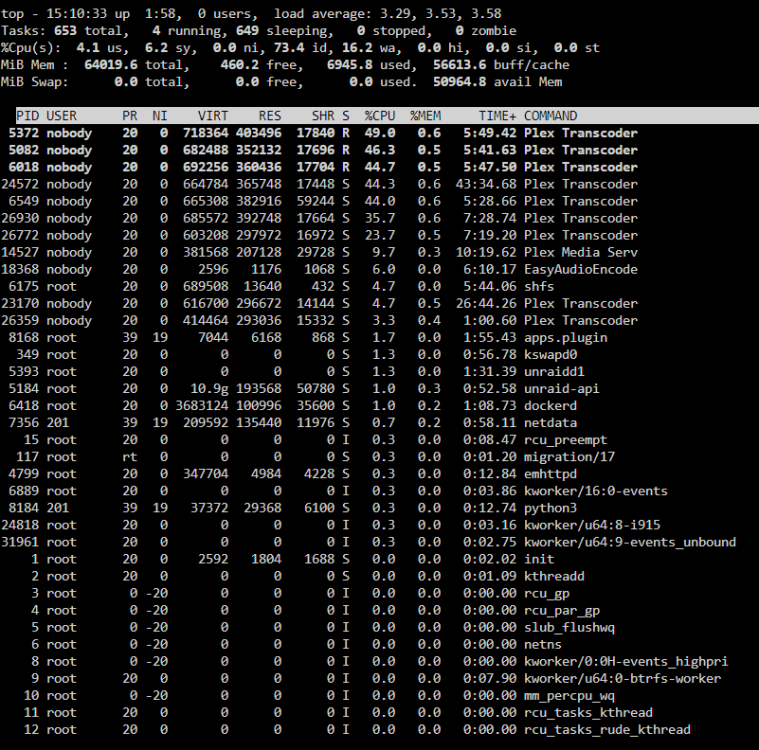
Not sure if this is of any help:
-
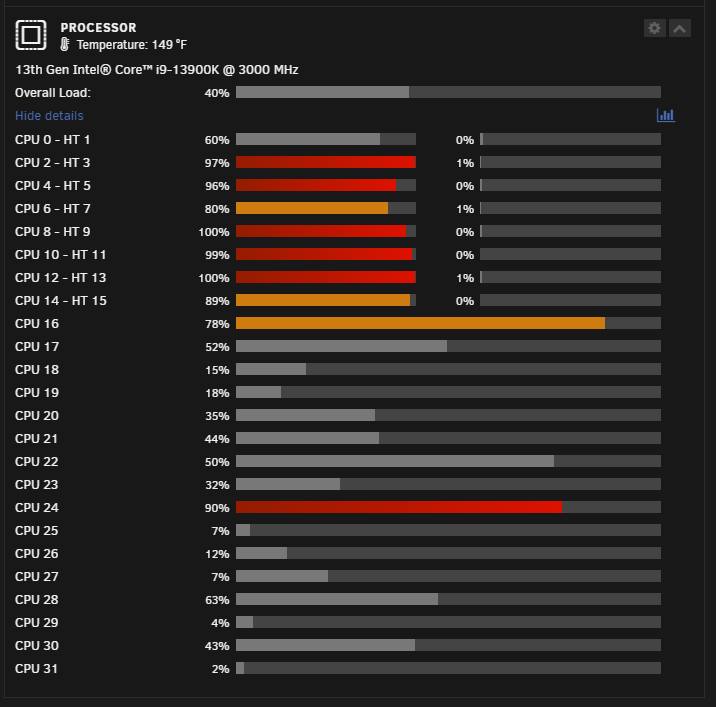
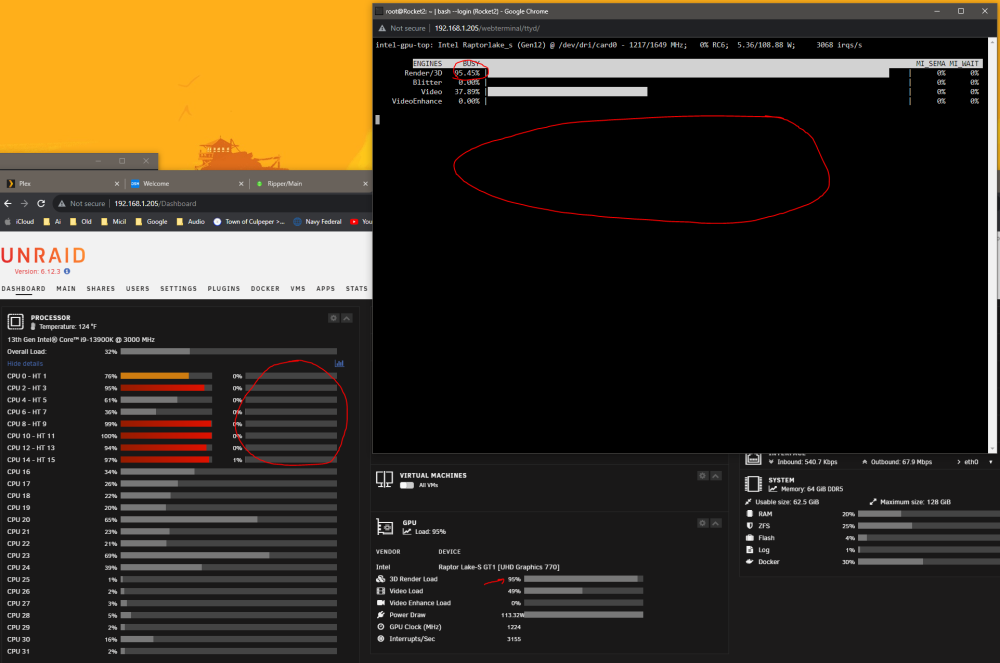
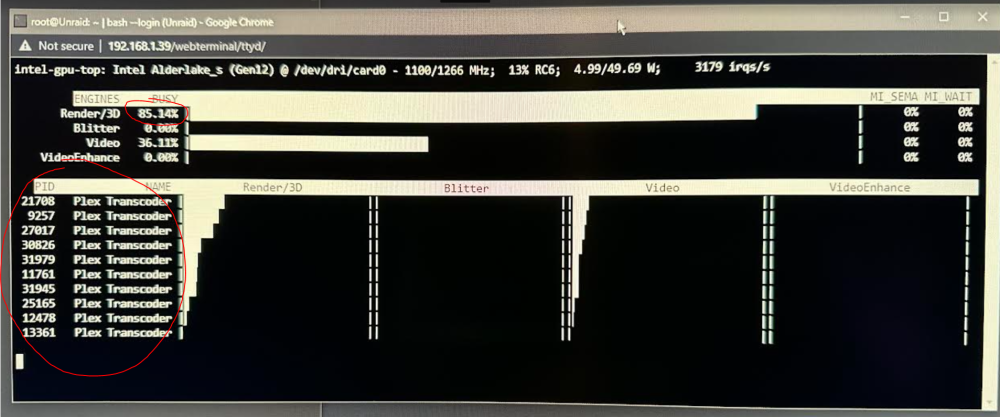
OK... I feel I need to start off by saying I am not crazy! lol With that out of the way... here we go. I recently decided to take the plunge in changing up my home server setup. Long story short I purchased: 2x i9 13900k 2x Gigabyte Z690 Elite AX motherboards 2x 64GB DDR5 ram And supporting hardware like HDDs and NVMe SSDs The 1st system was going to be the "main" Plex / content server. I built in on my desk to setup and test. I was able to get 18 4k transcodes before I started to notice buffering. Side note: I did test a 12600k and got 12 4k streams. Either way, I was happy with the results of the 13900k and was ready to install it in the chassis and get all the hardware in. (20TB hard drives and so on) maybe a day later or so... started doing some testing again and I noticed I was not able to get anywhere near the same amount of transcodes... I am now at only about 9 before streams start buffering! (12600k was able to get 12 streams... wtf) I started paying attention to resources to make sure there is nothing I am missing. the first thing I noticed is that the CPU cores are not being utilized in a way that makes sense... only half of the P-cores have any usage. the others never go above 1%. at first I got hung up on that thinking that was my issue. Got some help from a couple people to test some things and everything seems "ok" there. Due to this motherboard and CPU taking place of a previous Threadripper build, I decided to setup a whole new unraid flash keeping the files on the flash drive to retain my array and cache. New OS did nothing... still the same. I then noticed something that has taken my attention off the CPU cores... and towards the iGPU. And this is where I am stuck now.... Prior to installing the motherboard in the chassis, when I was getting 18 streams out of this setup I would see 99% utilization on the iGPU and eventually drop and float around, but not stay at a specific %. I also was able to bring up "intel_gpu_top" and see the information for the individual transcodes listed. But now.... things are different. Now the iGPU will hit 95-96% and lock there. it does not drop ever. also "intel_gpu_top" does not show transcode info anymore. I do not know what to make of it... what would make this change? I know whatever is causing this is the reason I am having this performance drop out of the CPU / iGPU. I even have a pic I have taken when the setup was at my desk... with the transcodes listed in "intel_gpu_top" with the % showing other then 95%. Right now I have 9 streams going for the last hr... buffering happens every now and then... iGPU load locked at 95% Further testing included swapping of: power supply ram sticks CPU Motherboard HDD / SSD network card vs no network card (on board 1GBe vs 10GBe card) Streaming the files from another server vs stored on local server I have essentially swapped every part and nothing makes a difference. so... not the hardware. Did something change in unraid / drivers or something? I am on recent stable (6.12.3) have tried recent and previous firmware on my motherboards everything else is up to date (dockers and such) I have tried 2 versions of PMS, official and "binhex" If you need anymore information, please let me know. My 2nd CPU cooler will arrive later today, so will be testing the other hardware on the desk again. Here is a screen shot of current stats... Here is a pic I took a few days ago when testing... all this pics proves is that there was a time where the iGPU ran "normally" and would not lock at 95% when transcoding, also shows when it used to list transcodes. something has changed in the OS or driver or something. I just have no Idea what. If anyone has any ideas, I am all ears. Thank you!
-
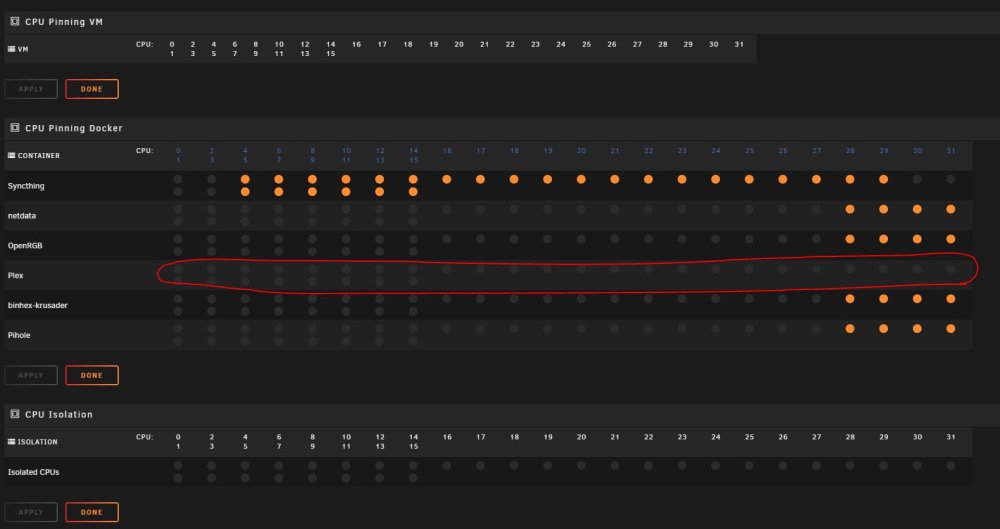
Hello, Just built one of two new systems in my home. While testing the 1st one, I noticed My 13900k seems to not use half the threads on the P-cores. This is while hitting it hard with 15 4k transcodes from plex (yes, iGPU transcoding is on). Might it have anything to do with the fact that this OS was migrated from a threadripper CPU and for some reason its not pushing anything to those parts of the CPU? I have been noticing this with other testing. Plex has no CPU pinning. Is there a way to "reset" the CPU mapping? I had syncthing mapping my drives, gave it almost all the cores... it also used half the P core threads. is there something I am missing? Thanks!