





yongweifu
Members
-
Joined
-
Last visited
Everything posted by yongweifu
-
Thank you for the advice @JorgeB. I have download the diagnostics for the server (after rebuilding the parity). maxwell-server-diagnostics-20260707-1237.zip
-
Drive is a SATA drive though :/
-
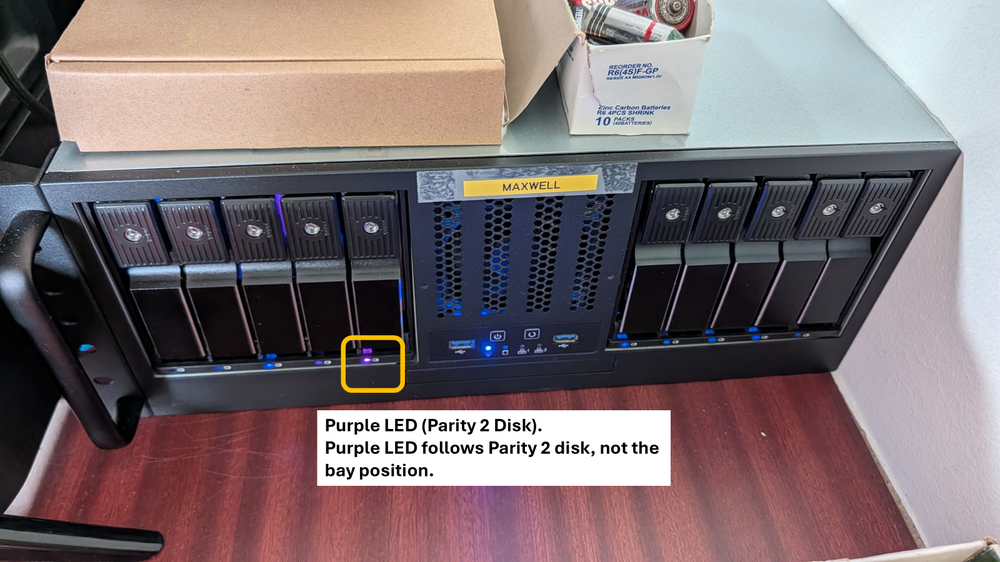
Hi, both parity drives are using the same firmware (SN04). Have attached the drives report here too. Parity 2 is the disk that has LED purple. On the other hand, I also noticed that my parity checks (over the two months) have errors, though once I execute correcting parity check, the error will become 0. But when the scheduled parity check is executed (after the previous correcting parity check), the error will appear again. Parity 1.txt Parity 2.txt
-
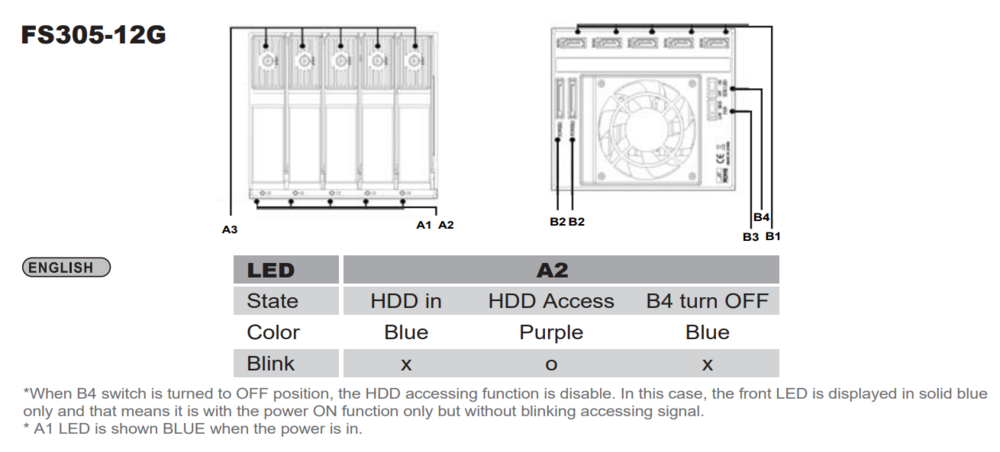
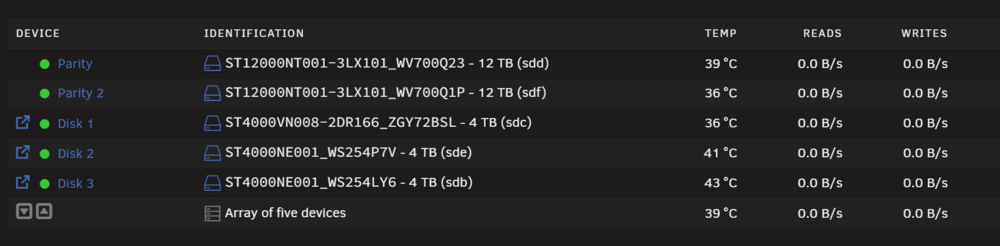
Hi all, My unraid server is version 7.2.6. I'm running two SilverStone FS305-12G hot-swap cages (5-bay each) in my Unraid server. According to the cage manual, the front LED on each bay behaves as follows: Blue (solid) = HDD inserted, power on Purple (blinking) = HDD being accessed I've noticed that Parity 2's bay LED is constantly showing purple, indicating continuous access activity, while Parity 1's LED remains solid blue (normal). To rule out a faulty bay, I swapped Parity 2 to different physical bay positions across the cage and each time, the purple LED followed the disk, not the bay. So it's definitely something accessing Parity 2 specifically, not a hardware fault with the cage slot itself. However, in the Unraid's main tab, Parity 2's read/write is showing 0 B/s, so whatever is accessing it isn't showing up in the normal disk activity view. I also ran a parity check and it came back clean with no errors. What I've tried so far: Physically swapping the disk to different bays (LED follows the disk) Monitoring dashboard read/write (shows 0 B/s) Running a full parity check (passed, no errors) Any suggestions on what else I should do to determine what might be accessing Parity 2?
-
Hi @SpankMeLater, I just wanted to drop a big thank you for sharing your experience with the C-State settings in the BIOS. Your post was a lifesaver! I had a similar issue with my server stability, and it turns out the problem was also related to C-State on my Gigabyte Z790 motherboard. After disabling it, my server has been running rock-solid for the past three days with no errors or hiccups. Thanks again for pointing me in the right direction! Posts like yours make troubleshooting so much easier for the rest of us. 😊
-
Hello everyone, I recently replaced several components of my server as part of preventive maintenance, including the USB stick, CPU, motherboard, RAM, and PSU. However, I’m still using my old drives. I’ve noticed that my server is rebooting randomly, usually within 4 hours after the array starts. Interestingly, when I leave the server running without starting the array, it manages to stay on for up to 2 days. I’m not sure if this detail is helpful, but I thought it was worth mentioning. For context, I’m running Unraid version 6.12.14. I’ve already done the following: Ran memtest, which passed successfully. Switched my UPS to a different wall power source on a separate circuit. I think I am going to try downgrading my OS next and monitor the situation. If there’s anything else I should check or troubleshoot, I’d greatly appreciate your suggestions. Thank you for your help! maxwell-server-diagnostics-20241220_2032.zip


