Skip to content
View in the app

A better way to browse. Learn more.

Unraid

A full-screen app on your home screen with push notifications, badges and more.

To install this app on iOS and iPadOS
  1. Tap the Share icon in Safari
  2. Scroll the menu and tap Add to Home Screen.
  3. Tap Add in the top-right corner.
To install this app on Android
  1. Tap the 3-dot menu (⋮) in the top-right corner of the browser.
  2. Tap Add to Home screen or Install app.
  3. Confirm by tapping Install.

drichard

Members
  • Joined

  • Last visited

  1. yes its set the r/w slave
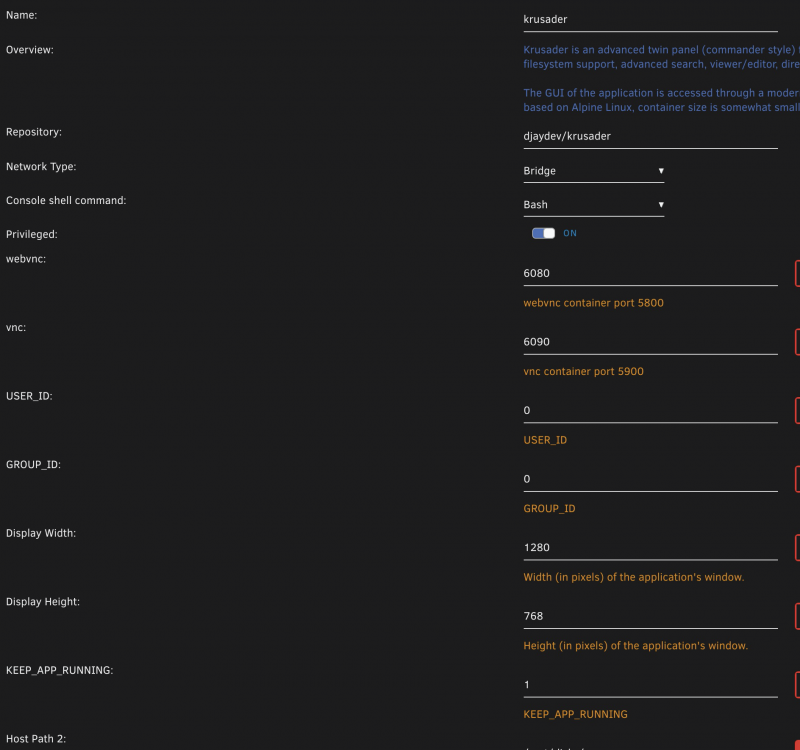
  2. so I installed the other krusader but I'm not seeing puid ....can I trouble you for a screen shot please
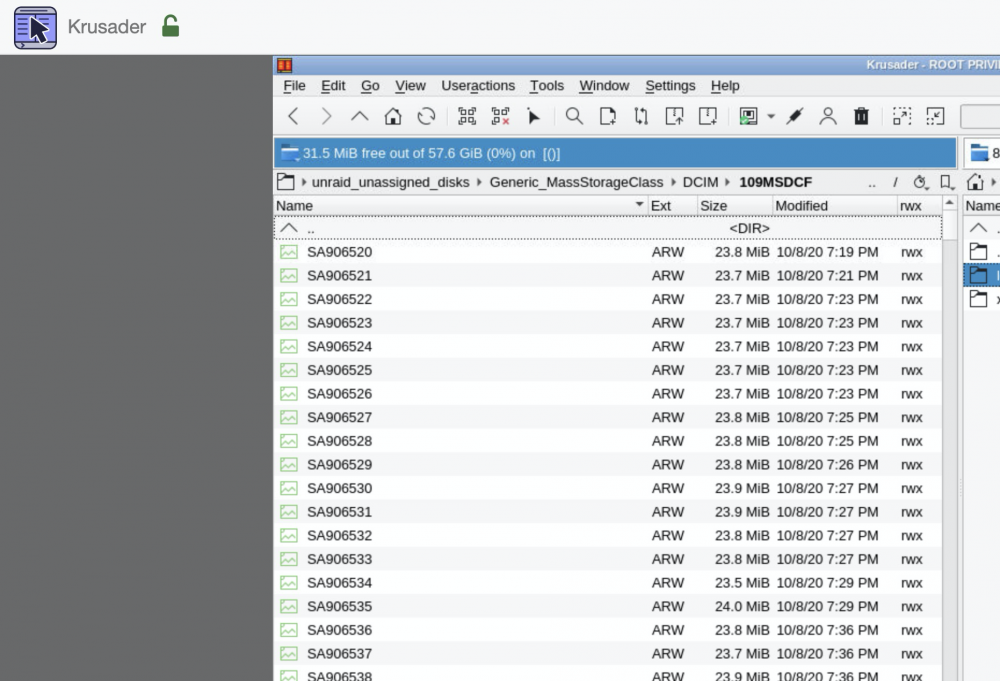
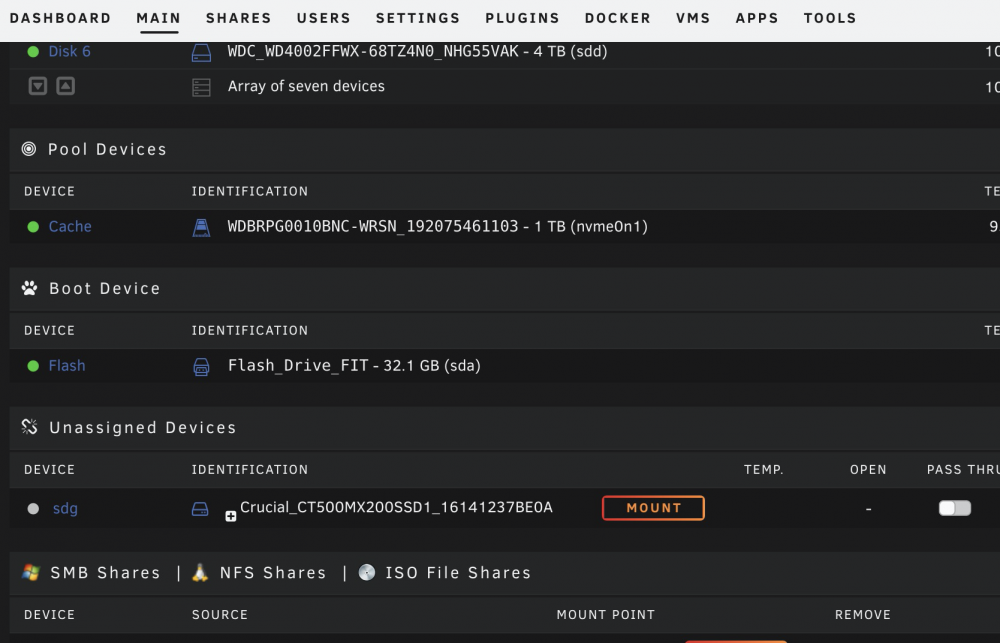
  3. sorry if this is a dumb question but I'm not seeing anything in search ....I use unraid for photography and I want to connect a 4 SD card reader to my system ....I have tested this and I see the cards show up in Unassigned disk and binhex....I am able to copy files over to my photo share just fine..now when its time to change a card ...binhex still shows the files of the last card...I tired to refresh button and restart the docker. I even remove the card reader and I still see the info in binhex...I'm I using the wrong app for what I'm trying to do?

Account

Navigation

Search

Search

Configure browser push notifications

Chrome (Android)
  1. Tap the lock icon next to the address bar.
  2. Tap Permissions → Notifications.
  3. Adjust your preference.
Chrome (Desktop)
  1. Click the padlock icon in the address bar.
  2. Select Site settings.
  3. Find Notifications and adjust your preference.