





BzzLghtyr
Members
-
Joined
-
Last visited
-
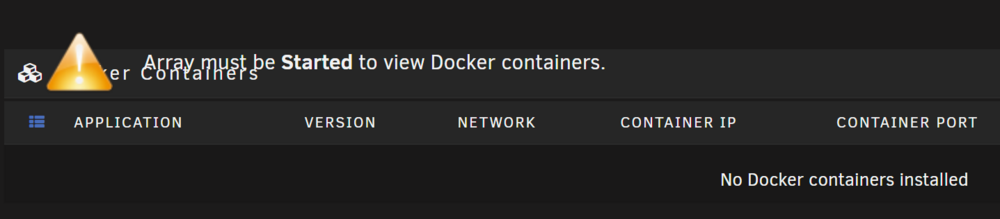
Occasionally Docker service just won't start. I don't know what needs changed to fix this. I somewhat recently added some new drives. In adding those drives, I also installed an m.2 expansion card for 6 more SATA III ports. I also somewhat recently made a decently large version jump. Since making this change, I've been having some odd issues. One of which involved me trying to restore a backup of my USB drive, which apparently my unraid connect backup didn't have everything it needed in it and i pulled configs from an older backup. I know that my docker is huuuuge because I just increased the size to solve (hide and exacerbate) the problems that I had rather than walking through rebuilding it. I know I need to make it a sensible size and in doing so i'll need to rebuild it. Now.. occasionally I get an error with docker just straight up not starting, or having issues with various containers. At this point it feels like starting from scratch is my only solution, but I've got so much configured that it feels like a huge undertaking. I feel like I've just got lots of stuff misconfigured as a result of a bad backup (or more likely, acting without knowing what I'm doing) I don't have any reason to think that the devices themselves are having any issues beyond maybe the m.2 SATA expansion card. It feels odd to me to assume any of my existing devices randomly decided they've failed simply from adding other drives and upgrading the software. The drives I added, I did full preclear on and had no issues, so it would be odd for them to suddenly have issues after the upgrade. I want to know if there are glaring issues here that show what's going on. I do have backups of my dockers from before my hardware/version upgrade attempt. EDIT: Also, I just tried to stop the array and it can't unmount the appdata cache drive I use: Apr 26 10:09:10 Dwigt emhttpd: shcmd (625): umount /mnt/cache_appdata Apr 26 10:09:10 Dwigt root: umount: /mnt/cache_appdata: target is busy. Apr 26 10:09:10 Dwigt emhttpd: shcmd (625): exit status: 32 Apr 26 10:09:10 Dwigt emhttpd: Retry unmounting disk share(s)... Apr 26 10:09:15 Dwigt emhttpd: Unmounting disks... Apr 26 10:09:15 Dwigt emhttpd: shcmd (626): umount /mnt/cache_appdata Apr 26 10:09:15 Dwigt root: umount: /mnt/cache_appdata: target is busy. Apr 26 10:09:15 Dwigt emhttpd: shcmd (626): exit status: 32 Apr 26 10:09:15 Dwigt emhttpd: Retry unmounting disk share(s)... dwigt-diagnostics-20250426-0929.zip
-
I recently flashed my Netgear R9000 to DD-WRT. Prior to that, when I'd set up the Wireguard VPN in Unraid I'd walk through basic steps of setting up the tunnel, making it for Remote Tunnelled Access, and adding a peer. Now, when I follow the usual steps I am able to connect to seemingly some aspects of the local network (can access NAS files) but I don't have any internet access or seemingly access to LAN IP:port devices either. I've tried to mess with static routing a bit but I have no idea what I'm doing. What could be different here with the DD-WRT firmware (or something else I'm unaware of) that would cause these issues?
-
Using Krusader and using “cut to clipboard” then pasting worked flawlessly. Whatever the difference is between that and mc’s “move” was a life saver. I think mc was copying before delete instead of just reassigning location.. anyways thank you. You saved me like a week of waiting.
-
My setup is that I have the following shares: /tv /movies /downloads I want them all set up under the same single share like tv /data/media/tv movies /data/media/movies downloads /data/something_else It's gonna be 12+ TB for EACH share. I didn't know if using dynamix file manager, or Midnight Commander, or something else was my best route for getting all the data into a single share here. I know that it's a huge move if each file has to actually transfer.. and in the end, 2 or 3 long-duration file moves. I just want to see if there's something better or smarter to do than to use MC to move them all together then situate things from there after waiting for ALL that file transfer.
-
Final update on this. I upgraded my motherboard and CPU and RAM. Jumped from Haswell to Alder Lake and the problems have gone away. It’s tough to determine exactly what was causing the error and suggesting that the users simply upgrade everything isn’t feasible, but that was my solution.
-
I have an Alder Lake CPU and I'm transcoding in Plex, and I see it in the INTEL-GPU-TOP command working. If I change the settings in the gpu stats plugin to Intel, the list of available devices does not change (just my NVIDIA GPU listed). I also am not seeing the Plex icon or a total of processes. I'm hoping to see an easy dashboard display of how many transcodes are happening at the time and some load info. If configured correctly, when I am using my Intel GPU, should I be able to see all this in the same manner as my NVIDIA GPU showed?
-
syslog server is enabled. here's what it looks like. Server stopped responding around Nov 13 09:44:00. syslog-192.168.1.228.log
-
I had another crash again this morning. Server fully halted. Unresponsive but still powered on. No display output. The only entries in the log near that time occurred here: Nov 13 09:27:06 Dwigt kernel: BUG: unable to handle page fault for address: ffffffff81fbb972 Nov 13 09:27:06 Dwigt kernel: #PF: supervisor write access in kernel mode Nov 13 09:27:06 Dwigt kernel: #PF: error_code(0x0003) - permissions violation Nov 13 09:27:06 Dwigt kernel: PGD 400e067 P4D 400e067 PUD 400f063 PMD 132eff063 PTE 8000000003fbb061 Nov 13 09:27:06 Dwigt kernel: Oops: 0003 [#1] PREEMPT SMP PTI Nov 13 09:27:06 Dwigt kernel: CPU: 2 PID: 15 Comm: rcu_preempt Tainted: P O 5.19.9-Unraid #1 Nov 13 09:27:06 Dwigt kernel: Hardware name: Gigabyte Technology Co., Ltd. Z87X-UD4H/Z87X-UD4H-CF, BIOS F9 03/18/2014 Nov 13 09:27:06 Dwigt kernel: RIP: 0010:rcu_gp_kthread+0x3d/0x14d Nov 13 09:27:06 Dwigt kernel: Code: 48 89 44 24 18 31 c0 65 48 8b 1c 25 c0 bb 01 00 48 8b 15 d6 38 0c 01 48 8b 35 ff 9b fe 00 48 8b 3d 58 9d fe 00 e8 48 ab ff ff <66> c7 05 1c 9c fe 00 01 00 66 8b 05 13 9c fe 00 a8 01 75 44 48 8d Nov 13 09:27:06 Dwigt kernel: RSP: 0018:ffffc9000009fef0 EFLAGS: 00010286 Nov 13 09:27:06 Dwigt kernel: RAX: 0000000080000000 RBX: ffff8881001f5e80 RCX: 0000000000000000 Nov 13 09:27:06 Dwigt kernel: RDX: ffffffff81ebaeca RSI: 0000000004198534 RDI: ffffffff820bbb08 Nov 13 09:27:06 Dwigt kernel: RBP: ffff888100141a80 R08: 0000000000000000 R09: ffff88882f32c070 Nov 13 09:27:06 Dwigt kernel: R10: 0000000000000000 R11: 0000000000000019 R12: ffffc9000002fdb8 Nov 13 09:27:06 Dwigt kernel: R13: ffffffff810d1d10 R14: 0000000000000000 R15: ffff8881001f5e80 Nov 13 09:27:06 Dwigt kernel: FS: 0000000000000000(0000) GS:ffff88882f300000(0000) knlGS:0000000000000000 Nov 13 09:27:06 Dwigt kernel: CS: 0010 DS: 0000 ES: 0000 CR0: 0000000080050033 Nov 13 09:27:06 Dwigt kernel: CR2: ffffffff81fbb972 CR3: 000000000400a001 CR4: 00000000001726e0 Nov 13 09:27:06 Dwigt kernel: Call Trace: Nov 13 09:27:06 Dwigt kernel: <TASK> Nov 13 09:27:06 Dwigt kernel: kthread+0xe7/0xef Nov 13 09:27:06 Dwigt kernel: ? kthread_complete_and_exit+0x1b/0x1b Nov 13 09:27:06 Dwigt kernel: ret_from_fork+0x22/0x30 Nov 13 09:27:06 Dwigt kernel: </TASK> Nov 13 09:27:06 Dwigt kernel: Modules linked in: tcp_diag udp_diag inet_diag af_packet nvidia_uvm(PO) xt_nat veth ipvlan nf_conntrack_netlink nfnetlink xfrm_user xfrm_algo xt_addrtype br_netfilter xt_CHECKSUM xt_conntrack ipt_REJECT nf_reject_ipv4 xt_tcpudp ip6table_mangle ip6table_nat iptable_mangle vhost_net tun vhost vhost_iotlb tap xfs md_mod it87 hwmon_vid efivarfs iptable_nat xt_MASQUERADE nf_nat nf_conntrack nf_defrag_ipv6 nf_defrag_ipv4 wireguard curve25519_x86_64 libcurve25519_generic libchacha20poly1305 chacha_x86_64 poly1305_x86_64 ip6_udp_tunnel udp_tunnel libchacha ip6table_filter ip6_tables iptable_filter ip_tables x_tables bridge stp llc bonding tls ipv6 nvidia_drm(PO) nvidia_modeset(PO) x86_pkg_temp_thermal intel_powerclamp coretemp kvm_intel i915 kvm nvidia(PO) iosf_mbi drm_buddy i2c_algo_bit crct10dif_pclmul ttm crc32_pclmul crc32c_intel ghash_clmulni_intel drm_display_helper aesni_intel crypto_simd mxm_wmi cryptd rapl drm_kms_helper intel_cstate intel_uncore drm i2c_i801 i2c_smbus ahci Nov 13 09:27:06 Dwigt kernel: libahci e1000e intel_gtt agpgart input_leds led_class cp210x i2c_core usbserial syscopyarea sysfillrect sysimgblt fb_sys_fops thermal fan button video wmi backlight unix Nov 13 09:27:06 Dwigt kernel: CR2: ffffffff81fbb972 Nov 13 09:27:06 Dwigt kernel: ---[ end trace 0000000000000000 ]--- Nov 13 09:27:06 Dwigt kernel: RIP: 0010:rcu_gp_kthread+0x3d/0x14d Nov 13 09:27:06 Dwigt kernel: Code: 48 89 44 24 18 31 c0 65 48 8b 1c 25 c0 bb 01 00 48 8b 15 d6 38 0c 01 48 8b 35 ff 9b fe 00 48 8b 3d 58 9d fe 00 e8 48 ab ff ff <66> c7 05 1c 9c fe 00 01 00 66 8b 05 13 9c fe 00 a8 01 75 44 48 8d Nov 13 09:27:06 Dwigt kernel: RSP: 0018:ffffc9000009fef0 EFLAGS: 00010286 Nov 13 09:27:06 Dwigt kernel: RAX: 0000000080000000 RBX: ffff8881001f5e80 RCX: 0000000000000000 Nov 13 09:27:06 Dwigt kernel: RDX: ffffffff81ebaeca RSI: 0000000004198534 RDI: ffffffff820bbb08 Nov 13 09:27:06 Dwigt kernel: RBP: ffff888100141a80 R08: 0000000000000000 R09: ffff88882f32c070 Nov 13 09:27:06 Dwigt kernel: R10: 0000000000000000 R11: 0000000000000019 R12: ffffc9000002fdb8 Nov 13 09:27:06 Dwigt kernel: R13: ffffffff810d1d10 R14: 0000000000000000 R15: ffff8881001f5e80 Nov 13 09:27:06 Dwigt kernel: FS: 0000000000000000(0000) GS:ffff88882f300000(0000) knlGS:0000000000000000 Nov 13 09:27:06 Dwigt kernel: CS: 0010 DS: 0000 ES: 0000 CR0: 0000000080050033 Nov 13 09:27:06 Dwigt kernel: CR2: ffffffff81fbb972 CR3: 0000000468c62006 CR4: 00000000001726e0 I have also included my diagnostics. This has been the biggest pain and I truly appreciate any and all help. dwigt-diagnostics-20221113-1024.zip
-
Crashed mid-day today. Nothing in the log whatsoever. I have a feeling it's gotta be hardware related. Sata cables, RAM, maybe something with my MOBO or CPU idk. It's never at the same time and I'm lucky if there's anything in the syslog for me to reference at all.
-
My server finally crashed again a few nights ago. I had to power cycle it manually. The only thing I can think that I did and could have caused some sort of issue was that I used Owncast to stream my HD Homerun out to a web browser so I could watch local sports while I was away. I’ll refrain from this for a few days and see if we crash again. This uses GPU transcoding so a plugin is still needed. I also had Plex live and ready to transcode for anyone who may have used it. I moved my unassigned appdata to a cache pool and deleted the unassigned devices plugin(s). Today I also upgraded my nvidia driver. too soon to report any success but I’ll report any failures.
-
I will also add that I have not taken the time to make this change so my setup still has a majority of docker data in an unassigned device.
-
A quick update while I troubleshoot and try things out. Safe mode didn’t help identify anything due to my setup, so I proceeded in normal Unraid OS. I decided to remove the docker folders plugin since it was a relatively new addition to the server as well as turning off the folder caching in Dynamix Cache Directories plugin simply because something in my google searches mentioned it was helpful for them. I don’t know that either of these steps mattered as I deal with the same issue of the server being powered but non-responsive hours later into the day. I ran memtest for about 2 hours to check on any obvious errors. I understand this is not exactly a thorough check at this duration but I just wanted to peek real quick. No errors in that time. I proceeded to boot normally again and this time I stopped most of my non-essential docker containers. I left Plex going and allowed it to proceed as normal, using hardware transcoding via nvidia gpu for multiple users in that time. I also had redbot up the whole time which is just a discord bot. I also left NextCloud, Swag and various DBs up. I just now completed my parity check (first one in a long time, 3 errors found.) which ran at an expected speed between 100 and 200 mb/s and the server has been up for almost 2 days without any issues. That’s not long but it’s longer than the few hours I was getting previously. Something that may be pertinent is that the WireGuard VPN settings I have are still the same as before I upgraded to 6.11 and in previous days/reboots I have gone into the settings for it and activated it (it changes to inactive when I reboot) as well as utilizing it. For my current uptime, I have left it inactive. I’ll be starting up my dockers and giving them some time while also testing if a higher CPU, disk or GPU load changes things (tdarr is usually running and almost always converting things but has been shut off. As has qbittorrent). If I don’t notice issues there, I may shut the containers back down and mess with the VPN being active again and see if that triggers and issues. still troubleshooting but feeling hopeful
-
And this won't cause the array to ask to format the drive? I got worried about following through as I watched a spaceinvaderone video on cache pools and it asking him to format after moving from unassigned to cache, but he may have been using a fresh drive or something.
-
I'd like to do this. I've run into pretty regular failures now outside of safe more but there's no real use being in safe mode to try anything if my docker location can't mount. How can I move my appdata or the whole drive to being something in a cache pool rather than on an unassigned device? I'm losing my mind at whatever's causing this.
-
I'm able to boot into safe mode and start the array but I don't know what I can determine while in safe mode. Also, my docker data is on an unassigned device so i can't do much there without plugins.

