slackmountain
Members
-
Joined
-
Last visited
Everything posted by slackmountain
-
Sorry I meant when I switched cables and SATA cables and ports the issue still persisted with the same drive. So I’m fairly certain the drive is done for. But I’d really love to be able to wipe the drive before RMAing, but I may not have any options other than degaussing it or drilling a hole in it, which would void the warranty 😂
-
Yeah, already done that and no luck. Really I'm just trying to figure out if there is any way I can wipe the drive before RMAing. At this point I can't think of any other way to access the drive to be able to wipe it.
-
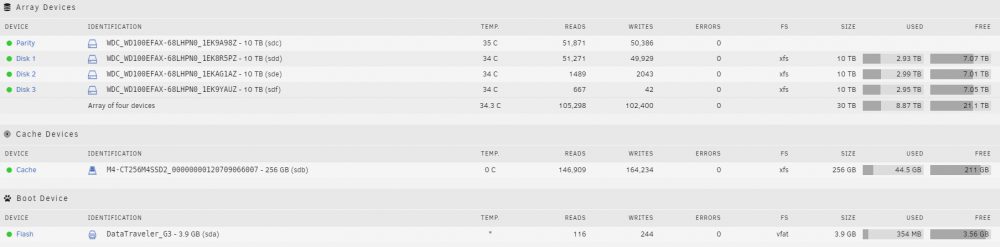
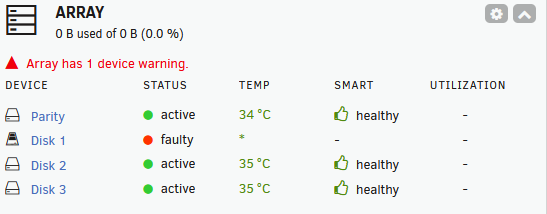
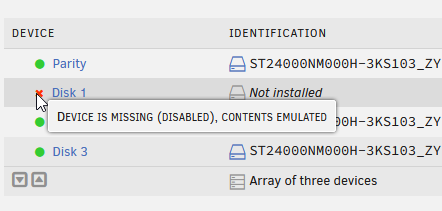
So, I had to shut down my Unraid server yesterday as I was doing electrical work around the house. When I restarted it I had 1 disk not showing up and it had a red x and the error for "Device is missing (disabled), Contents emulated". I've identified which physical drive it is and I can hear it making sounds that aren't normal. I can see the disk in the BIOS but when I run fdisk -l from the command line in Unraid I can't see the disk at all but I can see the other 3 disks that are part of the array. There are no SMART reports that I can run as well. When I start the array in maintenance mode I can check filesystem status and it returns "No file system corruption detected". I have unfortunately rebooted the server at this point, so my syslog is not super useful, but I'll attach the diagnostics file. Any help on what I can do to try and diagnose what went wrong? At this point I'm just trying to get the drive seen within some tool so that I can wipe it and RMA it. Thanks! diagnostics-20251122-1143.zip

-
I've searched quite a bit and haven't seen anyone with this issue so I thought I'd start a new topic. I have a DVD that contains files (no videos) that I'd like to be able to move off the DVD to a share I have on Unraid. I've been able to figure out how to pass through the DVD drive to MakeMKV but when I do that it can't open the disk since it's not a movie disk. I couldn't figure out a good way to pass the device through to a file manager like Krusader. Is there anyway using Unraid to move non-movie files off of a DVD to a share? Thanks!
-
Real quick followup. I went out and picked up a new SSD (Samsung 860 EVO 1 TB) since my 250 GB Corsair SSD was 8 years old and kept filling up whenever I was grabbing large files. There is now a night and day difference in performance, so I'm wondering if there was some bottleneck/issue with the old SSD. Nice to see it humming along now and barely using the CPU at all even though it was pegging every core previously!
-
Yeah, thanks for double checking my work and I decided to just deal with the file transfer delay. I think long term it won't be a big deal, it just becomes an issue when I'm trying to do mass file upgrades (from 720p to 1080p) on all shows in all my folders. I'll just slowly do these a folder at a time rather than hitting the entire share. Thanks again!
-
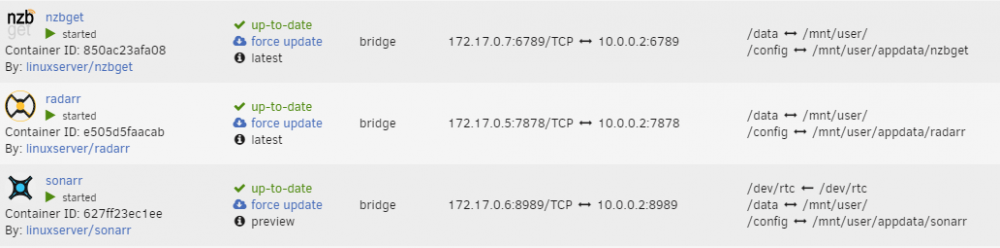
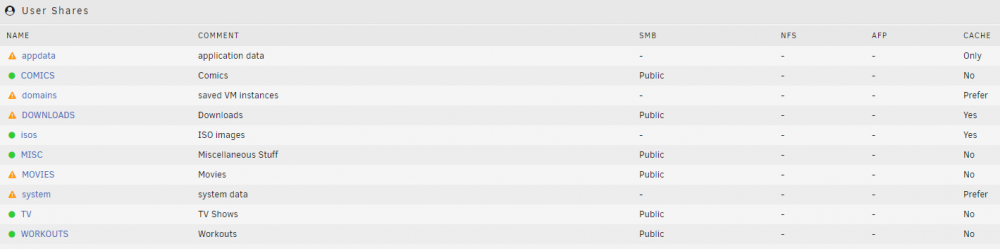
I'm running into an issue that I'm trying to remediate, but I'm getting stuck. I am running the normal combo of NZBGet, Radarr and Sonarr and I had everything "working" appropriately but I noticed that whenever NZBGet would finish a file it would take Radarr or Sonarr forever to finish moving the file. From everything I searched for it looked like it was a hardlink issue and that the best practice was to point the mount for each docker container to the root (/mnt/user) and then navigate from there within each application to the appropriate shares. Once I did this, the speed issue was solved, but now I'm dealing with another problem (I'll stick with Sonarr since I'm in this thread). Now, when the download finishes in NZBGet (all work done on the cache drive, appdata share set to cachedrive ONLY) it moves the file to the TV share, but it also puts it in a new folder on the cache drive called TV. I have the TV share setup to cachedrive "NO" so I am not sure why it's creating a folder on the cache drive called TV and then the subsequent folder under there. I'm wondering if I need to re-setup my shares. I'll edit this with a couple of pictures once I get this approved. Thanks!