podlipny
Members
-
Joined
-
Last visited
-
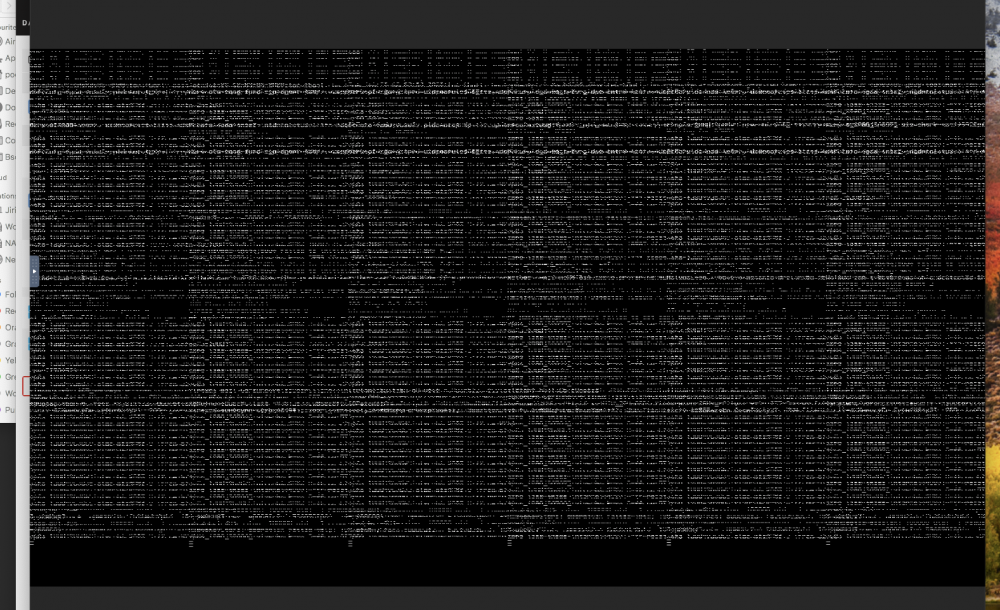
Hello, I have this kind of problem. w=When I add boot flag -v to clover VM starts like this in VNC same goes for GPU passthrough (desktop on left is my LG 34 split into 2 sourceD DP and HDMI) I've tried to change resolution during boot but nothing really works <?xml version='1.0' encoding='UTF-8'?> <domain type='kvm' xmlns:qemu='http://libvirt.org/schemas/domain/qemu/1.0'> <name>MacinaboxCatalina</name> <uuid>ed39bb50-c438-4272-a33c-587b44ff961c</uuid> <description>MacOS Catalina</description> <metadata> <vmtemplate xmlns="unraid" name="Windows 10" icon="default.png" os="Catalina"/> </metadata> <memory unit='KiB'>25165824</memory> <currentMemory unit='KiB'>25165824</currentMemory> <memoryBacking> <nosharepages/> </memoryBacking> <vcpu placement='static'>8</vcpu> <cputune> <vcpupin vcpu='0' cpuset='0'/> <vcpupin vcpu='1' cpuset='1'/> <vcpupin vcpu='2' cpuset='2'/> <vcpupin vcpu='3' cpuset='3'/> <vcpupin vcpu='4' cpuset='4'/> <vcpupin vcpu='5' cpuset='5'/> <vcpupin vcpu='6' cpuset='6'/> <vcpupin vcpu='7' cpuset='7'/> </cputune> <os> <type arch='x86_64' machine='pc-q35-3.1'>hvm</type> <loader readonly='no' type='pflash'>/mnt/user/domains/MacinaboxCatalina/ovmf-hw/OVMF_CODE.fd</loader> <nvram>/mnt/user/domains/MacinaboxCatalina/ovmf-hw/OVMF_VARS.fd</nvram> </os> <features> <acpi/> <apic/> </features> <cpu mode='host-passthrough' check='none'> <topology sockets='1' cores='4' threads='2'/> <cache mode='passthrough'/> </cpu> <clock offset='utc'> <timer name='rtc' tickpolicy='catchup'/> <timer name='pit' tickpolicy='delay'/> <timer name='hpet' present='no'/> </clock> <on_poweroff>destroy</on_poweroff> <on_reboot>restart</on_reboot> <on_crash>restart</on_crash> <devices> <emulator>/usr/local/sbin/qemu</emulator> <disk type='file' device='disk'> <driver name='qemu' type='qcow2' cache='writeback'/> <source file='/mnt/user/domains/MacinaboxCatalina/Clover.qcow2'/> <target dev='hdc' bus='sata'/> <boot order='1'/> <address type='drive' controller='0' bus='0' target='0' unit='2'/> </disk> <disk type='file' device='disk'> <driver name='qemu' type='raw' cache='writeback'/> <source file='/mnt/disk1/domains/MacinaboxCatalina/macos_disk.img'/> <target dev='hdd' bus='sata'/> <address type='drive' controller='0' bus='0' target='0' unit='3'/> </disk> <controller type='usb' index='0' model='ich9-ehci1'> <address type='pci' domain='0x0000' bus='0x00' slot='0x07' function='0x7'/> </controller> <controller type='usb' index='0' model='ich9-uhci1'> <master startport='0'/> <address type='pci' domain='0x0000' bus='0x00' slot='0x07' function='0x0' multifunction='on'/> </controller> <controller type='usb' index='0' model='ich9-uhci2'> <master startport='2'/> <address type='pci' domain='0x0000' bus='0x00' slot='0x07' function='0x1'/> </controller> <controller type='usb' index='0' model='ich9-uhci3'> <master startport='4'/> <address type='pci' domain='0x0000' bus='0x00' slot='0x07' function='0x2'/> </controller> <controller type='pci' index='0' model='pcie-root'/> <controller type='pci' index='1' model='pcie-root-port'> <model name='pcie-root-port'/> <target chassis='1' port='0x8'/> <address type='pci' domain='0x0000' bus='0x00' slot='0x01' function='0x0' multifunction='on'/> </controller> <controller type='pci' index='2' model='pcie-root-port'> <model name='pcie-root-port'/> <target chassis='2' port='0x9'/> <address type='pci' domain='0x0000' bus='0x00' slot='0x01' function='0x1'/> </controller> <controller type='pci' index='3' model='pcie-root-port'> <model name='pcie-root-port'/> <target chassis='3' port='0xa'/> <address type='pci' domain='0x0000' bus='0x00' slot='0x01' function='0x2'/> </controller> <controller type='pci' index='4' model='pcie-root-port'> <model name='pcie-root-port'/> <target chassis='4' port='0x13'/> <address type='pci' domain='0x0000' bus='0x00' slot='0x02' function='0x3'/> </controller> <controller type='virtio-serial' index='0'> <address type='pci' domain='0x0000' bus='0x02' slot='0x00' function='0x0'/> </controller> <controller type='sata' index='0'> <address type='pci' domain='0x0000' bus='0x00' slot='0x1f' function='0x2'/> </controller> <interface type='bridge'> <mac address='52:54:00:8b:96:39'/> <source bridge='br0'/> <model type='virtio'/> <address type='pci' domain='0x0000' bus='0x01' slot='0x00' function='0x0'/> </interface> <serial type='pty'> <target type='isa-serial' port='0'> <model name='isa-serial'/> </target> </serial> <console type='pty'> <target type='serial' port='0'/> </console> <channel type='unix'> <target type='virtio' name='org.qemu.guest_agent.0'/> <address type='virtio-serial' controller='0' bus='0' port='1'/> </channel> <input type='tablet' bus='usb'> <address type='usb' bus='0' port='1'/> </input> <input type='mouse' bus='ps2'/> <input type='keyboard' bus='ps2'/> <hostdev mode='subsystem' type='pci' managed='yes'> <driver name='vfio'/> <source> <address domain='0x0000' bus='0x03' slot='0x00' function='0x0'/> </source> <rom file='/mnt/disk1/isos/Sapphire.RX5700XT.8192.190616.rom'/> <address type='pci' domain='0x0000' bus='0x03' slot='0x00' function='0x0'/> </hostdev> <hostdev mode='subsystem' type='pci' managed='yes'> <driver name='vfio'/> <source> <address domain='0x0000' bus='0x03' slot='0x00' function='0x1'/> </source> <address type='pci' domain='0x0000' bus='0x04' slot='0x00' function='0x0'/> </hostdev> <hostdev mode='subsystem' type='usb' managed='no'> <source> <vendor id='0x046d'/> <product id='0xc52b'/> </source> <address type='usb' bus='0' port='3'/> </hostdev> <hostdev mode='subsystem' type='usb' managed='no'> <source> <vendor id='0x05ac'/> <product id='0x026c'/> </source> <address type='usb' bus='0' port='4'/> </hostdev> <hostdev mode='subsystem' type='usb' managed='no'> <source> <vendor id='0x0951'/> <product id='0x1666'/> </source> <address type='usb' bus='0' port='5'/> </hostdev> <hostdev mode='subsystem' type='usb' managed='no'> <source> <vendor id='0x0a12'/> <product id='0x0001'/> </source> <address type='usb' bus='0' port='6'/> </hostdev> <hostdev mode='subsystem' type='usb' managed='no'> <source> <vendor id='0x0bda'/> <product id='0x8153'/> </source> <address type='usb' bus='0' port='2.1'/> </hostdev> <hostdev mode='subsystem' type='usb' managed='no'> <source> <vendor id='0x2109'/> <product id='0x0101'/> </source> <address type='usb' bus='0' port='2.2'/> </hostdev> <hub type='usb'> <address type='usb' bus='0' port='2'/> </hub> <memballoon model='none'/> </devices> <qemu:commandline> <qemu:arg value='-usb'/> <qemu:arg value='-device'/> <qemu:arg value='usb-kbd,bus=usb-bus.0'/> <qemu:arg value='-device'/> <qemu:arg value='************************'/> <qemu:arg value='-smbios'/> <qemu:arg value='type=2'/> <qemu:arg value='-cpu'/> <qemu:arg value='Penryn,kvm=on,vendor=GenuineIntel,+invtsc,vmware-cpuid-freq=on,+pcid,+ssse3,+sse4.2,+popcnt,+avx,+aes,+xsave,+xsaveopt,check'/> </qemu:commandline> </domain>
-
thank you, but what if resolution of my screen is 3440x1440 ?
-
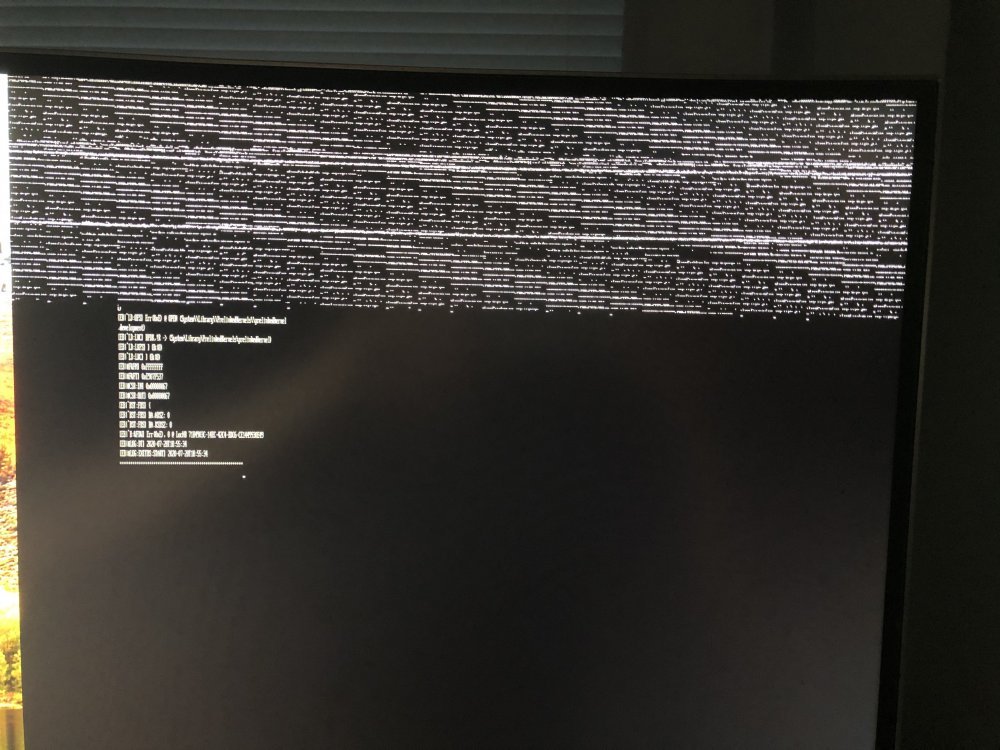
Hello, I am running bare metal Hackintosh without any problem, but I would like to switch to unRaid VM machine. I've manage to install Macinabox VM with Catalina and it works fine with VNC. I have Sapphire Radeon PULSE RX 5700 XT 8G, 8GB GDDR6 but I have problem to pass it trough. Did anyone manage to do that? UPDATE: ok so I've manage passthrough but when I confirm boot to mac os ion clover screen looks like this: everything is in upper part of screen - in like 10cm of the screen Thank you.