





guigz
Members
-
Joined
-
Last visited
Everything posted by guigz
-
Nevermind, I simply renamed the share before deleting it and that seems to have worked
-
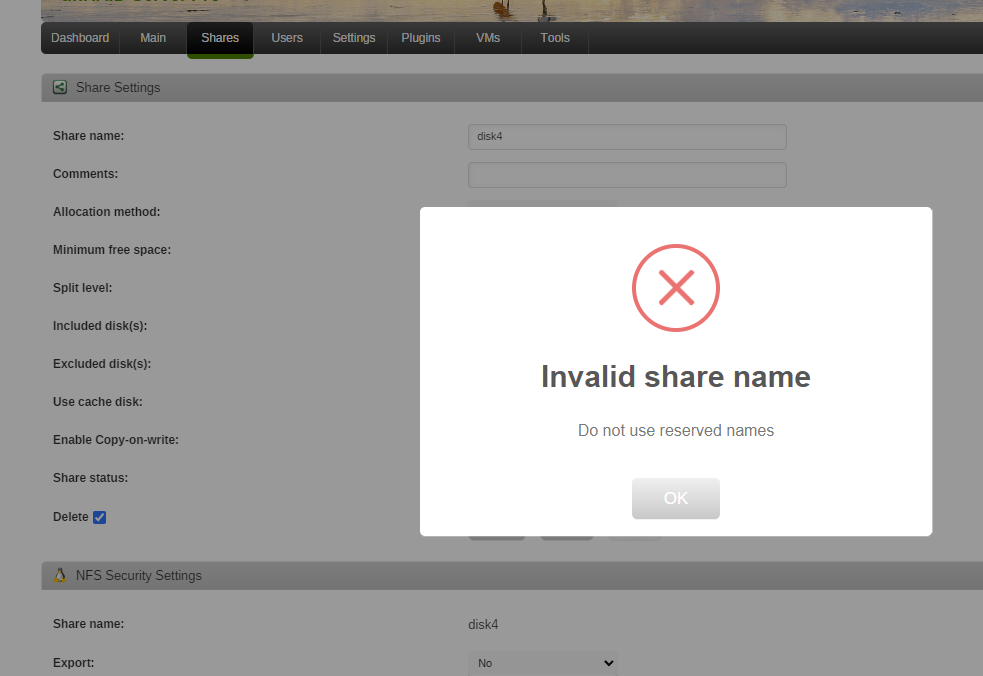
Ahah, thanks! Now I'run into another problem, when I go to the share page to delete the share, it does this when I press apply to delete:
-
Ok, did this with midnight commander and now when I try to stop the array, I get: Spinning up all drives...Stopping services...Sync filesystems...Retry unmounting user share(s)...Retry unmounting user share(s)...Retry unmounting user share(s)...Retry unmounting user share(s)...Retry unmounting user share(s)...Retry unmounting user share(s)...Retry unmounting user share(s)...Retry unmounting user share(s)...Retry unmounting user share(s)...Retry unmounting user share(s)...Retry unmounting user share(s)...Retry unmounting user share(s)...Retry unmounting user share(s)...Retry unmounting user share(s)...Retry unmounting user share(s) Still doing it 5 minutes later...
-
Ok, so I tried to delete the files in the Disk 4 share but windows explorer won't let me. Using telnet, I was able to delete the files with the rm -r command in the share. They were gone from the disk (checked with ls command) but unraid said the share wasn't empty. Now the files are back again. Any suggestions? tower-diagnostics-20221216-0800.zip
-
you're right! If I don't want to lose the files in that disk 4 share, can I copy them somewhere else and then remove the user share?
-
Below are the screenshots The problem is that the missing files aren't visible in windows explorer but are "visible" through the webui. They are accessible via the Shares but not the disks. I want to transfer all the data from disk 4 to another because I'll be shrinking the array.
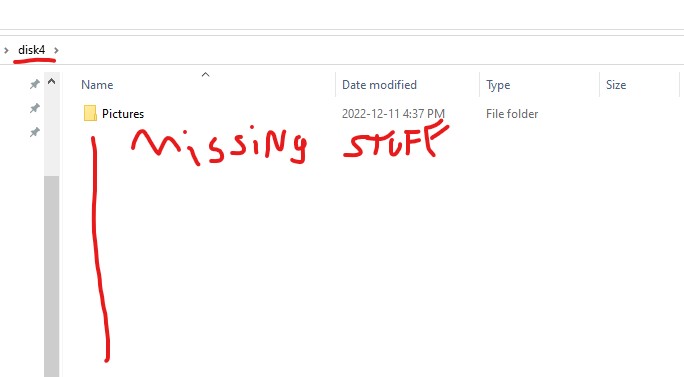
 So I removed the cache drive from the array. The files are still missing in the shares but are present in the Disk on the webui. Any suggestions as to what I can do next? tower-diagnostics-20221214-1054.zipThanks JorgeB! So i'm about to stop the array to remove the cache. Is there any risk I lose the data that's in limbo?I removed the cache drive and replaced with an SSD I had lying around, maybe that's why Will removing the cache drive fix the issue with the files on the disks?Thanks, here it is: tower-diagnostics-20221213-1047.zipSo I'm replacing a number of smaller drives with a couple new juicy 4 TB drives in my array. Looking up in the unRaid wiki, I found the procedure for moving files from one disk to another. I used Putty to login to the server and entered the command (note the forgotten & in that command) nohup mv /mnt/disk1/ /mnt/disk4/ There was a message about nohup being directed to nohup.out and nothing else seemed to happen. I entered the command a couple more times because I noticed the missing & but the same message poped up and nothing else. The system log didn't show any transfer activity. I used windows explorer to navigate to the disk I'm moving data from and noticed that the files aren't there anymore. However, they aren't on the disk I moved them to either. Stopping and restarting the array didn't change anything. The files are still available if I go to the shares folders in windows explorer. Similarly, if I use the webui and click on the drive itself, I can access and download the files that should have been moved. I can also see that missing files are still accounted for in the data that the webui says is contained on that disk (same amount of GB are in use) How can I fix this?


