





Garthy
Members
-
Joined
-
Last visited
-
Thank you Jorge
-
Hi all I’m not sure why my drives to spin down even when manually using the spin down option on the Msin tab. I’m in over my head and would appreciate the support. tower-diagnostics-20260622-2007.zip
-
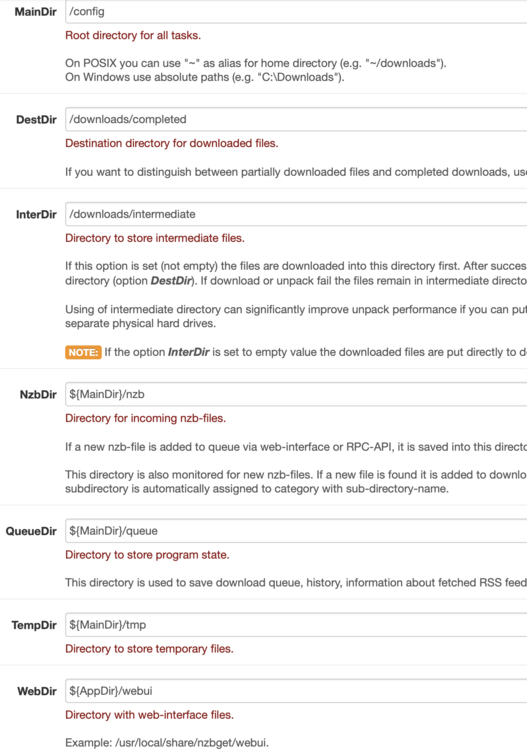
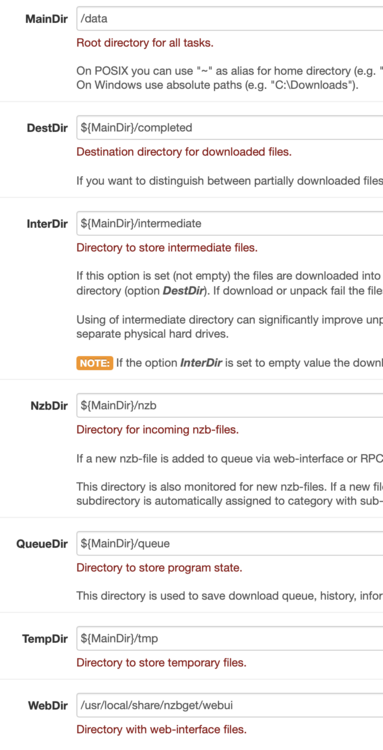
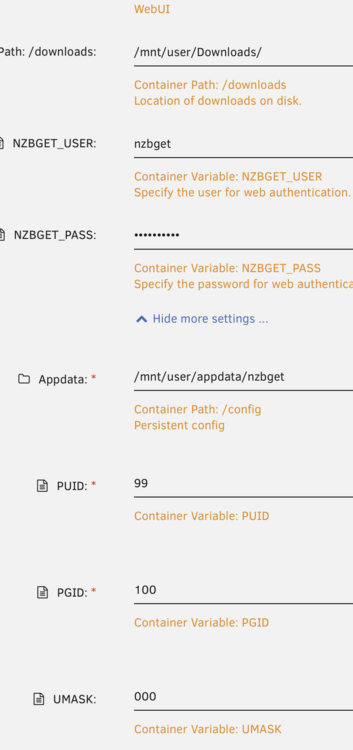
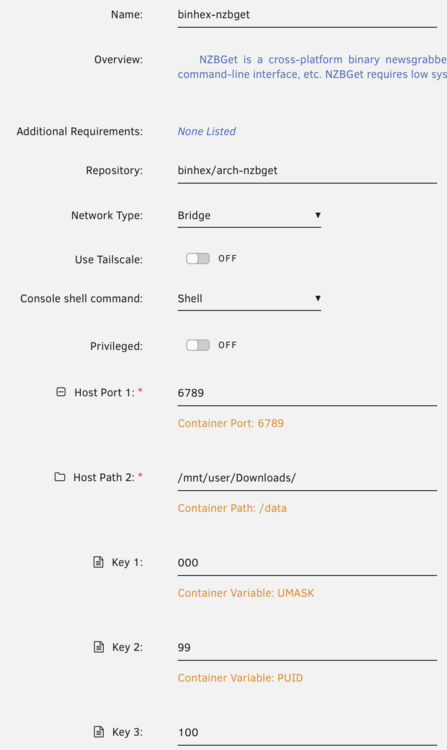
Im trying to switch from binhex to your docker as the binhex unpack process continually fails every couple of hours (known issue with binhex NzbGet). I'm having an issue where by Sonarr cannot rename/move the file to media following download with linuxservers NzbGet. binhex NzbGet is working fine with Sonarr, is im unsure how mappings could be an issue. Im unsure if this is path mapping or permissions issue, but im really stumped. Would appreciate some advice! refer images for set up of both dockers, including path mappings and Sonarr errors. Binhex working mapping Linuxserver set up Sonarr errors


-
Thanks all. Removing mover tuning fixed this.
-
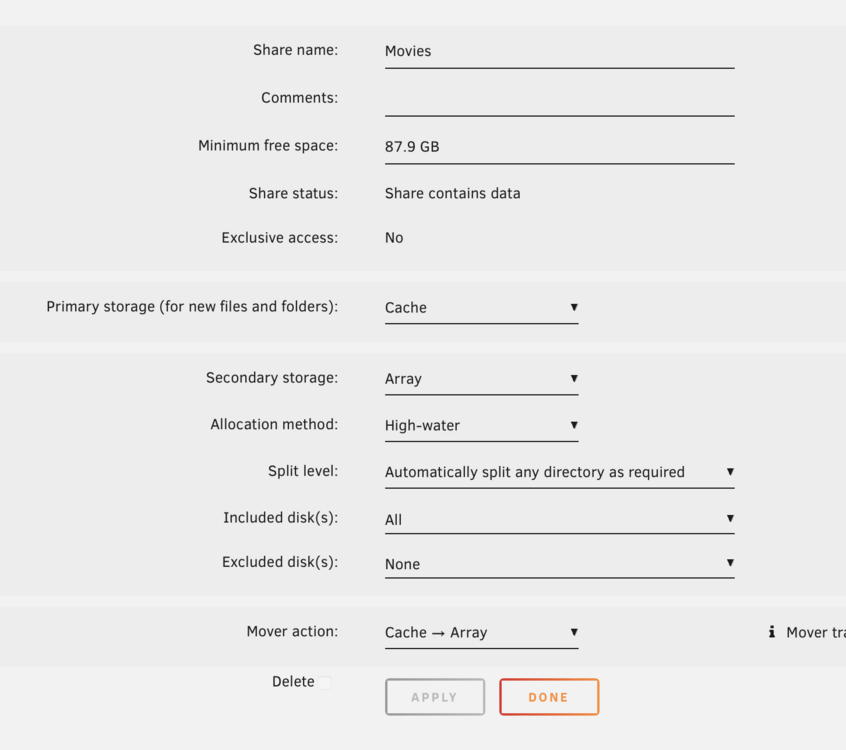
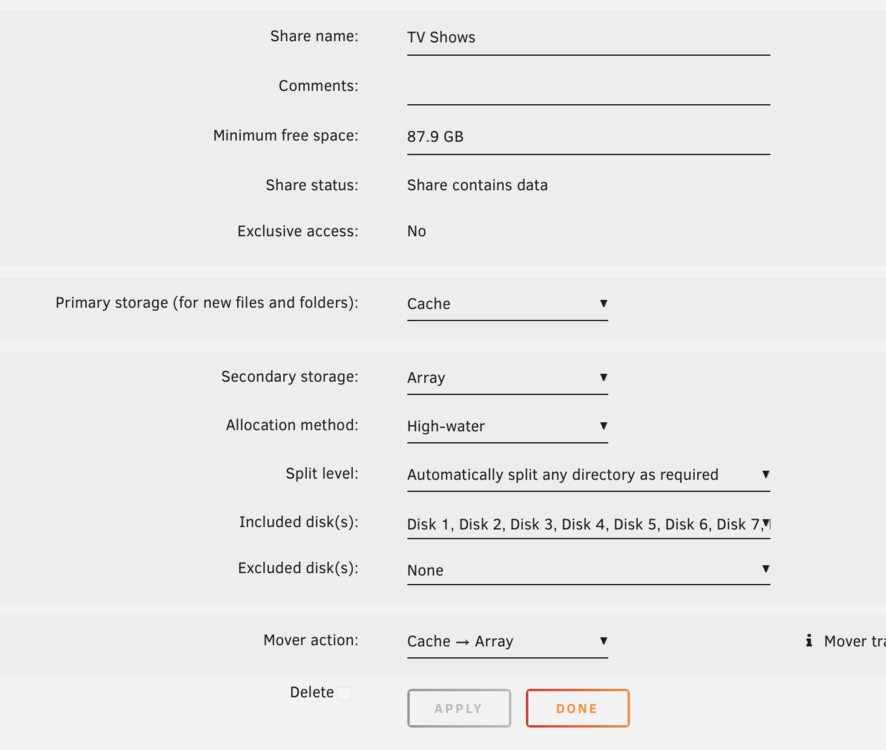
hi all Mover not moving files to away from cache drive since upgrade to 7.0. Any help or ideas would be fab! tower-diagnostics-20250126-1334.zip
-
Hi All I have been using bin hex's version of NZBget for several years but I have grown sick of needing to have a cron job automatically restart the container every hour to fix the hung unpack/unrar process. So Im trying to move over to linuxservers v version but I am having some path mapping issues. Ive used the same settings from my old binhex nzbget container to the new lsio nzbget container but I am told by soma that "You are using docker; download client NZBGet places downloads in /downloads/completed/Series but this directory does not appear to exist inside the container. Review your remote path mappings and container volume settings." I would appreciate any advice you have: Folder structure: /mnt/user/Downloads/ with subfolders incomplete, completed/Movies, completed/Series etc.... NZBGet docker path: /downloads is mapped to /mnt/user/Downloads/ NZBGet mappings: MainDir /downloads DestDir ${MainDir}/completed Categories in NZBGet Name: Movies Dest Path: blank Name: Series Dest Path: blank
-
Hi thanks for your reply. I noticed that and have since deleted what was a seperate version of krusaider on my app pool drive. Not there is only a version on my cache drive. it still does not explain why there is no activity on the disks when running mover and why the 30gb of data isn’t being moved to the array.
-
Hi all I have two disks that i want to change over to nvme drives, both are my cache pool, appool is for app data and cache is my general cache disk. Mover appearing stuck (no activity on Main page of gui). Steps to date: - change apppool and cache settings to be cache->array - stop VM and docker services - invoke mover Any ideas would be appreciated tower-diagnostics-20231221-1219.zip



