





JetRun15
Members
-
Joined
-
Last visited
Everything posted by JetRun15
-
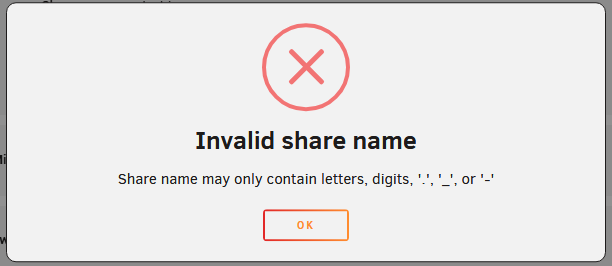
Upgraded from 7.1.4 to 7.2.2 and eventually 7.2.3 blindly and attempted to create a new share (something I haven't needed to do in a while); however, I got the "Invalid share name" error. Found out this was due to adding spaces to my Share Names; however, my previous shares (I made before going to 7.2.x), which have spaces, seem to work perfectly. As a matter of fact, when I try to change the name of my old Shares that had spaces to a different name (like changing a single letter), I also get the same error. Is this a random bug or an error? My off-site running 7.1.4 doesn't have this issue, and I am seriously considering downgrading from 7.2.3 back to 7.1.4 because of it (although it looks like I am also not able to double downgrade since it doesn't give me the option, and I just get the "No downgrade available" message, but that's a different issue entirely). Any help would be appreciated.

-
Thanks for the help/information! Looks like everything is intact and just rebuilding the parity now (which I will take over potential data loss). Thanks again!
-
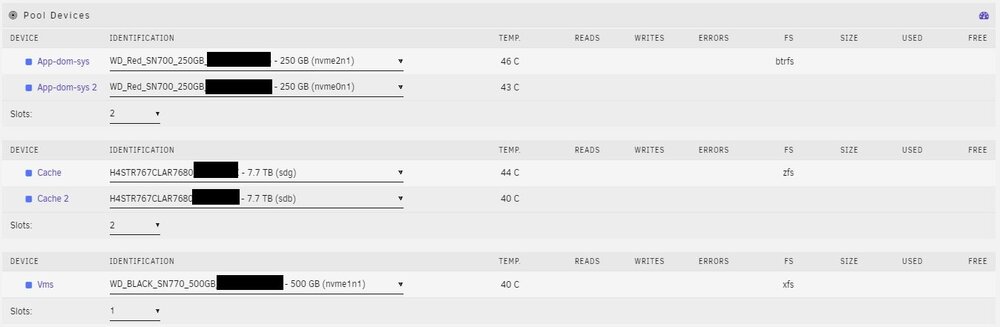
Oh geez, where do I start in this mess? I was going to fly to my offsite backup location and sometimes I bring a hard drive that houses large files (since my offsite backup location's internet speeds are abysmal for large file sizes). In preparation for getting my files, I accidentally removed my parity drive for my array instead of my Unassigned Drive which caused unRAID to freak out and disable one of my parity drives. Due to me being in a quick rush, I looked up how to fix the issue and was told about "New Config" and that I was supposed to select "All" not knowing that it would reset my config for my Cache Pool Drives too. Not wanting to make things worse I left it as is and decided to turn to the forms for help. I currently have 2 Cache Pools (technically 3). I have one setup for App-dom-sys (Appdata, Domains, and System files) and another strictly acting as a cache pool for my Array. My last SSD is just for VMs. While I don't care about losing data in the Cache and VM pool as those are recoverable, my Appdata, Domain, and System files I would like to retain them and not sure what's the best way to go about it. I feel to make things worse, my App-dom-sys drives are in BTRFS, while my Cache is in ZFS, and my VM is in XFS which I feel might make things worse, and for some reason, unRAID wants to default them to Auto. Anyways, I have attached a screenshot of my cache drive layout and my diagnostics files, any help would be greatly appreciated. systemupsilon-diagnostics-20241023-0953.zip
-
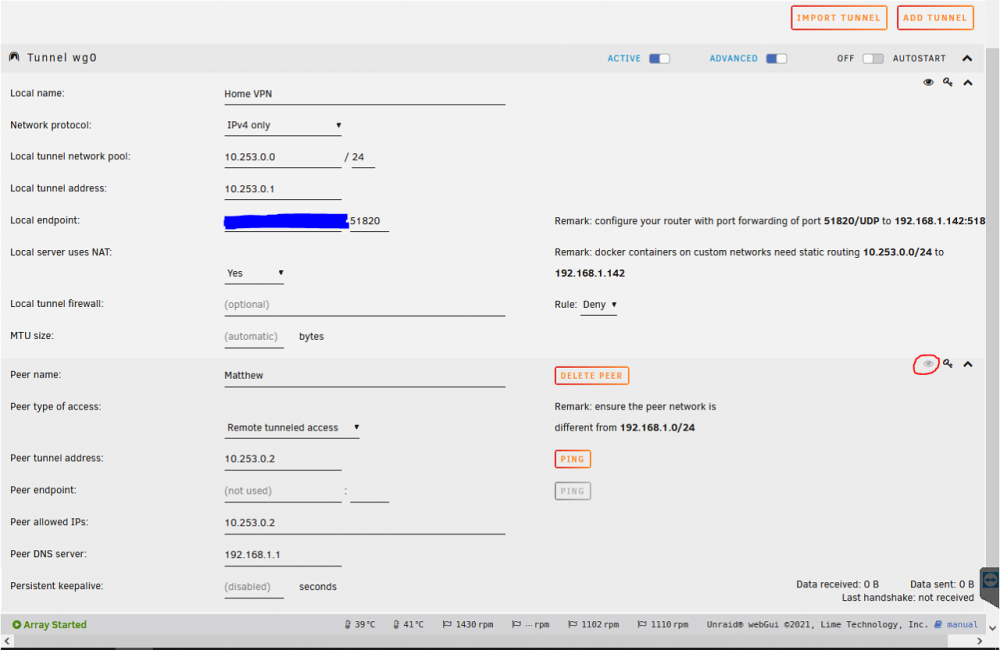
So actually figured it out but forgot to update all these months later. Turns out somehow when I removed WireGuard there were still remnants of the files from my old configuration there. When I used Krusader to remove the WireGuard configuration files, I was able to create a new one and the eye came back for me to use. Not sure if this will help others or if this is one off for me.
-
So I have followed the setup here (https://www.youtube.com/watch?v=HIJiYuPDzKs&t=5s) and in the past this worked. However, I wanted to change my DNS name and started from scratch again. However, when I follow the video I can never get the eye icon to work. Is there a reason for this? I have followed the basic stuff such as ensuring the port is being port forwarded, bridging is enabled, etc. etc.
-
Not really sure how to properly explain my situation here, however, I am still quite new to unRAID (despite having a server for a few years now, but always learning something new about it.) Anyways, my situation is a bit weird, I am trying to "Force Recheck" on one of my torrents on qBittorrent and it always results in an "Errored: An unexpected network error occurred." Now the files regarding this torrent is on my unRAID server and have noticed that when the error occurs, I can no longer remotely access my unRAID server as if it was disconnected. When I physically am on the server, I have noticed that for some reason the iP Address changes from the default 192.168 to 169. To combat this, I forced a static iP on both my router and the unRAID server itself, however, despite this seems to force a different iP now (I forgot what it changes too but I remember seeing this). If anyone can explain to me why this is happening, that would be greatly appreciated. Quite concerned that perhaps my unRAID server doesn't like the idea of being "thrashed" with data but I doubt this should even be an issue. As always to help give clarification with my issue, my diagnostics files are attached. I should also add that in the logs I think it shows me tinkering with bonding with the ethernet ports as I was testing if this was to happen (as I am moving and direct access would be impossible) that if this happens, could it fail over to another ethernet port, however, this is besides the point as I want to know why this is happening, and rather not have to go to this kind of route. perseverance1st-diagnostics-20210723-1305.zip


