





Shalmi
Members
-
Joined
-
Last visited
-
Not sure that works for what I’m trying to do. I’ll mark this as resolved though. I just wrote a basic bash script that checks if the docker container is up at the right ip. If not it shuts down the one that stole the ip. Launches the right one and then relaunches the thief. Should almost never actually do anything. May shut down a rogue container once a week for a few seconds during updates so whatever
-
Is there no solution here. How do other people to use fixed ips
-
I have a docker container lets say "A". I set its 'Fixed IP address (optional)' to 172.18.0.4. This usually works fine but if i have 30 docker containers running and they all update then sometimes docker container "X" just happens to randomly get assigned 172.18.0.4. Then when "A" tries to start, it fails cuz that ip is already taken. Someone please help
-
-
@JorgeBa lil late now and will hopefully lead to less stress on the controller....and hopefully wont break on me again. Good to know though
-
ps if you have the power to edit the document. I think it should say hit "sync" instead of "start" in step 8 Rebuild Started
-
@JorgeB Thank you. going to try that now in maintenance mode following those steps. Will report back if there is an issue or if all goes well
-
unraid-diagnostics-20240329-1137.zip @JorgeB attached
-
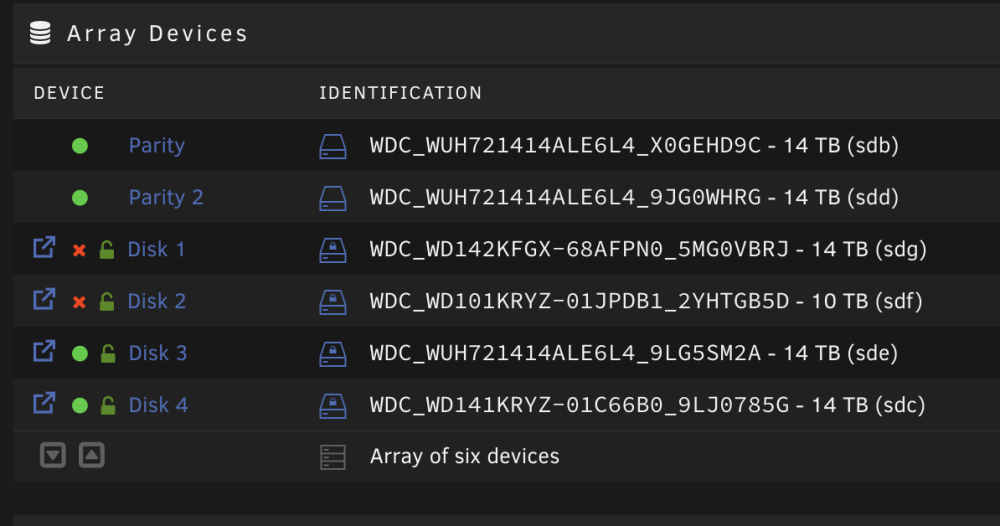
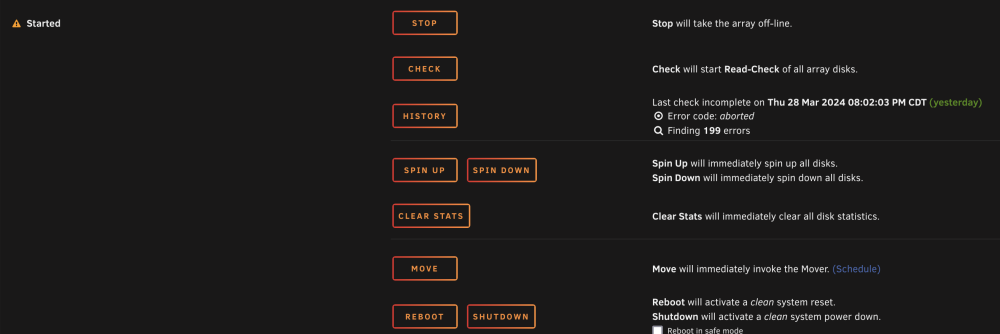
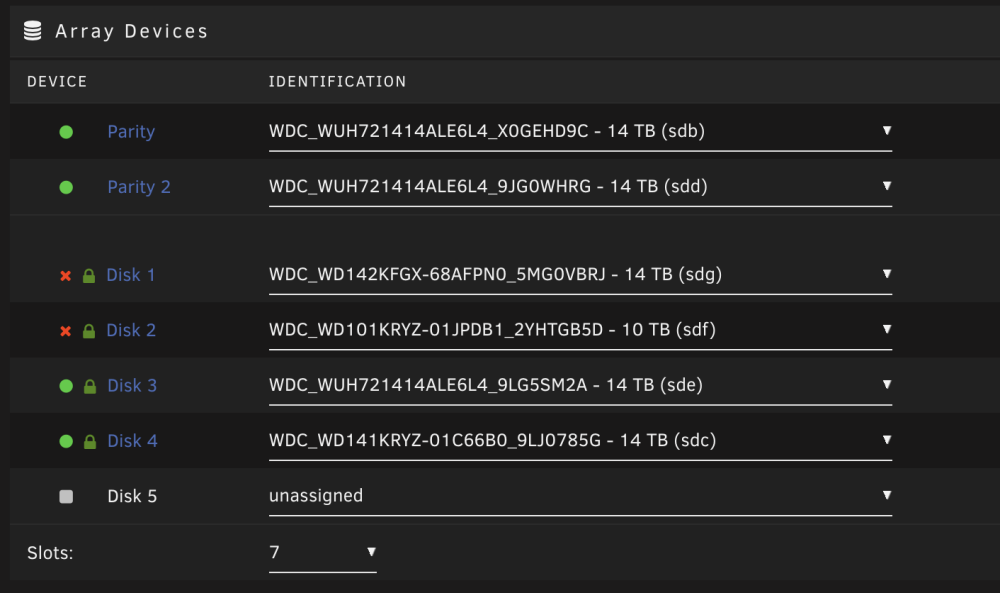
@JorgeB Right now 2 drives are showing as emulated (pic attached)....which is concerning cuz only one should be. 1. Should I still start the array in this state? 2. What risk do I have of losing any of this data? 3. Should I start normally or in maintenance mode? 4. Should i be concerned that it no longer says something about repairing sdg next to the start button? Sorry for all the questions
-
New one attached. Thank you for the quick response @JorgeB unraid-diagnostics-20240329-1058.zip
-
@JorgeB Attached. I removed the vms as they have some private names and havent been on in over a year and I did a find replace for some private container names that I dont want posted publicly. the rest is left as normal @JorgeB Thank you! unraid-diagnostics-20240328-1913.zip
-
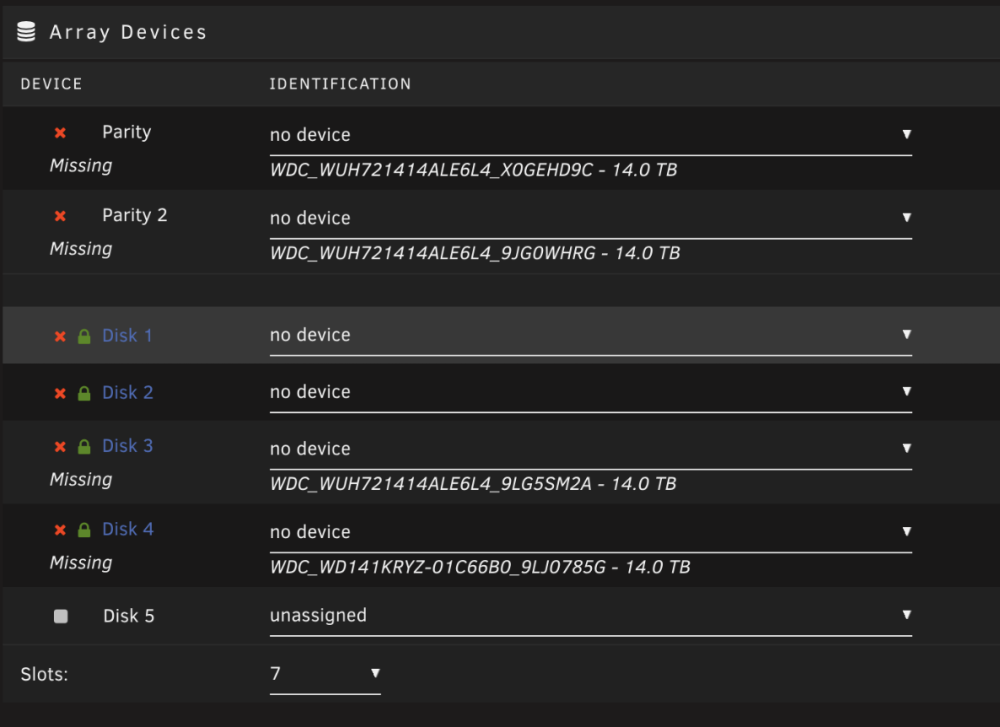
I have 6 drives in my array (2 as parity) Last night I started getting multiple errors like so This was the SMART on that drive today before replacing the drive I ordered a new Drive to replace it and it came in. I turned off the machine. Unplugged that drive, replaced it with an equivalent size and turned the machine back on. I then selected that drive to replace it in the array and hit start. It said it would take about 2 days to repopulate the data on that drive and then I started getting these errors: I panicked and stopped the array. Then I saw the uploaded image attached where multiple drives are stated as missing. What do I do. I have Loads of data I do not wanna lose (hence the 2 parity drives). Someone help
-
Bumppp how is this still not a feature 😩
-
Has anyone else figured out how to get "remember me" to work?
-
I have been using authelia happily for a while now. I have it setup with duo as well for 2fa, but I have noticed that I can NOT get it to keep me logged in. in the config I set: # The time in seconds before the cookie expires and session is reset. expiration: 2w # The inactivity time in seconds before the session is reset. inactivity: 2w Is there more I have to do so I am not relogging in every day


