McTaurus13
Members
-
Joined
-
Last visited
-
I'm not sure if this will help anyone, but I ran into this same issue today. So I started playing around with different Machine and Bios settings (specifically the Bios). I was having the issue with my VM setup with i440fx-4.2 and Seabios, But was able to successful pass through my PCIe USB controller using i440fx-4.2 and 'OVMF'.
-
quite the opposite actually. By default RGB is very obnoxious out of the box. The idea here is to have control to make more subtle or static. Many thanks in advance.
-
RGB control of devices on SM bus. It’s not really a need, but certainly a nice to have. My Unraid server serves many purposes including a daily driver VM with hardware pass through. It would be a nice to have ability to control those shiny RGB memory modules, but I don’t feel comfortable putting all the other functionality at risk by attempting to patch the kernel. Thanks for looking and for your consideration. Cheers!
-
I'm following guide here: https://github.com/P3R-CO/openrgb-container and discovered I need to patch the kernel with provided documentation here: https://gitlab.com/CalcProgrammer1/OpenRGB/-/wikis/OpenRGB-Kernel-Patch It seems to be a bit vague in it's directions, thus bumping this thread.
-
That was the ticket @Squid! I had a slight issue with Plex UI not working after reinstall, but I changed the permissions per recommendation from web sources. And I was able to install Luckybackup*. Many thanks!
-
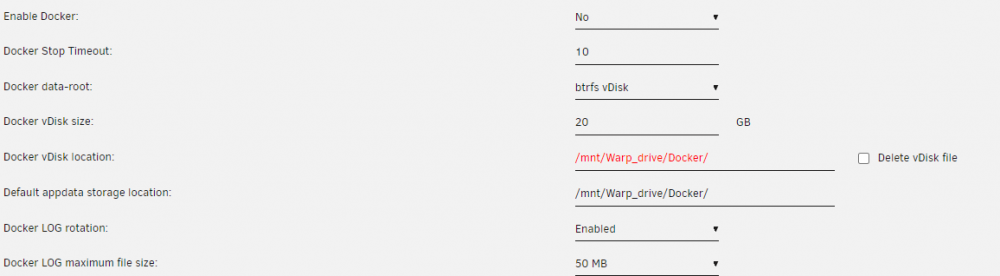
If you mean to say, did I "Delete vDisk file"; I did. What happened is that after I clicked the delete button, the page refreshed and the field was repopulated with "/mnt/Warp_drive/Docker/docker.img". And if I try to edit that path, it is trying to validate that there is a docker.img as the text is in red. See attached image.
-
McTaurus13 changed their profile photo
-
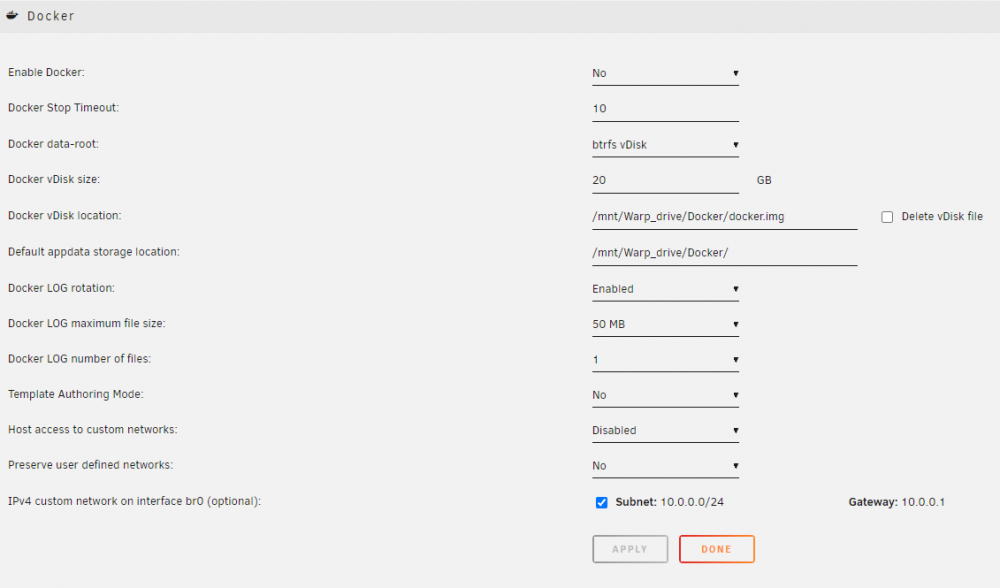
@SquidSorry, I had a look at the Docker settings and I don't see anything specific to switching from an image to a folder; and when I attempt to change the Docker vdisk location, it seems to be expecting a directory that has docker.img in it. What am I missing? Do I need to install a plugin? Also, regarding above post and question, I was unable to find a graceful solution. Ended up hard power cycling the server and am now going through parity checks. Any insights going forward would be appreciated. Thanks!
-
Thanks Squid! I’ll give that a try. Question, is there a graceful way to stop the failed installation of the Docker? It seems to hung up the Docker service as I am unable to access the Docker tab or Docker settings and reboot or shutdown from the Main tab is unresponsive. Error log shows:
-
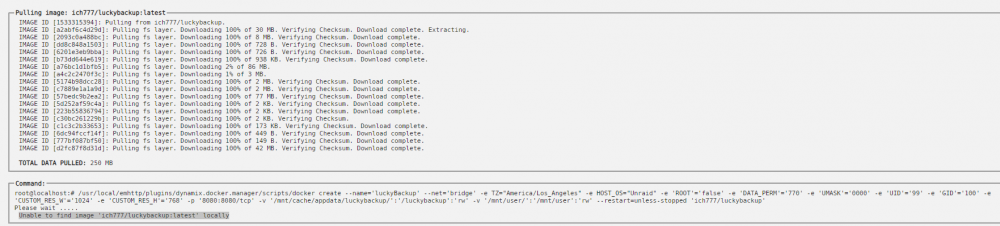
Hello, I'm running into this same issue post recent upgrade from 6.8.3 to 6.9.2. I've had some other issues as well that I've managed to correct, but this one has stumped me. I'm trying to setup Luckbackup between two unraid servers, but I can't seems to install any new Dockers. I keep getting "Unable to find image 'whatever docker' locally". I will attach diagnostics. Note that I am using zfs for my dockers and VMs and that's where my dockers currently reside. I have verified that there is space. Should I need to move my dockers to the array (I saw a suggestion to do this somewhere)? Any help please would be graciously appreciated. Thanks! omegasupreme-diagnostics-20220406-1042.zip