int2e
Members
-
Joined
-
Last visited
Everything posted by int2e
-
I am on BIOS L2.40 and it still exists there.
-
no
-
BIOS version 2.40 will be updated on May 16, 2022, and the system is down today
-
Thank you very much for this topic. Before that, I used the 2.21a bios in the current topic, and everything was normal. The official emails were late, but they brought updated bios.
-
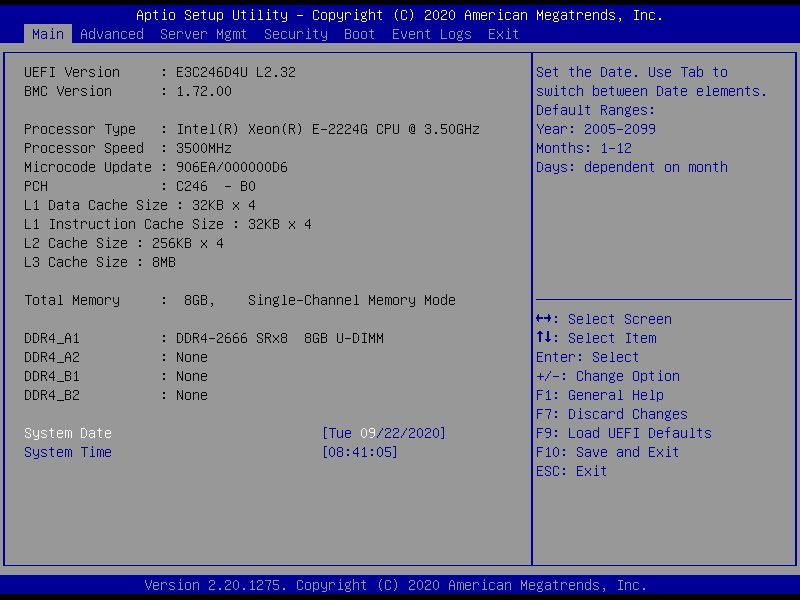
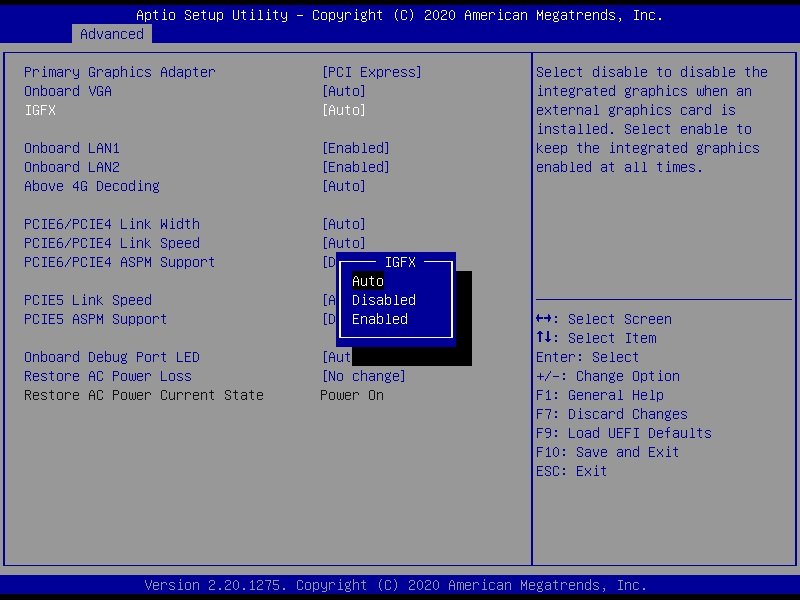
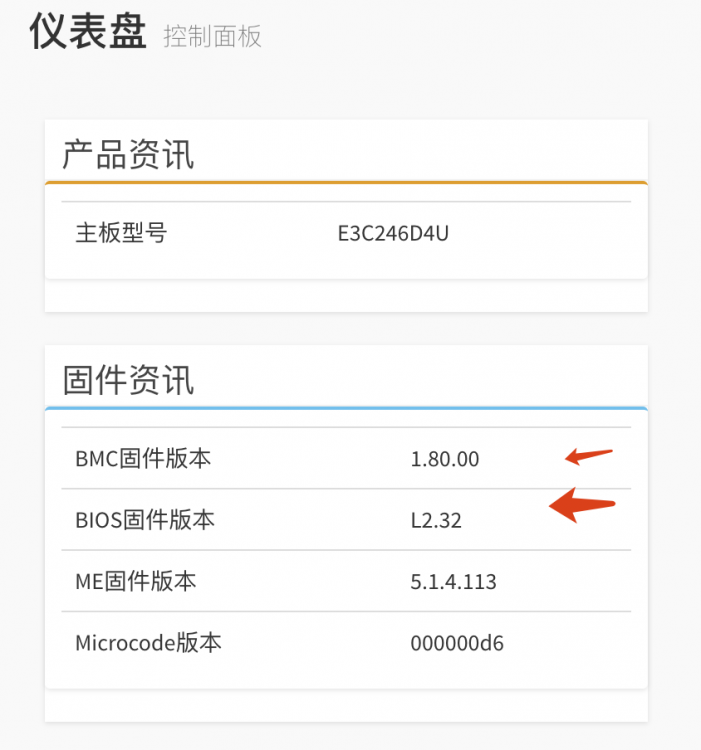
These two screenshots were sent to me via official technical support email. I used BCM 1.80.00 which can be downloaded from the official website. It seems that they are completely compatible.
-
I don't know what it has updated. Of course, the most obvious is IGFX. I don't know the others. The official technical support did not inform me.
-
I upgraded on the basis of 2.21a and kept the original configuration perfectly without any changes. But the premise is that the upgrade is to choose to retain the BIOS configuration.
-
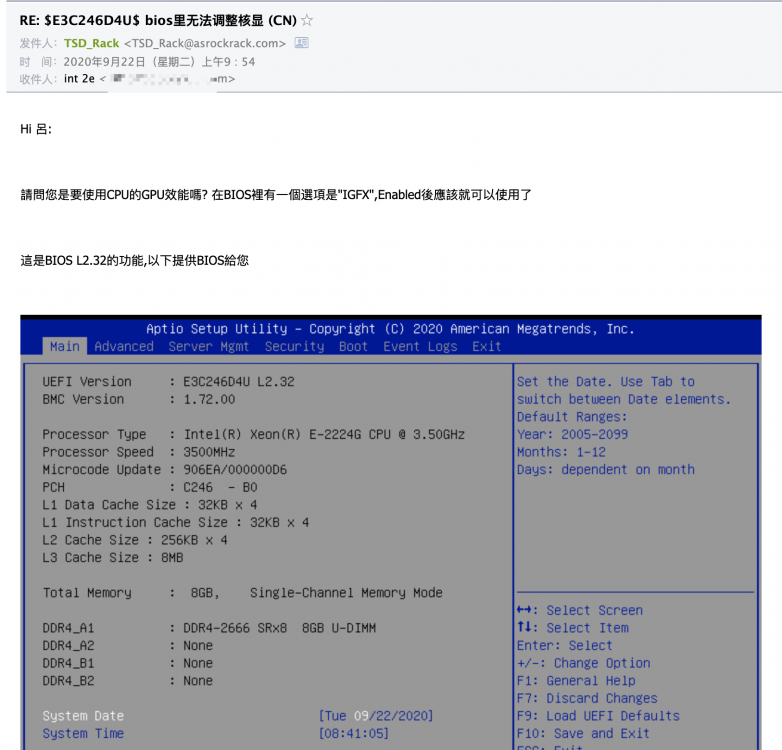
I got her from the official technical support mailbox,photo from email。 I don't understand English, I use Google Translate. Hi 呂: 請問您是要使用CPU的GPU效能嗎? 在BIOS裡有一個選項是"IGFX",Enabled後應該就可以使用了 這是BIOS L2.32的功能,以下提供BIOS給您 ======================================================================================================================= Hi Lu: Do you want to use the GPU performance of the CPU? There is an option in the BIOS that is "IGFX", it should be available after Enabled This is the function of BIOS L2.32, the following provides BIOS for you There is a set of FTP address and password in the email, sorry I don’t know if I should disclose it, so I uploaded the firmware to onedrive. email screenshot: My own BCM firmware: Everything is fine so far
-
ASRockRack E3C246D4U BIOS L2.32 "Advanced" -> "Chipset...." -> "IGFX" = "Enabled" https://1drv.ms/u/s!Ai85RsJjyec28DOAHvhhRJ2BYsEw