





Danno3093
Members
-
Joined
-
Last visited
-
+1 I would like to have this implemented so that my dashboard is not so lopsided.
-
Thanks for pointing me in this direction -- I could kiss you for this!
-
Disabled Virtual Machines -- and now it appears that everything is working. I think this had something to do with the ACS Override setting.
-
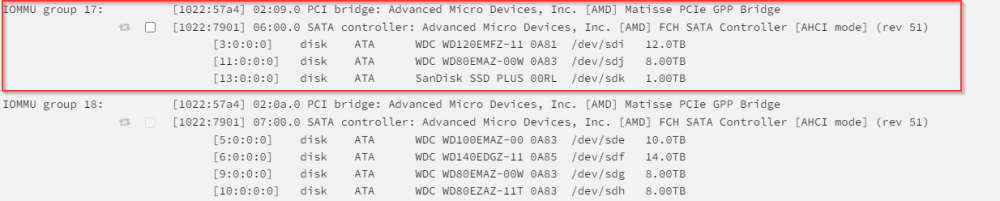
Those three drives show under the iommu group 17 -- but I do not show that it is in use by unraid -- nor is it bound to VFIO
-
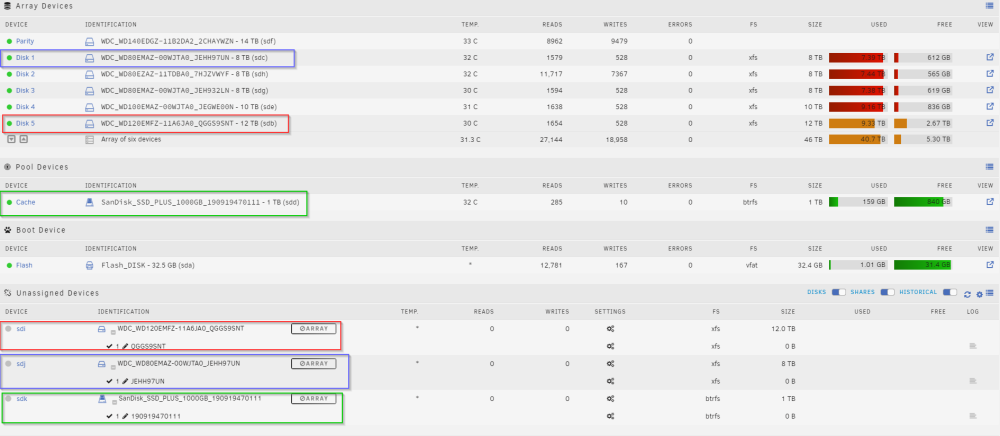
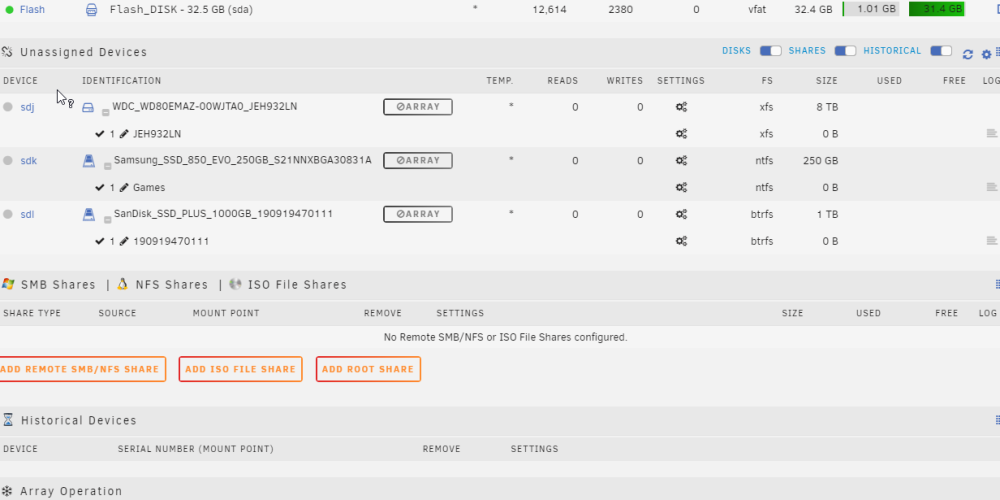
Swapped cables around and it appears that disk1, disk5, and the cache drive are now showing in the Unassigned Devices once the array is started. Not sure what is causing this -- but is there anyway to get my devices to not show under unassigned devices?
-
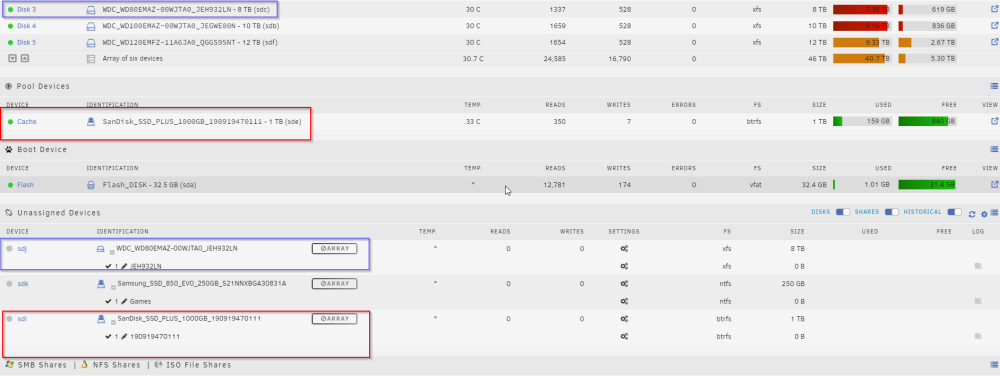
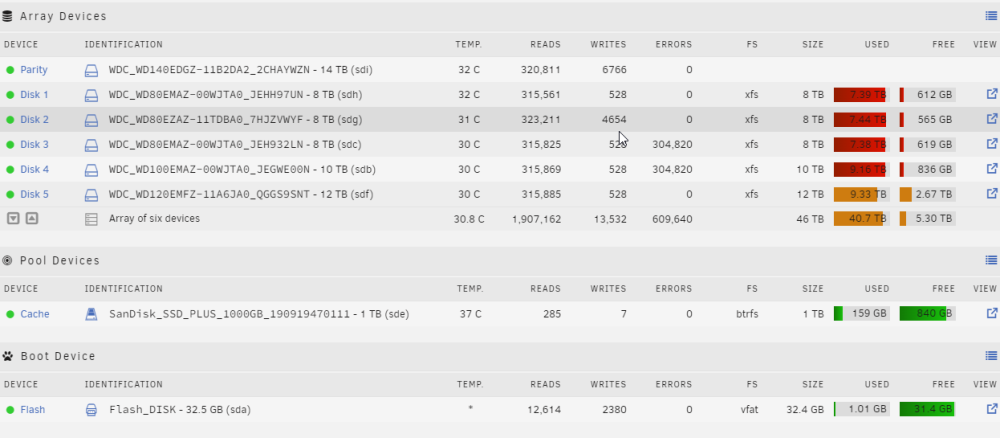
Looks like disk3 the cache drive are both showing up twice on the "Main" tab -- once under the array/cache and once under Unassigned Devices.
-
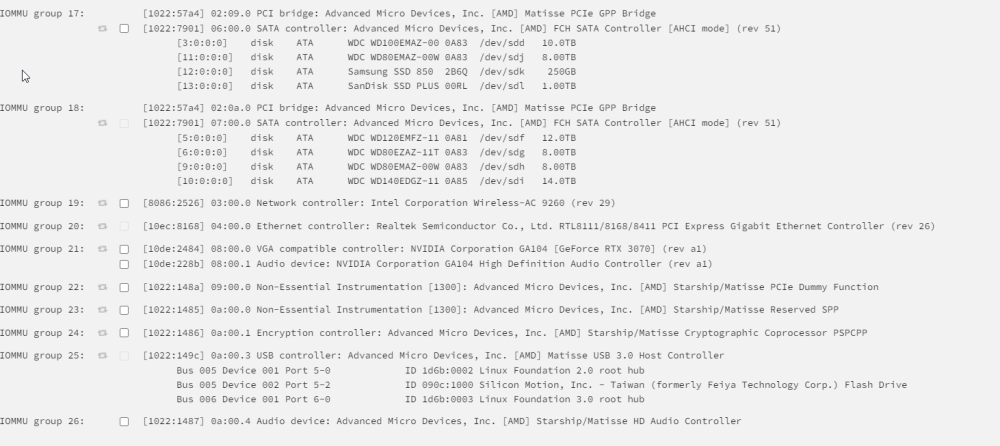
@JorgeB -- That seems to have fixed a few things -- I can now navigate into the appdata folders for each application -- however the docker apps are not booting as expected. And I am still seeing those errors. Also, under my VFIO settings one of my sata controllers is completely greyed out -- should it look like this? (see attached images) warnerserver-diagnostics-20221030-1218.zip

-
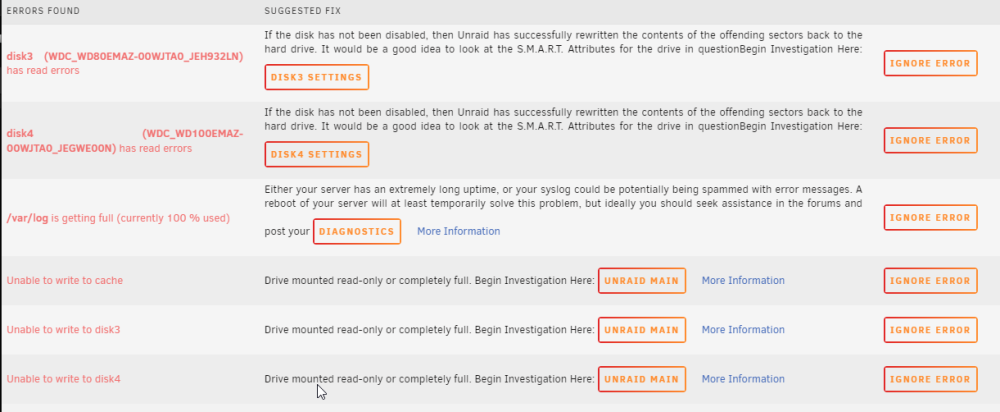
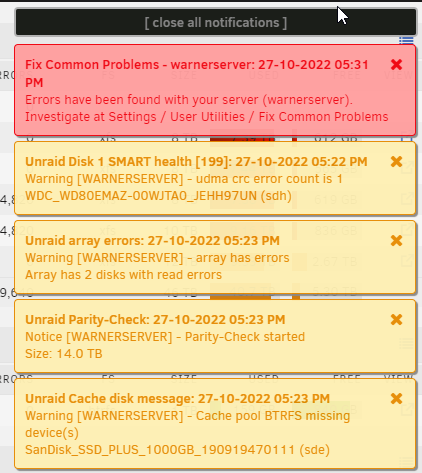
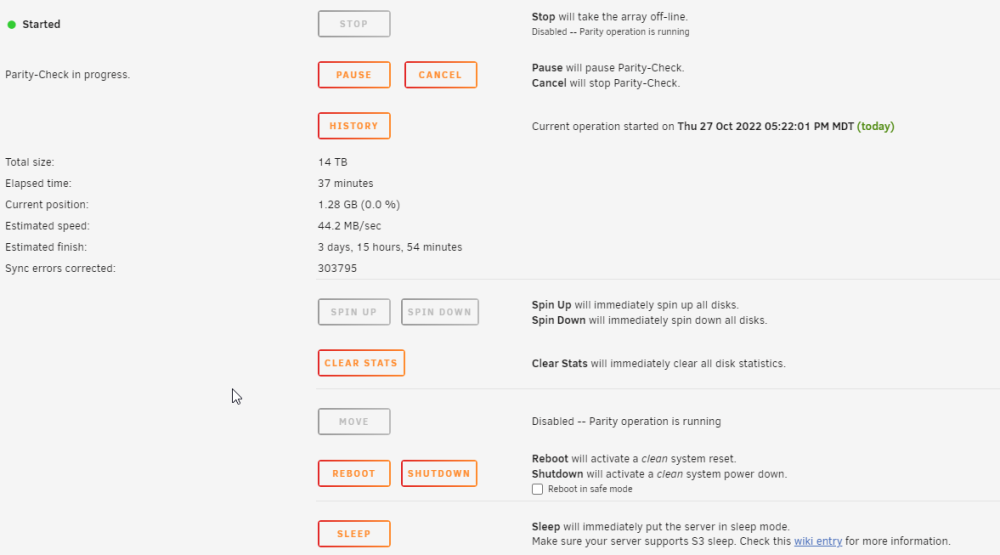
I have just done some maintenance on my server: Swapped CPU Heatsink Removed a unassigned drive Cleaned out the chassis Once I booted the server after maintenance, I am now seeing errors. One about my cache drive not being present -- even though it shows in my Main tab. And it appears that two of my array drives in addition to the cache drive are mounted in a read only mode. I can ls -la and see my appdata on my cache but when I try to look in any folder I am getting a input output error. I only have one Parity Drive and one cache drive on my server. Attached are my diagnostics and some screenshots that may help make sense of things. I am hoping that someone has some ideas on how it could be fixed, otherwise - I fear I may have to start completely over with everything. Any help is much appreciated! warnerserver-diagnostics-20221027-1846.zip warnerserver-syslog-20221027-2334.zip
-Brave.png.31d0f2f31054f2ac555efc8e5558dfac.png)
-Brave.thumb.png.21f5293886d4c084514a8f82623b7190.png)
-Brave.thumb.png.f25e577fd5e8a4dccc9f2f7fcc61fc32.png)



-Brave.png.31d0f2f31054f2ac555efc8e5558dfac.png)


-Brave.png.240ada0399c1ea63d2906fe83a772a76.png)
-Brave.png.b82c1b081a69eadf0e1a379c38e2a23d.png)