Whatupdays
Members
-
Joined
-
Last visited
-
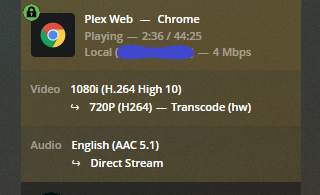
Ok so I checked my test file and your right it was H.265 codec in a mp4 container. If I'm understanding this correctly. But I did check other mp4 files and they all work correctly. So in the end it was my test file in the wrong codec that my gpu doesn't support.
-
Ok I figured it out for some reason my gtx 980 can't handle mp4 files properly but mkv files work just fine. Would this be the same if I had a P2000? You've been a great help and maybe this info will help someone else if they are having a similar issue.
-
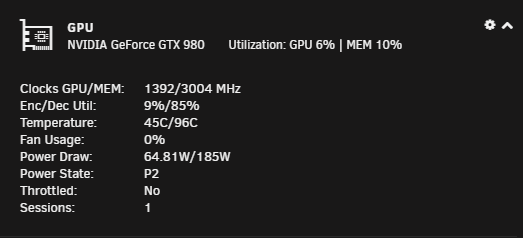
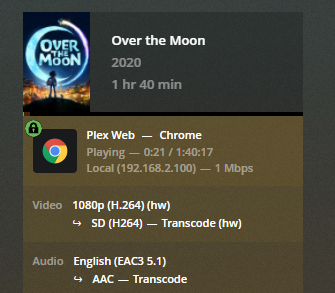
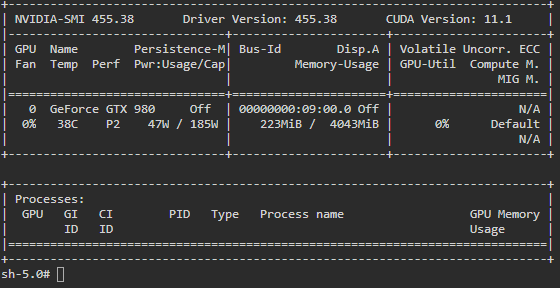
Here it is and it don't look right.
-
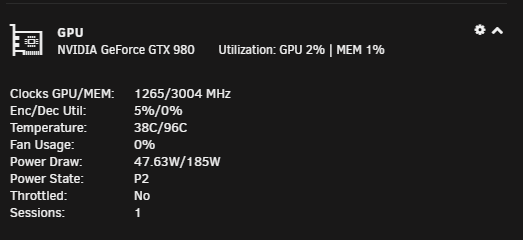
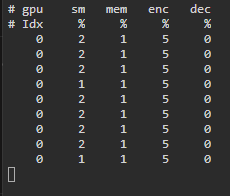
Just wonder what is wrong I have hw encoding working but not hw decoding. I was on binhex/plex but switched to the binhex/plexplass. But keep in mind I've only been using Unraid for just over a month so I'm still a noob. I thought about trying a Emby docker to see if that works for both transcodes. Any help would be appreciated.