





meinnamehier
Members
-
Joined
-
Last visited
Everything posted by meinnamehier
-
Apparently a reboot took care of all that and it is workign now. Maybe a restart of the array would have achieved the same, but I had to reboot anyways. After that, it worked. Thanks for your work on this and your quick help!
-
Yes, the token is present and this also: FIREFLY_III_URI=http://192.168.178.52:8080
-
Yes, i tried installing several times; I used the "CA Cleanup AppData" plugin and manually erased files in appdata/ inbetween. I checked the folder you mentioned, but there is only one CSV importer listed there. Attached you can find the screenshot of the configs for FireflyIII and the CSV importer. Thanks for your help!
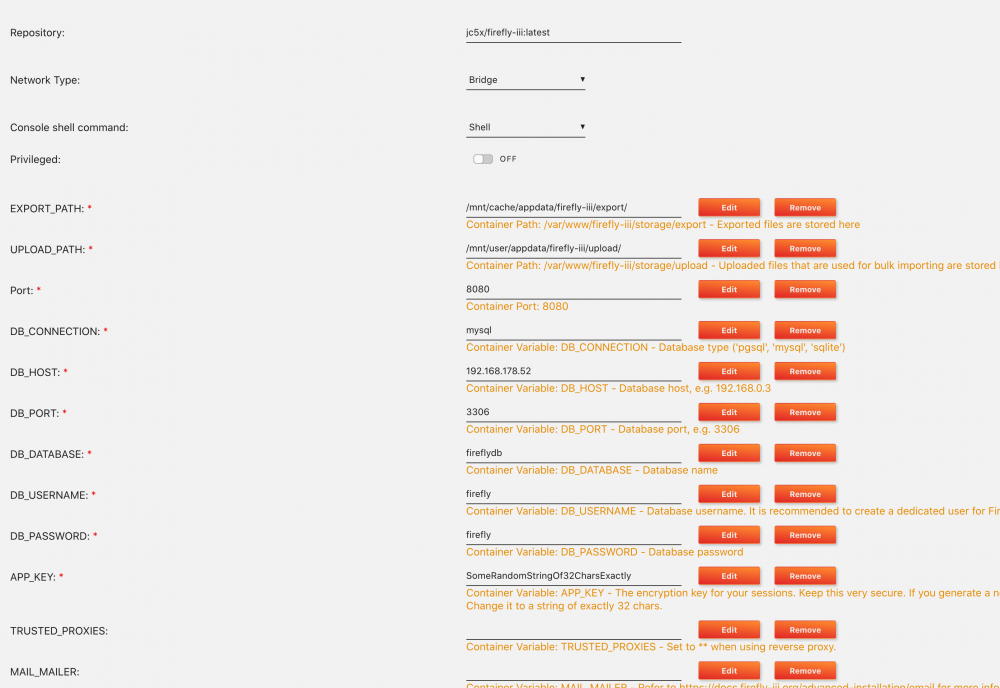
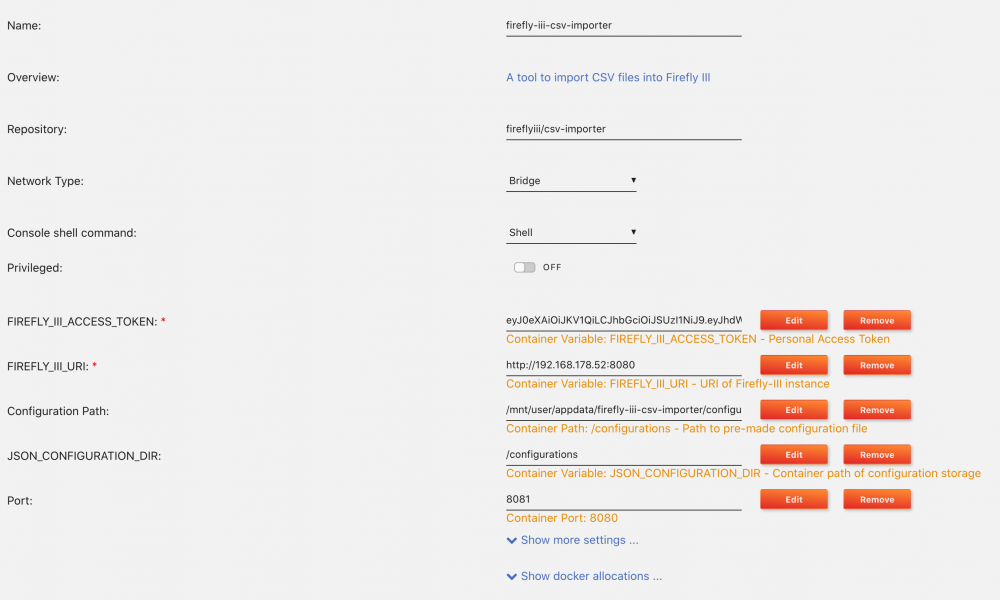
-
Hi! I am having trouble setting up the CSV Importer. No matter which FIREFLY_III_URI I set, it is not being used in the container. When starting the WEBUI, i get this error message: Tried "http://192.168.0.10:8080/api/v1/about" 5 times but failed: cURL error 28: Connection timed out after 31415 milliseconds (see https://curl.haxx.se/libcurl/c/libcurl-errors.html) for http://192.168.0.10:8080/api/v1/about Any ideas?

