





galego100
Members
-
Joined
-
Last visited
-
yes it´s true. My mistake.
-
Bui i don´t have this message of the internal boot before i upgrade it to 7.3. I have to go my Bios and check the order of boot e.g.? Or the legacy, UEFI setting?
-
After upgrade to 7.3 , have several problems , first , after the first run , it shows a wizard to configure, setup all the unraid , i skip it , but now i have this error on my flashdrive. Also i have problems on my cache SSD drive

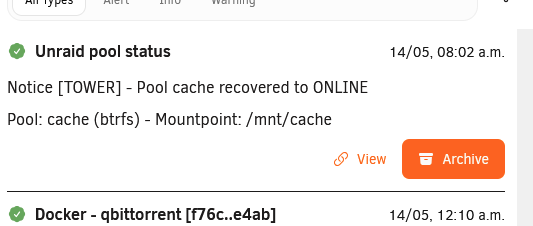
-
Previously, when I copied files using MC, the copying would continue even after I turned off the computer. Now, when I turn off the computer, file transfers on the server made by MC also stop and are interrupted. Do you know why? Since migrating to version 7, permissions are a mess. Several times a day I need to access the shares and grant new permissions. I've already tried using Docker Safe Perm, but the problem persists and it's very annoying. Another strange problem is that, since version 7, some of my shares have changed their appearance, appearing as links. For example, when I use mkvtoolnix, these shares don't appear. I need to navigate through the folder system and follow the path to the "user" folder to find the share. I'm very frustrated with the problems in version 7. I'm a basic user, I only have a few Docker containers, at most 7 or 8, just to manage my media library. I'm starting to think about migrating to another operating system. I've been using Unraid since 2020 and, for the first time, I think the evolution is getting worse.
-
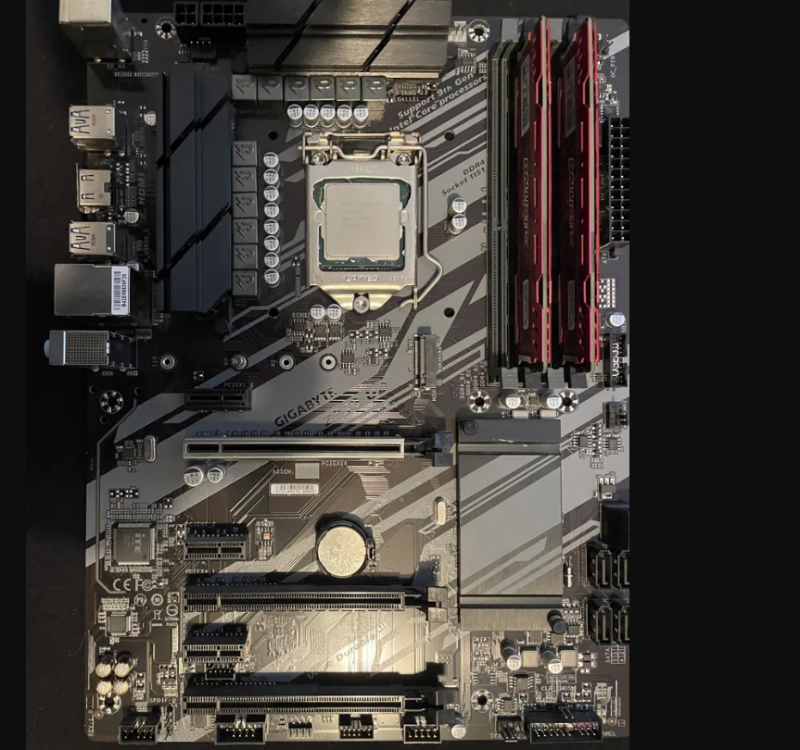
Thanks . I will not use a graphics cards, so i will use the GPU PCI slot . My disks are 8 mechanicals 3.5 .
-
Thanks . have the slot of GPU free, is a better option than the other 2?
-
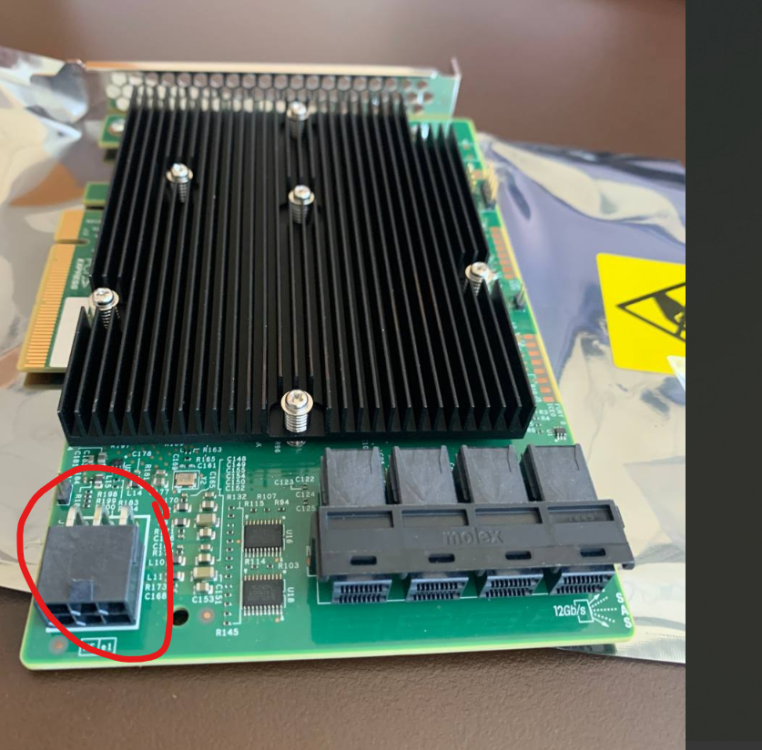
Hello , today i receive the Broadcom 9300-16i SATA / SAS HBA Controller IT-Mode 12Gb PCIe x8 LSI , with IT mode for Unraid accordingly to seller from ebay. Now i have doubt regarding power, the board is just powered by the PCI slot ? Or i have to connect 6 pin cable to power it? My motherboard is a Gigabyte Z390 UD. On the attached image, i guess it´s a power socket?
-
Yes , you are right...It´s a SAS enclosure, a PCI one...
-
No , i don´t have.... But the 8 disks are all full with movies .... if i add them again it won´t show up the movies ? The share are the same. Imagine , i have a share named movies with 1000 movies with 2 disks. 500 movies per disk . If i take back one disk , it will show only 500 movies, later , if i add the other disk again , it will show the 1000 again? The disks were not formated,, they just not connected because of the faulty old SAS board. So , to put it up the server again, when i boot it, it show it , the missing disks, i have to perform new config , without erasing the others disks. I guess when the new SAS arrive, i stop the array , shutdown server, connect the disks , and add it again...
-
Hello , My SAS delivery his soul to the creator , now i´m waiting a new one... My server have 14 disks , so , i have to put aside 8 disks , and create new config with 6 disks. I have a share with movies, the library now is incomplete( it only shows the movies from the 6 disks) until the new SAS arrive, when it arrive i will recover all the movies on the other 8 disks , right? i just have to add to the array pool again , and everything will be ok?
-
Thank you, Is there any known issues with Broadcom 9300-16i SATA ? Broadcom LSI 9300-16i 16-Port 12Gb/s SAS/SATA HBA ZFS TrueNAS UnRAID IT Mode | eBay
-
Hello , SAS Controller LSI 9201-8i need to be flashed? This one below, https://www.ebay.de/itm/142729911794?itmmeta=01HQH8MKT42V0F01R50A0GK5K6&hash=item213b5d9df2:g:kC4AAOSw7p1asoVd&itmprp=enc%3AAQAIAAAA8O8QD8Yu6zPGrCwWfW5o0fuy7AQqclbF1WyzDOD0hU81fHKIUsdspHjx7jF2jxmOyZIBlQbhBHiYlU%2BUs3MeO5IKuDIcMJbNfbwA7jL2nlgypgdasTvvhyOacrJC%2FkBRItb9Or5P4K2UsB8zADGloOxmPGi56O8TrTcARftlf1wGa14HVXh1H1ZI9frPZHOt1Ov5LrASMKSEtMX%2BDr9%2B33qGFYJfvfXLfEtacR2Q5U5FzIawfmXYXxhuxgIgV87jTaPkj2ahDBJJbDeVAorVdOabWXXB9%2FPZYIXDZi%2BC1%2BnT0CY%2FkqBQMwVONBICB%2BH9Zg%3D%3D|tkp%3ABk9SR5a90qi8Yw
-
I´ve already done that. And the cables are ok. Which SAS cables you recomend?
-
Hello , the problem persists. Diagnostics attached tower-diagnostics-20230316-1921.zip
-
OK. Later i will try it. Thank you


